You know that moment when your delivery startup is bleeding money on wrong addresses and idle drivers, and someone in a meeting says “can’t the app just figure out where everyone is?” That question, simple as it sounds, is where a lot of founders walk straight into a six figure build they did not need.
Location can make a product worth opening. It can also run up the bill, drag in complexity, and hand you a privacy mess that sinks the whole thing if you look away too long. Founders tend to skip that second part. So get clear on what location-based app development actually buys you before you greenlight it, and where the money quietly slips out the back.
This guide stays honest about both sides. The efficiency wins are real. The bill, if you are careless, is also real.
What Location-Based App Development Actually Means for a Startup
Cut through the jargon and a location-based app really does one job. It takes where someone is, or where something is, and makes a call the app could not make blind.
- Show the three nearest open kitchens.
- Reroute a driver around a jam.
- Fire off a discount the moment a shopper passes your window.
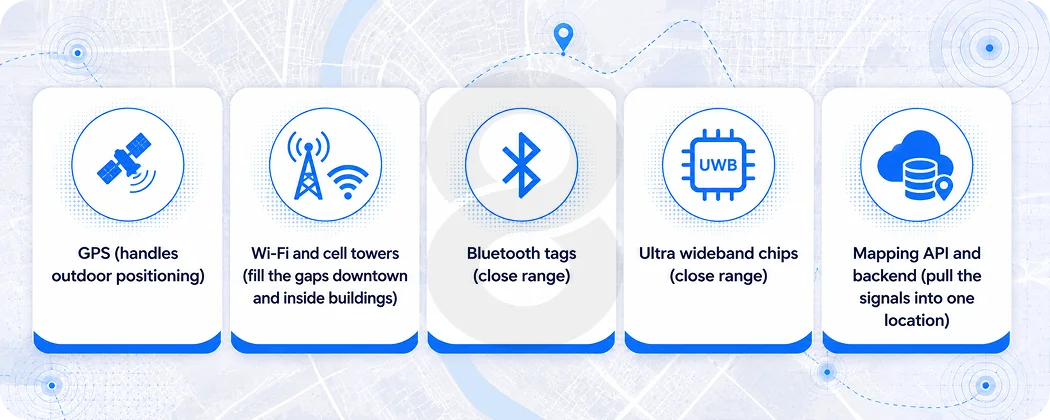
It is the same trick every time, just pointed at a different problem. However, that “where” is not one thing. It is a handful of signals the phone juggles in the background. While GPS carries the outdoor load, Wi-Fi and cell towers cover the dead spots downtown and inside buildings, where GPS starts guessing.
Bluetooth beacons and newer ultra wideband chips take over for close range work, like guiding someone the last hundred feet through a mall or an airport. Once you feed all of that into mapping API and backend, you have the base of a geolocation app.
The market keeps pulling startups toward this. One estimate values the location-based services market at around USD 56 billion in 2025, on track to triple in next five years.
Navigation alone is a heavyweight, with Statista projecting steady multi billion dollar revenue across navigation apps. Numbers like that get repeated in every pitch deck, but they matter to you for a narrower reason.
They mean the building blocks, the maps, the SDKs, the positioning tools, are mature and well documented. You are not inventing anything. You are assembling. What you are deciding is which type of location-based app you are building.
Real estate discovery, fitness tracking, on demand delivery all lean on the same core tech in different ways. That difference is what sets your timeline and your budget, long before anyone opens a code editor.
Where the Efficiency Gains Actually Show Up
Here is what nobody tells you in the sales pitch. Location features do not make your app better by default. They make it better when they remove a real cost or a real friction. The trick is knowing where that happens.
Logistics is the clearest case. When a dispatcher can see every vehicle in real time, late deliveries get flagged before the customer calls, and one coordinator can manage a bigger fleet. That is why purpose built fleet tracking and route planning tools tend to pay for themselves faster than almost any other location feature.
Transport and logistics already make up the single largest slice of location-based service use, holding roughly a fifth of the market, and that is not a coincidence. The savings are easy to measure.
On demand businesses see the second clearest win. Matching a rider to the closest driver, or a hungry user to the kitchen that can deliver fastest, is a math problem that location data solves cheaply. If you are building anything in the ride hailing or delivery space, the location layer is not a feature. It is the engine.
Retail and engagement is messier but still real. Geofenced notifications, the ones that fire when a user crosses an invisible boundary, perform far better than the generic kind.
Location triggered push messages reach roughly double the open rate of standard notifications, and well run geofencing campaigns tend to convert better than untargeted ones. A small retail startup can use that to bring nearby shoppers through the door without buying expensive ad inventory.
| Industry | What the location layer does | The efficiency payoff |
|---|---|---|
| Logistics and delivery | Live vehicle tracking, automated route planning | Fewer dead miles, fewer late deliveries, leaner dispatch teams |
| On demand services | Matches users to the nearest provider | Faster fulfillment, higher driver utilization |
| Retail and eCommerce | Geofenced offers, in store guidance | Lower ad spend per visit, more foot traffic |
| Real estate | Shows nearby listings and points of interest | Shorter search time, more qualified leads |
| Field services | Technician dispatch by proximity | More jobs per day, less travel waste |
The Cost Question Nobody Answers Straight
Ask five agencies what a location-based app costs and you will get five answers between fifteen thousand and three hundred thousand dollars. That spread is not them dodging you. It reflects how much the feature set swings the number.
The honest breakdown looks like this. A basic app that drops pins on a map and shows nearby places is genuinely affordable. Costs climb the moment you add real time tracking, because now your backend has to ingest a constant stream of coordinates from every active user without falling over.
They climb again with offline maps, custom routing, and anything involving heavy mapping API usage, since those APIs bill per call and a popular app makes a lot of calls.
Before you commit, it is worth running the numbers on the smallest viable version. You can rough out a build estimate in a few minutes and see how each feature moves the total. That exercise alone has talked plenty of founders out of features they were emotionally attached to but did not need.
The other quiet cost is the team. Location work needs people who have shipped it before, because the edge cases are the kind of thing you only learn by getting burned.
Hiring full time for a single project is rarely worth it. Many startups bring in an extended engineering team for the build and scale it back after launch.
| Cost driver | Why it adds up | Lean alternative for an MVP |
|---|---|---|
| Real time tracking infrastructure | Constant coordinate updates strain servers | Periodic updates or polling at launch |
| Mapping API usage | Providers bill per request at volume | Cache results, limit calls, set usage caps |
| Native vs cross platform | Two native builds double the work | One cross platform codebase to validate the idea |
| Offline mode | Storing and syncing maps is complex | Skip it unless your users go off grid |
| Custom backend scaling | Geospatial queries get heavy fast | Start with managed services, optimize later |
Features That Earn Their Place and the Ones That Don’t
Every founder wants the full kit on day one. They picture real time tracking, augmented reality overlays, slick predictive recommendations, the whole catalog. Most of it can wait, and trying to ship all of it at once is how a budget and a timeline blow up at the same time.
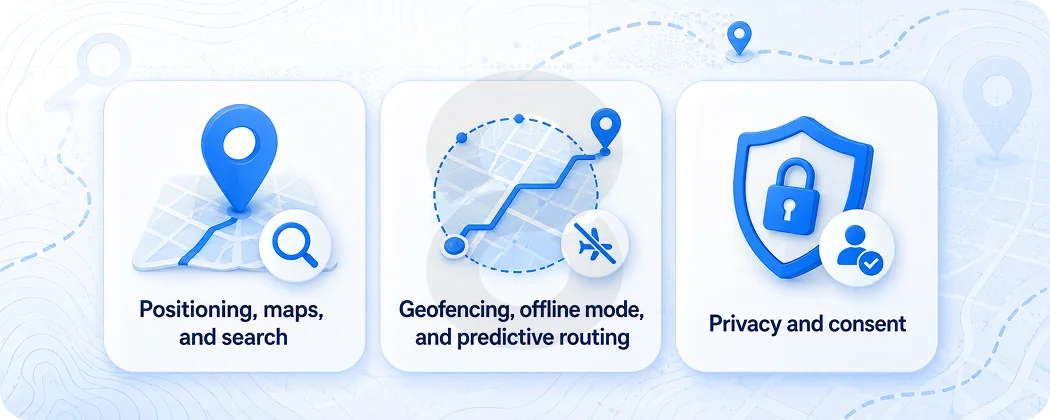
Positioning, maps, and search
A first version needs three things, and not much else. Accurate positioning comes first, because nothing else functions without it. A clean map view comes next, since that is how people work out where they are.
Search with filters rounds it out, so people can find what they actually came for. Get those three solid and you have something real users can pick up and use.
Geofencing, offline mode, and predictive routing
Everything after that depends on what you are actually building. Geofencing earns its place when your model relies on doing something the moment a user enters a location, and it is dead weight when it does not.
Offline mode is essential for a hiking app and pointless for a city delivery service. Predictive routing, the kind powered by machine learning that forecasts demand and traffic, is worth real money later on. It belongs in version three rather than version one, because it has nothing to learn from until real usage data starts coming in.
Privacy and consent
Privacy is the one item here you cannot push to later. Location is about the most sensitive thing a person can hand an app, and both Apple and Google will reject a build that asks for it carelessly.
You need clear consent and storage that holds up against rules like GDPR. Cutting this corner to save a week is how you end up with a rejected submission, or a story about your app that you would rather not read.
How 8ration Helps Startups Build Location-Based Apps
Most location projects do not fail on the technology. They fail on scope. A founder describes the dream app, an agency quotes the dream app, and six months later the money runs out before the product reaches anyone. The useful work happens earlier, in deciding what not to build yet.
That is the part 8ration tends to focus on first. Before writing code, the team maps your idea against the smallest version that can prove it works, the one location feature your whole pitch rests on. Sometimes that is live tracking.
Sometimes it is just geofenced alerts. Pinning it down keeps the first build cheap and the timeline short, which matters more than anything when you are spending investor money or your own.
From there the work covers the parts that quietly decide whether a location-based app survives contact with real users. Choosing positioning methods that hold up in your actual market, whether that is a dense city or a rural delivery zone.
Setting mapping API usage caps so a viral week does not arrive with a surprise bill. Building consent and data handling that passes app store review the first time. The same team has shipped this across property search experiences, on demand products, and tracking tools, so the edge cases are familiar rather than learned on your dime.
For a startup, the win is a product that proves its idea and leaves enough runway to do it again. That is a different goal than impressing a panel with a feature list, and it tends to produce apps that actually last.
Mistakes That Quietly Drain a Startup’s Budget
A few patterns show up again and again, and they rarely look like mistakes while they are happening.
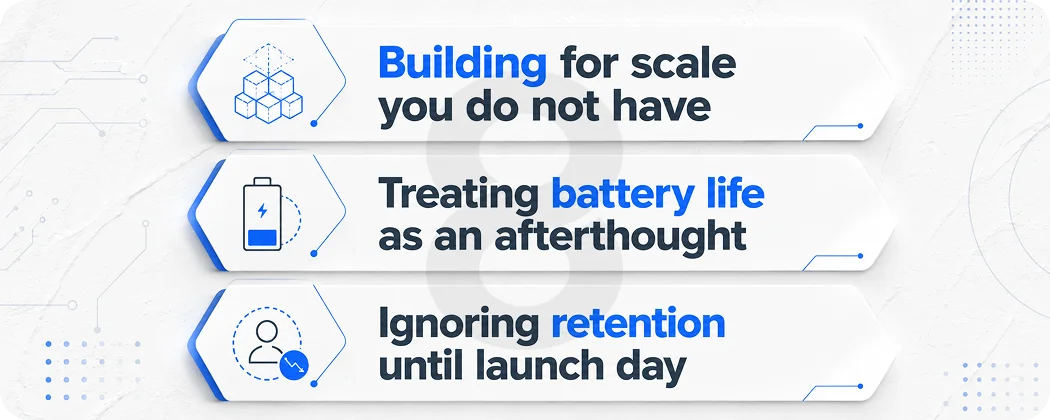
Building for scale you do not have
Founders architect for ten million users on day one, then pay for infrastructure that sits idle while the real count is four hundred. Start small, watch where the system strains, and grow it to match. Premature scaling is just expensive guesswork dressed up as foresight.
Treating battery life as an afterthought
An app that pings GPS every second will flatten a phone by lunchtime, and people uninstall battery killers faster than almost anything else they have. Smart location work is mostly about taking fewer readings, not more. The trick is sampling only when it matters, then going quiet the rest of the time.
Ignoring retention until launch day
The whole point of adding location is to give people a reason to open the app again. Think of a delivery they can watch move across the map or a route that reshuffles as traffic builds. Take that pull away and the feature is pure cost. Designing for the second visit is what separates a location-based app that compounds from one that gets deleted by Friday.