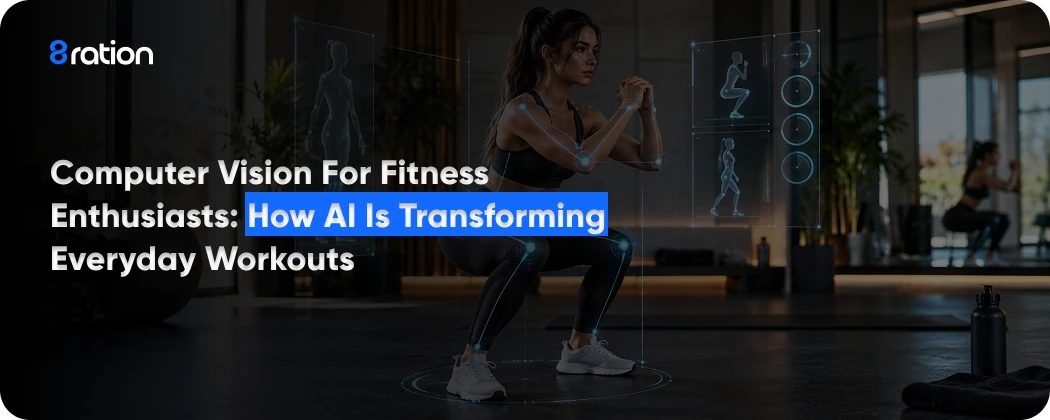
A phone propped against a water bottle can count your squats now. That is the everyday version of computer vision for fitness enthusiasts. A camera sends video to software that finds your joints in each frame and turns the movement into reps, angles and form cues while you train.
The software is only as good as what it can see. In a 2026 study published in JMIR mHealth and uHealth, an AI pose model caught 95.5% of squats when the phone sat at a diagonal angle 200 cm away. Move that phone to the side at 90 cm and it caught none. Choices like that separate a useful home setup from a frustrating one, and you control almost all of them.
What Computer Vision Fitness Does During a Workout
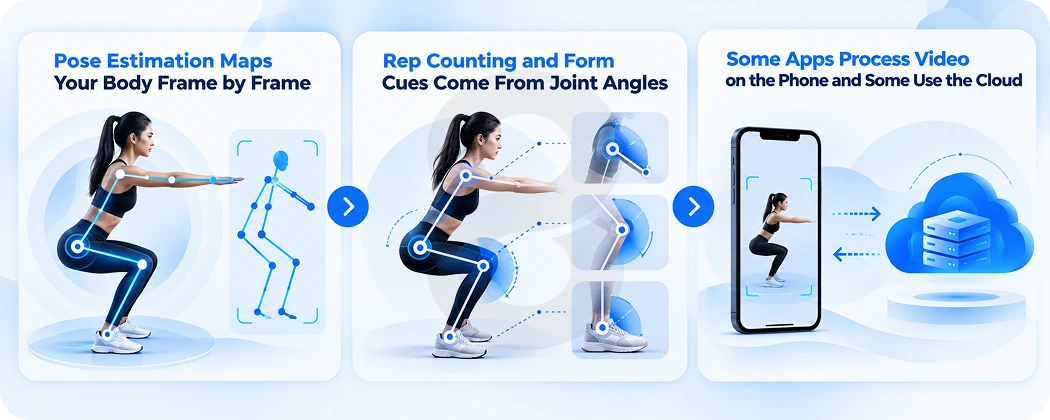
You see a rep counter and a cue on screen. Behind them the software runs three jobs: it finds your body in each frame, tracks how your joints move and compares that motion to a reference.
Pose Estimation Maps Your Body Frame by Frame
Pose estimation is the base layer. The model looks at a single video frame and marks where your shoulders, elbows, hips, knees and ankles sit. Google Research built its BlazePose model for on-device body tracking to infer 33 landmarks from one frame, and it reaches real-time speed on mobile phones with CPU inference alone. The authors call the landmark layout suited to fitness. They list yoga, dance and squat and push-up counters among its uses.
Those 33 points are what the app works with afterward. Your face and your living room drop out. What remains is a stick figure that updates as fast as the camera feeds it frames.
Rep Counting and Form Cues Come From Joint Angles
With landmarks in hand the app can measure angles. A squat shows up as the knee angle closing and then opening again. One full cycle counts as one rep.
Form cues follow the same logic. The app compares your hip depth or elbow path to a target range and speaks up when you drift outside it. The app maker sets those ranges. Two apps can watch the same squat and disagree about whether it went deep enough because each team chose its own thresholds.
Some Apps Process Video on the Phone and Some Use the Cloud
Where the math happens affects speed and privacy. BlazePose was designed to run on the device, so tracking does not require your video to leave the phone. Other services may send footage or landmark data to a server for analysis. The privacy policy should say which approach an app takes. If it does not, ask the developer before you train on camera.
| What the software detects | What it calculates | What you see on screen |
|---|---|---|
| Landmark positions in each frame | Joint angles such as knee and elbow bend | A skeleton overlay or live angle readout |
| Repeated motion cycles | The start and finish of each movement | A rep counter |
| Joint positions against a target range | Depth or alignment that falls outside the range | Audio or text form cues |
| Movement across a full session | Volume and consistency over time | Workout history and progress charts |
Computer Vision Equipment for Fitness Enthusiasts
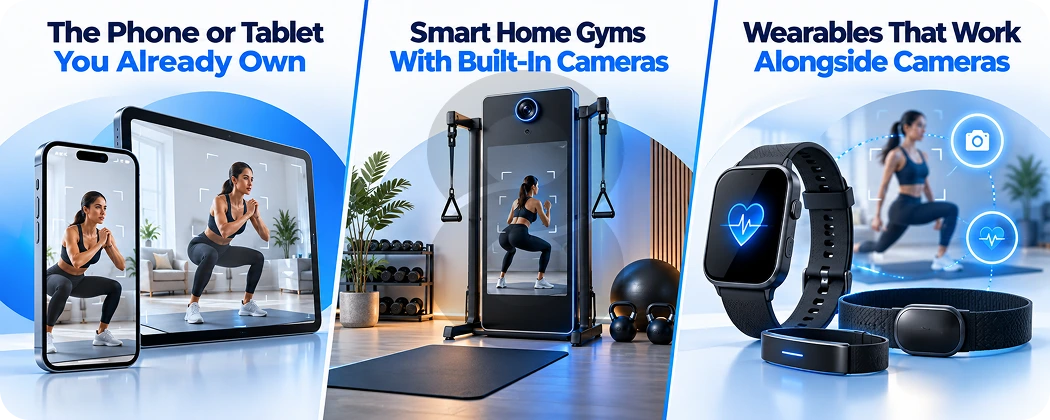
Your camera choice sets your budget and your setup time. A phone handles most bodyweight training, while connected home gyms add cameras or depth sensors to a full strength system with coaching built in.
The Phone or Tablet You Already Own
A recent phone has everything pose estimation needs: a camera, a processor and a screen. Models like BlazePose run on a phone’s CPU, so you do not need special hardware to start. A tablet gives you a bigger screen to read cues from across the room. Whatever device you pick, put it on a stand or tripod. The angle has to stay fixed for the whole set, and a phone leaning on a shoe will slide.
Smart Home Gyms With Built-In Cameras
Several connected strength machines now ship with vision hardware. Tonal announced Tonal 2 at CES in January 2025 with an upgraded camera that the company says analyzes movement patterns and gives real-time coaching cues. TechCrunch reported its price at $4,000. Tempo’s 2020 funding announcement describes a system that uses 3D sensors and AI to analyze motion, with real-time rep counting, live form feedback and personalized weight recommendations. Peloton Guide launched in April 2022 as a camera that connects to a TV and counts reps with AI during supported strength classes.
These machines solve the placement problem for you. The camera sits in a fixed spot the software was tuned for. You pay for that convenience in money and floor space.
Wearables That Work Alongside Cameras
Wrist devices still lead fitness tech. Wearable technology holds the top spot in the ACSM’s 2026 fitness trends survey, which polled 2,000 clinicians, researchers and exercise professionals. ACSM says nearly half of US adults now own a fitness tracker or smartwatch. It also reports that more than 70% of wearable users apply their data to exercise or recovery decisions.
A watch and a camera answer different questions. The watch reads heart rate and other signals from your body. The camera reads the shape of your movement. Your watch cannot tell you that your knees caved on rep eight, and your phone camera cannot tell you how hard your heart worked during that rep. Apps that combine the two can tie a form breakdown to the effort level at the moment it happened.
| Setup | What tracks you | Type of feedback | Trade-offs |
|---|---|---|---|
| Phone or tablet app | The device’s built-in camera | Rep counts and form cues from pose estimation | Accuracy depends on how you place the device |
| Smart home gym with a camera (Tonal 2) | A camera built into the machine | Real-time coaching cues during strength workouts | High upfront price, reported at $4,000 |
| TV-connected camera (Peloton Guide) | A camera placed by the TV | AI rep counting in supported classes | Rep tracking only works in supported classes |
| 3D sensor system (Tempo) | Depth sensors plus AI | Rep counts, form feedback and weight suggestions | Dedicated hardware in your home |
| Wearable plus camera app | Watch sensors and a phone camera | Effort data next to movement data | Two devices to charge and sync |
How to Use Computer Vision for Fitness Enthusiasts at Home
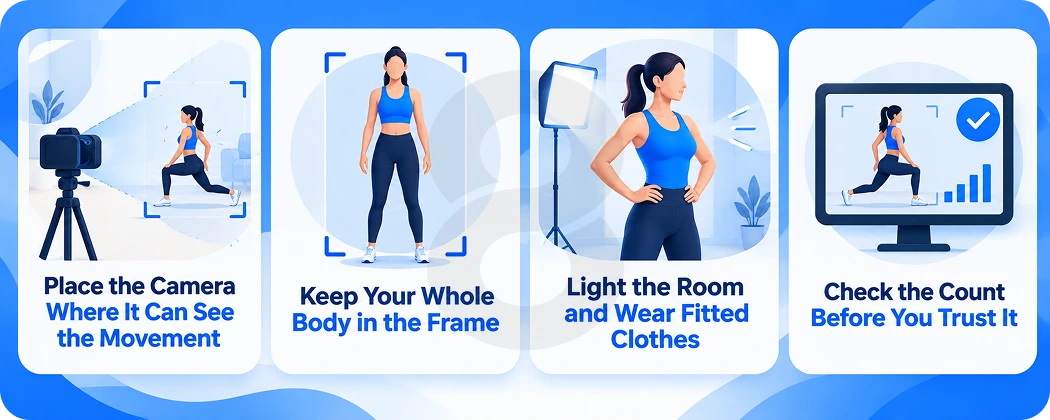
You get better counts and cues from the same app once the setup is right. These steps draw on recent research into phone camera placement for squats and push-ups plus lessons from early smart gym reviews.
Place the Camera Where It Can See the Movement
The JMIR study put this to a direct test. Researchers filmed 44 healthy university students doing squats or push-ups from 12 phone setups that combined three angles with four distances. Expert raters counted the reps by hand, and the team compared the AI’s counts against theirs.
Averaged across every setup, the AI caught about 61% of reps for both exercises. Its counts were off by about one rep on average. The gap between setups was wide. A diagonal view at 200 cm detected 95.5% of squats with an average error of 0.05 reps, while a side view at 90 cm detected no squats at all. Push-ups did best from a diagonal view at 90 cm or 180 cm and worst from the front at 360 cm.
The authors recommend a mid-range distance of 180 to 200 cm. Use a diagonal view for push-ups and a diagonal or frontal view for squats.
| Exercise | Best setup in the study | Detection rate | Average count error | Worst setup | Detection rate | Average count error |
|---|---|---|---|---|---|---|
| Squat | Diagonal view at 200 cm | 95.5% | 0.05 reps | Side view at 90 cm | 0% | 5 reps |
| Push-up | Diagonal view at 90 cm or 180 cm | 85.7% | 0.29 reps | Front view at 360 cm | 20% | 2.70 reps |
Keep Your Whole Body in the Frame
Walk through one rep before you start the set. Reach or lunge or lie down wherever the exercise takes you, and check that your head and feet stay on screen. A camera cannot track a knee it cannot see.
Early product reviews ran into the same issue. When a TechRadar reviewer tested the AI rep tracking on Peloton Guide in 2022, the camera sometimes struggled to see her and missed some completed reps. Adjusting her position helped.
Light the Room and Wear Fitted Clothes
Face your light source. A bright window behind you turns your body into a silhouette and hides the joints the app needs to find. Fitted clothing helps for a similar reason, since loose sweatpants can blur the point where your knee bends.
Check the Count Before You Trust It
Count your own reps for the first few sessions and compare them with the app. If the numbers drift apart, move the camera before you blame the software. An average error close to one rep per set adds up across a week of training logs.
Computer Vision Tips for Fitness Enthusiasts on Privacy and Accuracy

A camera aimed at you while you train raises two fair concerns: where the video goes and how much weight to give its feedback. You can check both in a few minutes before your first session.
Find Out Where Your Video Goes
Look for three answers in the privacy policy. Does video leave the device? Does the company keep it? Does it share it with anyone? On-device models like BlazePose show that real-time tracking can work without uploading footage. An app that processes video locally only needs to keep the numbers.
Physical controls matter too. If your hardware has a lens cover or a microphone switch, use it when you finish a workout. Point a phone camera away from the room when the app is closed.
Treat Form Cues as a Second Opinion
The research on camera coaching is still young. The JMIR team tested healthy young adults in a lab and compared results against expert annotation rather than motion capture, and the authors caution that the findings may not apply to other groups or settings. ACSM raises a similar flag about wearables, noting that rapid innovation often outpaces validation of device accuracy.
So when a form cue disagrees with your coach or with pain in a joint, the cue should lose. If you are working around an injury, have a coach or physical therapist check your form in person at least once and use the app between those sessions.
Where Computer Vision Fitness Is Heading
Fitness software already reaches a huge audience, and camera features ride on that base. ACSM reports that more than 345 million people used fitness apps in 2024 and that those apps passed 850 million downloads. Mobile exercise apps rank fourth on its 2026 trends list. Data-driven technology ranks eighth. ACSM also notes that research shows short-term gains in physical activity from apps while long-term outcomes still need study.
Hardware makers keep adding cameras, as Tonal did with its 2025 machine. Pose models that run on a phone let small teams ship the same core feature without custom sensors, and the same landmark tracking that counts squats can follow drills in sports app development or guided exercises in healthcare software. Accuracy outside the lab is the open problem. A cue has to hold up in a dim spare room with a pet wandering through the frame, and current studies have not tested much of that.
How 8ration Builds Computer Vision Into Fitness Apps
At 8ration we build fitness apps that cover workout tracking, activity monitoring, custom programs, video training and trainer tools for managing clients. Most of these projects ship on both iOS and Android. For teams that want one codebase we also work in cross-platform app development.
Camera features sit on top of that base. Our AI development work in fitness includes workout suggestions, habit prediction and performance dashboards. In our FitCoach project we built AR-powered virtual trainers with real-time form correction and adaptive workouts. We also connect apps to watches and trackers through wearable app development, which lets a single session record both the movement and the effort behind it.
Pose tracking needs testing on many phones, in different lighting and with different body types before it reaches users. Our software testing team handles that stage alongside the developers.