
The process of developing mobile applications brings both excitement and severe challenges to developers. The room exists as a creative space because your ideas flow throughout the area. The space contains whiteboards and notebooks and sticky notes that create a messy appearance. Prototypes remain incomplete through their current state and sketch work needs further development and screens display random arrows that lack purpose.
Testing takes longer than expected. Integration breaks. Chaos hits like a truck, and nobody saw it coming. You think you’re done planning, then someone asks for “just one more feature” and boom, scope creep hits hard. And it’s not just coding. UX matters, design matters, security matters, performance matters, business strategy matters.
Every tiny oversight early multiplies into bigger headaches later. You forget one API call, and data disappears. Miss one test case, and the app crashes on launch. Launch day feels like defusing a bomb while juggling flaming chainsaws.
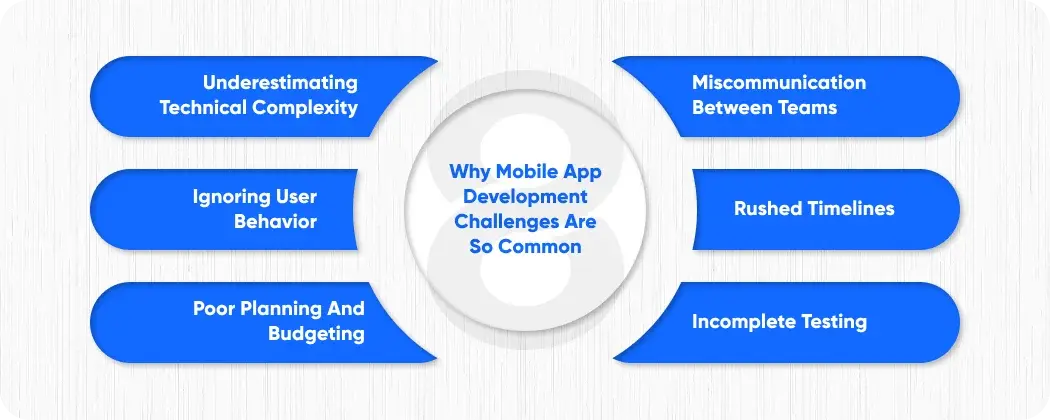
Why Mobile App Development Challenges Are So Common
One small glitch, one button that doesn’t respond, one laggy animation, and they leave. Teams almost always underestimate complexity. They assume tasks are simple. They ignore edge cases. Every wrong assumption multiplies risk. Suddenly timelines blow up, bugs appear, budgets inflate, users complain, and chaos takes over. You have to think ahead constantly, anticipate problems before they appear.
Common reasons challenges happen:
- Underestimating technical complexity
- Ignoring user behavior
- Poor planning and budgeting
- Miscommunication between teams
- Rushed timelines
- Incomplete testing
Ignoring these challenges leads to delays, overspending, low adoption, frustrated users. Sometimes, one small mistake breaks everything else.
Strategic Planning Challenges

Most teams overestimate how fast they can go and completely underestimate how many times things will need to be redone. Deadlines look nice on paper, but reality hits hard. Features get added, designs change, iterations pile up.
Without real planning, everything spirals, bugs, delays, costs, and frustration. You can’t just wing it. Every tiny assumption ignored comes back bigger. Planning early, thinking about edge cases, expecting the unexpected, that’s what keeps projects from collapsing.
Defining Clear Requirements
Vague requirements = wasted time. Wrong features built. Rework costs more.
- Conduct detailed discovery sessions
- Validate requirements with stakeholders
- Document assumptions clearly
- Prioritize features by ROI
Practical tip: Use visual wireframes and prototypes. They prevent misunderstandings. Everyone sees the same vision.
Scope Management
Scope creep is the silent killer. One minute you’re building a login, next thing stakeholders want social login, single sign-on, maybe even biometrics. You say okay, but your timeline starts slipping. Everyone thinks a small change won’t hurt, but it piles on. Testing takes longer, the UI tweaks, backend work grows.
Suddenly, a two-week change turns into a month of debugging and frustration. Your team’s juggling priorities, devs are annoyed, designers are tired. Without rules, without constant checks, everything spirals. Tiny things explode into big headaches. Managing scope is not optional, it’s how your project survives.
# |
Feature |
Initial Plan |
Added Later |
Impact |
| 1 | Login | Email only | Social login, SSO | +2 weeks, +$3k |
| 2 | Analytics | Basic events | Deep behavioral tracking | +$4k, delays QA |
| 3 | Chat | None | Real-time messaging | +1 month, +$8k |
Scope creep is one of the toughest mobile app development challenges to control. Always communicate what’s feasible before approval.
Timeline and Budget Misalignment
Estimating time and cost is tricky. API delays, design iterations, server issues. Always include buffers. Realistic timelines save headaches. Budget surprises are brutal. Plan for contingencies.
UX and Design Challenges
Even perfect code fails if UX is bad. Users leave fast.
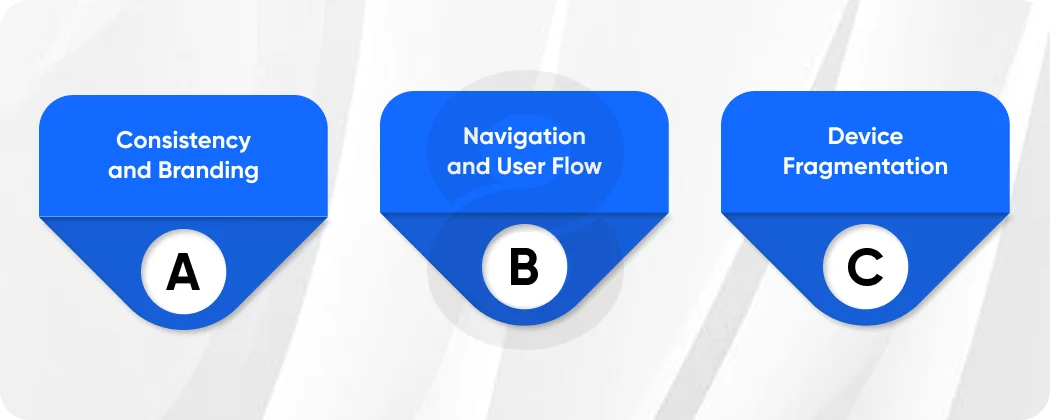
Consistency and Branding
Colors, fonts, layouts, interactions must match everywhere. Inconsistencies reduce trust. Users notice tiny mismatches. Brand feels unprofessional.
Navigation and User Flow
Confusing navigation frustrates users. Onboarding must be simple. Tooltips, tutorials, progressive disclosure help. Users shouldn’t have to guess.
Device Fragmentation
Multiple devices, OS versions, screen sizes. Testing is key. Ignoring this causes crashes. Layout breaks. Buttons disappear. Apps feel glitchy.
UX Checklist
- Onboarding tested on multiple devices
- Buttons intuitive and reachable
- Accessible for vision, hearing, touch
- Responsive layouts
- Test across old and new OS versions
Read More: How to Choose a Mobile App Development Company?
Development Challenges
Coding is where most technical issues appear.
Architecture Choices
Choosing the wrong architecture is expensive. Fixing later is painful.
- Monolithic: quick start, hard to scale, good for MVPs
- Modular: easier maintenance, needs planning, medium apps
- Microservices: scalable, complex deployment, large apps
# |
Type |
Pros |
Cons |
Use Case |
| 1 | Monolithic | Quick start | Hard to scale | MVPs |
| 2 | Modular | Easier maintenance | Needs planning | Medium apps |
| 3 | Microservices | Highly scalable | Complex deployment | Large apps |
Wrong choice impacts performance, maintenance, and cost.
Integration Complexities
APIs, third-party services, legacy systems. Integration often fails. Crashes, data loss, security holes.
- Validate API docs
- Use sandbox environments
- Monitor latency, error rates
- Handle failures gracefully
- Log errors for debugging
Integration surprises are common. Plan for retries, error handling, and fallbacks.
Performance Optimization
Slow apps die fast. Optimize queries, compress assets, cache aggressively, test on real devices. Users abandon apps that lag more than two seconds.
- Optimize images and videos
- Use lazy loading
- Reduce network calls
- Profile app regularly
Read More: 40 Best Technology Stacks for Mobile App Development
Testing Challenges
Skipping QA is risky. Bugs kill apps. Users leave after first crash.
Types of testing:
- Functional: features work
- Regression: old features remain stable
- Performance: speed and responsiveness
- Security: uncover vulnerabilities
- Compatibility: devices and OS versions
Automated + manual testing covers most problems. Beta testers catch edge cases.
Read More: Mobile App Development Process – From Idea to Launch
Deployment Challenges
Even perfect apps fail at launch.
Store Guidelines
App Store and Play Store rules are strict. Ignore, get rejected. Rules change constantly.
- Check metadata
- Test privacy policies
- Follow content guidelines
- Update for OS versions
Release Strategy
Soft launch, beta testing, staged rollout. Feedback catches issues. Avoid large-scale failures.
- Collect early analytics
- Track crashes
- Fix critical bugs before wide launch
Post-Launch Maintenance Challenges
Apps never finish.
- Bug fixes
- OS updates
- Security patches
- Feature enhancements
Ignoring maintenance reduces retention, increases churn. Plan for 10–20% yearly budget for upkeep.
Read More: Mobile App Development Team – Hiring Tips for Businesses
Security and Privacy Challenges
Breaches destroy trust. Sensitive data must be handled carefully.
- Encrypt sensitive data
- Comply with GDPR/CCPA
- Monitor access
- Patch vulnerabilities regularly
Security is non-negotiable. One leak ruins reputation.
Read More: HIPAA Compliant App Development – Ensuring Data Security and GDPR Compliance
Cost Management Challenges
Budget overruns are common. Causes:
- Scope creep
- Vendor delays
- Over-engineered features
- Unexpected infrastructure costs
Cost Reduction Strategies
- Build MVP first
- Prioritize high ROI features
- Use cloud solutions
- Reuse existing components
- Avoid unnecessary customizations
Read More: Mobile App Development Cost Breakdown
Emerging Technology Integration Challenges

AI, AR, IoT, VR excite users but add complexity.
- AI: data handling, bias, explainability
- AR/VR: device limitations, performance
- IoT: connectivity, security, reliability
Testing multiplies, edge cases grow. Expertise required.
Read More: Why an App Development Non Disclosure Agreement is Your First Step to Success
Analytics and User Behavior Challenges
Apps must track user behavior. Misreading data leads to wrong decisions.
- Install proper tracking
- Analyze funnels
- Run A/B experiments
- Monitor retention
- Iterate constantly
Real-time data informs design and marketing.
Technical and Strategic Approaches
- Agile methodology reduces risk
- CI/CD pipelines catch errors early
- Regular stakeholder communication
- Risk registers track issues
- User feedback informs decisions
# |
Aspect |
Agile |
Waterfall |
| 1 | Flexibility | High | Low |
| 2 | Feedback | Continuous | Limited |
| 3 | Risk Management | Iterative | End-stage |
| 4 | Time to Market | Faster | Slower |
| 5 | Budget Impact | Controlled | Often exceeds |
Agile tackles most challenges efficiently
Read More: Intellectual Property in Software – How to Protect Your App Idea Before You Build
Human-Centric and Operational Challenges
End-users define success. Neglecting them fails apps.
- Misunderstanding user needs
- Complicated onboarding
- Ignoring accessibility
- Misreading retention metrics
- Human factors are often underestimated
Advanced Operational Strategies
Continuous Monitoring
- Performance dashboards
- Real-time error monitoring
- User feedback loops
Team Collaboration
- Devs, designers, QA communicate constantly
- Weekly standups align goals
- Tools: Jira, Asana, Slack
Vendor and Outsourcing Challenges
- Remote teams require coordination
- Time-zone differences cause delays
- Quality control is harder
Read More: How to Create an App – 8 Steps to Build an App in 2026
Create Your Own Mobile App Today
Protect budget, time, and user trust. Partner with experienced developers. Plan clearly. Use agile processes. Test early and often. Track analytics. Optimize features. Avoid surprises. Boost ROI. Launch smarter, faster, safer.
Conclusion
Mobile software development challenges are complex but manageable. Planning, UX, architecture, integration, testing, security, and post-launch support. Each step matters. Agile, CI/CD, and data-driven insights overcome obstacles. Strategic foresight ensures a timely launch, budget control, adoption, and happy users. Iterate constantly. Focus on users. Plan edge cases. Avoid shortcuts. Preparation, discipline, and feedback ensure success.