
Data augmentation in computer vision creates new training images from the ones you already have. A flip, a crop, a shift in brightness or a patch pasted from another photo gives the model a fresh view of the same labeled object. The model then learns what the object looks like in general instead of memorizing how one camera saw it on one afternoon.
The need comes from a plain shortage. Deep neural networks usually need large training sets to avoid overfitting, yet labeled images for real projects are often limited. The authors of a 2022 survey on image data augmentation for deep learning describe augmentation as a necessary part of applying deep learning to image data for that reason. Labeling more photos costs weeks. Transforming the photos you have costs a few lines of code.
What Data Augmentation Does Inside a Training Pipeline
Each training image carries a label. Augmentation edits the image and leaves the label alone. A horizontally flipped photo of a dog still shows a dog. A cropped X-ray still shows the fracture as long as the crop keeps the fracture in frame.
Teams run augmentation in one of two ways. Offline augmentation writes altered copies to disk before training starts and grows the dataset by a fixed multiple. Online augmentation transforms each image at random every time the data loader serves it, so across many epochs the model almost never sees the same pixels twice. PyTorch’s torchvision transforms and the Keras preprocessing layers both work the online way, and it needs no extra storage.
Detection, segmentation and pose models add a wrinkle. Their labels are spatial. A rotation that moves a car in the image must also move the bounding box around that car, and a crop must trim the segmentation mask by the same amount. Libraries such as Albumentations apply the same transform to the image and its boxes, masks or keypoints in one call.
Benefits of Computer Vision Data Augmentation
Better generalization is the main payoff. A model that has seen a product from several angles, at several sizes and under several kinds of light copes better with the next photo a customer uploads. Published benchmarks show the gain. Google researchers report that RandAugment reached 85.0% accuracy on ImageNet, 1.0% above baseline augmentation, and lifted object detection results by 1.0 to 1.3% over baseline augmentation.
The other benefits follow from that one:
- Less overfitting on small datasets, where a network would otherwise memorize the few examples it has.
- Lower labeling cost, because each labeled photo produces many training views.
- Better tolerance of changes in camera, lighting, blur and partial occlusion once the model reaches production.
- A way to give rare classes more variety without collecting new samples of them.
None of these gains arrive by default. A transform that breaks the label teaches the model something false, and too much distortion can push training images so far from real ones that accuracy drops. The best practices section further down covers how to avoid both problems.
Core Data Augmentation Techniques in Computer Vision
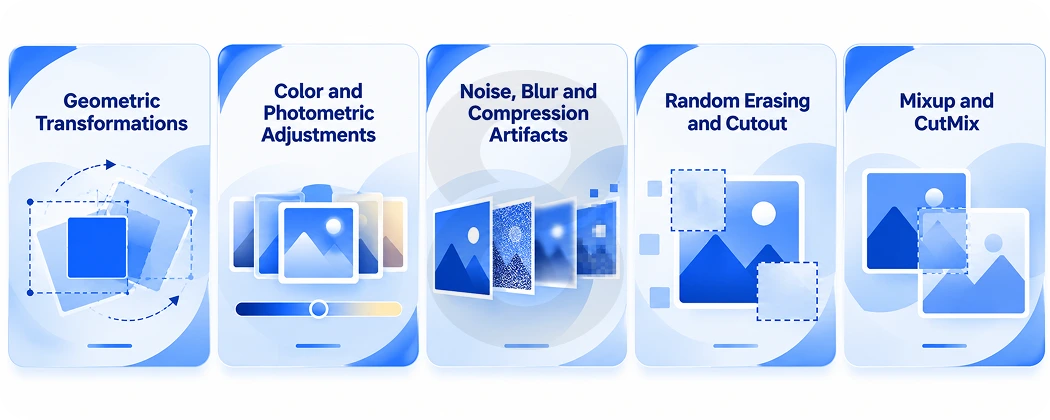
Most vision projects start with a few cheap transforms. Each group below changes a different property of the image, and each one can corrupt a label when it ignores what the task needs.
Geometric Transformations
Geometric transforms move pixels around. Horizontal flips, small rotations, random crops, scaling, translation, shear and perspective warps all fall here. Random resized cropping is a standard choice for image classification. It cuts a random region of the photo and resizes it to the input size, so the model sees objects at many scales and positions.
Direction matters for some tasks. A vertical flip makes no sense for street scenes, where the sky is always on top. A horizontal flip breaks text recognition because mirrored letters are not real letters.
Color and Photometric Adjustments
Color jitter changes brightness, contrast, saturation and hue at random. Grayscale conversion and gamma shifts belong to the same family. These transforms teach the model to ignore lighting and white balance, which vary from one camera and one room to the next.
Skip or soften them when color is the signal. A model that grades ripe and unripe fruit needs the color to stay true.
Noise, Blur and Compression Artifacts
Gaussian noise, motion blur, defocus blur and JPEG compression artifacts mimic cheap sensors, shaky hands and images that traveled through messaging apps. They help most when production images come from phones or low-cost cameras and the training set came from clean, curated sources.
Random Erasing and Cutout
Erasing methods hide part of the image. Cutout masks out square regions of the input at random during training. Random erasing does something similar with rectangles of random size and fill. The model can no longer rely on one patch, such as a dog’s face, and has to learn from the whole object. Both methods also prepare a model for real occlusion, where a shelf edge or another person hides part of the target.
Mixup and CutMix
Mixing methods combine two training images. Mixup blends two images pixel by pixel and blends their labels with the same weights. CutMix cuts a patch from one image, pastes it onto another and mixes the labels in proportion to the patch area. The CutMix authors report gains on CIFAR and ImageNet classification and better results when the trained model is reused for detection on Pascal VOC and captioning on MS-COCO.
| Technique | What Changes | Helps With | Watch Out For |
|---|---|---|---|
| Flip, rotate, crop, scale | Position, orientation, size | Objects seen from new angles and distances | Text, digits and scenes with a fixed up direction |
| Color jitter, grayscale | Brightness, contrast, hue, saturation | Lighting and camera differences | Tasks where color is the class signal |
| Noise, blur, JPEG artifacts | Sharpness and sensor quality | Phone and low-cost camera inputs | Fine detail such as small defects or small text |
| Cutout, random erasing | Hidden regions | Occlusion and reliance on one feature | Erasing the only part that defines the class |
| Mixup, CutMix | Two images and two labels combined | Regularization on classification | Detection and segmentation need adapted versions |
Advanced and Automated Augmentation Methods

Picking transforms and strengths by hand takes many training runs. Automated methods search for a good policy for you, and generative models go further by producing images that never existed in your dataset at all.
AutoAugment
AutoAugment learns an augmentation policy from the data. A policy holds many sub-policies. Each sub-policy has two image operations, such as rotation or shearing, and each operation has a probability and a magnitude. During training one sub-policy is picked at random for each image in each mini-batch.
The search picks the policy that gives the best validation accuracy on the target dataset. The authors report 83.5% top-1 accuracy on ImageNet, 0.4% above the previous record of 83.1%, and a 1.5% error rate on CIFAR-10. The learned ImageNet policy also transferred to other datasets, including Oxford Flowers, Caltech-101, Oxford-IIIT Pets, FGVC Aircraft and Stanford Cars. The drawback is cost. The search phase is a separate and expensive job.
RandAugment
RandAugment came from the same Google research group and removes that separate search. It applies a fixed number of random operations to each image at a shared magnitude, so the whole policy reduces to two values you tune directly on the target task. The authors report that it matched or beat earlier automated methods on CIFAR-10, CIFAR-100, SVHN and ImageNet and came within 0.3% mAP of AutoAugment on COCO. For most teams it is the sensible default when hand-tuning stalls.
Generative Models and Synthetic Images
GANs and diffusion models can create new training images, and 3D rendering engines can produce labeled scenes in bulk. Synthetic data helps most with rare or risky cases: a defect that rarely shows up on the production line or a road hazard nobody wants to stage. Teams that build generative AI development pipelines for this work must still check two things. Generated images need correct labels, and they should look close enough to real camera output that the model does not learn the generator’s quirks.
Choosing Data Augmentation Techniques in Computer Vision by Task
The right transforms depend on what the model predicts. A classifier only needs the label to survive. A segmentation model needs every pixel label to move with the image.
| Vision Task | Transforms That Usually Fit | Label Handling | Use With Care |
|---|---|---|---|
| Image classification | Random resized crop, flip, color jitter, RandAugment, Mixup, CutMix | Class label unchanged, or mixed for Mixup and CutMix | Flips for digits and text |
| Object detection | Scale, crop, flip, color jitter, mosaic-style tiling | Boxes transformed with the image | Crops that cut objects in half |
| Semantic segmentation | Flip, scale, crop, rotation, color jitter | Mask transformed with the same parameters | Interpolation that blurs mask edges |
| Medical imaging | Small rotations, elastic deformation, intensity shifts | Masks and findings kept aligned | Flips that swap left and right anatomy |
| Text and document recognition | Perspective warp, blur, noise, small rotations | Text label unchanged | Flips and large rotations |
Industry adds its own constraints. Healthcare software teams have to keep anatomical orientation intact. Agriculture software models face changing sunlight, dust and leaf overlap in the field, so color and occlusion transforms earn their place. Automotive software and retail software projects deal with weather, glare and crowded shelves, and the augmentation plan should mirror those conditions.
Best Practices for Data Augmentation in Computer Vision
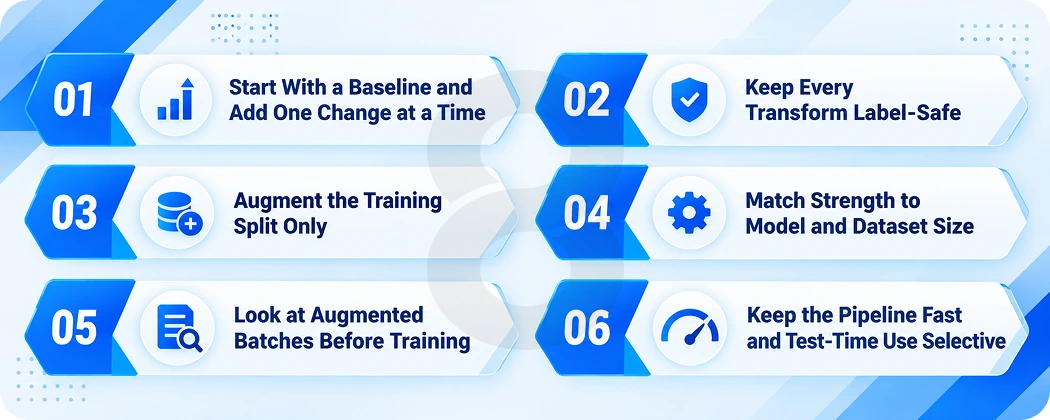
Good augmentation reflects the conditions your model will face after launch. These practices keep transforms honest, keep training fast and help you tell whether an added transform helps or hurts accuracy.
Start With a Baseline and Add One Change at a Time
Train once with no augmentation or with flips and crops only. Record validation accuracy. Then add one transform or one strength change per run. When five transforms go in at once, nobody can say which one helped and which one hurt.
Keep Every Transform Label-Safe
Ask of each transform whether a human labeler would still assign the same label. If the answer is no for even a share of images, drop the transform or limit its range. Rotations of 10 to 15 degrees may be safe for product photos while a 180-degree rotation is not.
Augment the Training Split Only
Validation and test images should look like production images. Augmenting them inflates the score and hides real errors. Split the data first, then apply augmentation inside the training data loader.
Match Strength to Model and Dataset Size
The RandAugment authors designed their two settings so teams could tune regularization strength to model size and dataset size. Small models trained on large datasets often need lighter augmentation. Large models on small datasets usually tolerate and need heavier transforms. Treat strength as a hyperparameter and search it like a learning rate.
Look at Augmented Batches Before Training
Save a grid of 50 to 100 augmented samples and look at them. Boxes that drift off objects, masks that no longer line up and images too dark to read show up in seconds this way. They take days to find through accuracy curves.
Keep the Pipeline Fast and Test-Time Use Selective
Heavy augmentation on the CPU can starve a GPU. Use several data loader workers or move transforms to the GPU. Test-time augmentation averages predictions over a few flipped or cropped copies of each input. It can add accuracy, but it multiplies inference cost by the number of copies, which matters on phones and edge devices.
Common Computer Vision Data Augmentation Mistakes
Most augmentation failures come from a handful of repeat mistakes. The table pairs each one with the symptom it causes and the fix.
| Mistake | Symptom | Fix |
|---|---|---|
| Transforms that change the class | Accuracy stalls or drops on certain classes | Restrict or remove the transform for those classes |
| Augmenting validation or test data | Strong offline scores and weak production results | Augment inside the training loader only |
| Boxes or masks not updated | Detection or segmentation loss stays high | Use a library that transforms labels with images |
| Distortion far beyond real conditions | Training loss stays high and the model underfits | Lower magnitude or probability |
| Augmentation that ignores production conditions | Errors on dark, blurry or angled field photos | Add transforms that mirror those conditions |
How 8ration Approaches Computer Vision Projects
We build AI features into mobile apps, web platforms and connected devices. Our AI development work covers data preparation, model training and the app layer that puts a model in front of users. In our Chem Savy project, we built AI that helps farmers identify crop diseases, a task where field photos vary in light, angle and leaf condition.
Augmentation sits early in our process. We study where images will come from in production, which cameras and which conditions, and design transforms around that. A model meant for an augmented reality app faces different inputs than one that checks parts on a manufacturing line. We also test trained models against held-out real images through our software testing process before they ship.