Low-code/no-code digital transformation lets business teams build the apps and workflows they need on visual platforms instead of waiting months for a full development cycle. The market has moved fast. Gartner forecast in December 2022 that spending on low-code development technologies would reach $26.9 billion in 2023, up 19.6% from 2022.
Speed matters because most transformation programs stall. A McKinsey survey of 1,793 respondents found that fewer than 30% of transformations succeed and digital ones do worse. Low-code will not fix weak strategy. It does shorten the distance between a process problem and a working tool.
What Low-Code in Digital Transformation Actually Changes
Most companies already know which processes slow them down. Low-code changes who can fix those processes and how fast the fix reaches staff. Knowing the mechanics helps you choose the right approach for each job.
How Low-Code and No-Code Platforms Work
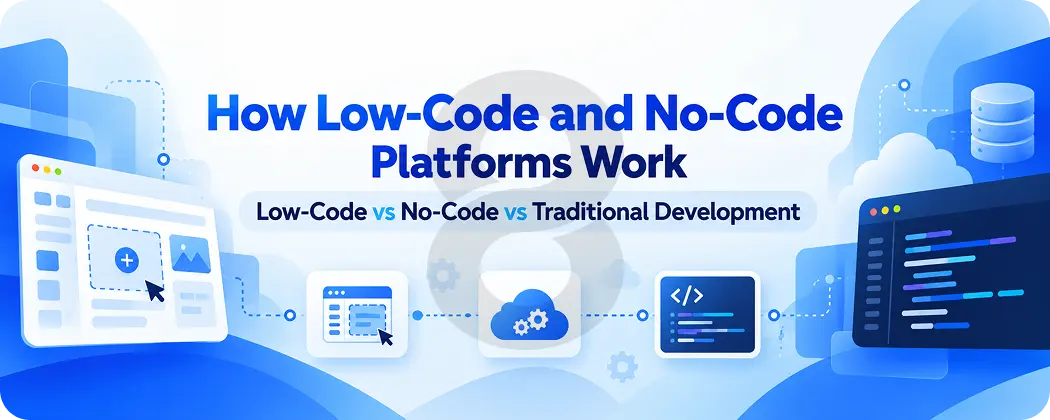
A low-code platform gives you a visual canvas. You drag in forms and tables and logic blocks, then connect them to data sources through prebuilt connectors. When the visual tools run out a developer writes code for the gap. A custom calculation or an unusual API call is a typical example.
No-code platforms remove that escape hatch. Every feature comes from configuration. A finance manager can build an expense approval app without help from IT. That same manager cannot add behavior the platform does not already support.
Both models handle hosting and user management for you. That shared foundation is where the time savings come from. Your team stops rebuilding login screens and database plumbing for every internal tool and spends the hours on the business rule that makes the tool worth having.
Low-Code vs No-Code vs Traditional Development
The three approaches overlap, and many companies run all of them at once. The table shows how they differ on the points that usually decide a project.
| Factor | No-Code | Low-Code | Traditional Development |
|---|---|---|---|
| Main builder | Business users | Developers and technical business users | Professional developers |
| Coding needed | None | Some, for custom logic and integrations | Full |
| Typical build time | Days to weeks | Weeks | Months |
| Customization | Limited to platform features | High, with code extensions | Unlimited |
| Integration depth | Prebuilt connectors only | Connectors plus custom APIs | Any system |
| Best fit | Simple forms, trackers, approvals | Internal apps, portals, process automation | Customer products, complex or high-traffic systems |
| Main risk | Hitting the platform ceiling | Vendor lock-in | Cost and time |
Why Businesses Choose Low-Code Digital Transformation Software
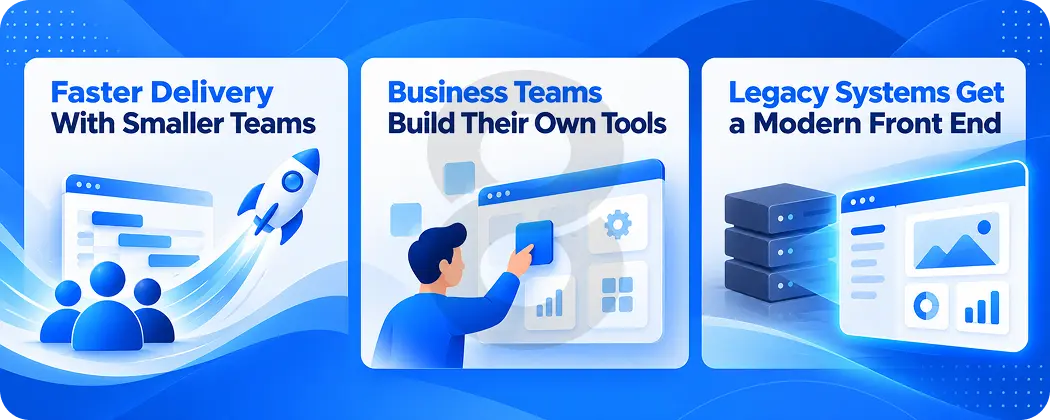
If your IT backlog grows faster than your team can hire, low code digital transformation eases the pressure in three ways. Each one shows up first in a different part of the business.
Faster Delivery With Smaller Teams
A traditional internal app goes through requirements, design, build, testing and deployment. Low-code compresses the build stage because the platform supplies the components. One developer can assemble in weeks what used to need a small team for a quarter.
Shorter builds also change how you plan. You can release a rough version, watch people use it and adjust the next week. Feedback loops that took a release cycle now take days.
Business Teams Build Their Own Tools
Gartner research found that on average 41% of employees outside IT customize or build data or technology solutions. Those people are already building things. Most of them do it in spreadsheets and email threads that nobody else can see or maintain.
Low-code gives that work a home with access controls and an audit trail. The operations lead who tracked vendor onboarding in a shared spreadsheet can turn it into an app with status fields and automatic reminders. IT still sets the rules. The business team does the building.
Legacy Systems Get a Modern Front End
Replacing an old ERP or core database is expensive and risky. Low-code offers a middle path. You keep the legacy system as the record of truth and build a modern web or mobile interface on top of it through APIs or database connectors.
Staff get a usable screen in weeks. The old system keeps running underneath while you plan a proper migration at your own pace. The pattern buys time and proves value before you commit to a larger system integration project.
Approvals still stuck in email and spreadsheets? Talk to 8ration’s consultants about which workflows to move onto low-code first and which ones need custom work. Button: Book a Free Consultation
Where a Low-Code Digital Transformation Solution Fits Best
Low-code works best on internal processes with clear rules, moderate user counts and data that already lives somewhere. The table maps common use cases to the teams that run them. It also flags where each one usually needs help from developers.
| Department or Industry | Common Low-Code Use Case | Where Developers Usually Step In |
|---|---|---|
| Finance | Expense approvals, invoice tracking, budget requests | Links to accounting and banking systems |
| HR | Onboarding checklists, leave requests, policy sign-offs | Payroll integration and sensitive data controls |
| Sales and service | Lead intake forms, case tracking, simple CRM extensions | Deep CRM development and data sync |
| Operations | Inventory checks, inspection forms, field reports | Offline mobile use and device integration |
| Healthcare | Patient intake forms, staff scheduling, referral tracking | Compliance controls and links to clinical records in healthcare software |
| Logistics | Shipment status portals, driver checklists, dock scheduling | Real-time tracking in logistics software |
| Manufacturing | Quality checklists, maintenance requests, shift handovers | Machine data feeds and IoT sensors |
The pattern holds across industries. Low-code handles forms and workflows well. It struggles with real-time data, heavy compliance and anything a customer pays to use. For those layers most teams pair a low-code front end with custom services behind it.
Customer-facing mobile apps are a good example. A low-code builder can produce a working prototype for a pitch or a pilot. A product meant for thousands of daily users usually moves to cross-platform app development once the idea proves itself, because performance and store-ready polish start to matter.
How to Roll Out a Low-Code Digital Transformation System
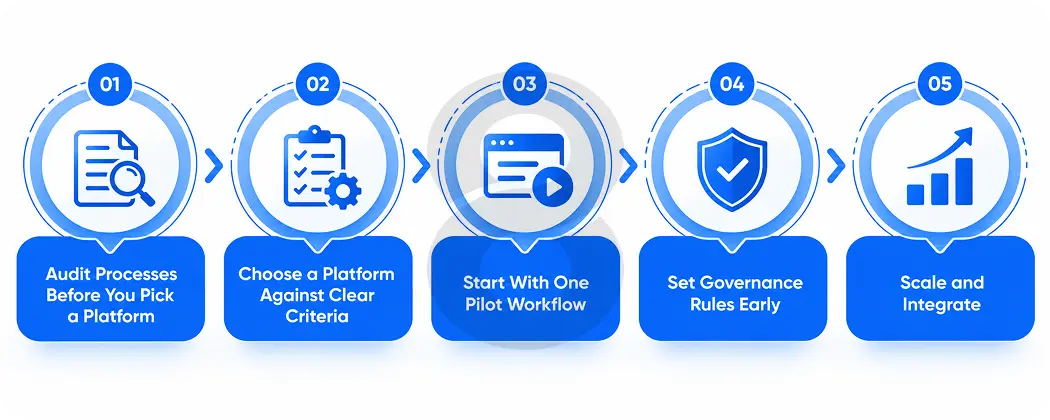
A rollout succeeds or fails on the order of decisions. These five steps keep platform choice, governance and scale in the right sequence so your first app becomes a model for the rest.
Audit Processes Before You Pick a Platform
List the processes that cost the most time or cause the most errors. For each one write down who uses it, which systems hold its data and how often it changes. That list tells you whether you need a simple no-code tool, a developer-grade low-code platform or a mix.
Teams that pick the platform first end up bending processes to fit the tool. The audit prevents that.
Choose a Platform Against Clear Criteria
Score each candidate against your process list. Check its connectors for your ERP, CRM and identity provider. Ask how it handles roles and permissions, where it hosts data and how you would export your apps and data if you left. Pricing models vary by user, by app and by usage, so model the cost at your expected scale and not only at pilot size.
An outside software consulting review can help here if no one in-house has run a platform selection before.
Start With One Pilot Workflow
Pick a process that matters to a real team, has clear rules and touches no more than two or three systems. Build it, put it in front of users and measure the result against the old way. Time saved per request and error rates make good starting metrics.
A pilot that works gives you a template for the next ten apps. A pilot that fails teaches you the platform’s limits before you have bet the company on it.
Set Governance Rules Early
Decide who may build, who reviews new apps and which data each role can touch. Create naming standards, a central app register and a review step before anything connects to a core system. Business builders need guardrails they can follow without filing a ticket for every change.
Testing belongs in this framework too. Low-code apps still break when a connector changes or a rule conflicts with another. A regular software testing routine catches those failures before users do.
Scale and Integrate
Once the pilot proves out, expand by department. Connect the platform to your data warehouse and reporting tools so the new apps feed decisions instead of creating fresh data silos. Some teams add AI chatbot development at this stage so staff can query the new workflows in plain language.
Review the app register every quarter. Retire tools nobody uses and move the ones that outgrow the platform onto custom builds.
What Low-Code Digital Transformation Costs
Low-code cost has two parts: the platform and the people. Platform fees are the visible number. Integration, testing and governance work are where budgets usually slip. The table lists the main cost drivers and how each one tends to grow.
| Cost Driver | What You Pay For | What Makes It Rise |
|---|---|---|
| Platform license | Per-user, per-app or usage-based subscription | More users, premium connectors, higher data volume |
| Integration | Connecting the platform to ERP, CRM, databases and APIs | Legacy systems without modern APIs, custom data mapping |
| Custom code extensions | Developer time for logic the platform cannot handle | Complex rules, unusual integrations |
| Testing and QA | Checking apps after builds and connector updates | Many apps, frequent platform releases |
| Governance and training | Builder training, app review, security setup | Large citizen developer programs, regulated data |
| Migration out | Moving apps to custom code when they outgrow the platform | Deep use of proprietary features |
For reference, 8ration’s integration services start from $50 to $100 per hour depending on scope, and our consulting engagements usually run between $5,000 and $50,000 or more. Licensing is a separate line that depends on the platform you choose and how many people use it.
Risks and Limits of Low-Code No-Code Digital Transformation
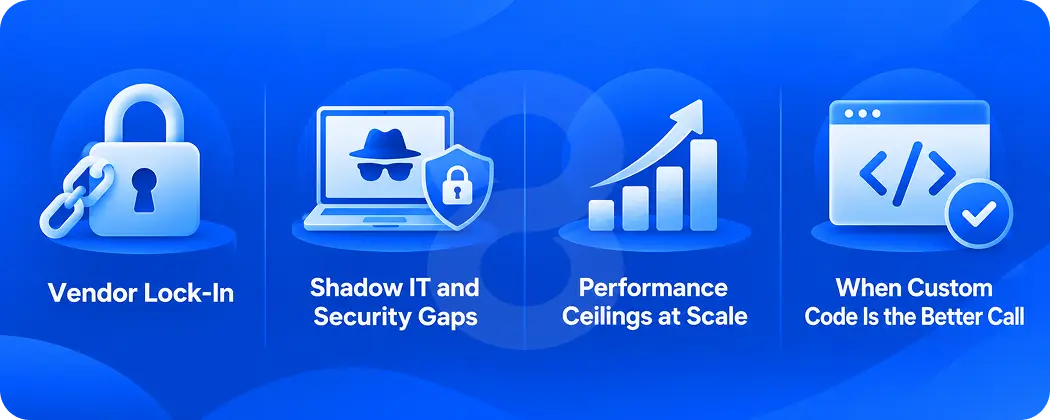
Low-code saves time only when you know where it stops working. Four risks show up again and again, and each one has a practical fix if you plan for it early.
Vendor Lock-In
Apps built on a proprietary platform run only on that platform. If prices rise or the vendor changes direction, moving out can mean rebuilding from scratch. Before you commit, ask how apps and data export and keep business logic documented outside the platform.
Shadow IT and Security Gaps
Easy building means more apps, and more apps mean more places where data can leak. Gartner forecast that developers outside formal IT departments would make up at least 80% of the low-code user base by 2026. Most of those builders have no security training. Role-based access, data classification and an approval step for any app that touches customer or financial data close the largest gaps.
Performance Ceilings at Scale
Low-code platforms are tuned for internal tools with hundreds of users rather than consumer products with millions. Heavy traffic, complex queries and real-time features can push a platform past what it handles well. Load tests before launch show you where that ceiling sits.
When Custom Code Is the Better Call
Choose custom development when the app is your product, when it needs features no platform offers or when the license bill at scale exceeds the cost of building it. One workable split keeps internal workflows on low-code and runs anything customers touch on custom software. Agentic AI development and other advanced automation also tend to sit outside what visual builders can deliver today.
How 8ration Supports Low-Code Digital Transformation Projects
We work on the parts of a low-code program that sit around the platform itself. Our consulting team runs process and system analysis, designs a technology roadmap, plans implementation and evaluates risk. That work helps companies decide which processes belong on a low-code platform and which ones need custom builds.
Integration is where we spend most of our time on these projects. We connect cloud and on-premise applications, link ERP, CRM and SCM systems, combine data sources into a central platform and modernize legacy systems through APIs. Our integration work also covers robotic process automation for repetitive workflows. Most integration projects run 4 to 12 weeks.
When an app outgrows its platform we build the custom replacement, test it and keep supporting it after launch. We hold ISO 9001 and ISO 27001 certifications.