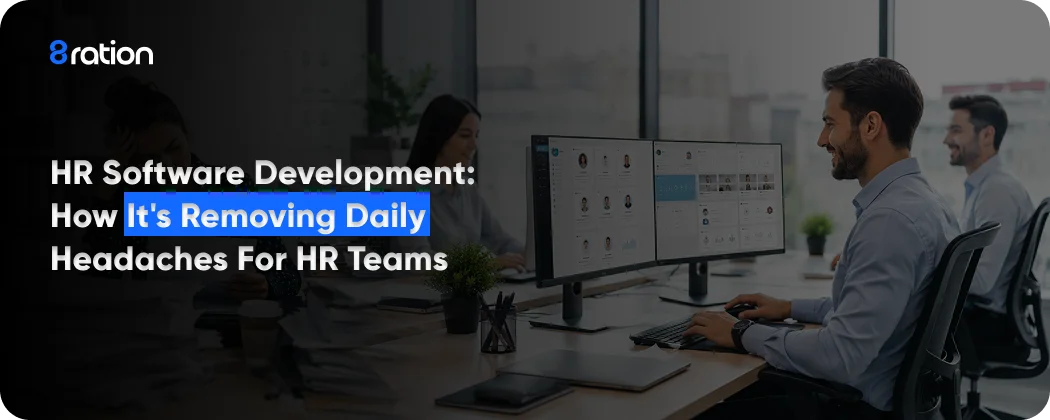
Ask anyone who runs HR at a growing company how their week went, and you usually get a tired half laugh before the answer. The job looks like people work from the outside. Most days it’s data entry and chasing down signatures. That’s not the job anyone signed up for.
And that’s the actual problem, the distance between the work people pictured and the work that eats their day. HR teams are already stretched thin. Most are running understaffed, and only about one in five expect any extra hands soon. The work does not shrink to match. It piles onto fewer people instead.
This is the quiet case for HR software development. Done well, it does not replace the HR team. It removes the parts of the day that were never a good use of a person in the first place. What follows walks through what these systems actually do and how to scope one before anyone writes a line of code.
What HR Software Development Means
At heart, HR software development is just building the tools a company uses to manage its people. Hiring, onboarding, pay, performance, the whole thing right up to the day someone walks out the door. Simple enough as a definition. The trouble is how much ground it actually covers.
At the narrow end you’ve got point tools. A standalone applicant tracking system. A payroll calculator. A time and attendance clock that does one job and nothing else. These ship fast and solve a specific headache, which is exactly why smaller businesses reach for them first. Then at the other end sit the full suites, the ones trying to run an employee’s entire lifecycle from a single login.
Here’s where buyers get tangled. There are three labels floating around, and vendors happily smudge the lines between them on their own homepages. So it pays to know the difference before you start scoping anything serious.
HRIS, HRMS, and HCM without the acronym soup
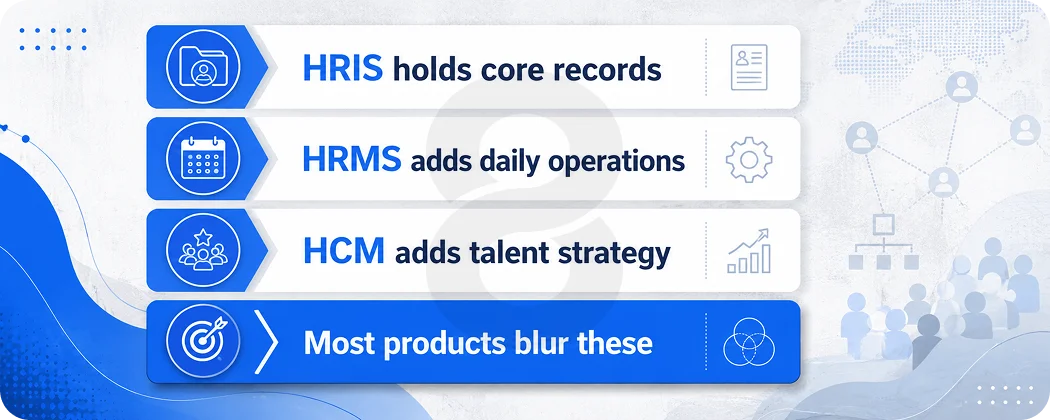
An HRIS, your human resource information system, is the record layer. Employee database, headcount, core admin, that sort of thing. An HRMS stacks the operational muscle on top of that, so payroll, time tracking, benefits, and compliance all end up living in one place.
An HCM pushes further still, into talent and strategy. You’re looking at performance reviews, learning, succession planning, and workforce analytics.
Honestly though? Most products land somewhere between two of these and just pick whichever label markets better. What should drive your build isn’t the acronym on the box. It’s the capabilities your buyers actually need.
| Methodology | When it fits | How it helps you hit dates |
|---|---|---|
| Scrum | Evolving requirements, frequent shipping | Short sprints create real deadlines every two weeks instead of one far off date |
| Kanban | Priorities that shift week to week | A pull system keeps work flowing and exposes bottlenecks fast |
| Waterfall | Stable scope, heavy compliance needs | Sequential phases keep everything documented and audit friendly |
| Hybrid | Most real world software work | Plans at a high level with waterfall, executes day to day with agile |
The Daily Headaches HR Software Quietly Removes
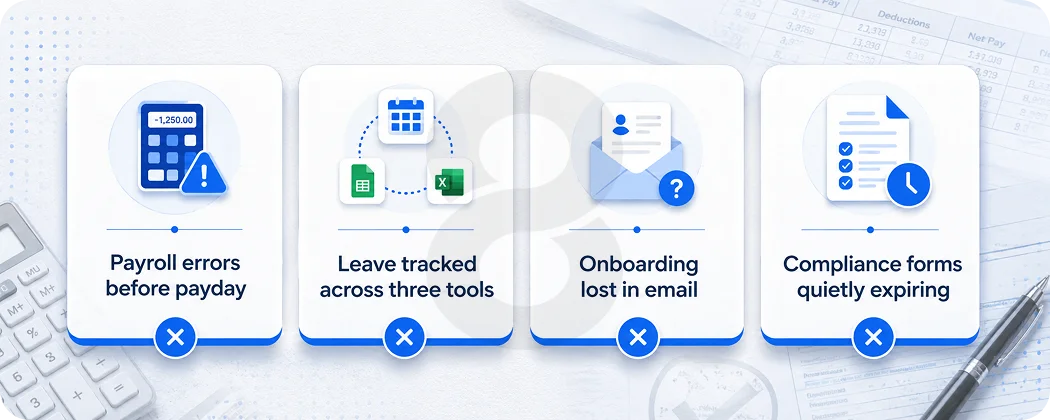
Most of what wears HR teams down is not hard. It is just repetitive, error prone, and spread across too many tools. Good software does not make the work glamorous. It makes the dull parts disappear so the team can spend time on the things that actually move retention and culture.
Payroll and the fear of getting someone’s pay wrong
Payroll is the task that keeps HR managers up at night, because a mistake here lands in a real person’s bank account. Manual payroll means rekeying hours, applying the right tax rules, and praying the spreadsheet formula did not break.
A payroll module runs the math, applies the rules, and flags the odd cases before they become an angry message on payday.
Leave requests that live in three places
Leave is deceptively messy. Policies shift depending on the country, state, contract, and honestly, sometimes just the manager’s mood that day. So when the requests come flooding in over email and a calendar and some chat thread all at once, somebody’s stuck piecing it all together by hand.
A leave and attendance module holds one accurate balance and ties it straight into pay, so the math stops being a Friday afternoon project.
Onboarding that runs on memory and email
New hires should not spend week one hunting for forms and logins. Onboarding software collects documents, triggers background checks, requests equipment, and assigns tasks in an order that makes sense.
The win is not speed alone. It is that nothing falls through the cracks when three people start the same Monday.
Compliance paperwork that piles up out of sight
Compliance is the headache nobody notices until an audit shows up at the door. Contracts, certifications, tax forms, policy sign offs. They all come with expiry dates and real legal weight behind them, and stuffing them into some folder of loose files is asking for trouble down the line.
A records module pulls everything into one spot. It pings you before anything lapses and keeps a trail that actually holds up when a regulator starts asking questions. And the relief here isn’t really about being tidy. It’s getting to sleep at night knowing some forgotten form won’t come back months later as a fine.
The Core Modules Worth Building First
Pretty much every one of these projects kicks off with the same question. What do you build first? And the answer comes down to whichever headache your buyers feel the most. The modules below keep showing up for a reason. Each one kills off a specific manual chore instead of just bolting on some shiny feature for the sake of it.
Recruiting and applicant tracking take care of job posts, applications, and the endless dance of interview scheduling. Screening is really where the machine helps start paying for itself. Drop AI that scores and ranks incoming applications in front of your recruiters and you’ve saved hours before anyone’s even opened a single CV.
Employee records are the HRIS core, and the access controls matter here. You want compensation data locked away from people who’ve got no business seeing it. Time and attendance is the piece that turns clock ins, shifts, and leave into clean numbers payroll can actually trust.
Performance management is funny. It’s the module everyone asks for and the one nobody wants to use, because review tools have a way of feeling like surveillance. Employees can smell that a mile off.
Then there’s analytics, the one teams quietly under budget and almost always regret later. HR leaders keep getting hauled in front of a CFO to defend headcount and turnover, and they need the numbers to back themselves up.
Engagement tools like pulse surveys round things out, though they only work if staff genuinely believe the results are anonymous and that someone’s going to act on them.
| Module | The daily headache it removes | What it usually connects to |
| Recruiting and ATS | Lost applications and messy interview scheduling | Job boards, email, calendars |
| Onboarding | New hires chasing forms and logins | E signature, IT provisioning, payroll |
| Employee records | One spreadsheet nobody fully trusts | Identity provider, document storage |
| Time and attendance | Leave and overtime math done by hand | Payroll, scheduling |
| Payroll and benefits | Late or wrong paychecks | Tax engines, benefits providers |
| Performance | Reviews that surprise everyone once a year | Goal setting, feedback, analytics |
| Analytics | Guesswork in front of the CFO | Every other module |
Adoption tends to climb when employees get a mobile app they will actually open instead of a desktop portal they quietly avoid. People check their phones. They rarely log into a clunky web tool to request a half day off.
Sequencing matters as much as the module list itself. Ship the piece that removes the loudest daily pain first and prove it in real use before adding the next one. A team that tries to launch all seven modules at once usually ends up with seven half finished ones and a frustrated first customer.
Narrow and working beats broad and shaky every time, especially when established suites already own the broad ground.
Read More: How to Hire a Software Development Team: 12-Step Guide
SaaS, Custom, or Off the Shelf Software
If you’re building something new, SaaS is usually the honest starting point. The market pays you back for reach, and a single codebase means you push one update and everybody gets it. That’s the whole appeal of multi tenant architecture. You fix something once and a thousand customers feel it by that same afternoon.
Custom only really earns its place when the workflow is genuinely weird. Think heavily regulated industries, strange payroll setups, or compliance rules nobody bothered to build for.
That’s when you want custom software shaped around how your team already works. Same story for enterprises putting together internal tools they’ll use themselves rather than something they plan to sell.
The classic early mistake? Building for one customer when there was a whole market sitting there. Or going the other way and tailoring a SaaS product so tightly to a single client that nobody else can touch it.
Figure out your market before you lock down the architecture. That one call quietly decides your pricing, the size of your team, and how quickly you’ll actually ship.
And don’t write off the shelf either. A small company that just needs solid record keeping and payroll that doesn’t break is often way better off buying something proven than paying for a build it never needed.
The case for building, whether custom or SaaS, only gets strong when your workflow is unusual, your market’s underserved, or you mean to sell the thing rather than just run it yourself. Be straight with yourself about which one is true before the first sprint starts.
Where the Build Actually Gets Hard
The screens are never the hard part. Anyone can draw a clean leave request form. The cost and the risk live underneath, in the plumbing that connects your product to the systems people already depend on.
Payroll integrations come first. You will likely need to talk to ADP, Gusto, or a regional processor, and tax logic shifts every year. Compliance comes next, and rules like GDPR or HIPAA, plus employment law that changes by region, all push real engineering scope you cannot skip.
Data migration is the line item teams forget, because moving customers off spreadsheets and legacy tools routinely adds twenty to forty percent to the original estimate.
Verification is its own growing concern, and some hiring teams now add blockchain based credential checks to cut down on faked qualifications. Where AI fits is the question every team asks right now, and the direction is clear.
Gartner expects forty percent of enterprise applications to include task specific AI agents by the end of 2026, up from under five percent the year before, as reported in Deloitte’s 2026 software outlook. HR sits squarely in that shift.
Teams short on people do not have to carry the whole build alone. You can bring in extra engineers through staff augmentation for the months that matter, then scale back once the core ships.
Read More: Staff Augmentation vs Outsourcing for App Development
Integrations That Make or Break an HR Build
A standalone HR tool is a brochure. The value shows up the moment it talks to the rest of the stack, and that is also where most of the engineering effort hides. Plan these connections early, because retrofitting them later is slow and costly.
Single sign on sits near the top of the list. Employees will not adopt yet another password, so support for SAML or SCIM through an identity provider matters from the first release.
Payroll links come next, and connecting to ADP, Gusto, or a regional processor means living with their quirks and their update cycles. Benefits providers, background check vendors, and job boards each bring their own APIs, their own rate limits, and their own habit of changing things without much warning.
There is an internal direction to consider too. HR data isn’t just an HR thing. Finance wants it, IT wants it, operations wants it, and these days most companies expect it to move freely between those teams instead of getting stuck in some silo.
A clean set of APIs is what makes that happen, and it turns your product into something other systems actually want to plug into. Skip that groundwork and every new customer integration turns into its own little custom project, the kind that quietly chews through your margin.
A practical move is to phase the connections. Launch with the one or two integrations your earliest customers cannot live without, usually payroll and an identity provider, then add the rest as demand proves itself. Building every connector up front looks thorough on a roadmap and rarely survives contact with a real launch date.
Read More: Payroll Software Solutions for Automated Workforce Management
What Changes After the Software Goes Live
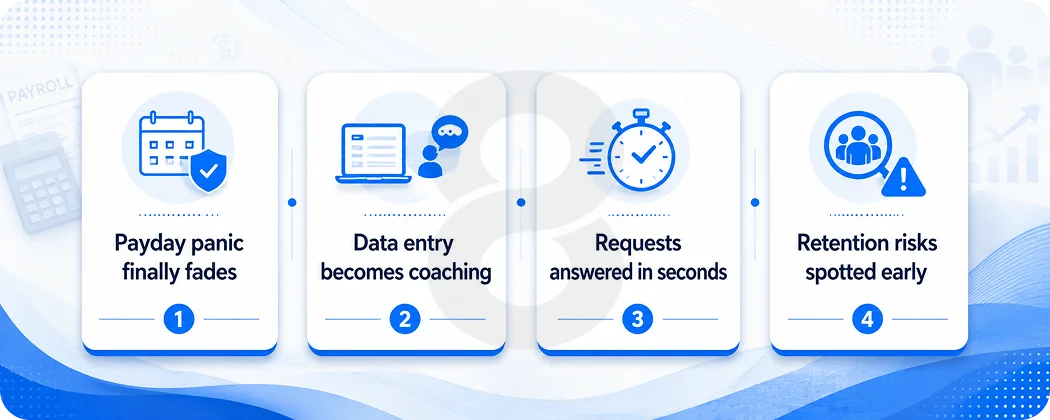
The clearest sign a build worked is boring. The payday panic fades, leave balances stop being argued over, and new hires reach week two already set up. HR stops being the team that processes forms and becomes the team that spots a retention problem before it shows up in resignations.
There is a shift in what the work feels like as well. Time that went to rekeying data moves toward the parts of the job that need a person, like coaching managers, sorting out a tricky grievance, or planning headcount with real numbers in hand.
That second piece gets overlooked. When leaders can see turnover by team and time to hire by role, the conversation with the CFO changes from gut feel to evidence.
Employees notice it from their side too. A request that once took an email and a three day wait becomes a tap on a phone and an instant answer. Recognition lands more often because the system makes it easy to give. None of this is dramatic on launch day.
It compounds quietly over the months that follow, which is the whole point. Software that removes friction rarely earns applause. It just hands people back their week.
Read More: Offshore Software Development Guide: How to Find the Right Partner
What 8ration Does Differently on HR Builds
The fastest way to waste a budget is to chase a full suite before anyone has used a working version of anything. 8ration starts in the other direction, with the one or two modules that remove the loudest headache, then grows the system once real usage shows what people actually need. An MVP keeps spend tied to learning instead of a roadmap built on guesses.
The approach leans on a few habits that tend to save projects. Compliance questions get raised during scoping, not after the architecture is locked. Payroll edge cases and data migration get planned early, because those two items quietly drive most timeline blowouts. Where the workforce skews mobile, the design favors the phone first, since that is where employees live.
None of this needs a sales pitch. The point is simply that HR systems reward teams who have built them before and know which corners cannot be cut. The market keeps growing and the products that win tend to be the ones built around a real pain rather than a feature list.
There is also a deliberate stance on where machines belong. Routine, high volume decisions are fair game for automation, while anything touching pay, promotion, or someone’s standing keeps a person in the loop.
That line protects trust, which is the one thing an HR product cannot buy back once it loses it. Built that way, the software earns its keep without ever feeling like it is watching the people it serves.