There’s a specific kind of tired that comes from sitting in your fifth vendor call this month, watching another developer pull up a slide deck and say “it depends” for the third time. If anyone has been there, they know that feeling.
Travel app development cost questions never get a straight answer because, honestly, there isn’t one. But there is a range, and there are real numbers behind it, and that’s what this guide is for.
Why Travel App Development Cost Feels Like a Moving Target
Nobody tells founders this part, but travel apps are deceptively complex. On the surface, it’s a booking form, a search bar, and some pretty beach photos. Underneath, there’s payment processing, third party APIs that go down at the worst times, real time inventory syncing, multi currency support, and users who get furious if the app crashes mid booking. That’s the gap between what people think they’re paying for and what travel app development cost actually covers.
Statista projects the travel and tourism segment will reach $1.1 trillion in worldwide revenue by 2029, and high-performing apps that combine itineraries, loyalty, payments, and real-time alerts see the strongest retention. The opportunity is real. A smaller, sharper product, built with the right priorities, can still carve out a place. It just takes knowing where the money goes.
What Drives Travel App Development Cost in 2026
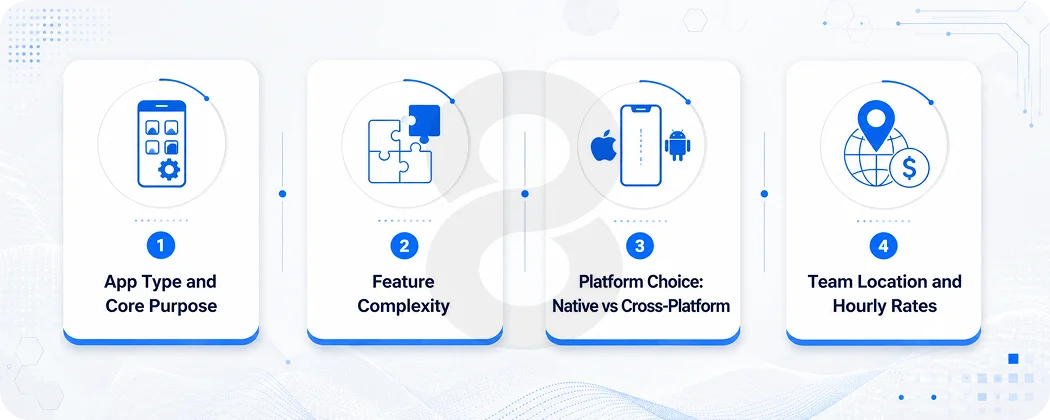
Every quote anyone gets is built on the same handful of variables, even if the vendor never says so out loud. Here’s what actually moves the number.
App Type and Core Purpose
A flight comparison tool is a different animal than a full hotel booking platform with live availability. A trip planning app that helps users build itineraries is lighter than a tour operator platform managing bookings, payments, and guides across dozens of cities. The starting point for travel app development cost is always: what does this app actually do, and how many moving parts does that require.
| App Type | Estimated Cost Range | Typical Timeline |
|---|---|---|
| Trip Planner / Itinerary App | $15,000 – $40,000 | 3–5 months |
| Flight or Hotel Booking App | $35,000 – $90,000 | 5–8 months |
| Tour & Activity Booking Platform | $40,000 – $100,000 | 6–9 months |
| Multi-Vendor OTA (Online Travel Agency) | $80,000 – $180,000+ | 8–14 months |
| Travel Social / Discovery App | $25,000 – $70,000 | 4–7 months |
Feature Complexity
This is where most budgets quietly blow past their original estimate. A login screen and a search bar are cheap. Real time GDS connections, AI powered itinerary suggestions, multi-language support, and offline maps are not. Third-party API integrations for services like Amadeus, Skyscanner, and Google Maps typically add $5,000 to $20,000 to a project, and that’s per integration, not total.
Post-launch maintenance typically runs $2,000 to $8,000 per month, which is a line item a lot of founders forget to budget for until the first invoice shows up three months after launch.
Platform Choice: Native vs Cross-Platform
This decision alone can swing the budget by tens of thousands of dollars. Building native iOS and Android apps separately costs 40 to 60 percent more than a cross-platform build using Flutter or React Native.
For most startups and mid-size travel brands, cross-platform mobile apps are the more sensible starting point. They get a product on both app stores without doubling the engineering team, and the performance gap has narrowed enough that most users won’t notice the difference.
Team Location and Hourly Rates
The cost to hire travel app developers in 2026 usually starts from $2,500 per month for a junior or mid-level offshore developer and can go above $12,000 to $15,000 per month for senior developers in high-cost regions.
On an hourly basis, rates range from $20 to $150 or more per hour across different regions, with hiring in places like the US, UK, or Western Europe costing significantly more than offshore teams.
| Region | Hourly Rate | Notes |
|---|---|---|
| North America | $100 – $200/hr | Premium talent, strong timezone alignment for US clients |
| Western Europe | $80 – $150/hr | High quality, strong communication |
| Eastern Europe | $40 – $90/hr | Good balance of skill and cost |
| South Asia | $20 – $60/hr | Large talent pool, cost-effective for long builds |
Travel App Development Cost by Feature: Where the Money Actually Goes
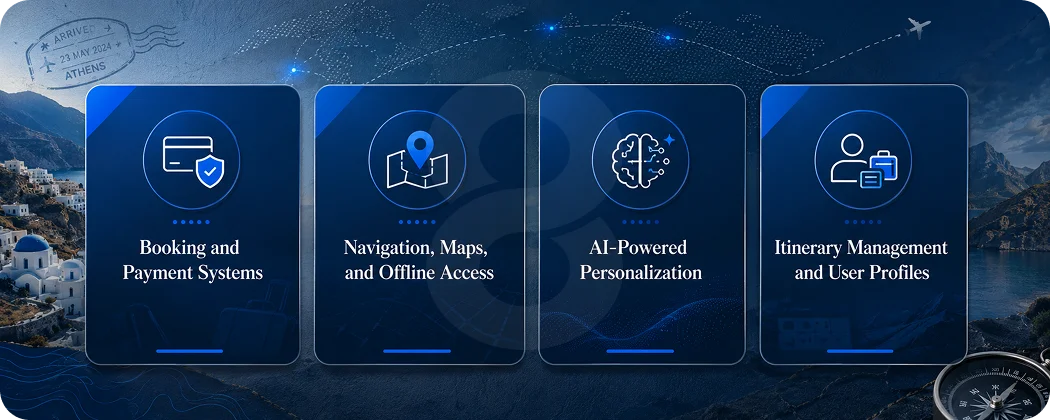
This is the section people usually skip past in vendor decks because it gets specific, and specific is uncomfortable when you’re trying to sell a package. But this is the part that matters most.
Booking and Payment Systems
This is the engine of almost every travel app. Stripe is an industry standard for payments, though travel is listed as a restricted business category, which often triggers account reviews or rolling reserves.
That detail alone has derailed more than one launch timeline, and it’s the kind of thing that never shows up in a feature list until someone’s transaction gets flagged a week before launch.
Building a solid payment flow with Apple Pay, Google Pay, and card processing usually runs $8,000 to $25,000 depending on how many currencies and payment methods are supported. Add booking confirmation logic, cancellation handling, and refund workflows, and that number climbs further.
Navigation, Maps, and Offline Access
For any app where users are traveling somewhere unfamiliar, maps aren’t optional. Mapbox is often the more practical choice for offline-heavy apps, because unlike Google Maps Platform, which strictly limits caching to around 30 days with limited scope, Mapbox explicitly supports granular offline region downloads through vector tiles on both iOS and Android.
This matters because anyone who’s traveled abroad knows the panic of losing signal mid-directions. Building offline map support typically adds $5,000 to $15,000 to the budget, but it’s often the single feature that earns the best reviews.
AI-Powered Personalization
This one’s becoming less of a “nice to have” and more of a baseline expectation. Nearly one-third of all travelers now use AI as their standard starting point for trip planning. That’s not a small number.
Building even a basic AI recommendation layer, suggesting destinations, optimizing itineraries, or personalizing search results, adds anywhere from $10,000 to $40,000 depending on whether it’s built on top of existing models or trained on custom data.
Itinerary Management and User Profiles
Letting users save trips, build itineraries, and sync them across devices sounds simple but requires solid backend architecture, especially if multiple users (think families or travel groups) need to collaborate on the same trip.
This usually costs $8,000 to $20,000, and it’s one of the features most likely to drive repeat usage, which matters a lot when average session duration for travel apps sits at around 6.3 minutes.
| Feature | Estimated Cost | Why It Matters |
|---|---|---|
| User Authentication & Profiles | $3,000 – $8,000 | Foundation for personalization and saved data |
| Search & Filters | $5,000 – $15,000 | Core to booking apps; complexity scales with data sources |
| Booking & Payment Flow | $8,000 – $25,000 | Revenue-critical; needs careful QA |
| Maps & Offline Navigation | $5,000 – $15,000 | High retention driver for travel-specific use |
| Push Notifications & Alerts | $2,000 – $6,000 | Re-engagement, flight changes, deals |
| AI Recommendations | $10,000 – $40,000 | Growing user expectation, not yet universal |
| Reviews & Ratings | $3,000 – $8,000 | Trust-building, social proof |
| Multi-language Support | $4,000 – $12,000 | Essential for international audiences |
Tech Stack Choices That Affect Travel App Development Cost
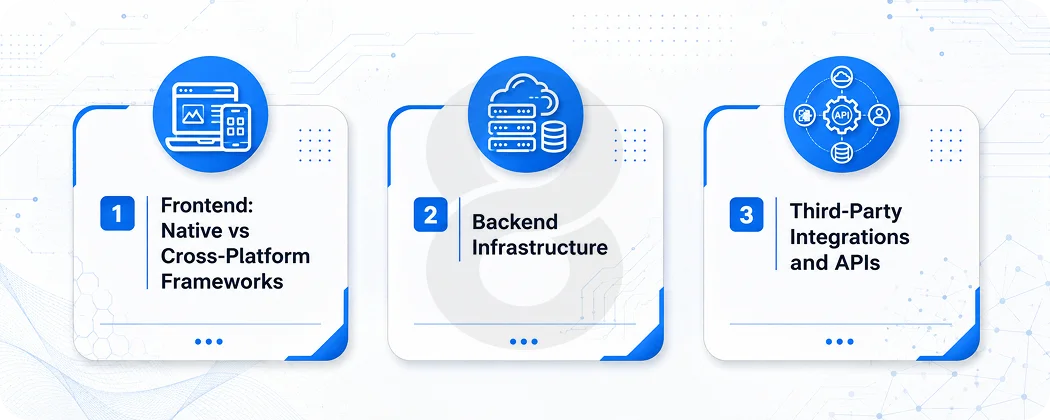
Picking a tech stack feels like a technical decision, but it’s really a budget decision wearing a technical costume. The frameworks chosen at the start shape what’s possible (and expensive) later.
Frontend: Native vs Cross-Platform Frameworks
There’s a reason why cross-platform mobile apps are dominated by Flutter and React Native. They allow teams to develop one code base for both iOS and Android, thereby saving considerable development time. Since most travel apps are focused on getting to market and making the necessary iterations based on actual user activity, this works for nearly all budgets of under $100,000.
There is still a niche for native development (Swift for iOS, Kotlin for Android), especially for applications that heavily rely on device-specific capabilities such as AR navigation or camera capabilities. However, native isn’t necessarily worth the additional 40-60% cost unless there is a specific technical reason.
Backend Infrastructure
That is where scalable mobile applications are either created correctly or are created at an expensive cost, a year later. Custom backends or backend-as-a-service (BaaS) solutions provide the backbone, with the choice between them varying costs by tens of thousands of dollars.
For apps with special booking rules, loyalty systems or multi-vendor commission structures, a custom backend is important for full control of the business logic. For MVPs, solutions to build a backend such as BaaS (Firebase/Supabase) can be quicker and less expensive, but reach a point where they become restrictive.
Third-Party Integrations and APIs
When it comes to inventory access, Expedia’s Rapid API offers access to more than 700,000 properties worldwide. This is where app development technologies are put to the test, since they connect to systems such as this, flight APIs (Amadeus or Skyscanner), payment processors, and CRM tools. Every integration comes with its documentation wrinkles, rate limits and authentication issues, which can be dev time eaters.
Recommended Tech Stack Overview
| Layer | Common Choices | Cost Impact |
|---|---|---|
| Frontend (Mobile) | Flutter, React Native, Swift/Kotlin (native) | Cross-platform saves 30–40% |
| Backend | Node.js, Python (Django/Flask), Ruby on Rails | Varies by complexity of business logic |
| Database | PostgreSQL, MongoDB, Firebase | BaaS cheaper short-term, custom scales better |
| Cloud Hosting | AWS, Google Cloud, Azure | Pay-as-you-go; scales with usage |
| Maps | Mapbox, Google Maps Platform | Mapbox better for offline-heavy apps |
| Payments | Stripe, Braintree, Adyen | Travel-specific verification adds time |
Timeline: How Long Does Travel App Development Actually Take
Timelines get inflated in sales calls and then quietly slip in execution, which is its own kind of burnout if anyone’s been on the receiving end of a “two more weeks” email for the fourth time.
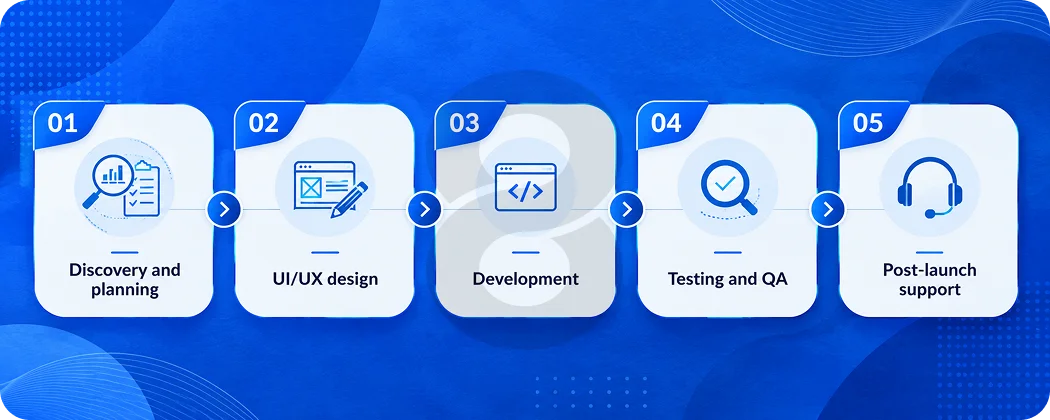
Realistically, here’s what the phases look like for a mid-complexity travel app:
- Discovery and planning: Market research, competitor analysis, defining the MVP scope, and wireframing. Skipping this phase to “save time” almost always costs more time later.
- UI/UX design: This is where user-centric mobile design either gets built into the foundation or gets treated as an afterthought, and users can tell the difference. Travel apps live or die on how easy booking feels, so this phase deserves real attention.
- Development: Frontend, backend, and API integrations happen in parallel where possible. This is the longest phase and the one most likely to run over if scope creeps.
- Testing and QA: Functional testing, payment flow testing, device compatibility, and load testing if the app expects significant traffic at launch.
- Post-launch support: App store submission, monitoring, and the first round of bug fixes based on real user behavior.
| Phase | Duration | Notes |
|---|---|---|
| Discovery & Planning | 2–4 weeks | Sets the foundation; don’t rush this |
| UI/UX Design | 3–6 weeks | Directly affects conversion and retention |
| Development | 8–16 weeks | Longest phase, most prone to delays |
| Testing & QA | 3–5 weeks | Especially critical for payment flows |
| Launch & Support | Ongoing | Budget $2,000–$8,000/month minimum |
Total realistic timeline for a mid-tier app: 4 to 8 months. Anyone promising a full-featured travel app in six weeks is either building something extremely basic or skipping steps that will surface later as bugs.
Read More: Top 10 Travel App Development Companies In USA
Hidden App Development Costs Nobody Mentions in the First Pitch
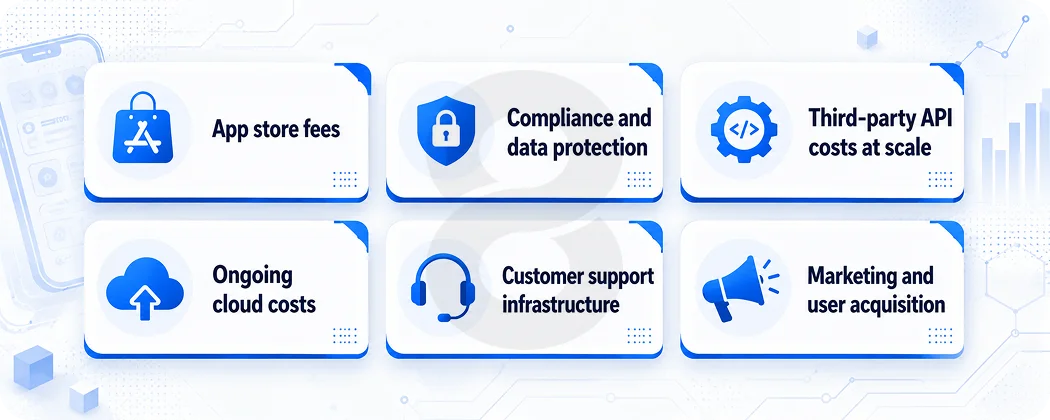
This is the section that comes from experience, usually the kind gained the hard way.
- App store fees: Apple charges $99 a year for a developer account, and Google charges a one-time $25 fee. Small numbers, but easy to forget when budgeting.
- Compliance and data protection: If the app operates in the EU, GDPR compliance isn’t optional, and building it in from the start is far cheaper than retrofitting it after a user complaint.
- Third-party API costs at scale: Many APIs are free or cheap during development but charge per call or per booking once live. The average cost per install globally sits around $1.40, but ranges from $3 to $6 in the US, and that’s before the app even generates revenue.
- Ongoing cloud costs: Hosting costs scale with users. An app that works fine with 1,000 users can see costs spike unexpectedly at 50,000, especially if the backend wasn’t designed with scaling in mind.
- Customer support infrastructure: Travel apps generate support tickets, especially around bookings, cancellations, and payment issues. Budgeting for a help desk tool or support staff is part of the real cost, even if it never appears in a development quote.
- Marketing and user acquisition: Building the app is one cost. Getting people to download and use it is a separate, often larger, ongoing cost.
How to Reduce Travel App Development Cost Without Cutting Corners
There’s a difference between cutting costs and cutting corners, and the line matters more in travel apps than almost anywhere else, because trust is the whole product.
Start With a True MVP
Not a watered-down version of the full vision, but a focused product that solves one problem well. A trip planning app doesn’t need AI, social features, and multi-currency support on day one. It needs to help someone plan a trip better than a spreadsheet does.
Use Cross-Platform Frameworks
Unless there’s a clear technical reason for native development, cross-platform saves real money without a noticeable quality drop for most use cases.
Lean on Existing APIs
Payment processing, maps, and even some booking infrastructure already exist as mature, well-documented services. Building these in-house is rarely worth it for a new product.
Phase the Roadmap
Launch with core features, gather real user data, and let that data guide the next round of development. This avoids spending months building features nobody ends up using.
Hire Experienced Developers
The payment verification issues, the GDS integration headaches, the offline map caching limits, these are all things experienced app developers have already hit and solved. Paying for that experience upfront often costs less than paying for the mistakes later.
Industry Trends Shaping Travel App Development Cost in 2026
A few shifts are worth watching, because they’re already affecting how budgets get allocated.
Personalization is no longer a nice extra. McKinsey research shows personalized recommendations can lift booking conversion rates by more than 30%, which is pushing more travel apps to invest in recommendation engines earlier in the build rather than bolting them on later.
AI agents are the other big shift. Statista reports that in a 2025 survey, around 40 percent of hotel chains planned to implement AI agents for tasks like booking, even though fewer than 10 percent of travel and logistics companies had reached the scaling phase with these tools yet.
That gap between planning and scaling is exactly where development cost lives, since early movers are paying to figure things out that later adopters will get cheaper.
Both point to the same thing: travel apps are turning into smarter, more adaptive products, and that complexity shows up in the budget.
Final Thoughts!
Building a travel app in 2026 isn’t cheap, and anyone who says otherwise is either underselling the scope or about to overdeliver on a quote that doesn’t hold up past month three.
But the market is real, the demand is real, and a focused product built on the right priorities can absolutely find its place. The number that matters most isn’t the one in the first quote. It’s the one that reflects what the product actually needs to do, honestly, before a single line of code gets written.