Hybrid app development means building your app once, from a single codebase, and shipping it to both iOS and Android. Frameworks like React Native, Flutter, and Ionic handle the translation between your code and each platform. The alternative is writing the same product twice, in Swift and Kotlin, which roughly doubles the bill, and that is the whole reason hybrid exists.
As for money, a typical hybrid app development cost sits between $25K and $150K and complex products with serious backend work can clear $250K. Yes, that range is wide. Anyone quoting tighter numbers without seeing your feature list is guessing.
There is a lot of money pulling companies in this direction. According to Grand View Research, the global mobile application market is projected to reach $626.39 billion by 2030. Everyone wants an app in that market. Almost nobody wants to fund two parallel engineering teams to get one, and hybrid is the compromise the industry settled on.
Below is what hybrid development actually involves, what it should cost at your complexity level, and where it genuinely falls short.
What is Hybrid App Development
Strip away the jargon and hybrid app development is a packaging trick, a clever one. You write the app’s logic and screens once. The framework wraps that shared code into something the App Store and Google Play both accept as a regular app. People download it, tap it, use it. Almost none of them ever suspect it was not built natively, and honestly, why would they check?
The label goes back to apps that stuffed a web page inside a native shell. It has since widened in everyday business use to cover the whole family of cross platform app development approaches, including compiled frameworks like Flutter and React Native. Purists still argue about the labels. Buyers mostly do not care, because the decision they face is the same either way: one codebase or two.
How hybrid apps work under the hood
Under the hood, you are looking at one of two setups. The older one, which Ionic uses, runs your app inside an embedded browser. It leans on a bridge like Capacitor or Cordova whenever it needs the camera or anything else that belongs to the phone rather than the web.
Flutter and React Native dropped the browser altogether. Flutter turns Dart into machine code and paints every pixel of the interface itself, while React Native hands its JavaScript components over to the platform and lets real native elements do the rendering.
What all of them share is the plugin model. Whenever your app needs something the framework does not cover natively, a plugin steps in. This is worth understanding before you sign a contract, because plugin quality is where cheap hybrid projects go to die.
| Factor | Web App | Hybrid App | Native App |
|---|---|---|---|
| Codebases | One | One | Two (Swift/Kotlin) |
| App Store Presence | No | Yes | Yes |
| Device Feature Access | Limited | Full, via Plugins | Full, Direct |
| Performance | Browser-Bound | Near Native | Best Possible |
| Relative Cost | Lowest | Middle | Highest |
Popular Hybrid App Development Frameworks in 2026
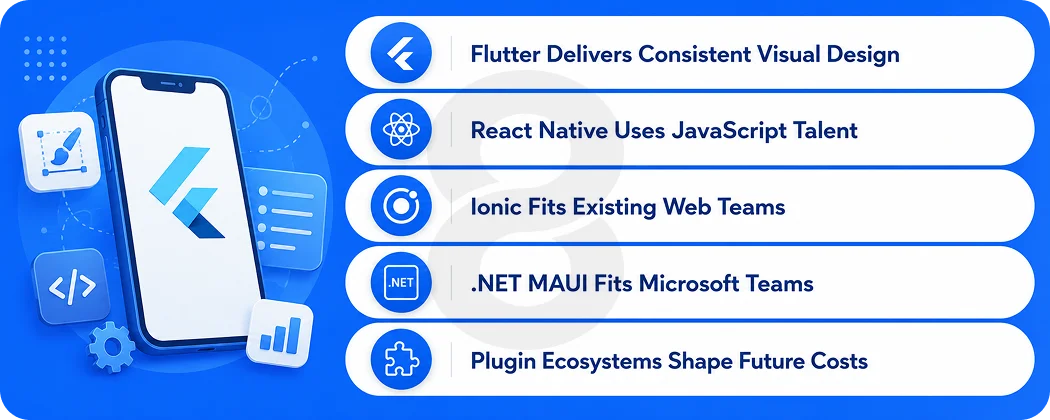
Pick a framework carelessly and you will feel it for years. It decides who you can hire and which plugins exist for your feature list. It also quietly shapes what upgrades will cost you three years from now. Adoption tells part of the story.
Per Stack Overflow survey data published by Statista, roughly one third of mobile developers now use cross platform technology, and 46 percent of them work with Flutter, which puts it comfortably ahead of everything else. The rest of the story is fit, so here is how the contenders actually differ.
Flutter
Google’s framework compiles to machine code and renders its own interface, which makes animations smooth and appearance identical across devices. The tradeoff is Dart, a language most developers learn on the job, and app sizes that run larger than native. Teams that invest in professional Flutter app development tend to get the most consistent visual results of any framework on this list.
Read More: Flutter App Development Cost in 2026: Complete Pricing Guide
React Native
React Native comes from Meta and speaks the language most of the industry already knows. A JavaScript developer can build screens that render as genuine native components, no imitation involved. What keeps it winning deals is everything around the framework rather than the framework itself.
The npm registry has a package for nearly anything, finding developers is easier than for anything else on this list, and nervous CTOs take comfort in its decade of production use at very large companies. The old sore spot was the bridge shuttling data between JavaScript and native code. The rewritten architecture has taken most of that pain away, though not quite all of it.
Read More: Flutter vs React Native: Which Is Better for Business Apps
Ionic
Ionic never pretended to be anything other than a web app in a native coat… that honesty is its strength. A team that already lives in Angular, React, or Vue can take on an Ionic app development project and have something store-ready without anyone retraining.
For content apps, dashboards, and internal tools, nothing gets you there faster. Push it toward heavy graphics or long animated lists, though, and it is the first framework in this lineup to start sweating.
.NET MAUI
Microsoft’s successor to Xamarin, aimed at teams already living in C# and the .NET world. It rarely wins framework popularity contests, but for enterprises with existing .NET backends and Windows desktop apps, sharing code across all of it is a practical argument the others cannot make.
Read More: Cross Platform App Development Guide: Everything Businesses Need to Know
Benefits of Hybrid App Development
The sales pitch for hybrid is short, which is part of its charm. Every benefit below traces back to the same root fact, that you are building and maintaining one thing instead of two. What differs is where the payoff shows up. Some of it lands in the first invoice, and some of it only becomes visible a year into running the product.
One codebase instead of two budgets
The math here is not subtle. Go native and you are paying two teams (one for iOS and one for Android) to build the same login screen, checkout, and settings page twice. Then you keep paying them to hold both versions in sync for as long as the product lives.
Hybrid collapses that into one team and one backlog. Depending on app complexity, businesses typically save a meaningful share of what a dual native build would cost, and the savings compound with every release after launch.
Faster time to market
When one team ships both platforms, you launch everywhere on the same day. For startups racing a funding runway, or established businesses responding to a competitor, the calendar often matters more than the invoice. A mid-sized hybrid app commonly reaches both stores in four to seven months, where the same product built natively twice takes noticeably longer or costs double to parallelize.
Easier maintenance and updates
Every bug exists once. Every fix ships once. Feature parity between iOS and Android stops being a project management problem because there is nothing to keep in parity. Companies running hybrid apps at scale consistently cite this as the benefit that surprised them most, well ahead of the initial build savings.
A wider hiring pool
Swift and Kotlin specialists are scarcer and pricier than JavaScript developers. React Native and Ionic open your project to the web talent market, which is the largest developer population there is. If your product outlives its first agency or first hire, and successful products do, this matters more than founders expect.
Read More: How Much Does it Cost to Develop an iOS App in 2026
Limitations of Hybrid App Development
Anyone selling hybrid as a free lunch is selling something. These are the real costs of the approach, and the reason native mobile app development still exists as a thriving discipline.
Performance ceilings on demanding screens
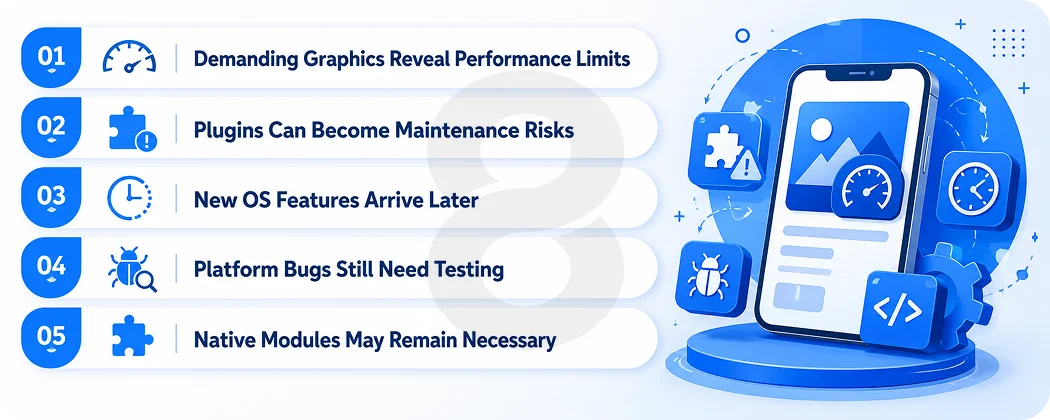
For standard business apps, modern hybrid performance is close enough to native that users cannot tell. Push into 3D graphics, real-time video processing, or complex gesture-driven animation and the gap reappears. Frame drops that never show up in a demo will show up on a three-year-old Android phone.
Plugin dependency risk
Your app’s access to Bluetooth, biometrics, or the camera often runs through a community plugin maintained by a stranger on the internet. Most are excellent. Some get abandoned, and when an OS update breaks one, you either wait for a fix or pay for native work you were trying to avoid.
Delayed access to new OS features
When Apple or Google ships a new capability, native developers can use it the same day. Hybrid frameworks need time to wrap it. The lag has shrunk over the years, but if being first to a new platform feature is core to your product strategy, hybrid puts you in the second wave by definition.
Platform-specific bugs still happen
One codebase does not mean identical behavior. Keyboard handling, permissions dialogs, and background processing differ between platforms, and hybrid apps inherit those differences. Budget testing time for both platforms even though you wrote the code once.
How Much Does Hybrid App Development Cost
So what does this actually cost? For 2026 budgets, a defensible hybrid app development cost starts near $25K for something simple. The pricing goes higher once the product gets complicated. The bulk of business apps land somewhere between $50K and $100K. Treat any single number quote with suspicion, the number is a guess wearing a suit. The ranges below are the same guess with the disguise removed.
| Complexity | What It Includes | Typical Cost | Timeline |
|---|---|---|---|
| Simple | 5–8 Screens, Standard UI, Basic Backend, Login & User Profiles | $25,000–$50,000 | 2–4 Months |
| Medium | Custom UI, Payments, Chat or Notifications, API Integrations & Admin Panel | $50,000–$100,000 | 4–7 Months |
| Complex | Real-Time Features, Custom Backend, Heavy Integrations & Multi-Role Systems | $100,000–$250,000+ | 7–12+ Months |
What actually moves the number
Features are the obvious driver, but the expensive ones are rarely the ones founders expect. Custom design systems cost more than template-based interfaces. Payments, especially with multiple providers or currencies, add integration and compliance work.
Real-time anything, from chat to live tracking, multiplies backend complexity. And third party integrations each carry their own testing burden, because you now depend on someone else’s uptime and documentation.
Hybrid app development cost by region
Where your development team sits changes the math more than any other single factor. Typical agency hourly rates look like this:
| Region | Typical Hourly Rate |
|---|---|
| North America | $100–$180 |
| Western Europe | $70–$140 |
| Eastern Europe | $40–$80 |
| Latin America | $35–$70 |
| South Asia | $25–$50 |
The catch every experienced buyer learns once: the hourly rate is not the price. A cheaper team that takes three rewrites to land a feature costs more than an expensive one that lands it the first time. Judge teams by shipped apps and reference calls, then use region rates to negotiate.
Hidden and ongoing costs
Whatever you pay to launch, more invoices follow. Maintenance alone tends to run 15 to 20 percent of the original build every year. It is because operating systems keep moving, frameworks ship breaking versions, and somebody has to patch the plugins when they fall behind.
Then come the smaller recurring bites: $99 a year to Apple, $25 once to Google, hosting bills that grow with your user count, and a 15 to 30 percent store commission if you sell anything digital inside the app. Native projects carry the same baggage. The difference is that hybrid gets pitched as the cheap option, so these are the lines most often left off the spreadsheet.
Hybrid vs Native App Development
The short version: native wins on raw performance and first-day access to platform features, hybrid wins on cost, speed, and maintenance. Native iOS and Android remain the right call when your app is the product experience itself, the way a game or a camera app is. Hybrid is the right call when your app is a channel to a product that lives elsewhere, which describes most business apps ever built.
| Factor | Hybrid | Native |
|---|---|---|
| Upfront Cost | Lower, One Shared Codebase | Higher, Two Separate Builds |
| Time to Both Stores | Faster | Slower or More Costly |
| Peak Performance | Near Native | Best Available |
| New OS Features | Slight Delay | Available on Day One |
| Long-Term Maintenance | One Backlog | Two Backlogs |
When Should Businesses Choose Hybrid App Development
By now the pattern should be visible. Hybrid rewards certain kinds of products and quietly punishes others, and the honest way to decide is to look at your feature list, because the category of app matters far more than the framework debate does. Here is where the line usually falls after a few hundred scoping calls.
Where hybrid is the right call
MVPs and first launches, where you need market feedback before you have earned the right to spend more. Content and commerce apps, where the hard problems live in the backend anyway. Internal tools and dashboards, where nobody is grading animation smoothness. And any product where reaching both platforms on a fixed budget beats reaching one platform perfectly.
Where it is the wrong call
Games belong in engines built for them, which is why mobile game development is its own specialty with its own toolchain. AR and VR products need direct hardware access that plugins handle poorly.
Apps built around continuous Bluetooth or sensor work, like some fitness hardware companions, often fight the framework more than they benefit from it. If your feature list is mostly items from this paragraph, price out native honestly before defaulting to hybrid.
Hybrid App Development Best Practices
Choosing hybrid is the easy part. Most apps that fail with it fail on execution, through shortcuts that looked harmless in month one and turned expensive by month twelve. The practices below are the ones that keep showing up in post-mortems, written here from the prevention side.
Design for each platform’s conventions
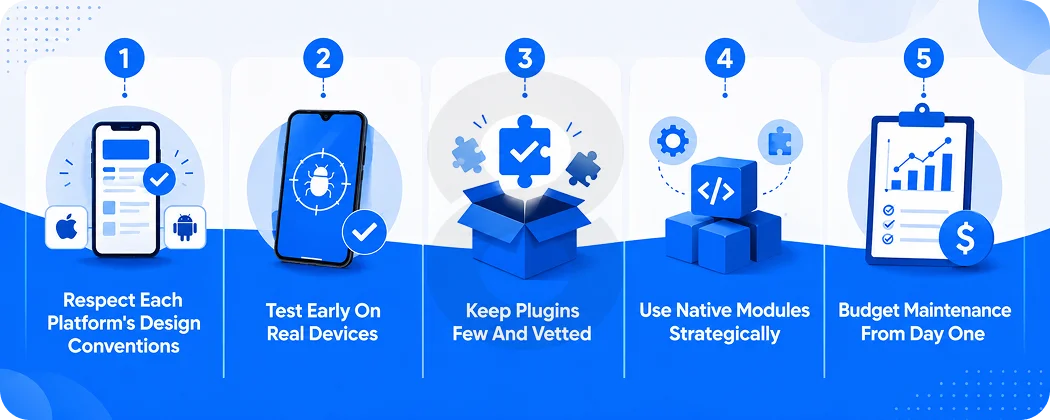
One codebase should not mean one design forced onto both platforms. iOS users expect back-swipe gestures and iOS-style navigation. Android users expect their system back button to work. The best hybrid apps make small platform-specific adjustments on top of shared screens, and users on both sides feel at home.
Test on real devices, early and often
Simulators lie, politely. Memory pressure, thermal throttling, flaky networks, and odd screen ratios only show up on physical hardware, and cheap Android devices are where hybrid apps go to embarrass their developers. Serious teams bake device labs and structured software testing into the schedule from the first sprint rather than the last.
Keep plugins few and vetted
Adding a plugin means adopting someone else’s code and their maintenance schedule along with it. So run a small background check first. Look at the last commit date, confirm it survived the newest OS releases, and see whether an official package already covers the same ground. A project with ten carefully chosen plugins ages well. A project with thirty convenient ones becomes archaeology.
Plan native modules for the heavy screens
Nobody ships a mature hybrid app that is truly 100 percent shared code, whatever the sales deck claims. Somewhere in every product there are one or two screens that punish the framework, usually the ones with maps, video, or heavy animation.
Find them during scoping, price native modules for them then and there, and let the framework carry the remaining 90 percent without apology. Agencies that skip this conversation are easy to spot later. Their apps are the ones that stutter.
Budget maintenance from day one
Frameworks release breaking changes. Operating systems deprecate APIs. Plugins fall behind. An app that receives no attention for eighteen months will need a small rescue project instead of routine updates. Put the 15 to 20 percent annual line item in the budget before launch, while everyone still likes each other.
Examples of Successful Hybrid and Cross Platform Apps
The strongest evidence for the approach is who runs on it. Shopify moved its mobile apps to React Native and, five years in, reports 99.9 percent crash-free sessions along with a step change in engineering productivity from no longer building features twice.
Google rebuilt Google Pay on Flutter so a single Dart codebase could serve users on both iOS and Android. And eBay’s team built the eBay Motors app in Flutter, where an internal survey found every developer on the project preferred it to their previous native workflow and 70 percent called it at least twice as fast.
None of these companies lack the money for native teams. They chose shared codebases because the economics work at their scale too.
Read More: Android vs iOS Development: Which Platform Should You Actually Build For?
How 8ration Can Help With Hybrid App Development
8ration has been shipping hybrid apps long enough that the pitch mostly writes itself. The proof sits in the app stores. Dots Travel, RC Event Hub, and Be Line all came out of 8ration’s build process, and you can install any of them today on an iPhone or an Android phone. That is the whole argument for hybrid, working, in public.
The teams behind them work across hybrid apps, Flutter, Ionic, and NativeScript, which matters when you ask for a framework recommendation. You get an answer shaped by your product, because there is no house stack the agency is trying to keep busy.
Projects here start with the budget conversation most agencies save for the end. Your feature list gets weighed against a fixed number before anyone writes code. After that comes the sorting, where most screens ship as shared code, the demanding ones get native modules, and the launch date gets locked for both stores at once.
Design, development, device testing, and store submission all sit with the same people, and the maintenance number goes into the proposal upfront rather than turning up as a surprise in month thirteen.
And if you are still going back and forth between one codebase and two, a short scoping call settles it faster than another week of reading articles like this one.