Three a.m., second cup of coffee gone cold, and somewhere a Slack channel is pinging because the chat feature you shipped two weeks ago just dropped half its messages during a spike. If you have been through this, you know the feeling. Everyone wants chat in their app these days. Nobody wants to think about what happens when 50,000 people open it at once.
This guide walks through what it takes to design a chat system that holds up under real traffic, not just demo traffic.
Why Everyone Wants Chat Built Into Their App Right Now
Chat is no longer a product of its own but a standard feature integrated into marketplaces, fintech, health, and even fitness apps for trainers to message clients. This is reflected in the figures: the instant messaging and chat software market is estimated to be valued at approximately $31.6 billion in 2025, with a 9.3% CAGR for the next ten years.
With approximately 5.1 billion people (63% of the world’s population) actively using messaging platforms, user expectations have also risen significantly, with typing indicators, read receipts and reactions now the standard.
AI integration is also picking up pace, with more than 60% of enterprise chat systems implementing conversational AI. Chat needs to be integrated with user, notification and payment platforms, which is why it’s important to plan the custom API development.
Read More: How to Build a Chat App: Features, Architecture, and Development Process
How to Design a Chat System That Does Not Fall Over
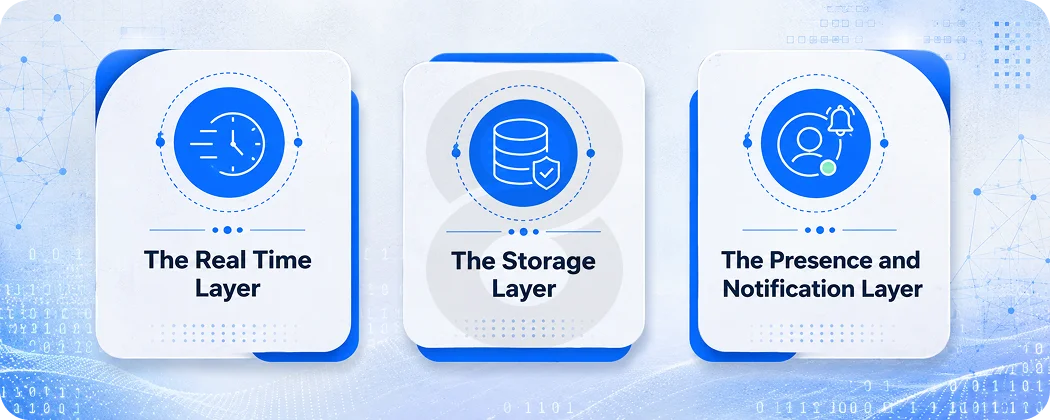
Here is the part that separates a chat feature that works in a demo from one that survives launch day. When you design a chat system, you are really designing three things at once: a real time delivery layer, a storage layer, and a presence layer.
The Real Time Layer
Most modern chat systems use WebSockets for persistent, bidirectional connections between client and server. Long polling technically works but burns server resources fast once you cross a few thousand concurrent users. WebSockets keep a connection open so messages push instantly.
For mobile apps, this gets trickier. Phones go to sleep, lose connectivity, switch networks. Your system needs to handle reconnection gracefully and queue messages for delivery once the device comes back online. This is where a lot of MVPs quietly fall apart. Everything works fine on WiFi during testing, then someone gets on the subway and messages start disappearing.
The Storage Layer
Chat messages are a write heavy workload. Most teams use a fast database like Cassandra or DynamoDB for message storage, paired with Redis for caching active conversations and presence data.
The mistake teams make is treating chat storage like any other relational data. A traditional SQL database handles a chat feature for a few hundred users just fine. It starts groaning around the tens of thousands mark, and migrating your storage layer mid flight is a genuinely painful project.
The Presence and Notification Layer
If users want to know who is on or what they are typing or who just read a message, it needs a lot of small updates to happen between the client and the server. This layer also has to communicate with your Push Notification system, so if the user closes the app, they will still need to know that someone has sent them a message.
Teams working on mobile app development for messaging products usually have battle tested patterns for presence syncing that took years of production incidents to figure out.
The Tech Stack That Actually Holds Up in Production
There is no shortage of opinions on what stack to use for a chat system, and most work fine at small scale. The differences show up when you scale.
| Layer | Common Choice | Why It Works |
|---|---|---|
| Real time messaging | WebSockets (Socket.io) or MQTT | Persistent connections, low latency push |
| Backend framework | Node.js or Go | Handles thousands of concurrent connections efficiently |
| Message storage | Cassandra, DynamoDB, or MongoDB | High write throughput, horizontal scaling |
| Caching and presence | Redis | Fast reads for online status, typing indicators |
| Push notifications | Firebase Cloud Messaging or APNs | Reaches users when app is backgrounded |
| Media storage | AWS S3 or Google Cloud Storage | Handles images, voice notes, video efficiently |
| Search | Elasticsearch | Fast message search across large histories |
A lot of people choose Node.js to implement the chat backend because it doesn’t create a new thread per connection. Go is also making some progress, particularly those looking for raw performance per server.
On the frontend side, the Flutter and React Native frameworks are leading the way for cross-platform chat applications, as having to support two sets of native code for a feature as complex as chat doubles the burden of QA. A cross platform app development team can typically deliver a chat MVP to both iOS and Android platforms in a similar time frame for one app development.
Read More: Top 40 Apps Like Telegram for Inspiration: Chat App Ideas
Core Features Every Chat System Needs
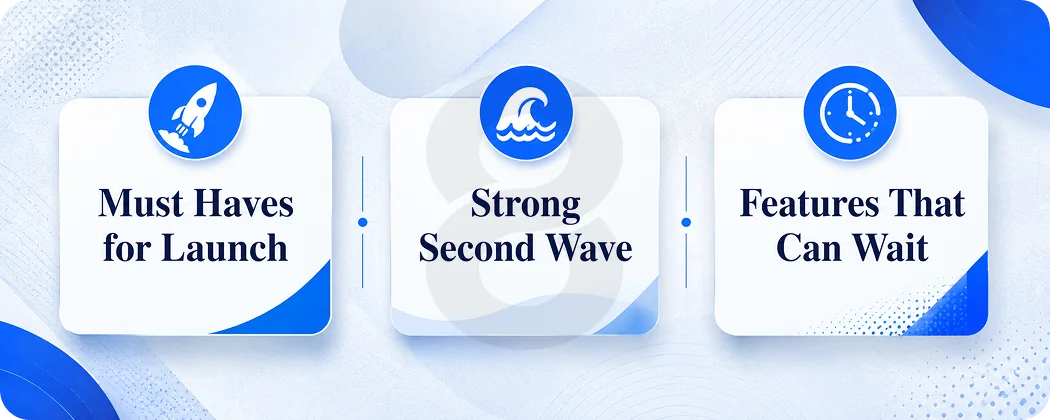
Not all features need to be in version one. When designing a chat system on a start-up budget, it is important to understand what to build first and what to put off.
Must Haves for Launch
one to one and group messaging, message delivery status (sent, delivered, read), typing indicators, push notifications when offline, and basic media sharing. These are the features that users notice right away if they’re missing.
Strong Second Wave
Voice and video calling, reacting to messages, editing and deleting messages, end-to-end encryption, and message search. These are great to add, but can be introduced a few weeks after your core messaging.
Features That Can Wait
Smart replies with AI, translation, disappearing messages, chatbots and advanced moderation capabilities. This is a good example of the polishing of a feature that is not yet in use.
| Feature | MVP Cost Range | Why It Matters |
|---|---|---|
| One to one messaging | $8,000 – $15,000 | Core functionality, non negotiable |
| Group chat | $6,000 – $12,000 | Common requirement for most use cases |
| Push notifications | $4,000 – $8,000 | Keeps users engaged when app is closed |
| Media sharing | $5,000 – $10,000 | Images and files, expected baseline |
| Voice/video calls | $15,000 – $35,000 | High value but complex, often phase two |
| AI chatbot integration | $10,000 – $25,000 | Growing demand, fits enterprise use cases |
| End to end encryption | $8,000 – $18,000 | Critical for healthcare, fintech, legal apps |
If your chat feature lives inside a regulated industry like healthcare or finance, encryption is not optional, and teams building custom artificial intelligence development solutions alongside chat need to bake security review into the timeline from the start.
Scalability: The Part Nobody Budgets For Until It Breaks
Most chat MVPs handle a few thousand users fine, but architecture choices that seem like overkill at launch prevent costly rebuilds later. The biggest challenge is the WebSocket connection pool, since each open connection consumes server memory and a single server can only handle so many. The fix is horizontal scaling, multiple chat servers behind a load balancer, with a message broker like Redis Pub/Sub or Kafka routing messages between them.
Database sharding by conversation ID becomes important once message volume reaches millions, and it’s far cheaper to plan early than retrofit. Infobip’s 2026 report found group chats make up 41 to 57.5% of message volume, averaging 27 members per group, so fan-out logic must be efficient. Infobip
This matters even more for enterprise app development projects where chat coexists with heavy data processing.
AI’s Growing Role in Chat System Design
Avoiding the mention of AI in a chat article in 2026 would be a bit of a misnomer. In fact, the global chatbot market is expected to hit $11.45 billion in 2026 and will expand to $32.45 billion by 2031, with a significant portion of the increase driven by the integration of chatbots into existing messaging products.
It’s worth thinking about these features when designing a chat system: automated first response, smart summarization of long group threads, sentiment flagging for support teams, and language translation. None of these are mandatory for shipping at launch, but it’s a smart thing to make early on in the design of your message pipeline when you contemplate an AI layer later.
This is where AI chatbot development and core chat infrastructure increasingly overlap. The products winning right now planned for that overlap rather than treating AI as a bolt on feature for later.
Read More: AI Chatbot Cost & ROI: Budgeting for Custom Enterprise Solutions
What It Actually Costs to Design a Chat System in 2026
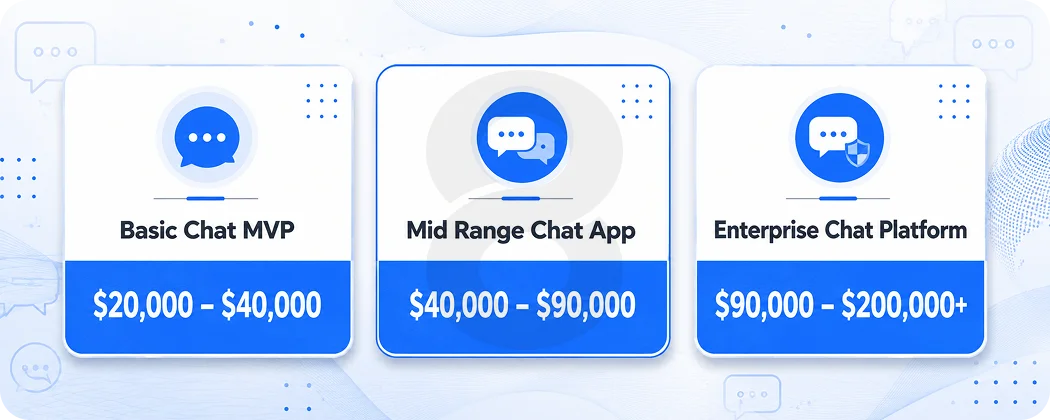
Budgets vary widely depending on scope. Here is a realistic breakdown based on what a standalone chat feature or chat focused app runs.
| Project Type | Estimated Cost | Timeline | What’s Included |
|---|---|---|---|
| Basic Chat MVP | $20,000 – $40,000 | 2 – 4 months | One to one and group messaging, push notifications, basic media |
| Mid Range Chat App | $40,000 – $90,000 | 4 – 6 months | Voice/video, encryption, reactions, presence indicators |
| Enterprise Chat Platform | $90,000 – $200,000+ | 7 – 12 months | AI integration, advanced moderation, multi platform, analytics |
These numbers track closely with broader mobile app development cost ranges for comparable complexity, since chat is fundamentally a real time data problem layered on top of standard mobile development.
Region matters too. Teams in South Asia typically charge $20 to $50 an hour, while North American agencies run $100 to $150 an hour for comparable work. A hybrid setup, where product direction comes from a local team and execution happens offshore, tends to deliver the best balance for chat projects, because so much of the early work is architectural decision making.
UI/UX Considerations That Make or Break Adoption
A chat system can be technically flawless and still fail if it feels clunky to use. Message bubbles need clear visual hierarchy between sent and received messages. Read receipts and typing indicators need to feel responsive, not laggy, because even a half second delay makes the whole interface feel broken.
Dark mode is no longer optional for chat interfaces specifically, since people use messaging apps late at night more than almost any other app category. Accessibility matters too, screen reader support, sufficient contrast ratios, and resizable text.
Teams that invest in web app design early, even for a mobile first chat product, tend to catch interaction problems before they become expensive to fix.
Build, Buy, or Integrate: Choosing Your Path
Founders deciding how to design a chat system have three real options, and each fits a different stage of company.
Pre built SDKs like Twilio Conversations or Sendbird let you ship chat fast, often in days. The tradeoff is ongoing per user fees and limited customization once your needs go beyond what the SDK supports. These work well for validating that chat is even a feature your users want.
Open source self hosted solutions like Matrix or Rocket.Chat give you more control without per user fees, but someone on your team needs to maintain the infrastructure.
Custom built chat systems give you full control over architecture, data ownership, and feature roadmap. This is the right call once chat becomes core to your product, because at that point the limitations of pre built tools start costing more in lost flexibility than custom development costs upfront.
Why Work With 8ration to Design a Chat System
8ration has spent years building real time features for clients across fintech, healthcare, and on demand platforms, industries where chat reliability is not optional.
Architecture first approach means the team maps out your scaling needs before writing code, so the system you launch with can grow rather than need replacing at 10,000 users. Cross platform expertise in React Native and Flutter means chat ships across iOS and Android without doubling your codebase. Transparent scoping means your estimate reflects what is actually included, no surprise line items after the contract is signed.
Whether chat is the core of your product or a feature inside a larger platform, 8ration has the team to take it from architecture diagram to production. Reach out for a scoped estimate based on your actual requirements.
Final Thoughts!
To build a chat system that can live in the real world with real users, you have to take real time, storage, presence and scaling into account from the beginning, not as an afterthought. The demand for messaging continues to expand, the expectations of what good chat can achieve continue to soar, and the inclusion of AI is now the norm.
Begin with what users will see if it isn’t there, design so that the architecture can be scaled without rewriting, and hire a team that has been through it before, so that blunders aren’t discovered at 3 a.m. when there is a traffic spike.