Apple unveiled Swift in 2014 and, to most, subtly altered the way iOS apps are developed. It took Objective-C’s compact syntax and made it readable by a developer’s brain in the morning on a Monday and it stayed. This is where Swift app development comes into play in most serious iOS projects today, from health trackers to enterprise solutions to fintech applications.
As of 2025, the mobile app development market is dominated by native iOS apps developed in Swift, which currently make up about 52.30% of the market and continue to grow. Swift adoption is not simply a language decision; it’s a strategic choice for businesses.
They select Apple’s whole ecosystem, which nobody else can beat, as well as a language that Apple is investing in annually. This guide explains it all: what Swift development entails, how it works and what to be mindful of in 2026 and beyond, and what it costs.
What Is Swift App Development?
Swift, created by Apple and open-sourced in 2015, is a compiled, statically typed language. It has been built from scratch for Apple’s operating systems and incorporates features from Python, Rust and Haskell with a focus on being accessible to developers from nearly any background. The language manages memory automatically, is type safe and catches most errors at compile time.
The target audience of this Apple ecosystem is huge. Apple software is written using Swift for the iPhone, iPad, Mac, Apple Watch, Apple TV, and, now, Apple Vision Pro. This single codebase reach is one of the reasons it’s so attractive to companies who wish to ship across multiple Apple gadgets without having to handle multiple groups.
How Swift App Development Works
The typical Swift project begins in the official IDE, Xcode. Developers write Swift code that interacts with Apple’s frameworks, accesses backend APIs, processes user input and creates UI using SwiftUI or UIKit.
The code is compiled to native machine code, that is, it will run without an interpreter in the middle. The testing is accomplished by using the following built-in tools of Xcode: XCTest for unit tests, UI tests, and performance benchmarks. After internal approval the app has to pass the App Store review process before being released to the users.
Swift Ecosystem Overview
The supporting tools are the lifeline of Swift development day to day.
Xcode is an integrated development environment, debugger, simulator and deployment tool. SwiftUI is the declarative approach to UI for all Apple platforms. However, for more complex and highly customized interfaces, UIKit is still the foundation. Combine deals with reactive data flows. Local persistence is managed by Core Data. CloudKit is the link between apps and iCloud storage. ARKit enables augmented reality capabilities. Core ML performs machine learning models on device.
Read More: Android vs iOS Development: Which Platform Should You Actually Build For?
Why Swift Became Apple’s Preferred Language
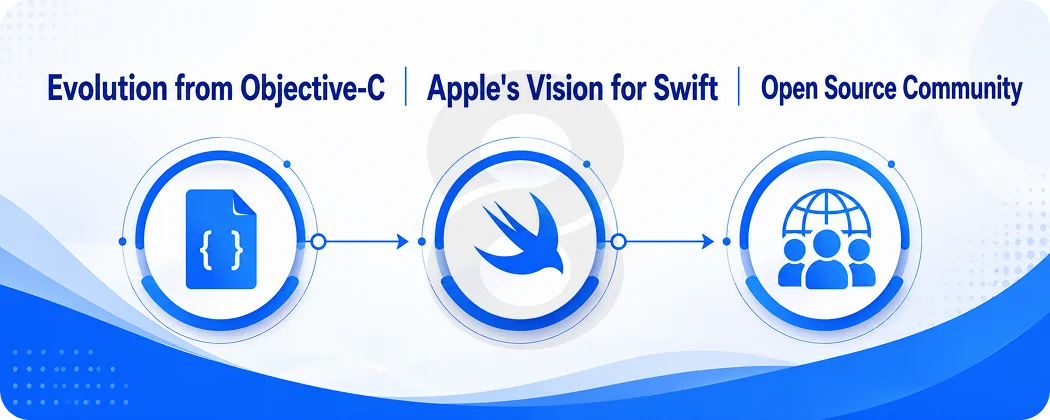
By the time Apple announced the release of Swift 1.0 in 2014, Objective-C had been the main language for writing iOS applications for more than 10 years. The move was not compulsory. Apple just did something that made Swift plainly better at the things that it wasn’t, and let the community pick the winners/losers.
Evolution from Objective-C
The timeline matters because it shows how deliberate Apple’s investment has been:
- Objective-C era (pre-2014): Verbose, bracket-heavy syntax. Powerful but unforgiving for new developers
- Swift 1.0 (2014): Initial release. Exciting but unstable. ABI broke between versions
- Swift 2.0 (2015): Error handling added. Open-sourced. Server-side Swift became possible
- Swift 3.0 (2016): Major API overhaul. Broke a lot of existing code but established modern conventions
- Swift 4.0 (2017): Codable protocol for JSON handling. String improvements
- Swift 5.0 (2019): ABI stability. This was the turning point. Binary frameworks became distributable
- Swift 6.0 (2024/2025): Strict concurrency model. Compile-time data race detection
Apple’s Vision for Swift
Apple has always been pushing the idea of Swift forward as the future of software, not only on mobile devices. Now that there are frameworks like Vapor that enable server-side Swift, it’s a viable option for backend tasks.
How well Swift and Apple’s platform evolution are integrated is evident in the new Liquid Glass design system, which is automatically included with apps built with the iOS 26 SDK. Building a native iOS app today is investing in an expanding foundation that Apple is building.
Open Source Community
Since it was open-source in 2015, Swift continues to develop with the real feedback of developers. Changes can be made by anyone on the Swift Evolution process.
More than 12,840 companies around the world are now primary developers of Swift and more than 4,720 of them are based in the United States. For companies creating mobile applications for Apple’s platforms, that level of community depth translates to improved tools, more open source libraries and easier hiring over the years.
Read More: How Much Does it Cost to Develop an iOS App
Top Benefits of Swift App Development
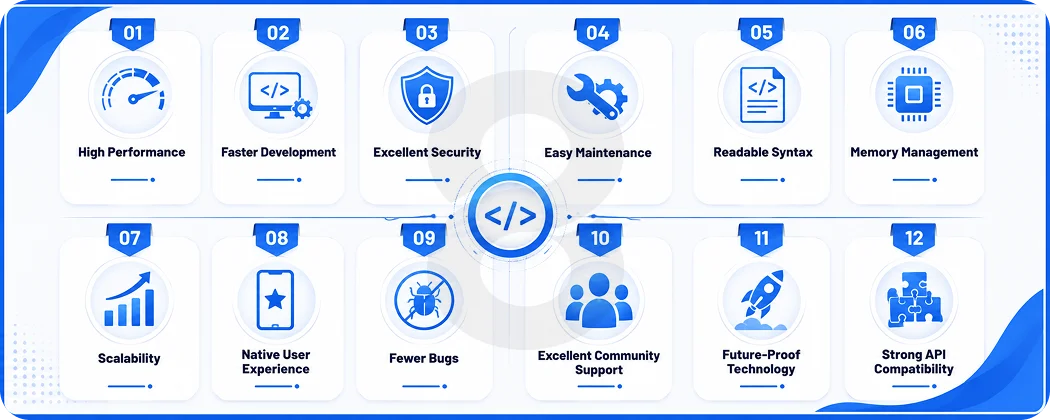
High Performance
No runtime interpretation penalty, as Swift is compiled to native code. It performs significantly better than cross-platform solutions using JavaScript in tasks requiring a lot of CPU power, complex animations and real-time data processing. That time difference is important in apps where speed is a feature, not a footnote.
Faster Development
The declarative syntax and live preview of SwiftUI reduce the time lag between writing code and seeing the results. What’s possible in UIKit used to take hundreds of lines to ship, and developers who know what they’re looking for can discover the API much more quickly because of Xcode’s autofill capability.
Excellent Security
The type system in Swift precludes whole classes of errors at compile time. Along with the Secure Enclave integration, Keychain integration, and App Transport Security enforcement, enterprise Swift apps can use certificate pinning, hardware-backed biometric authentication and data encryption at rest as default features, not afterthoughts. This is particularly important for AI-enabled applications that process sensitive user data on-device.
Easy Maintenance
Code written in Swift is readable. Not only for the person who wrote it, but for the next developer 6 months later inheriting the codebase. Clear naming standards, protocol-oriented patterns, and Apple’s style standards result in maintainable code through team changes.
Readable Syntax
In comparison to the syntax of Objective-C itself and the way header files are structured, it’s like it reads almost like English. Important when reviewing code, adding new hires or reviewing for logic errors. Fewer cognitive resources in reading code translates to fewer bugs making the cut to production.
Memory Management
Automatic Reference Counting (ARC) is a feature of development that manages the allocation and deallocation of memory at compile time, not run-time. Unlike garbage collected languages, ARC is not a cause of unpredictable pauses. Memory is freed deterministically when objects are destroyed when they fall out of scope.
Scalability
Thanks to Swift’s protocol-oriented nature and robust module system, big code bases can be managed. This is important for any business that isn’t just looking to launch, as small apps can become large platforms without having to rewrite their architecture.
Native User Experience
Applications developed using Swift and Apple’s native frameworks are expected to look and feel to iOS Users. All transitions, gestures, font rendering, haptics, and accessibility features are out of the box. The platform behaviour is matched which builds trust in a way that can’t be replicated in cross-platform apps.
Fewer Bugs
In Swift, optional values are checked explicitly and the optionals cause the developer to need to think ahead. In other languages, crashes are often caused by null pointer exceptions, which do not occur in the same way in Swift. A lot of possible runtime errors are identified by the compiler before the app is deployed.
Excellent Community Support
Apple’s developer forums, Swift Forums, and GitHub provide Swift with a large, active community of developers. There are lots of resources, tutorials, open source libraries and answers on Stack Overflow for almost every problem a team might have.
Future-Proof Technology
Apple’s entire platform is on the verge of becoming Swift. All new frameworks added to Apple ship with Swift first APIs. Objective-C APIs are available in Swift, but new capabilities are added in Swift. Opting for Swift is making a choice to align themselves with the direction Apple’s going.
Strong API Compatibility
However, Swift’s ability to interact with Objective-C and its seamless integration with all of Apple’s frameworks gives developers the freedom to choose solutions that are not strictly Swift based. Migration for existing Objective-C codebases is a progressive process and third-party C libraries can be used by way of Swift’s bridging header.
Core Features of Swift App Development
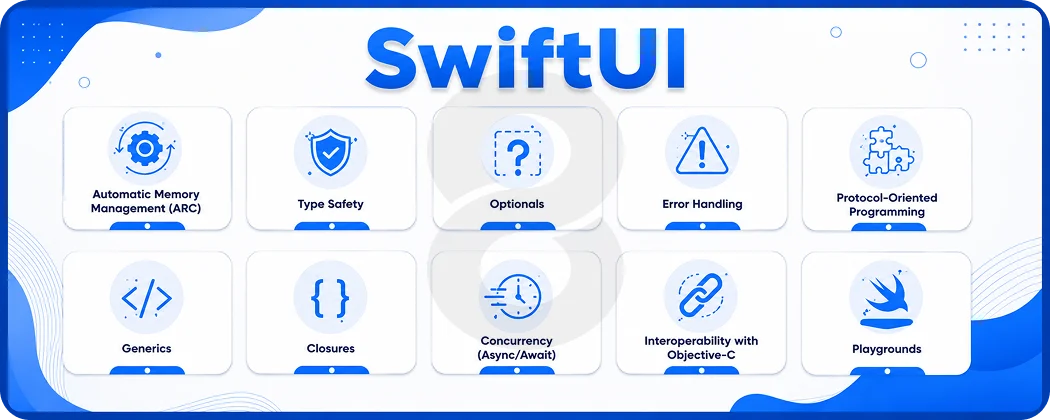
The above advantages are made possible by the features that Swift offers. These aren’t marketing claims. They’re specific language and framework abilities that have some technical content.
SwiftUI
Apple’s declarative UI framework allows developers to specify the view that they want to create depending on the state they are in and SwiftUI takes care of rendering the view. It runs in a single codebase on iPhone, iPad, Mac, Watch and Apple TV, which means it’s one of the biggest productivity enhancements in iOS since Xcode itself.
Automatic Memory Management (ARC)
Automatic Reference Counting automatically tracks object references at compile time and inserts release calls. Developers never have to take care of memory management, and unlike garbage collected languages, there are no unexpected runtime pauses due to ARC. Objects are released deterministically from memory when they go out of scope.
Type Safety
A compiler has complete information about the type of each variable and this information is strictly enforced. An error occurs during compilation; this does not occur during runtime as a user may be in a transaction. This one trait can stop a huge class of production bugs from running on devices.
Optionals
Optional values are those that could be missing. A String? can contain either a string or nothing: Swift needs explicit handling of both before using the value. This will prevent crashes caused by unexpected nil values, which are often a source of failure in programs that don’t have this enforcement.
Error Handling
The throws and do-catch pattern will clearly show where a function can go wrong, and require callers to deal with any errors, instead of ignoring them. Error propagation is not evident in the code and thus it is easier to trace and difficult for silent failure to reach users without any response.
Protocol-Oriented Programming
Capabilities that are defined by developers are expressed by protocols and types are composed from capabilities. This is more flexible than class inheritance, and results in testable code since the code can be swapped out for protocol-conforming mocks. This is the method used to construct Swift’s standard library.
Generics
Generics allows us to write functions and types that take parameters of any type which meet some certain criteria without having to write the same code for each type. This yields a type safe and short codebase. Generics are used to design most well-structured app codebases which rely on the use of Swift’s collection types throughout.
Closures
Closures are chunks of code that can be called at a later time and passed around. They also form the foundation of Swift’s async patterns, and UIKit animation and collection manipulation APIs. It’s also important to understand how to use the closure capture semantics to prevent retain cycles that result in memory leaks in reality.
Concurrency (Async/Await)
Async/await is new syntax that was introduced in Swift 5.5 and improved much in Swift 6 which makes asynchronous code readable. A network call, a database read, and other async operations are read as sequential code, but are still non-blocking. Whereas in some earlier versions of Swift, the strict concurrency model would identify data races during compile time, rather than at run time, at load time.
Interoperability with Objective-C
Don’t throw out old ObjectiveC code bases. It is possible to have both Swift and ObjectiveC in single project. Moreover, many of the Apple framework APIs are still available for both languages. This interoperability allows teams with years of existing code to migrate to mobile app development without it being too difficult.
Playgrounds
Xcode Playgrounds allow developers to prototype Swift code in an interactive way, where the output is updated as they go! For prototyping algorithms, testing an API’s performance, or gaining knowledge of the language without having to start a new project. Playgrounds are used by many Swift developers during the thought-out phase of an architectural decision before they go so far as to implement it.
Read More: How to Create an App on iOS that Stands Out: Expert Insights from 8ration
Swift vs Objective-C
Objective-C isn’t gone. Still supports millions of apps, and some organisations still have large Objective-C codebases for which there is no imminent need to change. However, for new projects, the maths is straightforward.
| Feature | Swift | Objective-C |
|---|---|---|
| Performance | Near-metal, compiled native | Native but with runtime overhead |
| Syntax | Clean, readable, modern | Verbose, bracket-heavy |
| Learning Curve | Moderate | Steep |
| Memory Management | ARC at compile time | ARC but more manual edge cases |
| Safety | Compile-time type and nil safety | Runtime errors more common |
| Development Speed | Faster with SwiftUI | Slower for most use cases |
| Maintenance | High readability, easier refactoring | Harder to maintain at scale |
| Community | Large, growing | Shrinking but experienced |
| App Performance | Excellent | Good |
| Future Support | Apple’s primary focus | Maintenance mode |
When to use Objective-C: Maintaining a large existing codebase. Integrating with specific C++ libraries via Objective-C++. Teams with deep Objective-C expertise and no capacity to retrain.
When to use Swift: Any new iOS project. Teams building for the long term. Projects that need to use Apple’s latest frameworks and capabilities.
Read More: Kotlin Android Development: A Complete Business Guide
SwiftUI vs UIKit
Both are valid, and most production apps use both. The choice comes down to project requirements.
| Feature | SwiftUI | UIKit |
|---|---|---|
| Development Speed | Faster for standard interfaces | Slower but more predictable |
| Performance | Good, improving with each release | Excellent for complex custom UI |
| Learning Curve | Moderate (new paradigm) | Steep but well-documented |
| Customization | Growing, some limitations remain | Near unlimited |
| Compatibility | iOS 13+, macOS 10.15+ | iOS 2+ |
| Code Reusability | High across Apple platforms | Limited |
| Maintenance | Less code to maintain | More boilerplate |
As of 2026, 61% of developers building for the iOS 26 SDK are keeping Apple’s Liquid Glass default styling, which ships natively through SwiftUI components. Teams building visionOS and Vision Pro apps will find SwiftUI even more central, as Apple’s spatial computing frameworks are built around declarative UI from the ground up.
Read More: Web App vs Native App: A Complete Comparison for Business Owners
Types of Apps You Can Build with Swift
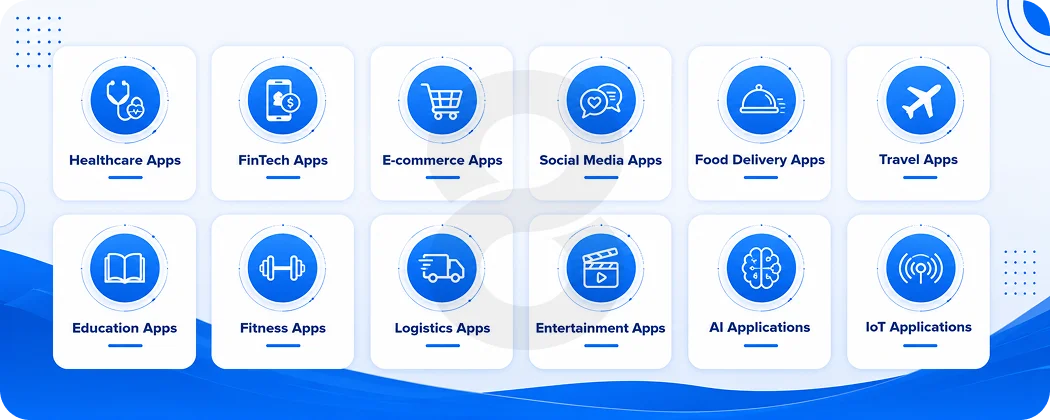
Swift’s native access to Apple’s full framework library makes it the right fit for almost any app category. Whether you’re in healthcare, fintech, or consumer tech, the platform handles the hard parts without requiring workarounds.
Healthcare Apps
Healthcare apps demand both security and reliability. Swift integrates natively with HealthKit for real-time vitals, supports biometric authentication through the Secure Enclave, and meets the data handling requirements that regulated industries enforce. For healthcare software, that’s not optional.
FinTech Apps
Banking apps, trading platforms, and payment tools all rely on Swift’s Secure Enclave access and Apple Pay integration. Biometric authentication and encrypted local storage come without third-party libraries, which matters in financial services where every dependency is a compliance question.
E-commerce Apps
Swift’s rendering performance makes product browsing feel fast and Apple Pay checkout converts better than manual form entry. For e-commerce apps, smooth UI and frictionless payment flow directly affect revenue.
Social Media Apps
Real-time data updates, efficient image caching, and scroll performance that holds 60fps are table stakes for social apps. Swift handles all three without the optimization gymnastics that JavaScript-based alternatives require on the same hardware.
Food Delivery Apps
Real-time location tracking, push notifications, and MapKit integration are available directly through Core Location and MapKit. Food delivery depends on precision and speed in both the UI and the underlying location updates.
Travel Apps
ARKit overlays for navigation, Core Location geofencing for location-based triggers, and CloudKit for cross-device itinerary sync all come from Apple’s native frameworks. Travel apps built in Swift don’t need third-party libraries to cover these use cases.
Education Apps
Multimedia content, Core ML for adaptive learning features, and SpriteKit for interactive elements make Swift a solid choice for education. Educational apps targeting younger users also benefit from Screen Time and parental control APIs built into the platform.
Fitness Apps
HealthKit, WatchKit, and Apple Watch’s motion and heart rate APIs give fitness apps direct access to sensor data. Workouts tracked on Watch sync to iPhone automatically. No third-party wearable SDK required.
Logistics Apps
Complex mapping, real-time data feeds, and enterprise backend integrations are common in logistics. Swift’s async/await concurrency model handles multiple simultaneous data streams without blocking the UI, which matters when drivers or warehouse workers need instant updates.
Entertainment Apps
AVFoundation for media playback, Metal for graphics rendering, and StoreKit for subscription management give entertainment apps a complete native toolkit. Streaming, gaming, and content apps all benefit from the performance headroom Swift provides.
AI Applications
AI app development in Swift means running Core ML inference directly on device. Image recognition, natural language processing, and recommendation systems work without sending user data to external servers, which is increasingly what users and regulators expect.
IoT Applications
Core Bluetooth, HomeKit, and Matter protocol integrations let Swift apps communicate directly with connected devices. Smart home, industrial monitoring, and wearable companion apps all have native framework support without relying on fragile third-party bridges.
Industries Using Swift App Development
| Industry | Common Applications |
|---|---|
| Healthcare | EHR apps, telemedicine, remote patient monitoring, fitness tracking |
| Banking | Mobile banking, payment processing, fraud detection tools |
| Retail | Shopping apps, loyalty programs, AR product visualization |
| Manufacturing | Quality control apps, inventory management, equipment monitoring |
| Travel | Booking platforms, navigation, itinerary management |
| Education | Learning platforms, quiz apps, virtual classrooms |
| Government | Citizen service apps, identity verification, field reporting |
| Automotive | Fleet management, diagnostics, connected car interfaces |
| Real Estate | Property listing apps, virtual tours, mortgage calculators |
| Logistics | Route optimization, shipment tracking, warehouse management |
Swift App Development Best Practices
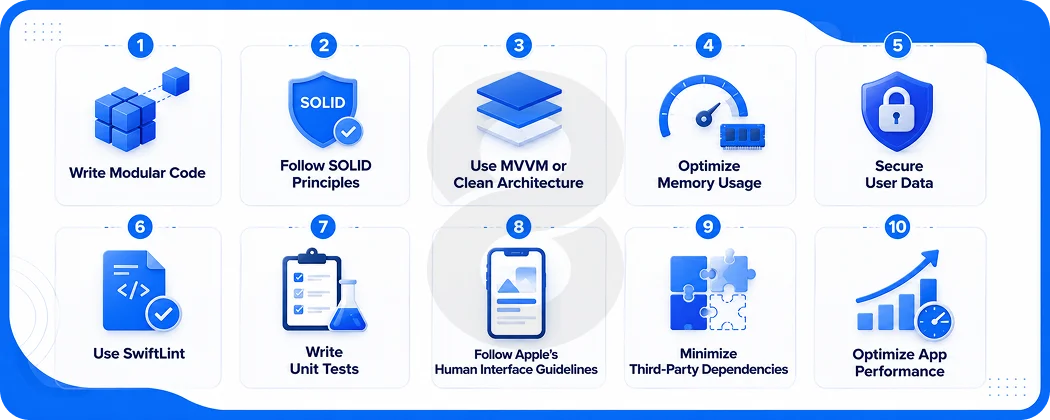
Good Swift development isn’t just about knowing the language. It’s about the decisions made before writing the first line of code, the discipline applied throughout, and the habits that prevent problems from compounding over time.
Write Modular Code
Separate features into independent modules that compile on their own. This makes parallel development across a team practical and keeps CI/CD pipelines fast. When one feature breaks during an update, it doesn’t take the whole build down with it.
Follow SOLID Principles
Single responsibility, open-closed, Liskov substitution, interface segregation, dependency inversion. These aren’t abstract ideals in Swift. The protocol system makes dependency inversion genuinely clean to implement, and the compiler reinforces single-purpose design by making violations awkward rather than just discouraged.
Use MVVM or Clean Architecture
Separate business logic from UI code from day one. MVVM pairs naturally with SwiftUI’s data binding model. Clean Architecture adds explicit use case layers for enterprise-scale applications where the domain logic needs to survive multiple UI rewrites over the product’s lifetime.
Optimize Memory Usage
ARC handles most memory management automatically, but retain cycles in closures and delegate patterns are a real source of memory leaks. Use weak and unowned references where circular references are possible, and use Instruments’ memory graph to verify object lifecycles before release.
Secure User Data
Store credentials in Keychain, enforce App Transport Security on all network calls, and request only the permissions the app actually needs. Location, camera, and contacts access all require explicit justification in the privacy manifest Apple now requires for App Store submission.
Use SwiftLint
Enforce code style across the team with SwiftLint rules configured at the project level. Consistent formatting removes subjective friction from code reviews and makes the codebase readable for developers who join later. It’s a small setup cost with compounding benefits.
Write Unit Tests
Test the business logic layer, not just the UI. Good coverage catches regressions when Swift version updates or Apple API changes affect underlying behavior. Tests that only cover UI flows miss the errors that actually matter in production.
Follow Apple’s Human Interface Guidelines
Navigation patterns, typography scales, spacing, and gesture handling all have Apple-defined standards. Apps that follow them feel immediately familiar to users who spend time in iOS every day. Deviating from HIG conventions is a choice that needs to earn its cost in user experience terms.
Minimize Third-Party Dependencies
Every dependency is a liability when Swift versions change. Libraries that haven’t been updated for a new Swift or Xcode release create blockers at the worst times. Evaluate whether a native Apple framework can cover the use case before adding an external package.
Optimize App Performance
Profile with Instruments before every significant release. Measure memory, CPU, and rendering performance against real device targets, not just the simulator. Performance problems that aren’t measured don’t get fixed, and users notice on older hardware even when developers test on the latest iPhone.
Read More: Mobile App Development Process: From Idea to Launch
Common Challenges in Swift App Development (and Solutions)
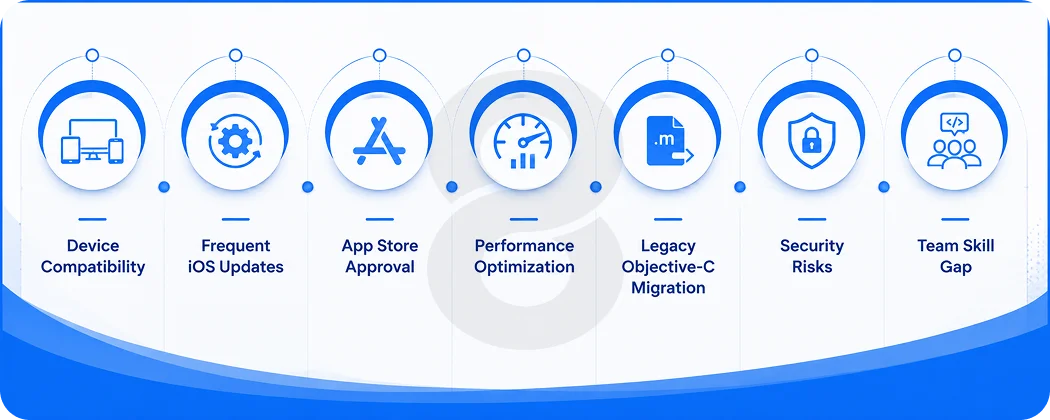
Swift makes many things easier, but building production-grade iOS apps still comes with real friction. Knowing where problems typically show up, and what actually fixes them, saves time before it’s spent.
Device Compatibility
Supporting older iOS versions while using modern APIs requires conditional checks and progressive enhancement. For most projects starting in 2026, targeting iOS 16 as the minimum cuts compatibility overhead significantly without excluding a meaningful user base.
Frequent iOS Updates
Apple releases major iOS versions annually, and API deprecations come with them. Staying current requires allocating maintenance time in every project budget. Teams that don’t plan for annual update cycles end up doing catch-up work under pressure each September.
App Store Approval
Apple reviewed over 9.1 million submissions in 2025 and rejected over 2 million of them. Understanding Apple’s review guidelines and testing against them thoroughly before submission reduces the round-trip cost. Common rejection reasons are documented and mostly avoidable with upfront attention.
Performance Optimization
Instruments is the right tool. Measuring before optimizing prevents spending engineering time on code paths that don’t actually affect user experience. The most impactful performance fixes are almost always found through profiling on real devices, not the simulator.
Legacy Objective-C Migration
Migrate incrementally. Rewrite module by module rather than attempting a full rewrite in one go. Swift’s interoperability with Objective-C makes phased migration practical and keeps the app functional throughout the process. Most codebases take 12 to 24 months to fully migrate.
Security Risks
Mobile apps face attacks at the network layer, the local storage layer, and through binary reverse engineering. Apple’s built-in security tools, including Secure Enclave, App Transport Security, and the Keychain, cover most of the attack surface when used correctly from the start.
Team Skill Gap
Swift experience is widely available, but developers with strong architecture skills and deep Apple framework knowledge are harder to find and retain. Factor this into hiring timelines and partner evaluation. A team that knows the language but not the platform ships slower than the budget assumes.
Read More: 11 Biggest Mobile App Development Challenges and Solutions
Swift App Development Cost
Several factors drive cost more than others: feature complexity, design requirements, backend infrastructure, and where the development team is located.
Cost by App Complexity
iOS app development in 2026 ranges from $40,000 for simple utility apps to $400,000+ for enterprise-grade solutions.
| App Type | Estimated Cost (USD) |
|---|---|
| Basic (1-2 core features, standard UI) | $15,000 – $40,000 |
| Medium (multiple features, custom UI, API integration) | $40,000 – $100,000 |
| Complex (real-time features, AI/ML, custom backend) | $100,000 – $200,000 |
| Enterprise (multi-platform, high security, large team) | $200,000 – $400,000+ |
Cost Factors
The major cost drivers beyond raw complexity: custom UI/UX design adds significant time compared to standard patterns. Backend infrastructure choices between serverless and dedicated affect both upfront cost and ongoing hosting.
Third-party API integrations (payment, maps, analytics) add licensing and integration time. AI and ML features typically add $15,000 to $100,000 depending on complexity, and AR capabilities often range from $20,000 to $150,000. Post-launch maintenance typically runs 15-25% of the original development cost annually.
Timeline by Complexity
iOS development takes 2 to 18+ months. Simple apps typically take 2 to 4 months. Medium complexity applications take 4 to 8 months. Complex or enterprise apps take 8 to 18+ months.
| App Complexity | Timeline |
|---|---|
| Simple | 2 – 4 months |
| Medium | 4 – 8 months |
| Complex | 8 – 12 months |
| Enterprise | 12 – 18+ months |
Popular Apps Built Using Swift
Major companies chose Swift not because they had to, but because it performed better for their use cases.
| Company | App | Why Swift Works |
|---|---|---|
| Apple | All first-party apps | Full ecosystem integration, maximum platform capability |
| Airbnb | Airbnb iOS | Native maps, camera, and payment integrations |
| LinkedIn iOS | Performance for real-time feeds and messaging | |
| Lyft | Lyft rider and driver apps | Real-time location, precise map rendering |
| Slack | Slack iOS | Complex real-time messaging with background sync |
| Partially migrated to Swift | Performance improvements for media handling | |
| Pinterest iOS | High-performance image rendering, smooth infinite scroll |
How 8ration Approaches iOS and Swift Development
8ration has shipped iOS apps across healthcare, on-demand, logistics, fitness, and consumer social categories. The team works in native Swift for projects that need Apple ecosystem depth, and recommends cross-platform alternatives when the project requirements genuinely fit that model. They don’t default to one approach for every project.
On the AI side, the team integrates Core ML models and on-device inference for apps that need machine learning features without sending sensitive data to external servers. For apps with visual experiences, the AR development team has shipped ARKit-based features for fitness, retail, and real estate clients.
The process covers requirement analysis, architecture planning, design, development, QA, App Store submission, and ongoing maintenance. Teams are organized by project size, and clients have a single point of contact throughout. Post-launch support and version updates for new iOS releases are available on retainer or as needed.
Muhammad Rashid, CTO at 8ration, has oversight on technical architecture decisions across all iOS projects, ensuring the code coming out of development is production-ready, not just functional.
Future Trends in Swift App Development
- Swift 6 Adoption is accelerating. As of 2026, 38% of developers have moved to Swift 6 language mode, which treats strict concurrency issues as compile-time errors rather than warnings. New projects should start in Swift 6 mode.
- AI Integration through Core ML and Apple Intelligence APIs is moving from a premium feature to a baseline expectation. Apps that don’t use on-device intelligence for personalization and automation will feel dated faster.
- Apple Intelligence brings system-level AI integration, writing tools, image generation, and Siri improvements. Apps that integrate with Apple Intelligence APIs gain capabilities that weren’t possible before without large external API budgets.
- visionOS Development through Apple Vision Pro is still early but growing. Businesses in retail, training, healthcare, and enterprise visualization are the early movers. The 8ration team has shipped visionOS-capable apps through the Vision Pro development practice.
- SwiftUI Growth is consistent. The framework’s maturity has reached a point where UIKit is no longer necessary for most UI patterns. Complex custom components still benefit from UIKit, but standard application interfaces are now faster to build in SwiftUI.
- Machine Learning on-device is expanding as Apple’s Neural Engine hardware improves. Models that previously required server infrastructure now run in real time on iPhone hardware.
- AR/VR Applications through ARKit and RealityKit are moving into practical commercial use cases beyond demos. Retail try-on, industrial maintenance guides, and medical visualization are all production use cases in 2026.
- Cross-Platform Opportunities via Swift on Linux and server-side Swift frameworks mean teams with Swift expertise can extend that knowledge to backend development without switching languages.
- Cloud-Native Apps using CloudKit, iCloud Drive integration, and server-side Swift backends let Apple-focused teams build full-stack products with a single language across client and server.
Final Thoughts
Swift isn’t going anywhere. Apple keeps investing in it, the developer community keeps growing, and the performance case over cross-platform alternatives keeps getting clearer as apps get more complex. The language has matured from an exciting experiment in 2014 to the unambiguous choice for anyone building serious iOS software in 2026.
The decisions that matter most aren’t really about Swift vs Objective-C anymore. They’re about architecture, team experience, and whether the partner you’re working with has actually shipped real apps on the platform. Getting those right from the start saves the kind of time and money that no amount of post-launch patching can recover.