Most products lose people in the first ten minutes. Not because the product is bad, but because the new user arrives with a specific job in mind and gets handed a five-slide carousel written for somebody else.
Static onboarding treats a solo founder, an enterprise admin, and a curious browser as the same person. They get the same tooltips in the same order, and two of the three skip everything to go find the button they came for. The Nielsen Norman Group has been blunt about why this fails: upfront tutorials show information out of context, which forces users to memorize steps they cannot connect to anything yet.
AI onboarding fixes the mismatch by reading what the user is actually doing and changing the path accordingly.
What Is AI Onboarding?
AI onboarding is a first-run experience that uses machine learning and language models to personalize how a new user, customer, or employee is guided through setup and early use. Instead of a fixed tour, the system reads signals such as role, stated goal, account data, and in-product behavior, then decides what to show next.
The category covers three related things that often get confused. Product onboarding brings a new user to their first useful outcome. Customer onboarding handles enrollment, verification, and account provisioning. Employee onboarding moves a new hire from offer letter to productive work.
All three are being rebuilt at once because the underlying technology finally reached ordinary companies. Federal Reserve researchers tracking AI adoption in the US economy put firm-level adoption at about 18% as of year-end 2025, with 78% of the labor force working at firms that have adopted AI in some form.
How it differs from a static product tour
A product tour is a script. It runs the same way whether the user has done this before, whether they are stuck, and whether they even want it. AI onboarding is a decision loop: observe, infer intent, respond, check whether the response worked.
That difference shows up most clearly on the second screen. A tour advances. An adaptive flow can skip four steps because the user already connected their data source, or slow down because they have hovered over the same field twice without typing.
Where an onboarding assistant sits in the product
Most implementations live in three places at once. There is a conversational surface the user can ask questions in, usually an AI chatbot trained on the product’s own documentation. There is a layer that watches behavior and triggers help. And there is a setup engine that fills in what it can without asking.
Core Features of AI Onboarding Tools
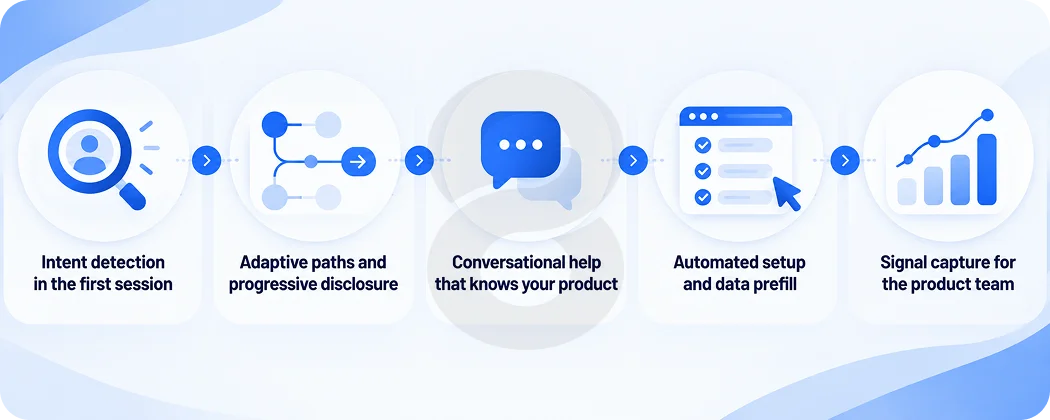
The feature list below describes what mature AI onboarding tools actually do in production, as opposed to what gets demoed.
Intent detection in the first session
The system infers why this person signed up from whatever it has: referral source, plan selected, company domain, the first three clicks. A user arriving from a pricing page for a specific integration gets a different opening than one who came from a blog post.
Adaptive paths and progressive disclosure
Steps get added, removed, or reordered based on what the user has already proven they can do. Advanced users skip the basics. Uncertain users get one instruction at a time instead of a wall of configuration.
Conversational help that knows your product
A support bot trained on generic web content is worse than no bot. The version that works is grounded in your documentation, your changelog, and your account data, so it can answer “why can’t I see my imported records” with a reason specific to that account.
Automated setup and data prefill
Verification, data import, workspace configuration, and permissions can often be completed from information the user already provided. Every field the system fills is a field the user does not abandon. This is where generative AI development earns its keep, drafting starter content so the empty state is not empty.
Signal capture for the product team
Every hesitation, retry, and abandoned step becomes structured data. Over a few thousand sessions you learn which step is quietly costing you a third of your signups, which is information a static tour never produces.
Benefits of AI Onboarding That Adapts to Users
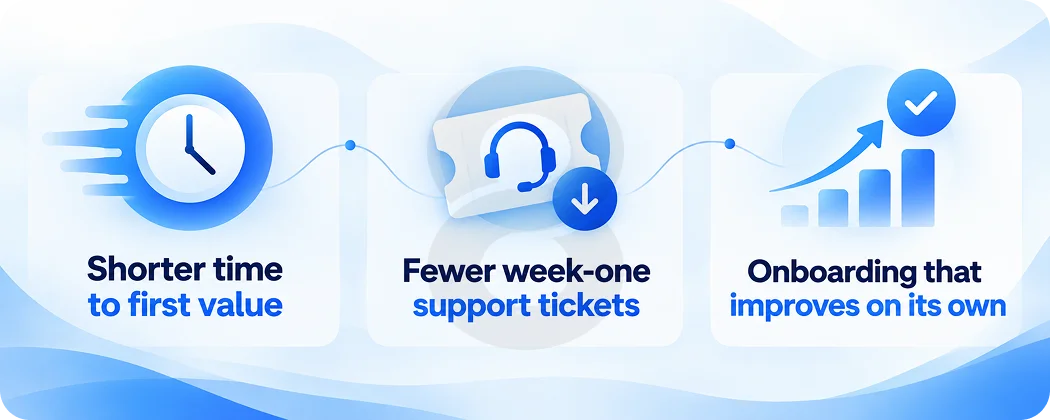
The business case rests on one number, and the rest follow from it.
Shorter time to first value
Time to first value measures how long it takes a new user to get something they actually wanted. Cutting it is the whole point. Every step removed, prefilled, or skipped for an experienced user moves that number down, and activation rates move with it.
Fewer week-one support tickets
New-user questions are repetitive and heavily concentrated in the first few days. Contextual answers at the point of confusion resolve most of them before anyone opens a ticket, which matters more as support headcount stays flat while signups grow.
Onboarding that improves on its own
A static flow is as good on day 900 as it was on day one. An instrumented adaptive flow gets better, because every session produces evidence about which path works for which segment. McKinsey’s 2026 State of AI survey found chatbots are the most widely scaled AI tool at 47% of respondents, so the technology itself is available to everyone. What compounds is the behavioral data your own users generate.
AI Onboarding Use Cases Across Industries
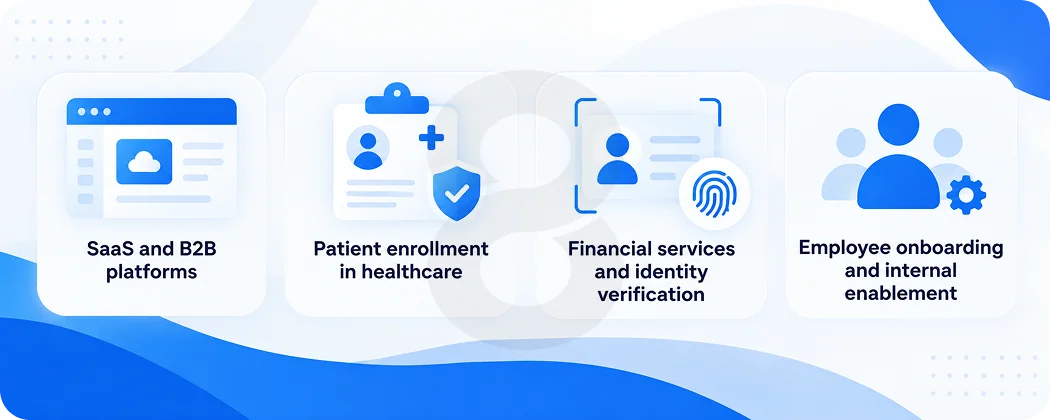
Onboarding failure looks different depending on what the user is trying to start, which is why the highest-value implementations are specific rather than general.
SaaS and B2B platforms
Multi-role products suffer most from fixed tours, since an admin configuring SSO and an end user checking a dashboard share almost nothing. Role-aware paths let both arrive at something useful in a single session rather than sitting through each other’s setup steps.
Patient enrollment in healthcare
Enrollment forms in healthcare software are long because the regulations are real. Guided flows that explain each requirement in plain language, validate as they go, and save progress across sessions cut abandonment on applications that people otherwise start and never finish.
Financial services and identity verification
Account opening involves identity checks, document uploads, and disclosures that cannot be skipped. What can change is the sequencing and the explanation, so users understand why a document was rejected rather than seeing a generic error and leaving.
Employee onboarding and internal enablement
Gallup found that only 12% of employees strongly agree their organization does a great job of onboarding new employees, and cited SHRM figures putting turnover as high as 50% in the first 18 months. An internal assistant that answers policy and systems questions on demand removes the part of that experience where a new hire waits two days for a Slack reply.
AI Onboarding Assistant vs AI Onboarding Agent
The two terms get used interchangeably in marketing copy and mean different things in engineering. Whether you need an assistant or a full AI onboarding agent decides your scope, your budget, and your risk profile.
| Capability | AI Onboarding Assistant | AI Onboarding Agent |
|---|---|---|
| Primary Job | Answers Questions And Explains Steps | Completes Setup Steps For The User |
| Trigger | User Asks, Or Hesitation Detected | Task Assigned Or Condition Met |
| Permissions Needed | Read Access To Docs And Account | Write Access To Account Systems |
| Failure Mode | A Wrong Answer | A Wrong Action Already Taken |
| Build Complexity | Moderate | High |
| Sensible Starting Point | Most Products | Once Activation Data Is Mature |
An assistant that gives a bad answer costs the user a minute. An agent with write access that provisions the wrong permissions costs an incident report. Start with the assistant, prove the retrieval layer is accurate, then extend into actions that are reversible and logged.
AI Onboarding Best Practices
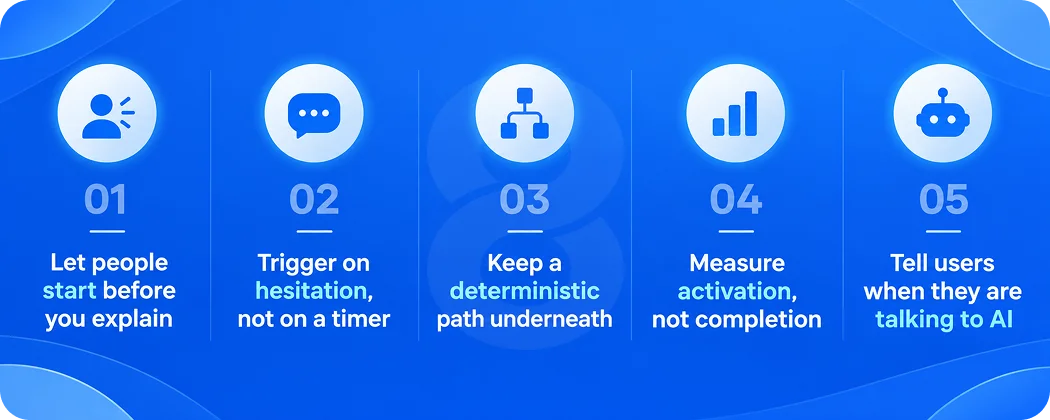
None of these are new. They are the same UX principles that governed good onboarding before language models existed, applied to a system that can now act on them.
Let people start before you explain
NN/g’s research comparing onboarding tutorials with contextual help found that upfront tutorials slow users down and do not improve task performance, because guidance delivered out of context is hard to recall at the moment it is needed. Open the product. Explain on demand.
Trigger on hesitation, not on a timer
A help prompt that fires after four seconds on every screen is a static tour with extra steps. Define the behavioral signals that indicate someone is stuck, such as a repeated failed action or a long pause on a required field, and trigger there.
Keep a deterministic path underneath
Model output varies. Compliance steps cannot. Anything legally required, such as a disclosure or a consent, runs as fixed logic, with the model handling explanation rather than execution. Voice-driven flows built with AI voice assistants need this discipline most, since the user cannot re-read what was said.
Measure activation, not completion
Tour completion rate is a vanity metric. The number worth reporting is the share of new users who reach a defined activation event within a set window, because that one correlates with revenue.
Tell users when they are talking to AI
Disclosure costs nothing and prevents the moment where a user realizes mid-conversation that the helpful colleague was a model. Give them a visible way to reach a person.
How To Implement AI Onboarding Step by Step
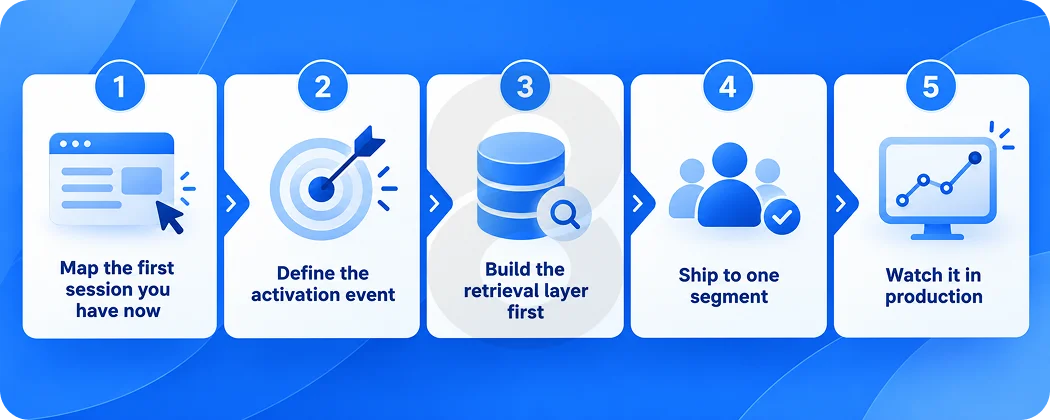
Implementation runs in a fixed order, and skipping the first two steps is why many of these projects stall at the pilot stage.
Map the first session you have now
Instrument the existing flow before changing anything. You need per-step drop-off, time on step, and the questions support already answers most often. Without a baseline you cannot prove the rebuild worked.
Define the activation event
Pick the single action that best predicts a user sticking around, and make every onboarding decision serve it. Teams that skip this end up optimizing for tour completion, which nobody outside the product team cares about.
Build the retrieval layer first
Accuracy comes from grounding, not from model choice. Documentation, product data, and account state have to be retrievable and current, which usually means system integration work against the systems where that data already lives.
Ship to one segment
Choose the segment with the clearest job and the highest volume. A narrow first release gives you a clean comparison against the old flow and contains the damage if the model behaves unexpectedly.
Watch it in production
Log every conversation and every automated action for review. Early production surfaces failure modes no test suite predicted, and the first month of transcripts is the most valuable product research you will get that quarter.
What Does AI Onboarding Cost To Build?
Cost depends on how much the system is allowed to do. A grounded assistant layered onto an existing signup is a contained project. An agent with write access into billing and provisioning is a different engagement with a different risk review.
The variables that move the estimate are documentation quality, how many systems the flow must read from and write to, the number of user segments needing separate paths, and whether the product runs on web, mobile app platforms, or both. Inference and monitoring costs continue after launch, which first-time budgets routinely leave out.
Hiring a Team To Build AI Onboarding
Ask any prospective partner how they would measure success six months after launch. A team that answers with engagement metrics is thinking about the demo. A team that asks what your activation event is has done this before.
8ration builds onboarding and enrollment flows as product work rather than as a bolt-on layer, which usually means the engagement opens with a drop-off analysis instead of a model recommendation.
On Cinnamon, a patient access platform, the team rebuilt enrollment around simplified application workflows, real-time status tracking, multi-language support, and a HIPAA-compliant architecture. Application completion time fell by 70%, average program enrollment dropped from weeks to days, pilot programs recorded 98% patient satisfaction, and the platform shipped in four months. The enrollment path was the product for most of those users, which is true of more products than their teams admit.