Right now, somewhere, a pipe let go under a kitchen sink and the person standing in the puddle is on their phone, typing plumber near me into the search bar at some ugly hour of the night. Do that math across a few million homes a week and the business explains itself.
The person mopping the floor does not care what you built the thing in. They want the leak handled, the mess gone, and someone at the door inside the window they were promised. Beyond that, the build is your headache, not theirs.
That gap, between what people want and what it takes to deliver it, is where home services app development gets hard. The pitch is simple. Connect people who need help with people who can do the work, take a cut, repeat. The execution is a completely different animal.
So this is a teardown. What goes into one of these apps, what it runs you, and why the hard part is almost always the stuff buried out of sight. You will not get a sales pitch out of it. If you are actually weighing whether to build one, what follows is the conversation you would want to have before signing anything.
Why Everyone Suddenly Wants to Build One of These
The short version is that people stopped wanting to make phone calls. Booking a cleaner or a handyman used to mean three calls, a quote you could not trust, and a four hour window where you sat at home waiting. Now it is a few taps. Once a category gets that kind of convenience, it does not go back.
The numbers back it up, if you like numbers. Grand View Research puts the online home services market on track to reach $14.7 billion by 2030, growing around 16.7% a year. That is not a fad curve. That is a habit forming.
There is also a supply side reason this works now. The gig economy handed platforms a labor pool they do not have to keep on payroll. A plumber can pick up jobs from three apps between his own bookings.
The platform never hires him, never benches him, and still takes a percentage of every job. For an operator, that is the whole appeal. Lower fixed cost, faster scaling, someone else’s truck.
None of that makes it easy money. It just means the door is open. Walking through it is the part this article is actually about.
What a Home Services App Is
Strip away the branding and every app in this space is the same shape. Three connected pieces, each with a different job to do.
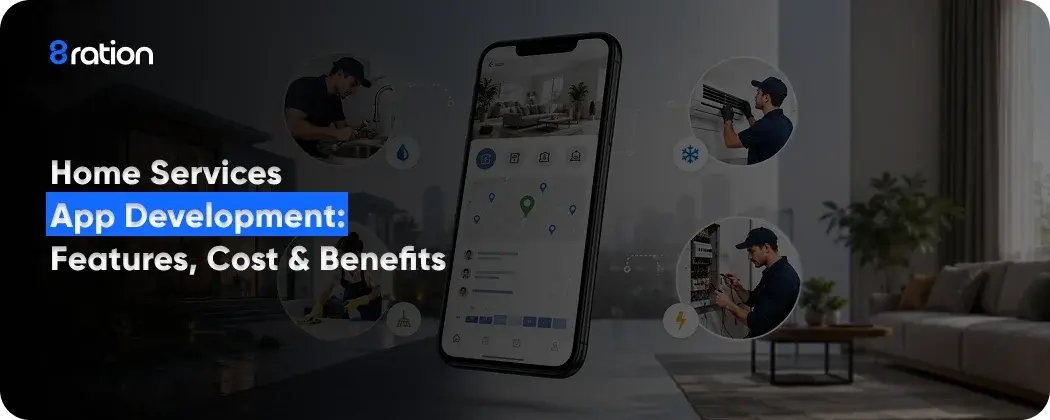
The customer side is what people download. They pick a service, a time, and a place, then pay and rate the work. The service provider side is the app the worker carries, the one that sends them jobs, shows them where to go, and tracks what they have earned.
And the admin panel is the part the operator lives inside, where pricing, disputes, commissions, and the whole quiet mess of running a marketplace get handled.
Here is how a single booking moves through it. A user requests a service. The backend software finds nearby pros who fit the job and the time slot. One accepts, the customer sees who is coming and when, the work gets done, money changes hands, and a rating goes both ways.
Sounds clean on paper. In practice, that flow has a hundred failure points. A pro cancels last minute. A payment fails halfway. The map sends someone to the wrong unit in a big building. Most of the engineering effort on these builds goes into the moments between the steps, not the steps themselves.
Read More: On-Demand Services App Development: Ultimate Guide
The Apps Everyone Benchmarks Against
It pays to stare hard at the apps that already cracked this before you draw a single wireframe, because no two of them won the same way.
TaskRabbit is the obvious place to start. IKEA owns it now, and it is the one that made the loose marketplace idea stick. You post a job, the taskers who want it quote their own price, and more often than not someone is at your door that same day. Say the words handyman app to most people and TaskRabbit is the picture that loads in their head.
Urban Company went the other way. Instead of a loose marketplace, it trains and vets its own pros and standardizes the service, which buys consistency at the cost of heavier operations. If you have ever booked a salon visit or a deep clean through an app and gotten the same quality twice, that is the model working as intended.
Thumbtack runs on leads. It does not take a cut of the job, it charges providers to quote on requests, which suits big ticket or one off services where a per booking commission would barely register. Handy, and Hello Alfred on the subscription side, round out the playbook.
The lesson across all of them is the same. Pick the model that fits your category and your city, then build for that, not for a screenshot of someone else’s app.
Read More: How to Create an App: 8 Steps to Build an App
The Features That Matter and the Ones That Don’t
Every feature list for a home service app starts looking the same after a while. The honest truth is that a first version needs maybe a third of what usually gets pitched in the kickoff meeting. The rest can wait until people are actually using the thing and telling you what is missing.
Still, some features are not optional. Booking, payments, and real time tracking are the spine. Cut those and you do not have a product, you have a directory. Here is how the must haves usually split across the three sides of the app.
| Customer app | Service provider app | Admin panel |
|---|---|---|
| Service search and filters | Job requests with accept or decline | Dashboard with live metrics |
| Scheduling and instant booking | GPS navigation to the customer | Provider verification and onboarding |
| Secure in app payments | Earnings and payout history | Pricing, commissions, and promotions |
| Real time tracking of the pro | Availability and schedule control | Ratings, reviews, and dispute handling |
| Ratings, reviews, and booking history | In app chat with the customer | Reports, payouts, and analytics |
A couple of these punch above their weight. In app chat keeps people from swapping phone numbers and taking the deal off platform, which is how marketplaces quietly bleed revenue. Push notifications do the boring work of reminding someone their cleaner is on the way, and pulling back the users who drifted off. Neither one is glamorous. Both protect the money.
The trap is the feature you add only because a competitor has it. Loyalty points, video consultations, an AI assistant on launch day. Maybe later. A bloated first release just means more things to debug and a longer wait before anyone can book a single cleaner.
Read More: Payment App Development Cost Breakdown Guide
A note on building two apps at once
You are not building one app here, you are building two, plus a control room. Building the mobile app for the customer and the provider at the same time, and wiring both into one admin panel, is most of your timeline and most of your cost. Worth sitting with before you read the next part.
How These Apps Make Money
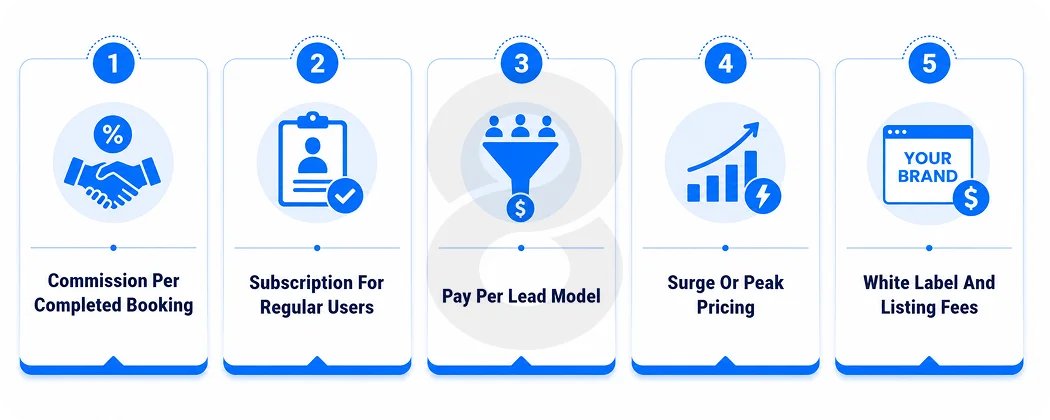
An app that connects people is nice. An app that pays for itself is the actual goal. Most home services platforms land on one of a few models, and plenty of them run two at the same time.
- Commission per booking. The platform takes a percentage of each completed job. Steady, predictable, and the most common place to start.
- Subscription. Customers or providers pay a recurring fee for perks, priority, or lower per job rates. Good for regulars who book often.
- Lead generation. Providers pay to bid on or unlock customer requests. Thumbtack built a whole business on this one.
- Surge or peak pricing. Prices climb when demand spikes, like a holiday weekend when half the city wants a cleaner at once.
- Listing and white label fees. Charging providers to be featured, or licensing the entire platform to other service companies.
Most operators start with commission because it is simple and nobody pays until they get value out of it. Subscriptions tend to come later, once you have people who book enough to want a deal. The real mistake is picking a model that asks for money before the app has earned any trust.
Read More: How to Build an App That Makes Money
What Home Services App Development Costs
Most people skip everything above and land here first, so here is the honest version with the hedging up front. You are not going to get one number. You get a range, and where you sit inside it is mostly decided in conversations that happen long before anyone touches a keyboard.
A stripped back build, just the core loop, booking, payment, tracking, a category or two, sits at one end. A platform juggling many service categories, AI matching, a few languages, and an admin suite built from scratch sits way out at the other. Same elevator pitch. Wildly different builds, and wildly different bills at the end of it.
The things that move the number most are easy to name. How many platforms you ship on, one or both of iOS and Android plus web. Whether you go cross platform or native. How many service categories you launch with. The real time features like live tracking and chat. And how custom the design is, because polish takes time, and time is the bill.
| Build stage | What you get | Typical timeline |
|---|---|---|
| MVP | One platform, core booking, payments, basic tracking, a single service type | Around 3 to 4 months |
| Growth build | Both platforms, multiple categories, chat, ratings, a fuller admin panel | Around 5 to 8 months |
| Full platform | Multi category, AI matching, analytics, multi language, custom everything | 9 months and up |
To put rough edges on it, a simple build tends to open somewhere in the low tens of thousands, and a full marketplace can cost a few multiples of that by the time it ships. If someone quotes you a precise number before they have seen your feature list, they are guessing. And a guess that early has a habit of turning up on the invoice later, with interest.
Key Benefits of Home Services App Development
Everyone already knows the convenience angle, so leave it be. The payoffs that actually matter are operational, the kind that quietly surface in your dashboards a few months after you go live.
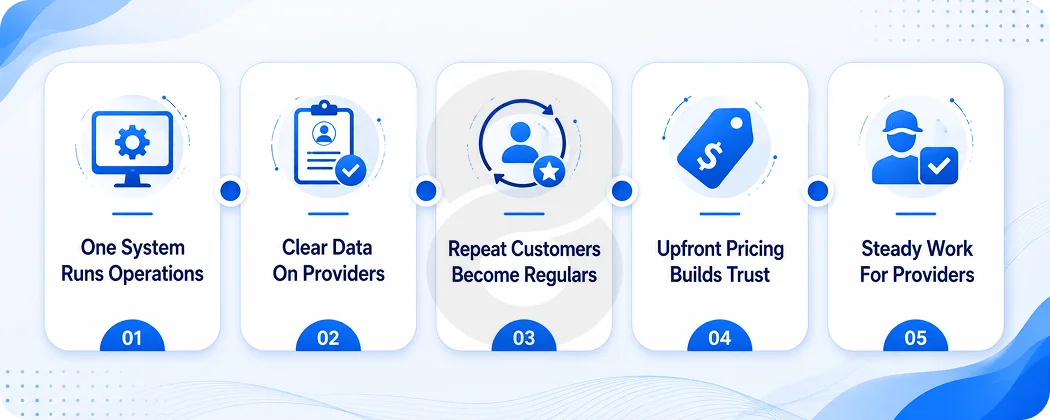
On the business side, one system swallows the dispatcher, the phone line, and that cursed spreadsheet you used to run everything off. Bookings, payments, and who is working when mostly handle themselves.
You finally get to see which pros pull their weight and which ones keep racking up complaints, because it is all sitting in front of you instead of locked inside one person’s memory. And a CRM that tracks repeat customers is what turns a single job into a regular, which is the part that actually makes you money.
Customers, meanwhile, are buying trust as much as speed. A vetted pro, a price they can see before they commit, a dot crawling toward their house on a map, a star rating they can actually check, all of it means they are not rolling the dice on some stranger with a toolbox. Earn that trust and they come back. Coming back is the entire game.
And for the people doing the actual work, the app is steadier income without the grind of hunting for it. Show up, finish the job, get paid, bank another good rating that feeds the next booking. For a lot of folks working for themselves, that is the gap between a dead week and a packed one.
Read More: CRM App Development: Complete Guide to Custom CRM Software & Mobile Apps
Where the Category Is Heading (And Why It Matters Now)
If you are building for today’s feature list, you are already a step behind. The interesting shift in home services is not a flashier app. It is what the app starts doing in the background while the customer just thinks they booked a cleaner.
Technavio describes the market moving away from simple service directories toward AI guided diagnostics and what it calls agentic matchmaking, where the platform does not just list pros but works out the right one and predicts what a job will actually need. Some platforms are already testing systems that flag a likely repair before the customer even picks up the phone.
That is the direction of travel. AI that predicts demand and assigns the right pro, instead of blasting one request to everyone and hoping. Predictive maintenance that turns a one off fix into a scheduled relationship.
None of this is ready for prime time yet, and dropping it into version one would be wild overkill. The catch is that the foundation you pour today quietly decides whether you can bolt this on a year from now, or whether you end up ripping the whole thing up to make room for it.
How to Get Started with Home Services App Development
Still reading? Then you are past the fun part where it is all whiteboards and big ideas. Here is the order of operations that tends to keep a project from quietly falling apart.
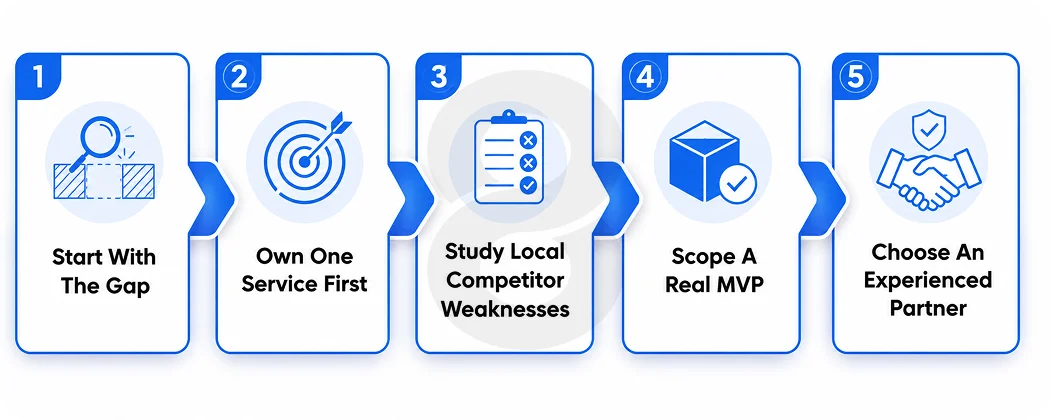
Lead with the gap, not the app. Find the one service that is a genuine pain to book where you live and plant your flag there first. An app that nails plumbing and only plumbing will beat a do everything platform that leaves no impression at all. Then go look at whoever is already serving that need nearby, find the thing they keep getting wrong, and make that your opening.
Then scope an MVP that is actually minimal. Build the core loop and nothing else, so booking, payment, tracking, and maybe a category or two. Ship it to real people, watch exactly where they bail, and patch that before you let yourself add a single new thing.
Every feature you hold back is one more you are not stuck maintaining while you are still finding out whether anyone even wanted the app.
And choose a partner who has done this before. Industry experience, sane security practices, a tech stack that scales, and support that does not vanish the week after launch. The cheapest quote is rarely the cheapest build once the rework starts.
Read More: MVP Development Cost Guide
Why Businesses Choose 8ration for Home Services App Development
Plenty of shops can build an app. The ones worth hiring for home services app development are the ones who have watched a marketplace break in real life and know exactly where the cracks form.
8ration works on the full thing, the customer app, the provider app, and the admin panel that runs underneath, instead of handing over a pretty screen with nothing behind it. The team has shipped on demand apps before, which mostly means they already know which features earn their place in a first release and which ones quietly sink a timeline.
The harder parts are where it counts. The backend that matches a request to the right pro in seconds. Payments that do not drop money on the floor. An admin panel an operator can actually run without a developer on call at midnight.
That is the deeply unsexy engineering that quietly decides whether your app sails past its first thousand bookings or chokes somewhere around fifty.
There is also the question of what happens after launch, which is where a lot of apps quietly die. 8ration stays on for monitoring, fixes, and the feature work that keeps people opening the app week after week. If smart matching or AI driven assignment is on the roadmap, the foundation gets built to take it, not patched to fake it.