Ask a developer who has shipped a multiplayer game what the difficult part was and almost nobody says the gameplay. It’s the plumbing error. When a single-player game breaks, one player gets annoyed and moves on.
When a multiplayer game breaks, hundreds of people watch it happen together, and the reviews start rolling in while your server logs are still filling up.
Getting two characters moving on the same screen takes a weekend. Keeping a few hundred players in sync on a Friday night, on real connections, with nobody rage-quitting over lag? That part swallows entire projects, and it’s usually where the ones that never ship got stuck.
So this guide covers how to make a multiplayer game from that angle, the way working studios approach it in 2026. Architecture decisions come first, then engines and netcode, state sync, latency handling, testing, and what running live servers actually involves once players show up.
If you’re an indie dev, a founder with a multiplayer app idea, or a team pricing out a project before you hire anyone, this is written for you.
What Do You Need to Make a Multiplayer Game?
In a single player game, the truth lives in one place, on the player’s machine. Multiplayer breaks that. Now you have devices spread across cities and continents, each running its own clock at its own frame rate over its own shaky connection, and they all have to agree on what just happened in the game. Nearly every technique in this guide exists to solve some version of that agreement problem.
Every action a player takes has to travel across the internet, get processed, and come back before other players see it. Round-trip times of 50 to 150 milliseconds are normal and Unity’s multiplayer networking guide treats round-trip time as the core gauge of network latency you design around, not an edge case you patch later.
So before touching an engine, you need answers to three questions:
- How many players share a session? Two-player turn-based chess and a 100-player battle royale are different engineering problems entirely.
- How fast does the game move? A word game can tolerate a full second of delay. A shooter can’t tolerate 100 milliseconds without compensation tricks.
- Is it competitive? If players can gain anything by cheating, they will, and that decision forces you toward server authority.
Teams offering game development services get these three questions answered in discovery for a reason. Every downstream decision, and a large chunk of the budget, hangs on them.
Choosing a Multiplayer Game Architecture: Client Server vs Peer to Peer
If you get one technical decision right when figuring out how to make a multiplayer game, make it this one. Architecture is poured concrete. Once gameplay code is built on top of it, switching models means rewriting most of the game.
Client-Server (Authoritative Server)
One central server holds the real game state. Players send inputs (“I pressed W”), the server simulates the result, and broadcasts the outcome to everyone. Clients are basically fancy renderers.
This is the dominant model in modern multiplayer development because the server acts as a single source of truth that clients cannot directly modify. Cheaters can’t teleport or spawn resources because their machine never had authority over those things in the first place.
What you give up is money and milliseconds. Someone has to pay for server compute on every session, and every player action makes a round trip before it counts.
Use it for: shooters, MOBAs, battle royales, and anything with rankings or real money attached.
Peer to Peer
In this setup, players talk to each other directly… usually with one of them acting as the host. There’s no server to rent, nearby peers get snappier connections, and the infrastructure stays refreshingly simple. The downsides are real, though.
The host has an inherent advantage (zero latency to themselves), a host disconnect can kill the session, and cheat prevention is close to impossible since someone’s machine always holds authority.
Use it for: co-op games among friends, casual party games, fighting games using rollback netcode, and prototypes.
Hybrid Models
Plenty of 2026 games mix the two. A relay service routes P2P traffic through a lightweight server to punch through firewalls, while matchmaking, accounts, and progression live on a proper backend. Unity’s own Multiplayer Services sessions combine Relay, Lobby, and Matchmaker exactly this way.
Best Game Engines and Netcode Frameworks for Multiplayer Games
You almost never write networking from raw sockets anymore. Modern engines ship netcode frameworks that handle serialization, replication, and connection management so you can focus on gameplay.
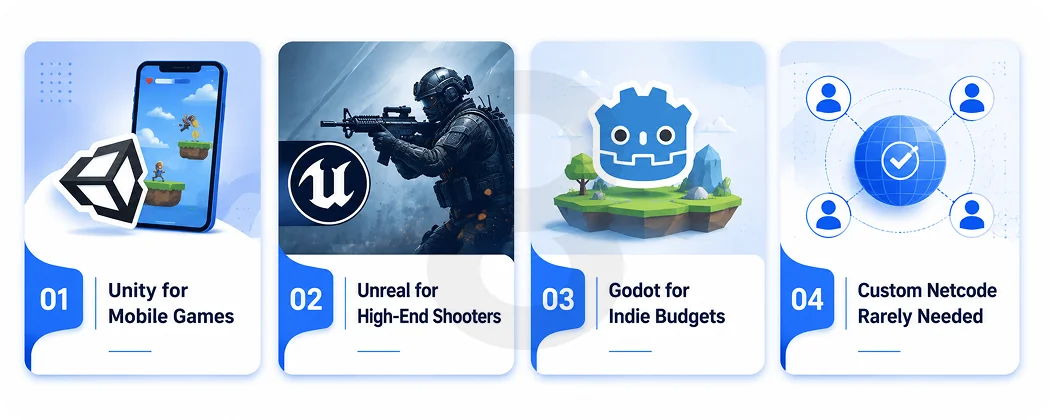
Unity + Netcode for GameObjects (NGO)
The engine most Unity game development teams reach for first. NGO is the library Unity itself maintains, and it borrows the mental model Unity developers already carry around. Anything that needs to exist on the network gets a NetworkObject component slapped on its prefab.
Your gameplay code lives in NetworkBehaviour scripts, the same way it would live in MonoBehaviours in a single-player project. From there, two tools do most of the heavy lifting. One is NetworkVariables for state that persists and the other is RPCs for things that just happen once.
The on-ramp is short too. Work through Unity’s official tutorial and you’ll have a host-client project running before dinner. Testing got easier in Unity 6 as well, since Multiplayer Play Mode spins up several players inside one editor window, which kills the old ritual of building a fresh executable every time you wanted a second player. And if your ambitions run bigger than a lobby of friends, the DOTS-based Netcode for Entities picks up where NGO stops. Unity has demoed sessions holding 128+ players on it.
Unreal Engine
Replication is baked into the engine’s DNA because Epic built it alongside Unreal Tournament. Actor replication, RepNotify, and RPCs are mature, and if you’re building a high-fidelity shooter, Unreal’s networking model was literally designed for the genre.
Godot
The open-source option has a high-level multiplayer API with RPCs and scene replication. Great for indies who want zero licensing overhead, though the surrounding services ecosystem is thinner.
Custom netcode
A small set of games genuinely needs it. Fighting games that depend on frame-perfect rollback. MMOs simulating a persistent world. Browser games stuck with WebSockets.
Read More: What Are AAA Games? Breaking Down the Biggest Titles in Gaming
Outside those cases, writing your own networking layer mostly means rebuilding, slowly and with fresh bugs, what the frameworks above already ship. A useful gut check: teams that truly need custom netcode already know they do.
The table below puts the main options side by side:
| Engine / Framework | Networking Solution | Best For | Cost | Learning Curve |
|---|---|---|---|---|
| Unity | Netcode for GameObjects | Mobile, Indie, Co-op & Mid-scale Games | Free Below Revenue Threshold | Moderate |
| Unity (DOTS) | Netcode for Entities | Large Sessions (100+ Players) | Free Below Revenue Threshold | Steep |
| Unreal Engine | Built-in Replication | High-fidelity Shooters & AAA-style Games | 5% Royalty After $1M Revenue | Steep |
| Godot | High-level Multiplayer API | Indie & Budget Projects | Free, Open Source | Moderate |
| Custom Netcode | Raw Sockets / WebSockets | Fighting Games, MMOs & Browser Games | Engineering Time Only | Very Steep |
The framework choice also depends on your platform targets. Mobile multiplayer brings its own constraints (flaky connections, battery, background disconnects), which is why studios with dedicated mobile game development services treat mobile netcode as its own discipline rather than a desktop port.
Multiplayer Game Server Setup: Hosting, Backend, and Costs
Once the architecture and engine are set, you need somewhere for the game to actually live.
Dedicated game servers
They run headless builds of your game, one process per match, usually orchestrated with containers so a crashed session doesn’t take down its neighbors. Managed hosting platforms like Unity Game Server Hosting handle the scaling and orchestration for you at a per-usage price
Backend services
They live next to the game servers and cover everything that isn’t the match itself. Matchmaking, lobbies, player accounts, leaderboards, inventory, analytics.
None of this is exotic game tech. It’s ordinary web engineering, APIs talking to databases with caches in between, which explains a pattern many studios notice: a good full stack team ships this layer faster than game programmers do, because they’ve built the same systems a dozen times for other products.
Relay and voice
If you go P2P, a relay service handles NAT traversal so players behind home routers can actually connect. Voice and text chat is usually a bought service (Unity’s Vivox, for example) rather than a built one.
The budget conversation belongs here too. An independent cost breakdown for a 32-player action game consistently lands in the same place.
Read More: How Much Does It Cost to Make a Video Game
Self-hosted infrastructure runs into thousands of dollars per month once you count bandwidth, compute, and the engineering labor to maintain it all, while managed engines trade that labor for per-user fees. Bandwidth is often the sneaky line item. Every state update gets multiplied by every player, every tick, all month.
How Game State Synchronization Works in Multiplayer Games
Strip away the theory and multiplayer programming is mostly three recurring questions. What data does everyone need to see? How often does it need to update? And who gets to change it? Answering those, object by object, is the daily work.
Start from a stingy default: sync nothing unless the game visibly breaks without it. You don’t send the whole game world 60 times a second. You send deltas: what changed since the last update. Position, rotation, health, score. Everything else gets derived locally.
Netcode frameworks handle the plumbing, but you decide the diet, and an overweight sync payload is the most common reason multiplayer games choke at scale.
The second rule is deciding authority per object. Server-authoritative movement is safest but feels sluggish without prediction. Client-authoritative movement feels instant but hands cheaters the keys.
In practice, shipped games split the difference. Clients get authority over their own movement and anything cosmetic, with the server double-checking behind them, while the server keeps a tight grip on everything fairness depends on: damage, currency, pickups, match results.
How to Reduce Lag in a Multiplayer Game: Prediction, Interpolation, and Lag Compensation
Physics sets a floor under your latency, and the internet stacks routers, congestion, and household Wi-Fi on top of it. A player in Karachi hitting a Frankfurt server is going to wait tens of milliseconds for every round trip no matter how clean your code is.
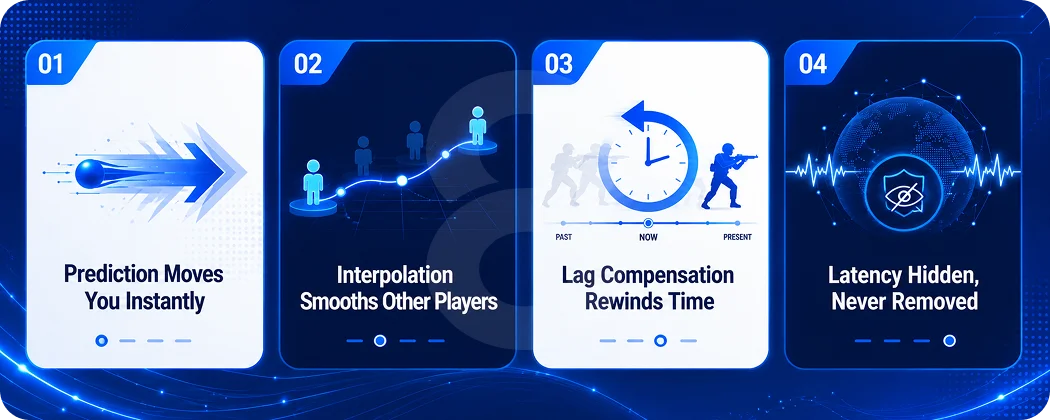
Since you can’t beat that delay, the entire discipline of netcode is really about making players stop noticing it.
Client-side prediction
The client simulates its own actions immediately instead of waiting for the server’s confirmation. You press W, you move now. When the server’s authoritative result arrives, the client reconciles any difference. This is why modern games feel responsive despite 80 ms round trips.
Interpolation
Other players’ positions arrive as discrete snapshots. Rather than teleporting characters between them, the client renders remote players slightly in the past and smoothly interpolates between known positions.
Lag compensation
When you shoot at someone, the server rewinds the world to what you saw at the moment you fired, then judges the hit. Valve documented this approach in its Source Multiplayer Networking paper years ago, and it remains the standard playbook for fast-paced games.
None of this is optional for real-time games. A shooter without prediction feels broken at 60 ms of latency, and 60 ms is a good connection.
Read More: How Long Does it Take to Make a Video Game
How to Test a Multiplayer Game Before Launch
Every multiplayer game runs beautifully on localhost, which is exactly why localhost lies to you. There’s no latency, nothing drops, nothing jitters. Then the game meets a real player on hotel Wi-Fi and falls apart. Your test setup has to recreate the hostile conditions your code will actually face.
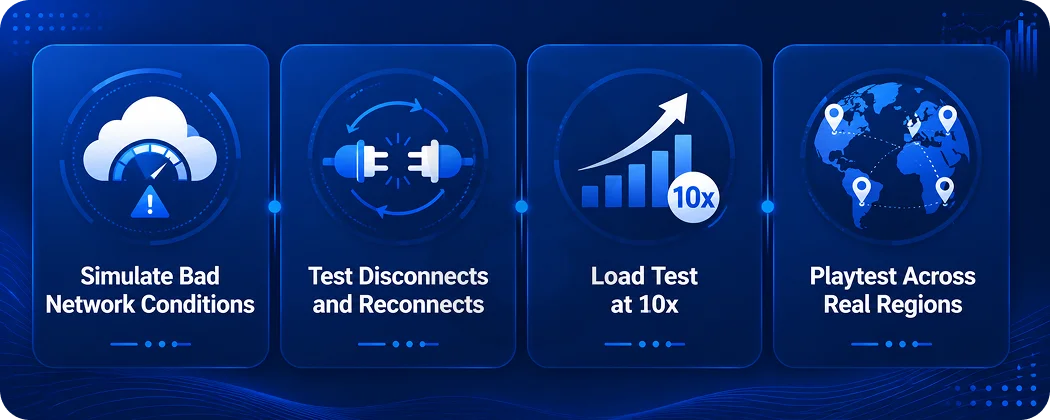
- Simulate bad networks: Unity Transport and most engines ship network condition simulators. Test at 150 ms latency with 5 percent packet loss regularly, not once.
- Test disconnects and reconnects: Players close laptops mid-match. Phones lose signal in elevators. Handle late joins, host migration (if P2P), and mid-game drops gracefully.
- Load test before launch: Spin up bot clients and hammer your servers with 10x your expected launch traffic. More multiplayer games have died to a launch-day traffic spike than to any design flaw.
- Playtest across regions: When the whole dev team sits on one office LAN, the game gets tuned for conditions no real player will ever have. Put testers an ocean apart and see what survives.
It’s also worth investing in automated end-to-end tests you can rerun after every significant change. A netcode regression tends to hide until players find it, and by then it’s in a one-star review instead of a test report.
Launching and Scaling a Multiplayer Game as a Live Service
Shipping a multiplayer game starts a subscription, not a transaction. After launch you’re operating a live service: monitoring server health, patching exploits, scaling regions up and down with player counts, and shipping content to keep players around.
Four things belong in the plan before launch:
- Anti-cheat and moderation: Server authority handles most technical cheating on its own. What it can’t handle is the human side, so reporting tools, chat moderation, and account bans need to be designed and built like any other product feature.
- Regional server deployment: Players get routed to whichever region sits closest. Pick up an audience in a new part of the world and your infrastructure map has to grow with it.
- Analytics: Concurrent users, match completion rates, disconnect rates, and latency percentiles tell you where the experience is breaking before reviews do.
- A content pipeline: Multiplayer retention lives on updates. Budget for the team that keeps building after launch.
This operational reality is why multiplayer projects cost 30 to 50 percent more than comparable single-player games, and why the spend continues monthly.
It’s also why many studios and startups bring in an external engineering partner for the backend and infrastructure layer while keeping game design in-house.
A company building real-time systems across industries, whether that’s gaming, healthcare software, or logistics platforms, is exercising the same muscles every day: keeping state in sync, keeping APIs fast, and keeping infrastructure standing when traffic climbs.
Read More: Ideas for Game Development: How Businesses Can Enter the Gaming Market
How 8ration Helps Teams Build Multiplayer Games and Real-Time Apps
8ration builds real-time, connected applications, which is the same engineering territory multiplayer games live in. The team’s software development services cover the pieces a multiplayer project actually needs beyond gameplay code: backend architecture, WebSocket and real-time API development, cloud infrastructure and scaling, matchmaking-style systems, and cross-platform mobile builds for iOS and Android.
For game projects specifically, that usually means partnering on the server side. A studio or founder brings the game design and client experience, and 8ration’s engineers handle the authoritative server logic, database architecture, account systems, and the DevOps work that keeps sessions running under load.
The company works across industries where the same real-time patterns show up, whether that’s a live leaderboard in a fitness app or booking flows in an on-demand platform, so the multiplayer playbook above isn’t theoretical for the team. It’s the day job.