Having a successful online business without the right system for inventory management is like playing a game in a city without a map. You may find yourself somewhere in the end, but you will lose customers, time and money along the way. Creating a solid inventory management system is one of the most influential investments you can make in your ecommerce business, regardless of whether you’re just getting started or expanding an established brand.
What Is an Ecommerce Inventory Management System?
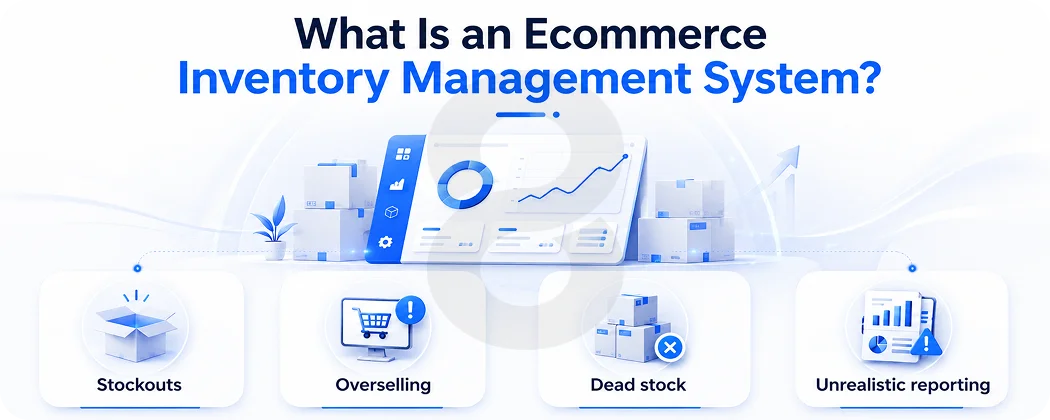
Ecommerce inventory management systems are a collection of processes, tools, and technologies to monitor, manage, and optimize your inventory throughout all sales channels. It lets you know what you’re buying, where it’s coming from, how fast it’s moving and when to reorder, in real time.
If you don’t have one, you can risk:
- Stockouts: When the products are unstocked and the sale is lost at the last moment
- Overselling: Selling products that are not on hand, causing cancellations and refunds
- Dead stock: Products that are on shelves that are cash and space drains
- Unrealistic reporting: Making a purchase decision when there is an error in reporting.
All four of these pain points are eliminated in a well-built system. Any e-commerce inventory management system should have the following core functions:
- Tracking stocks in real time, at all locations.
- Managing purchase orders and suppliers.
- Forecasting and reorder automation.
- Easy integration with your sales systems and platforms.
- In-depth reporting and analytics dashboards.
Step 1: Audit Your Current Inventory Setup
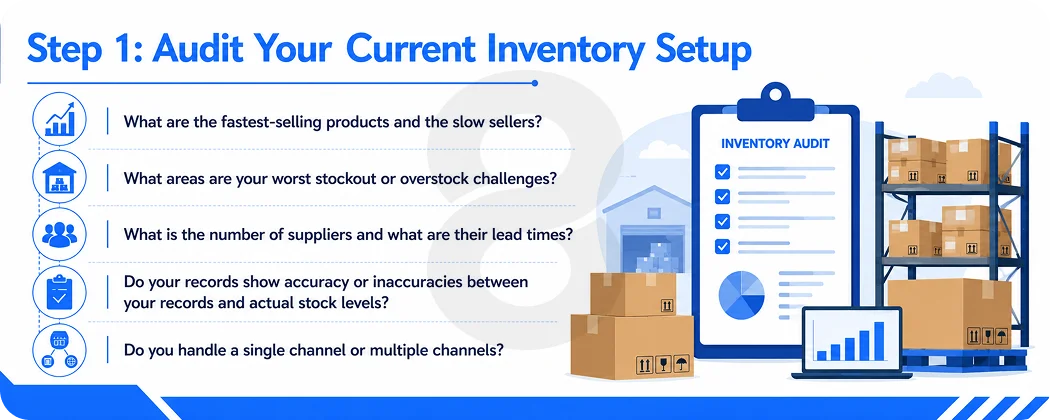
Before constructing anything new, you must know what you’re dealing with. The first step is to do a comprehensive inventory audit. Count all SKUs, make note of their location, their cost and how fast they sell. This provides you an inventory health baseline, a snapshot of your inventory health at this moment in time. During the audit, ask yourself the following questions:
- What are the fastest-selling products and the slow sellers?
- What areas are your worst stockout or overstock challenges?
- What is the number of suppliers and what are their lead times?
- Do your records show accuracy or inaccuracies between your records and actual stock levels?
- Do you handle a single channel or multiple channels?
Each answer will influence all the choices you make when you create your system. Companies that fail to do so will simply be digitizing their current chaos and not resolve it.
Step 2: Choose the Right Ecommerce Platform With Strong Inventory Tools
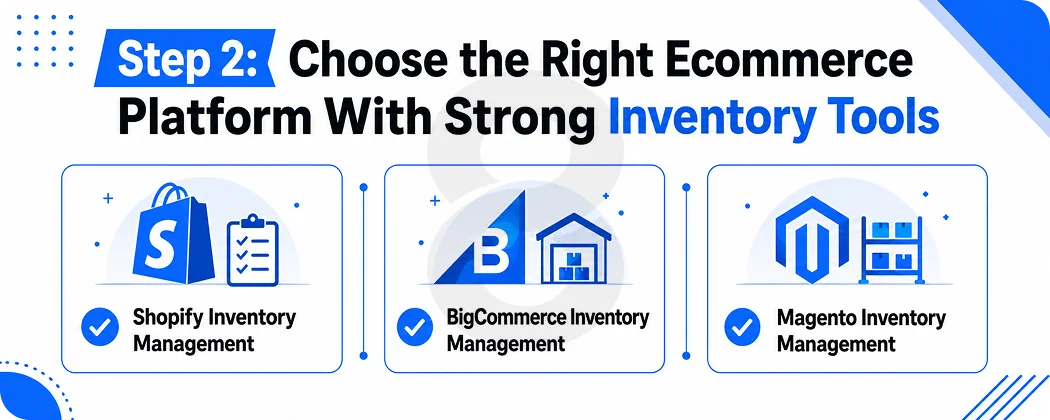
The backbone of your inventory system is your ecommerce platform. The choice of platform (and its configuration!) will dictate the amount of manual effort and the accuracy of real-time inventory data. Among these platforms, Shopify, BigCommerce, and Magento stand out as the most prominent.
Read More: Best Scalable Ecommerce Technology Stack for Enterprise
Shopify Inventory Management
Shopify inventory management is among the most user-friendly solutions. Shopify’s inventory system is built-in, and it contains:
- Product & variant level stock tracking
- Low stock alerts and notifications
- Multi-location inventory management, from warehouse to retail stores, and fulfillment centers
- Automatic stock update when orders are placed or refunded
- An easy-to-use dashboard that tracks inventory movement in real time
As a growing brand, Shopify’s built-in inventory management capabilities can be enough, particularly when using apps like Stocky or other third-party solutions like Cin7 or Linnworks. One of Shopify’s strongest features is its app ecosystem, with hundreds of inventory-specific apps in the Shopify App Store to further enhance your capabilities without moving to another platform.
Read More: How to Hire a Shopify Expert Developer for Headless Commerce
BigCommerce Inventory Management
Unlike Shopify, BigCommerce has more inventory management capabilities natively. Key features include:
- Low-stock notifications and per-SKU inventory tracking
- Multiple variants of products with precise stocking. Unlimited product variants and stock control at a granular level
- The Open API Architecture of Enterprise-class WMS and ERP products
- Stock visibility controls so no out-of-stock products will appear in customers’ carts
- Advanced B2B capabilities with bulk pricing rules and advanced catalog management
BigCommerce is an excellent option for midsize and B2B companies that want to get serious about inventory control, but with less coding and developer effort.
Magento Inventory Management
The most powerful and customizable of the three is Magento inventory management, the current name of which is Adobe Commerce. Standout capabilities include:
- Multi-Source Inventory (MSI) stock management for multiple physical sources
- Priority fulfillment and inventory assignment rules for channels
- Custom inventory logic to your specific business needs
- Tight integration with any third party logistics (3PL) system or ERP system
- Complete visibility of all stock management at enterprise level
The downside is Magento demands a dedicated developer team to configure and maintain, which can be difficult for smaller businesses. If you’re looking for the most challenging Magento inventory management, you can’t find an easier one than in large businesses with a complicated supply chain and high order volumes.
Read More: How to Hire Magento Developers: 5 Red Flags to Avoid in 2026
Step 3: Connect The Quotes
In today’s e-commerce world, real-time stock tracking is essential, whether you’re using one platform or another. A customer’s order should reflect live inventory changes when they order. If a return occurs, the stock should be added back at the same time.
To do this, do the following preparatory steps:
- Give each product a distinct SKU: SKUs are for tracking. If you do not have them your system can’t tell the difference between a blue t-shirt and a large blue t-shirt.
- Get all stock sources and locations in sync together: from warehouses, retail stores and fulfillment centers, all connected to a single inventory database.
- Integrate your point-of-sale system: sales at the point of sale require the same inventory pool to be updated as online sales.
- Use automation to make stock adjustments: don’t depend on manual changes for inventory related to orders.
- Set low stock levels: all products should have alerts set at a level they would not want to be reached without being notified of.
Read More: eCommerce App Development Cost: Your Ultimate Guide for 2026
Step 4: Implement Demand Forecasting
Demand forecasting, which is the ability to look at past sales and anticipate future demand, is one of the lesser-used features in an ecommerce stock management program. If not, you are essentially taking a chance, either too much inventory (wasted money) or not enough (unmade sales).
Demand forecasting takes into account:
- Historical sales by SKU.
- Any seasonal changes or promotions calendars. Seasonal changes and promotional calendars.
- Supplier lead times and Minimum Order Quantities (MOs)
- Outside influences, such as changing market conditions or competitor out of stocks.
Find reorder points for each SKU at least, based on this formula:
Average Daily Sales is the average number of products sold per day during the product’s life. Average Daily Sales is the average quantity of products sold per day in the product’s life.
This will let you know exactly when to place another purchase order so you never have to be without any items before they are delivered. Sophisticated prediction can be added to your existing pile with dedicated tools such as Inventory Planner or Reorder Point.
Read More: Top 10 eCommerce Solution Providers for the B2B Industry
Step 5: Integrate With Your Warehouse and Fulfillment Operations
Your inventory system must communicate with your warehouse. This is especially true if you’re placing orders or using a 3PL; you can’t have your inventory system and your physical operations operating without communication.
If you have your own warehouse:
- Use a Warehouse Management System (WMS) that connects with your ecommerce system:
- Reduce picking errors and receiving time by using barcode scanning to reduce picking errors and speed up receiving.
- Use the optimal location of bins to make the fastest-moving products easiest to pick
- Real-time track goods throughout your facility
If you use a 3PL:
- Make sure there is a connection with their system through API
- The inventory should be automatically updated when new stock is received
- Tracking information should automatically show up in your platform when they place an order
- Frequently run reconciliation reports to detect any differences between your records and theirs
Step 6: Set Up Reporting and Analytics
What you don’t measure, you can’t improve. A decent ecommerce stock management system provides you with extensive analytics to make more data-driven choices regarding buying, pricing, and promotions.
Every ecommerce business should have certain key reports that are run regularly:
- Inventory Turnover Rate: how fast you sell out your inventory
- Days of Inventory on Hand: the number of days it will take to sell the inventory you have on hand at the current rate of sales.
- Capital Tied Up: products that have not been sold in 90+ days (Dead Stock Report)
- The Gross Margin by SKU (product): It is the true profitability of the products, after all costs (COGS) have been deducted.
- Reorder Report: Which SKUs are running towards the reorder point at present?
These reports are useful to help you determine which products are “best” to invest in, which products you need to sell off to make room, and where your inventory dollars are going.
Read More: 7 eCommerce Giants Winning the Mobile App Game (and How They Do It)
Step 7: Write Standard Operating Procedures
Your team’s behavior is the key to a great inventory system, not technology. People will not follow consistent processes; even the most advanced software will yield bad data.
Record SOP for all Inventory activities such as:
- The process of receiving and logging of new stock shipments
- Returning customers to stores and preparing products for restocking. Returning customers to stores, and preparing items for restocking
- Running weekly cycle counts
- Dealing with any damaged or rejected items
- The investigation and resolution of stock discrepancies
Make all warehouse employees, customer service staff and operations managers familiar with these SOPs. Conduct a weekly inventory count of a sample instead of a complete inventory count annually to maintain accurate records without a large interruption.
Read More: 15 Best Apps Like Temu for E-Commerce Store Ideas
Common Mistakes to Avoid
Even the most advanced ecommerce business owners can make inventory mistakes. The most frequent ones are:
- Utilizing spreadsheets for too long: Spreadsheets are useful for 50 SKUs, a single channel. After scaling, they are a hindrance. Don’t wait until the pain starts to become critical to invest in dedicated software.
- Bad supplier relations: Your inventory management system is only as effective as your supply chain. Develop good supplier relationships, understand lead times, and have options so that you don’t be the last man to lose his job.
- Not planning for seasonality: When a company doesn’t consider peak events, such as Black Friday or holiday shopping, there will either be a huge shortage or excess of stock.
- Not selling the dead stock: Products that have not been sold can burn a hole in your pocket each day they remain in inventory. Establish regular dead stock reviews and have a clearance strategy in place.
- Failure to conduct regular audits: No matter how good a system is, it will change over time. Regularly perform count and scheduled full audits to maintain data quality.
Final Thoughts
Creating a strong ecommerce inventory management system isn’t a project that will only be needed once, but a practice that will be continuous. The platform (Shopify inventory management, BigCommerce inventory management, or Magento inventory management), centralized multi-channel ecommerce inventory management hub, real-time tracking plus smart analytics provide the operational backbone to grow without chaos.
Begin with the fundamentals, clean up your data, link your channels and add advanced features as your business expands. In e-commerce, it’s not always a case of the best product winning out; it’s often about who has the most in stock.