
Most software teams are not slow due to their developers being slow. They’re slow because the left hand is not coordinated with the right hand. The designer completes a screen. The developer creates something different. It is caught by QA 3 sprints later. It is an opportunity for collaboration, not a talent gap.
Three out of 4 workers report that poor collaboration takes them three or more hours each week out of productivity. 10 people on a team is 30 hours of wasted capacity each week. The math is supportive of the argument; not their strongest selling point, but it’s better than any pitch deck.
What Collaboration Software Development Actually Involves
When people talk about features and pricing, it’s important to have an understanding of what is meant by the term, as it is used loosely.
There are two interconnected areas of collaboration software development. First, it’s about creating a custom platform or tool for teams to collaborate on, such as an internal project management app, a client communication hub, or a co-editing live environment. Secondly, it is the use of collaborative workflow, methods and tools by the development teams in the process of building.
Both are well integrated. When teams don’t collaborate well, their products are often messy. Teams that take the time to think through a custom software solution at the outset are more likely to deliver quicker and without the agonising rewrite.
75% of organizations leverage DevOps to increase communication between dev and ops teams to create shorter release cycles. For companies using DevOps, the time to market is 46% faster and the production failure rate is 60% lower.
That’s a “fair” improvement, by no means. It is only a difference between shipping quarterly and shipping weekly.
Read More: Project Management Software Development: How Teams Meet Deadlines
Types of Collaboration Tools Development Teams Actually Need
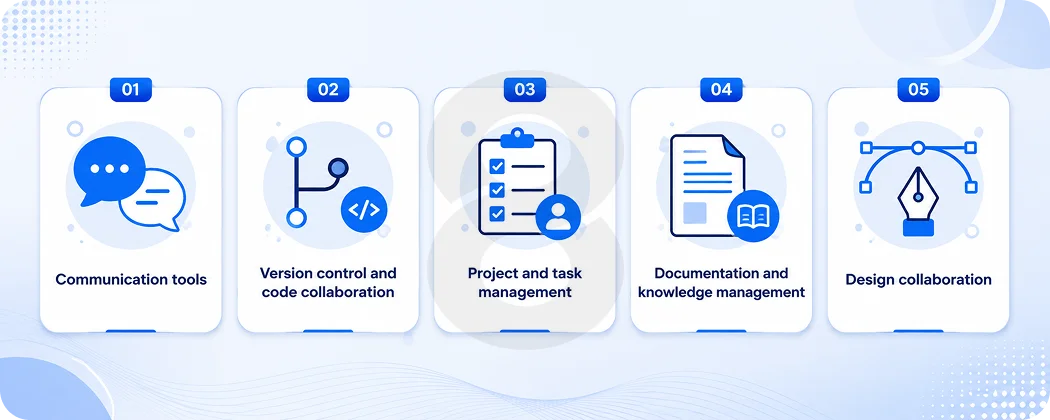
There are different types of collaboration tools. These are the general classes that need to be understood:
- Communication tools: Video conferencing, chat, and messaging are asynchronous. These are day to day discussions that do not require a meeting.
- Version control and code collaboration: They also enable platforms such as GitHub to allow several developers to work on the same codebase without any destruction.
- Project and task management: The words boards, sprints, backlogs and ticket systems. These are used for tracking what’s being constructed, by whom, and when.
- Documentation and knowledge management: Wikis, shared specs, design systems. These address the issue “Where do we store the key items?
- Design collaboration: Tools that enable designers and developers to clearly communicate with each other, using shared files and annotated specifications.
The majority of teams will ultimately employ some form of each category. The issue is when they’re all unplugged. 74% of remote workers use 3 or more communication tools every day and the mental effort of jumping between them throughout the day sucks cognition.
It’s not like they could even begin to save money on the description, oh no, they’re stuck with all the integration hassles, lost context and manual syncing of everything.
Read More: Customer Service Management System: Complete Development Guide
Core Features That Actually Matter in Collaboration Software
There are many features that any vendor will display. The majority of them are table stakes. However, a few will really make the difference between something that helps and merely another login to the list.
Real-Time Communication and Asynchronous Workflows
Real-time is overrated, honestly. This is a thing all developers are familiar with – just being dragged into a video call to answer a question that could’ve been a comment in a ticket. In the recent fiscal year, 58 percent of distributed teams globally switched to async-first, meaning they’re less reliant on live video meetings and give team members in different time zones the freedom to work without constant scheduling hassles.
The ideal collaboration tools will accommodate both and allow teams to adapt as needed. When it matters, real-time; otherwise, async. Non-exceptional notifications that do not require immediate response. Context that resides in the tool, rather than in the user’s mind.
43% of workers spend 3+ hours a week clarifying instructions that are not clear. That’s a huge waste of time that can be avoided by developing an async-first culture and having clear communication channels. More time building and less time asking “wait, what did you mean?”
Read More: How to Build an Appointment Scheduling System Like Calendly
Version Control and Code Review Workflows
This is a must-have for development teams. If you were not using version control, each modification to the code would be a possible conflict. It allows teams to work concurrently, peer review, fix issues early on and back up if something goes wrong.
From streamlining code reviews to improving version control and real-time communication, collaboration tools help engineers work together seamlessly, even across time zones.
The feature to look for isn’t only whether or not it can store code. It’s the pull request and review workflow where developers can comment on specific lines, ask for changes and approve the work before it merges. That book reviews are what catch bugs before users.
Integration with the Rest of the Stack
A collaboration tool that isn’t connected with anyone else is truly another silo with a more attractive face. Today, platforms are available that can be easily integrated with CRMs, ERP systems, and other critical business software.
However, for development teams, that equates to integrating version control, CI/CD pipelines and notification channels, and design tools with developer handoff processes.
When the developer pushes code, the ticket should move. The team must be notified of the failure of the tests as soon as they occur. Such visibility will result in fewer meetings being required to be made up, which is where many meetings originate in the first place.
Read More: CRM App Development: Complete Guide to Custom CRM Software & Mobile Apps
Role-Based Access and Security Controls
Where multiple platforms are used for managing real product code, sensitive specs, and client data, granular access controls are required. Everyone on the team does not have to read or see everything. A contractor should not be put on the same level as the core engineers. Accidental deletion of a sprint board should not be possible when clients are looking at progress.
As more data gets shared in collaboration tools, SaaS vendors are focusing on data encryption, GDPR certification and secure authentication procedures. This is not something that teams can choose to do for themselves in regulated industries such as healthcare or finance. Before adopting any tool, it is a basic requirement that should be verified.
AI-Assisted Features
Here’s where things are quickening up. AI, automation, and cloud capabilities are shaping the future of collaboration software, reducing repetitive tasks and providing intelligent support including smart meeting summaries, AI-generated task suggestions, and automated scheduling.
In practice this can translate to things such as: summarizing lengthy conversations for team members to get up to speed, suggesting task distribution by workload, highlighting blockers before they turn into delays or generating first draft documentation from comments in the code.
None of these can substitute for judgment. They do, however, minimize the grind for which people burn out.
| Feature Category | What It Solves | Key Tools |
|---|---|---|
| Real-time messaging | Urgent decisions and quick syncs | Slack, Teams, Discord |
| Async documentation | Reducing unnecessary meetings | Notion, Confluence, Loom |
| Version control | Parallel development without conflicts | GitHub, GitLab, Bitbucket |
| Task tracking | Visibility on who’s doing what | Jira, Linear, Asana |
| Design handoff | Closing the gap between design and dev | Figma, Zeplin |
| CI/CD integration | Automated build and deployment alerts | GitHub Actions, CircleCI |
The Real Benefits of Better Collaboration in Software Development
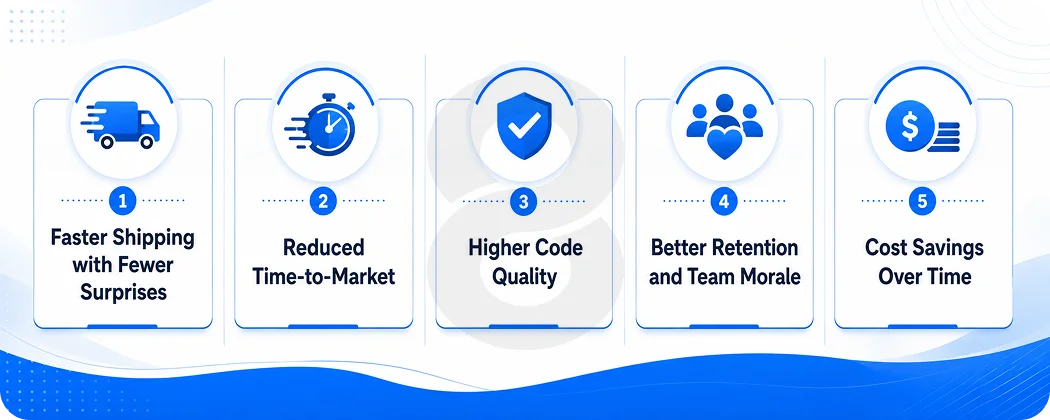
Once you have experienced a project that was a failure due to a lack of communication, you’ll know the need to invest here. It is easier to see the specific and concrete ways in which better collaboration is reflected in outcomes.
Faster Shipping with Fewer Surprises
Providing continuous feedback during sprints with agile collaboration frameworks helps teams identify problems early, which helps to minimize rework and reduce the need for extensive changes later in the sprint. This alone can save 30 to 50% of the rework costs that are associated with typical traditional projects.
It’s a lot of people. Rework is one of the more costly aspects of software development and is almost always the result of a miscommunication at some point earlier in the process. A developer has created the wrong thing due to an ambiguous specification. A feature that was released without an appropriate context to ensure proper QA. One client agreed to an understanding they did not have.
With improved cooperation, all of those are prevented from turning into budget-bleeding crises.
Reduced Time-to-Market
The collaboration approaches of modern times increase team productivity, boost code quality and quicken project delivery. They help facilitate communication among distributed teams, streamline processes, and promote continuous improvement.
Structured check-ins helped Adobe’s marketing team reduce meeting hours by 41% and use shared progress trackers to launch campaigns 27% faster. Any team can achieve that kind of improvement by being deliberate in their communication and work tracking.
Higher Code Quality
One of the easiest ways to encourage good code quality is to promote a code review culture that’s made easy by collaboration tools. Bugs are caught early when it is possible to have each developer look at the other’s code before it is combined. Patterns get standardized. Knowledge is shared within the team and not in the head of a single person.
80% of teams have embraced CI/CD pipelines and cut deployment time in half while boosting deployments. Moreover, even CI/CD itself is a kind of enforced collaboration, as automated checks ensure that new code gets along with all the other code before it ships.
Better Retention and Team Morale
This one is undervalued. Devs who think that they are working in the dark, not knowing what is important or why decisions are being made, burn out faster and leave the company sooner. Good collaboration is clear; it provides context for people. People feel ownership over things when there is context. Owning makes people stay.
71% of leaders see a positive impact on employee happiness and satisfaction due to hybrid and remote work options. The cooperation system has to be able to function in these hybrid and remote scenarios.
Cost Savings Over Time
Social technologies could boost the productivity of people who collaborate and communicate with others within and across enterprises by 20 to 25%, according to McKinsey research.
For a 10-member team with an average developer salary, the productivity gain of 25% is like adding 2.5 developers to the team, without the added expense. Few things are more noticeable than the difficulty of math.
| Benefit | Measurable Impact |
|---|---|
| Fewer missed requirements | 30–50% reduction in rework costs |
| Faster delivery cycles | 27–46% improvement in time-to-market |
| Reduced deployment failures | 60% lower failure rates with DevOps practices |
| Higher developer focus | 40% surge in employee focus with real-time feedback tools (Gallup) |
| Lower communication waste | 3+ hours/week saved per developer |
What Collaboration Software Development Costs in 2026
It is the question which everyone wants answered, and no one wants to answer honestly. So, here’s the bottom line.
Building custom collaboration software will vary based on the type of software being created. An internal project tracker with a few integrations is worlds apart from a real-time, multi-user, AI-powered, role-based access and enterprise-grade security platform.
- Simple Internal Tools: These include basic functionality, user management, and some basic integration capabilities. Can be used with smaller groups and a clear, well-defined workflow.
- Mid-Complexity Platforms: This is where most product teams end up when they desire something truly customized for their workflow and not a rebuilt tool that is just made to fit their needs.
- Enterprise-Grade Platforms: This is where teams building towards scale, regulated industries, or multi-tenant SaaS products end up. Even the integration of AI and ML can cost projects $20,000 to $150,000 when the project needs intelligent features.
| Project Type | Estimated Cost Range | Timeline |
|---|---|---|
| Simple internal tracker | $20,000–$50,000 | 2–4 months |
| Mid-complexity collaboration platform | $50,000–$120,000 | 4–7 months |
| Enterprise-grade with AI | $120,000–$300,000+ | 7–14 months |
| MVP collaboration feature set | $15,000–$35,000 | 6–10 weeks |
Factors Influencing Collaboration Software App Development
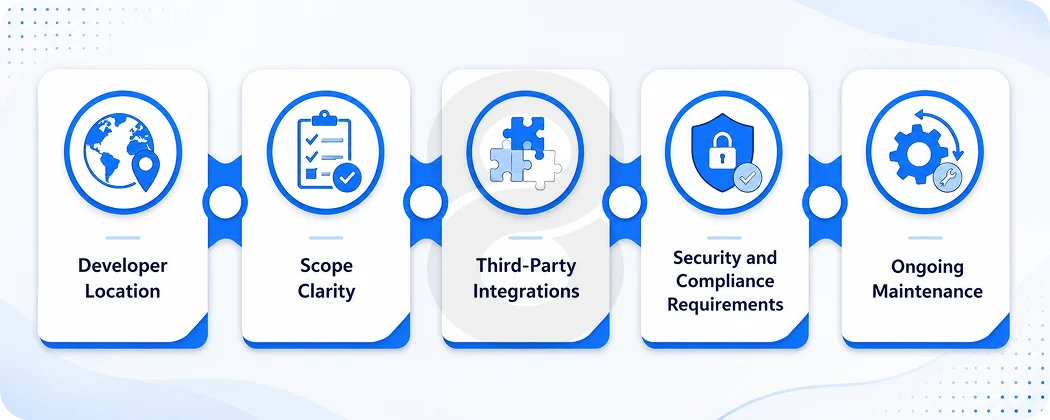
There’s no single number anyone can give you without knowing your project. But there are consistent cost drivers that show up on almost every engagement. Understanding them ahead of time means fewer surprises when the first invoice lands.
Developer Location
Rates range from $20 to $40 per hour in low-cost regions, $40 to $80 in mid-range areas, and $90 to $150 or more in high-cost countries. A US-based team can cost three to five times more than an equally capable team elsewhere. What actually matters is whether they communicate clearly and deliver reliably.
Scope Clarity
Every requirement change during development costs 3 to 5 times more than getting it right upfront. Moreover, teams with vague requirements spend significantly more than those who nail down the scope before writing a single line. Write the spec. Map the workflows. That time in discovery pays back fast.
Third-Party Integrations
Each integration with Slack, GitHub, Jira, or Google Workspace brings its own quirks, rate limits, and edge cases. A platform with five integrations can take twice as long to build as one without them. Budget for this honestly and only prioritize the integrations your team will actually use from day one.
Security and Compliance Requirements
HIPAA, GDPR, SOC 2. These aren’t features you bolt on later. They shape authentication, data storage, access controls, and encryption from the ground up. Getting them wrong early means costly rebuilds. Know your compliance requirements before any architecture gets drawn.
Ongoing Maintenance
Most teams forget this one. Factor in 15 to 20% of the initial build cost annually for patches, dependency updates, and incremental improvements. Ignored technical debt compounds quietly until a routine update turns into a three-week crisis. What keeps the product working a year after launch rarely makes the initial budget.
Read More: Offshore Software Development Guide: How to Find the Right Partner
The Buy vs Build Decision
Not every team needs to build from scratch. The honest answer is that for most collaboration needs, off-the-shelf tools configured for your workflow will outperform a custom build for years before the limitations become real problems.
Build custom when:
- Your workflow genuinely doesn’t fit any existing tool
- You’re building a collaboration feature into a product you’re selling
- Compliance requirements rule out SaaS options
- You need deep integration with proprietary internal systems
Use existing tools when:
- You need something working in weeks, not months
- Your team’s needs are fairly standard
- Budget is the primary constraint
The teams that get burned are the ones that build custom too early, before they truly understand their own needs, or adopt off-the-shelf too rigidly and end up working around tool limitations rather than actually working.
Enterprise mobile applications with collaboration features built in often represent a middle path, where a custom product carries collaboration as one layer of a broader system rather than its own standalone platform.
Common Mistakes Teams Make When Building Collaboration Tools
This section exists because the same mistakes keep showing up. Knowing them in advance is worth more than most strategy sessions.
Mistaking Feature Count for Value
More features don’t make a collaboration tool better. They make it heavier. Many distributed teams juggle 5 to 7 productivity tools at once, leading to fatigue and diminishing returns. Furthermore, remote workers who switch between multiple apps lose hours every week to context-switching rather than actual work.
The best collaboration platforms are the ones teams actually use, not the ones with the longest feature list. When planning a build, the discipline is in cutting, not adding.
Skipping the Discovery Phase
On average, IT projects overrun their budgets by about 75%, timelines extend nearly 50% beyond plan, and the delivered value falls short by close to 40%. Also, the majority of those overruns trace back to scope that wasn’t properly defined before work started.
Discovery isn’t overhead. It’s insurance. Teams that spend two weeks mapping out real workflows before writing code almost always build more useful tools than teams that start coding immediately based on assumptions.
Building Without Scalability in Mind
A collaboration tool that works for five developers breaks at fifty. Scalability decisions made at the start determine how much pain comes later. Product development that accounts for growth from the architecture stage up costs less in the long run than a fast build that needs a complete rebuild in eighteen months.
Underestimating Onboarding
The best tool in the world fails if nobody uses it. Teams using platforms with adoption statistics exceeding 75% report 42% fewer communication gaps. That adoption doesn’t happen by accident. It takes good onboarding, clear documentation, and sometimes a designated person who champions the tool internally.
Read More: Design a Chat System: Architecture, Cost & Features (2026)
The AI Shift: What’s Changing in Collaboration Software Right Now
The Collaboration Software Market is projected to grow from $102 billion in 2025 to $261 billion by 2035, with AI-driven tools and automation at the center of that growth.
What that actually looks like in practice is tools that don’t just record work but actively support it. Meeting summaries generated automatically so nobody has to take notes. Code suggestions that reflect what the rest of the team is building. Sprint retrospectives where an AI flags patterns across multiple iterations.
AI and ML coding tools reduce coding time by 25% by automating repetitive tasks using natural language prompts. 60% of companies that adopted AI and automation reported a 40% productivity boost and 30% fewer human errors.
For teams building custom collaboration software, the implication is that AI should be designed in from the start, not bolted on later. The teams doing this well are the ones thinking about where their data flows and how AI can make that flow more intelligent, not just faster.
Read More: AI System Integration Services: What to Look for in a Development Partner
Good UI/UX design matters enormously here too. AI features that are buried in settings or require three steps to trigger don’t get used. The interface has to make the AI layer feel natural, not technical.
Statista projects the global collaboration software market will reach $15.6 billion in 2026, with the US alone accounting for $7.89 billion of that revenue.
Collaboration Software for Startups vs. Enterprises
The needs here diverge more than most people expect.
Startups need speed. They need tools that are up in days, not months, require minimal admin overhead, and can scale without a complete overhaul if things take off. Startup app development companies realize that early technology decisions define long-term scalability. The right stack enables fast growth and the basis of expansion.
For a startup building its own collaboration features into a product, starting with an MVP that covers the core loop and nothing else is almost always the right call. Starting with an MVP can reduce initial costs by 40 to 60%.
Moreover, enterprises need control. Access governance, audit trails, compliance documentation, integrations with legacy systems, and sufficient flexibility to support teams that work very differently from one another. Furthermore, the cost of getting that wrong is high, both in security risk and in the political cost of replacing a tool that’s embedded in hundreds of workflows.
For startup-stage products, the practical advice is: adopt first, build later. Use existing collaboration tools while you learn what your actual needs are, then build something custom once those needs are clear and stable. Building a custom collaboration platform on day one of a startup is almost always the wrong call.