You picked Android because that’s where your users are. Fair enough, most of the planet runs on it. What you probably didn’t expect is that the next decision, the one about how to actually build the thing, quietly determines your budget, your timeline, and how much you’ll enjoy maintaining it two years from now.
Kotlin is what that decision usually comes down to. Google recommends it, serious teams default to it, and it has pretty much replaced Java as the standard for Android work. If you’re the one signing off on the budget and want to understand what you’re paying for and why it matters, this is the guide for that. If you already know you want to build, you can go straight to Android app development.
What is Kotlin Android Development?
Kotlin came from JetBrains, and Google threw its weight behind it early. The move that really said something was when Google went Kotlin-first. New Android tools and libraries now get built for Kotlin before Java is even considered. It still runs on the Java Virtual Machine though and it sits comfortably alongside existing Java code.
So if you have a Java app already, you’re not looking at a full rewrite to get started. For anything built from scratch though, most teams go straight to Kotlin and don’t really look back. It handles everything from small utility apps to full mobile app projects without breaking a sweat.
Why Kotlin Matters for Your Business
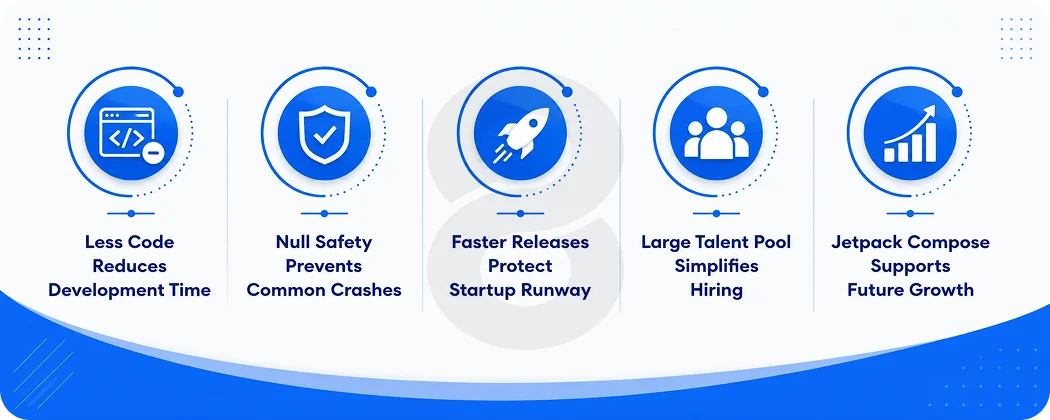
Move past the syntax talk for a moment. Here is what the language does for the people paying the invoices. Kotlin does more with less code than Java. That might sound like a minor technical detail but it compounds quickly. Fewer lines means less places for bugs to hide and faster code reviews. If you’re a startup and your runway is finite, that kind of speed is worth real money.
Then there are fewer crashes and lower support costs. A big share of Android crashes come from null pointer errors, and Kotlin builds protection against those into the language itself, so a whole class of crashes never reaches production. Google reports that apps using Kotlin are around 20% less likely to crash. Fewer crashes mean fewer angry reviews and less money burned firefighting after launch.
The hiring picture has shifted too. More than half of professional Android developers now work in Kotlin as their main language and around 70 percent say it makes them more productive. Finding someone good is a realistic expectation, and so is finding their replacement if it comes to that.
Last, there is room to grow. Google keeps investing in Kotlin and its current UI toolkit (Jetpack Compose) is built around it. This is why so many fintech apps and other regulated products now default to Kotlin. Betting on it is betting on the direction Android itself is heading.
Kotlin vs Java for Android: What Should You Choose?
For anything built from scratch today, Kotlin is where you start. Java still runs a huge number of older apps and that’s not changing anytime soon, but reaching for it on a new project is a harder argument to make. Here’s how the two actually compare.
| Factor | Kotlin | Java |
|---|---|---|
| Code Length | Concise, Less Boilerplate | Verbose, More Lines for the Same Result |
| Null Safety | Built into the Language | Manual Checks, Easy to Miss |
| Async Work | Coroutines, Clean and Readable | Threads and Callbacks, Harder to Manage |
| Modern UI (Jetpack Compose) | Full Native Support | Not Supported for New Compose Screens |
| Google’s Stance | Preferred and Recommended | Supported, No Longer Prioritized |
| Hiring Pool | Large and Growing | Large but Shifting Toward Kotlin |
| Best Fit | New Apps, Active Roadmaps | Stable Legacy Code, Existing Java Systems |
The short version: start new projects in Kotlin. Keep Java where it’s already running something stable and a rewrite would create more risk than it solves. The two languages work together in the same project, so you’re never really forced into an all or nothing call.
The Modern Kotlin Android Stack
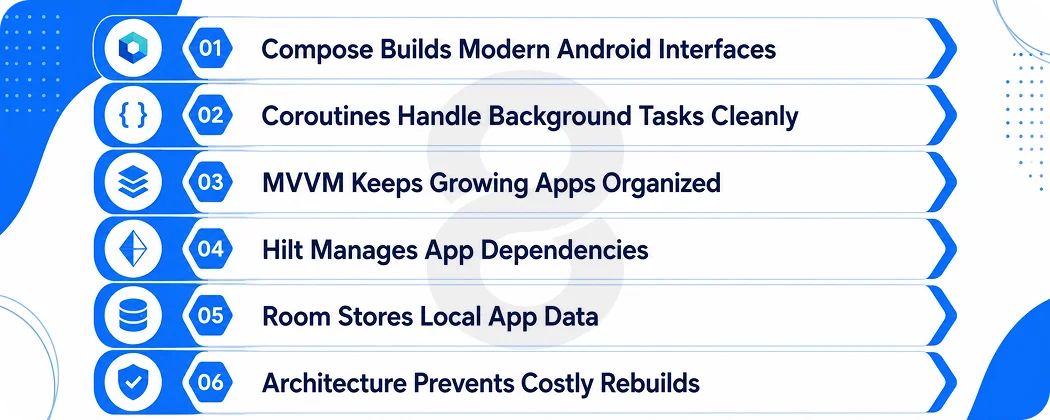
Most serious Android projects are built with a pretty consistent set of tools, whatever the app actually does. Knowing what they are helps you have better conversations with your developers. Jetpack Compose is how most teams build Android screens now. The old approach used XML layout files to describe the interface separately from the code.
Compose drops that entirely and lets developers write the UI directly in Kotlin. That means less code, faster changes, and a UI that stays consistent. If someone pitches you a new Android app still built entirely the old way, ask why.
Coroutines handle the background work. Every app has to fetch data, load images, and talk to servers without freezing the screen. Kotlin’s coroutines make that async work readable and reliable, which cuts down on the odd timing bugs that plague older apps.
Then there’s architecture. Patterns like MVVM, paired with tools like Hilt for dependency injection and Room for local data storage. You don’t need to know the details of any of this. What it means in practice is an app that stays organized as it grows and doesn’t quietly fall apart every time a new feature gets added. The teams that skip this part are usually the ones who end up rebuilding everything eighteen months later.
Read More: 20 Best AI Apps for Android to Build Profitable Products
Kotlin Multiplatform: One Codebase for Android and iOS
This is where things get interesting from a budget perspective. Kotlin lets you write your core logic once and run it across Android and iOS. Each platform still gets its own native interface so the experience feels right on both. But the heavy lifting underneath only gets done once.
Fix a bug once and it’s fixed everywhere. That adds up fast when you’re maintaining something across multiple platforms.
It’s not experimental either. JetBrains puts the number of companies using KMP at over 20,000. Netflix, Forbes, Cash App and Duolingo are all on that list. Teams that go this route instead of building everything separately often see real reductions in both development time and maintenance costs.
KMP isn’t the only cross-platform option worth considering. If you’re not fully committed yet, it’s worth looking at cross-platform app routes like Flutter before you decide. They suit different kinds of projects and the right call really does depend on what you’re building and who’s building it.
Read More: Android vs iOS Development in 2026: Which Platform Should You Actually Build For?
Kotlin Android Development Cost Overview
There’s no single answer here because a simple utility app and a banking platform are completely different products. What drives the number is scope, complexity, how many third party systems it needs to talk to, and who actually builds it.
| Region | Approx. Hourly Rate (USD) |
|---|---|
| North America (US, Canada) | $80 to $200 and Up |
| Western Europe | $60 to $130 |
| Eastern Europe | $40 to $90 |
| Latin America | $40 to $90 |
| South Asia (India, Pakistan) | $25 to $60 |
Location has the biggest effect on hourly rates. The ranges shift with seniority and market demand so treat any number you see as a starting point. A senior developer who knows Compose, coroutines, and KMP well will cost more per hour than a junior. They’ll also make fewer of the expensive mistakes that quietly blow out budgets, so they tend to be the cheaper option over the life of a project.
Read More: Android App Development Cost in 2026: A Detailed Guide
Beyond the rate, the features decide the total. Login and payments, real-time chat, third-party integrations, AI features, offline support, each one adds hours. A basic app might take a few weeks. A funded product with a real backend takes months. The cleanest way to get a number for your own idea is to price it out feature by feature.
How to Hire Kotlin Android Developers
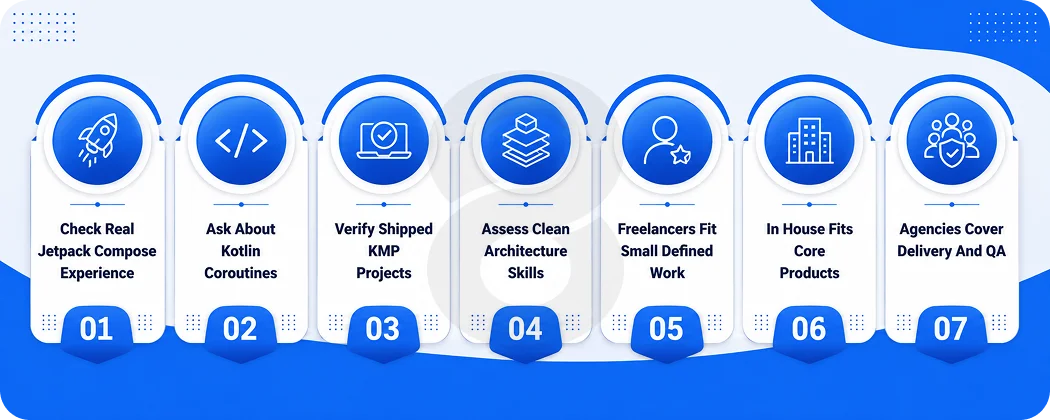
Android developer covers a lot of ground. For a modern Kotlin app there are a few things that separate someone genuinely good from someone who’ll hand you a codebase you’ll regret. Real Jetpack Compose experience matters. Having familiarity with just the old XML layout system won’t work.
Ask how they handle async work and whether they’re comfortable with coroutines. If cross-platform matters to you, ask whether they have shipped anything with KMP, not just read about it. And check that they understand clean architecture, because that is what keeps your app maintainable as it grows.
There are three ways to staff an Android project and each one suits a different situation. Freelancers make sense for small well-defined work where the scope isn’t going to shift much. An in-house team starts making sense when the app becomes central to your business and needs constant attention over the long term.
An agency comes in the middle. You get vetted developers, project management and QA without committing to full-time headcount. Freelancers often look cheaper on paper. Agencies tend to be cheaper on outcome because you’re not absorbing the cost of rework somewhere down the line.
Migrating From Java to Kotlin
Already own a Java Android app? You do not have to rewrite it to move to Kotlin. Because the two run together. The smart approach is to write new features in Kotlin and convert old code only where it earns its keep.
Chasing a full rewrite just to change languages is how budgets vanish. Stable modules that handle payments or logins, already tested and working, often are not worth touching. Change carries risk, and there is no prize for rewriting code that already does its job.
Read More: Java App Development: Step-by-Step Complete Guide
Common Challenges (and How to Handle Them)
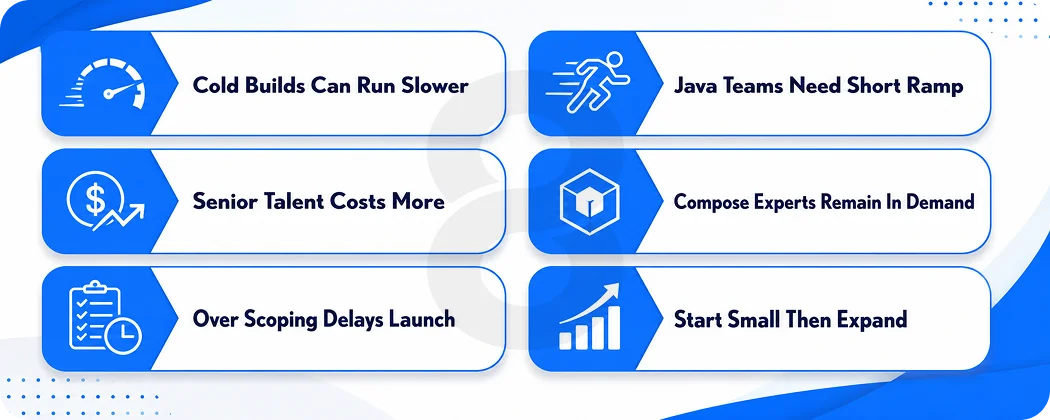
Kotlin is not magic, and a good guide says so. Cold build times can run a little slower than Java in some cases. For most teams the productivity gains outweigh it, but the difference is real. There is a learning curve for a team that has only ever written Java. It is a gentle one, since the languages are close, but plan for a short ramp-up before velocity picks up.
Senior Compose and KMP talent is in demand, so strong developers get poached and cost more. Careful vetting upfront saves pain later. And it is easy to over-scope an app. The fix is not technical. Start with the features that prove the idea, back them with careful QA and testing, ship, then build on what users actually do.
Read More: 11 Biggest Mobile App Development Challenges and Solutions
How 8ration Can Help With Kotlin Android Development
8ration builds native Android apps and ships them to Google Play across a range of industries. The team works in Kotlin and Jetpack Compose for new builds, handles Java to Kotlin migration for older apps, and uses Kotlin Multiplatform when a client wants Android and iOS to share the same core.
That experience shows up in the products on Google Play. TruckersKonnect is a route planning and repair booking app built for truckers. Be Line is a ride sharing app designed specifically for rural communities. RC Event Hub helps people discover and track RC races.
Dots Travel is a social app for finding and sharing travel destinations. The work spans logistics, on-demand services, sports and travel, which means the team has seen most of the problems that come up in serious Android development.
Beyond building, 8ration covers the full path from UI/UX design through development, QA and post-launch support. If you’d rather bring Kotlin engineers directly into your own team, staff augmentation is an option too.
Whether you’re launching something new or modernizing a Java app that’s been running for years, Android app development is what the team does day to day.