Angular 22 is the current Angular version. It landed on June 3 and is the only release still getting regular patches. Angular 21 dropped to long term support that same day. Angular 20 has until November 28 of this year, after which it stops receiving fixes entirely.
Most people who search for this want the number and nothing else, which is a completely reasonable thing to want. It gets more complicated if you are reading this with an open frontend requisition on your desk. The version sitting in your package.json narrows your hiring pool before you have written a word of the job post.
It sets how long whoever you hire will spend ramping up before they ship anything real. It also determines, more often than CTOs like to admit, whether the senior engineer you actually want opens the listing and keeps scrolling.
Teams do this to themselves constantly. Someone writes a job description describing Angular the way it worked in 2022, interviews well, hires someone good, and then spends that person’s first two months watching them relearn a framework they already knew. Nobody involved did anything wrong. The posting was just describing a build that stopped existing three versions ago.
So the version question and the hiring question are really one question. The version detail comes first, because you cannot make the hiring call without it.
What is the Current Angular Version
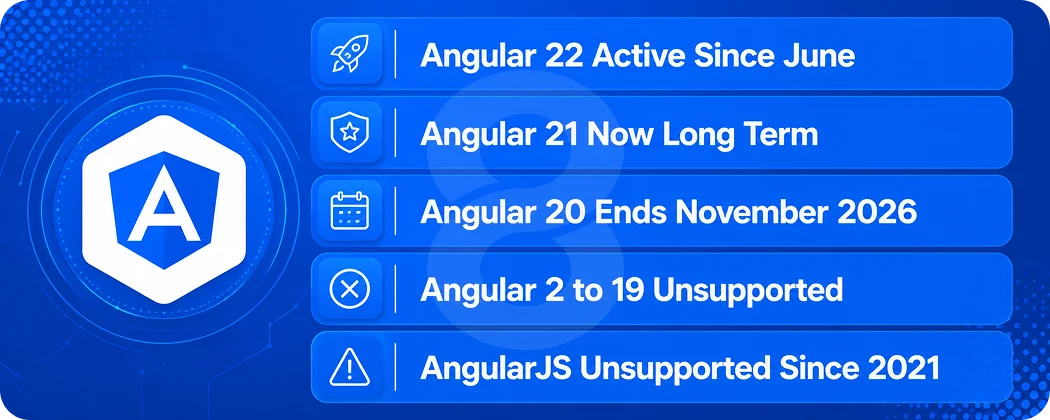
The current Angular version is Angular 22, released recently on June 3. It is the only version receiving regular patches. Angular follows semantic versioning with a major release roughly every six months, one to three minor releases per major, and a patch or pre-release build almost every week, according to Angular’s official versioning and releases documentation.
Angular 22 at a glance
It finished work the team started three releases earlier. Signal Forms left experimental status and became stable. The Resource APIs did the same, so resource(), rxResource(), and httpResource() are now supported for production use.
OnPush became the default change detection strategy for components, replacing the strategy now renamed Eager. The HTTP client switched to the Fetch API instead of XMLHttpRequest. A new @Service decorator arrived alongside injectAsync() for lazily loading heavy services.
On the toolchain side, the floor moved. Angular 22 requires TypeScript 6 and no longer supports TypeScript 5.9 or earlier. Node 20 support was dropped and Node 26 was added. If your CI still pins Node 20, the upgrade stops there until you fix it.
How to check the angular current version in your project
Four ways in, and they answer slightly different questions.
- Run ng version from inside the project folder. You get CLI version, Node version, OS, and a list of every @angular package installed locally. It is more than you asked for, but it is one command.
- Open package.json and find @angular/core under dependencies. That is what your app compiles against. If you check one thing, check this.
- Prefer npm list @angular/core –depth=0 when package.json shows a semver range like ^21.0.0 and you want the version that actually resolved rather than the range that allowed it.
- Open the deployed app in a browser, inspect the root element, and look for the ng-version attribute. This is the fallback when you have no repository access, which comes up more than it should. In acquisition due diligence a staging URL is often the only thing anyone hands over, and that attribute is your one look at the stack before you sign.
Why the CLI version and the framework version can differ
Running ng version outside a project folder reports your globally installed CLI, not the project. A machine with the CLI at v22 can still be building an app pinned to v15. When you are auditing an inherited codebase, trust package.json over anything a developer tells you in a call.
| Version | Released | Status | Support ends |
|---|---|---|---|
| Angular 22 | June 3, 2026 | Active | To be announced |
| Angular 21 | November 19, 2025 | LTS | To be announced |
| Angular 20 | May 28, 2025 | LTS | November 28, 2026 |
| Angular 2 to 19 | September 2016 onward | End of life | Already ended |
Angular Release Cadence and Support Timeline
Every Angular major release gets 18 months of support. The first six months are active support with regular patches. The remaining twelve are long term support, where only security fixes and third party regressions get attention. After that the version is done.
What that cadence does to your planning
Two majors ship every year. A developer who last touched Angular in early 2023 has missed six of them. That is not a knowledge gap you close with a weekend of documentation reading, because the changes were architectural rather than cosmetic.
Why upgrades happen one major at a time
Angular supports ng update only between adjacent majors and when the target version is still supported. Going from v15 to v22 means seven separate upgrades… each with its own migrations and regression testing. The official Angular Update Guide generates the step list, but it does not do the QA. Budget for that.
Deprecated APIs stick around for at least two majors, roughly twelve months, before removal. So the code that breaks on upgrade was usually flagged a year earlier. Nobody read the warnings. That is normal.
Read More: How to Hire a Full Stack Developer: The Complete Guide for Tech Founders
What Counts as a Legacy Angular Build
A legacy Angular build is any version outside the supported window, or any build whose default patterns the current CLI no longer generates. Those two definitions do not overlap perfectly. The difference matters when you write a job description.
AngularJS 1.x
AngularJS is a different framework that happens to share a name. Google ended all support in December 2021, with 1.8.3 as the final release. If you are running it in production today, you have been unpatched for four and a half years. Nothing in this guide about upgrading applies to you, because moving from AngularJS to Angular 22 is a rewrite with a migration story attached.
The View Engine years, Angular 2 to 12
Angular 2 through 8 compiled with View Engine. Ivy became the default renderer in Angular 9 and View Engine was removed entirely in Angular 13. Builds from this era lean on NgModules for composition, Zone.js for change detection, RxJS for everything asynchronous, and Webpack for bundling. Version 3 never shipped, because the router package was already at 3.x and the team skipped ahead to align numbers.
The NgModule years, Angular 9 to 15
Ivy is in place, bundles are smaller, but the mental model is unchanged. Standalone components arrived as a preview in Angular 14 and became production ready in Angular 15. Most enterprise Angular code still in production today sits somewhere in this band, and it usually works fine. That is exactly why nobody upgraded it.
The signal years, Angular 16 to 22
Signals landed in Angular 16 and reshaped everything after. Standalone became the default for new projects, zoneless change detection became officially supported, esbuild and Vite replaced Webpack in the default build, and Vitest replaced Karma. By Angular 22 the signal model is the framework, not an alternative to it.
Read More: Pricing Models for Software Services: Fixed vs. Hourly Rates Explained
Angular 22 vs Legacy Builds, What Actually Changed
Here is the comparison in one place. The left column describes a typical enterprise build from the Angular 12 to 16 era, which is where most inherited codebases sit.
| Area | Legacy Build (v12 to v16) | Angular 22 |
|---|---|---|
| Change Detection | Zone.js with Default Strategy | OnPush by Default, Zoneless Supported |
| Reactivity | RxJS Observables and Subscriptions | Signals, Computed, Effect |
| Forms | Reactive and Template Driven | Signal Forms, Now Stable |
| Async Data | Manual Subscribe and Teardown | resource(), rxResource(), httpResource() |
| Composition | NgModules | Standalone Components |
| Services | @Injectable | @Service and injectAsync() |
| HTTP Layer | XMLHttpRequest | Fetch API by Default |
| Template Syntax | *ngIf and *ngFor | @if, @for, @defer |
| Type Checking | strictTemplates Opt In | strictTemplates On by Default |
| Testing | Karma and Jasmine | Vitest, with a CLI Migration |
| Build Tooling | Webpack | esbuild and Vite |
| Server Rendering | Bolt-On, Manual Hydration | Incremental Hydration by Default |
| Toolchain Floor | TypeScript 4.x, Node 16 | TypeScript 6, Node 22 or Later |
| AI Tooling | None | MCP Server, Angular Skills, WebMCP |
The two defaults that break the most code
OnPush as the default is the big one. Every component that does not declare a change detection strategy now behaves differently than it did in Angular 21. The upgrade migration handles this by explicitly writing the Eager strategy into components that relied on the old behavior, so the code keeps working. That is a safety net, not a fix. You end up with a codebase full of explicit opt outs and a slow migration ahead of you.
Strict template type checking is the second. It is enabled by default in Angular 22, and the migration writes strictTemplates: false into your tsconfig if it was not already on. Teams that skip the follow up work inherit a compiler that is technically strict and practically turned off.
What this means for daily work
A developer who last worked in the RxJS and NgModule model opens an Angular 22 codebase and finds no modules to register components in, no BehaviorSubject wiring for local state, a test suite that does not use Jasmine, and a forms API they have never seen. They are not slow. They are reading a different language with familiar keywords.
This is the practical reason version currency belongs in your hiring conversation and not just your custom software development roadmap. The two are the same decision viewed from different sides.
Why the Version Gap Is a Hiring Problem
Most CTOs treat the framework version as an engineering concern and the hire as a recruiting concern. They are the same problem with two budgets attached.
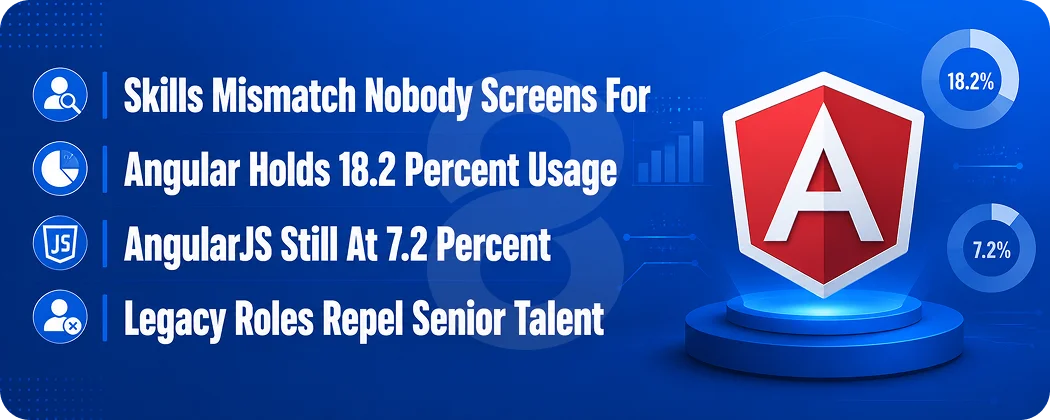
The skills mismatch nobody screens for
A standard Angular interview asks about dependency injection, lifecycle hooks, lazy loading, and RxJS operators. Every one of those questions can be answered fluently by someone who has never written a signal. You will hire a competent engineer and then discover their competence maps to the version you are trying to leave behind.
The reverse also happens. A developer who learned Angular in 2025 has never debugged a Zone.js change detection loop or untangled a shared NgModule with forty exports. They also may have no instinct for why the legacy build is structured the way it is. If your codebase is on v14, that hire is also a mismatch.
What the Angular market looks like in 2026
Angular sat at 18.2% of developers in Stack Overflow’s last year survey. That is second among web frameworks behind React and roughly flat on the year before. Nobody would call it growth. It is also not the decline people keep predicting.
The number underneath matters more for hiring. AngularJS still showed up separately at 7.2%. That is a real slice of the industry running a framework Google stopped supporting at the end of 2021, and a good share of those teams will be recruiting against the same shortlist you are.
The wider labor market is healthy, which is its own problem. The Bureau of Labor Statistics projects 15% growth for the combined software developer and QA category through 2034. Every one of those openings is somewhere your candidate could go instead.
The retention risk of legacy only roles
Strong engineers read a job description for what it will do to their next job. A role that is explicitly maintenance on Angular 13, with no modernization on the roadmap, filters out the people you most want and attracts people who are comfortable standing still. Some of those hires are excellent. Many are not, and you will find out in month four.
How to Write an Angular Job Description for Your Actual Stack
Name the version. “Angular 8+” tells a candidate nothing except that you have not looked at your own repository recently.
For a modernization role
Say you are on the version you are on, say where you are going, and say the timeline. Something like: “Our platform runs on Angular 16 with NgModules and RxJS. We are migrating to Angular 22 over the next three quarters, starting with standalone components and signal based state. You will own that migration.” That posting screens itself. Candidates who want the work apply, candidates who want a greenfield project do not.
For a maintenance role
Be equally honest. “Angular 14, stable product, roughly 200 components, no migration planned this year” will lose you some applicants. It will also stop you from hiring someone who quits when they realize the signals work they were promised does not exist.
Requirements that filter correctly
- Name the exact version and whether it is standalone or NgModule based.
- State whether the app uses Zone.js or runs zoneless.
- Say which test runner the suite uses. Karma and Vitest are different working experiences.
- Mention the Node and TypeScript versions if they are old enough to block local setup.
- If server side rendering is involved, say so. SSR debugging is its own skill.
Teams building in regulated sectors should go further. A posting for fintech or healthcare software development work carries compliance context that changes who is qualified, and leaving it out wastes everybody’s screening time.
Read More: Fintech App Development: Complete Guide
Angular Interview Questions That Reveal Real Version Experience
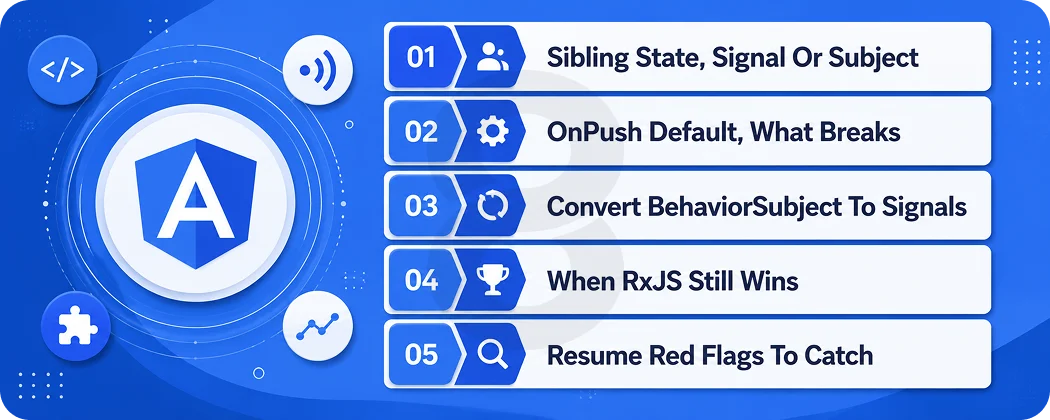
These are designed to separate current experience from remembered experience. The wrong answers are not wrong, they are just dated, which is exactly what you are trying to detect.
Screening questions
- How do you share state between two sibling components? A v22 answer reaches for a signal in a service. A legacy answer reaches for a BehaviorSubject. Both work. Only one tells you where the candidate has been living.
- What changed about change detection in Angular 22, and what does the upgrade migration do about it? Someone who has done the upgrade knows the migration writes the Eager strategy into existing components.
- Walk me through converting a component that uses BehaviorSubject and async pipe to signals. This is the single most useful question on the list, because it is exactly the work your migration needs.
- When would you keep RxJS instead of moving to signals? A good answer covers event streams, debouncing, and cancellation. A candidate who says signals replace RxJS entirely has read a blog post, not a codebase.
- What breaks when strictTemplates is turned on in an older project? Expect answers about implicit any in template expressions and untyped ngFor bindings.
- How do you upgrade from Angular 15 to Angular 22? The correct answer is one major at a time. And if they say “just run ng update to the latest” they have never done it.
Red flags on an Angular resume
- “Angular/AngularJS” written as one skill. These are different frameworks and the slash is doing a lot of hiding.
- Version numbers absent entirely across five years of Angular roles.
- Recent projects that describe NgModule architecture as current best practice.
- No mention of any test runner, in either direction.
Should You Hire to Maintain or Hire to Migrate
Your current version decides this more than your budget does.
| Area | Legacy Build (v12 to v16) | Angular 22 |
|---|---|---|
| Change Detection | Zone.js with Default Strategy | OnPush by Default, Zoneless Supported |
| Reactivity | RxJS Observables and Subscriptions | Signals, Computed, Effect |
| Forms | Reactive and Template Driven | Signal Forms, Now Stable |
| Async Data | Manual Subscribe and Teardown | resource(), rxResource(), httpResource() |
| Composition | NgModules | Standalone Components |
| Services | @Injectable | @Service and injectAsync() |
| HTTP Layer | XMLHttpRequest | Fetch API by Default |
| Template Syntax | *ngIf and *ngFor | @if, @for, @defer |
| Type Checking | strictTemplates Opt In | strictTemplates On by Default |
| Testing | Karma and Jasmine | Vitest, with a CLI Migration |
| Build Tooling | Webpack | esbuild and Vite |
| Server Rendering | Bolt-On, Manual Hydration | Incremental Hydration by Default |
| Toolchain Floor | TypeScript 4.x, Node 16 | TypeScript 6, Node 22 or Later |
| AI Tooling | None | MCP Server, Angular Skills, WebMCP |
When commercial extended support makes sense
If you are on an end of life version and a migration genuinely cannot start this year, third party extended support keeps security patches flowing. It buys time. It does not close the hiring gap, because the talent pool keeps moving whether or not your build does.
The cost of doing nothing
Every six months your version falls further from what candidates train on, onboarding gets longer, and the pool of people willing to take the role gets smaller and more expensive. The upgrade cost does not sit still either. Seven sequential majors is a bigger project than four.
Read More: How to Hire a Software Engineer: The 2026 Checklist
What It Costs to Hire Angular Talent in 2026
Rates depend on seniority, location, and whether you are hiring an employee or contracting. As a market anchor, ZipRecruiter data from July 2026 puts the average US hourly pay for Angular roles at $58.49, with most falling between $52.64 and $64.42. Broader context from the Bureau of Labor Statistics shows a median annual wage of $105,990 across computer and information technology occupations as of May 2024.
Those numbers describe the middle of the market. The variables that move your actual cost are more specific.
| Cost driver | What it does to your number |
|---|---|
| Version currency required | Angular 22 signal experience commands a premium over general Angular experience. |
| Legacy plus modern requirement | Candidates who can work in both models are rarer and priced accordingly. |
| Migration scope | A seven major upgrade needs senior time, not junior time. |
| SSR and hydration involvement | Narrows the pool sharply and raises rates. |
| Regulated industry context | Compliance experience adds cost and lengthens time to hire. |
| Engagement model | Full-time, contract, and agency rates differ substantially at the same skill level. |
If you are budgeting a migration rather than a headcount, the shape of the work matters more than the hourly rate. An audit through a software consulting engagement will usually tell you within a week whether you are looking at a two sprint upgrade or a two quarter one.
In House vs Agency vs Contract for Angular Work
| Model | Time to Start | Best for | Main Tradeoff |
|---|---|---|---|
| Full-Time Hire | Weeks to a Few Months | Long-Lived Product Ownership | Slowest to Start, Hardest to Reverse |
| Contractor | Days to Weeks | A Defined Migration with an End Date | Knowledge Leaves When They Do |
| Agency or Staff Augmentation | Days to Weeks | Migrations Plus Ongoing Capacity | Requires Clear Handover Planning |
Most teams end up blending these. A common pattern is bringing in external senior capacity to run the version migration while the in house team keeps shipping features, then hiring permanently against the modernized stack.
That sequencing is easier to staff because you are recruiting for the codebase you will have rather than the one you are stuck with. It also pairs well with software testing services, since migrations live or die on regression coverage.
Angular Hiring Checklist for CTOs
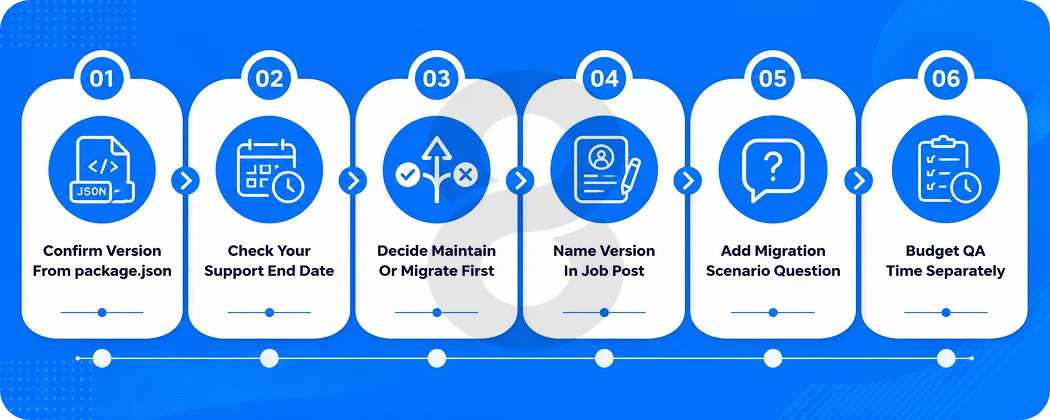
- Confirm your actual version from package.json, not from memory or a status doc.
- Check your support end date against the Angular release table.
- Decide whether this hire maintains the current build or moves it forward, and write that into the posting.
- Name the version, the composition model, and the test runner in the job description.
- Add at least one migration scenario question to your interview loop.
- Check whether your Node and TypeScript versions block Angular 22 before you promise anyone a modernization project.
- Audit your test coverage. A migration without it is a rewrite in disguise.
- Budget QA time separately from upgrade time. They are not the same line item.
- Decide who owns the upgrade after the contractor or agency leaves.
- Set a review date six months out, because two more Angular majors will have shipped by then.
How 8ration Gets Legacy Angular Builds Current
8ration builds and modernizes Angular applications for teams that inherited a codebase they can no longer hire against. Our custom software team handles version migrations end to end, from auditing what version you are actually on to running sequential major upgrades with regression coverage in place at each step.
Typical engagements start with a software consulting of the existing build, followed by a staged migration plan. Where an application connects to payment rails, EHR systems, or legacy backends, our system integration covers the parts of a migration that break outside the frontend.
We also run software testing alongside upgrades, because a migration without regression coverage is how a two sprint project becomes a two quarter one. If the plan is fine and the constraint is headcount, that is what our staff augmentation is for.
The developers we place are working in Angular 22 on other projects and most have spent a year or two in something older, so a v13 codebase does not stop them in week one.
Hiring for current is straightforward. Hiring for both is not, because willingness to work in old code is closer to a career decision than a skill, and the people who have made it are usually already employed.
You can see the full technology stack we work across, including the web platforms our Angular work usually sits alongside. Client projects on our books include web platforms in legal services, insurance, healthcare access, and marketplace software, several of which involved taking over and stabilizing an existing codebase before adding anything new to it.