If you’ve been following the game development scene for the past few years, you’re familiar with the fact that something is changing. The Godot Game Engine was once a “this is an alternative to the big boys” option but has established itself as a viable option for indie studios, solo developers and even some midsized teams. No royalties. No licensing fees. Full ownership of anything you create.
Raw freedom doesn’t require scalable games, though. The hard part begins once you know how to build your project, manage your assets, deal with multiplayer and control performance. This guide explains step-by-step everything you will need to make smart decisions before you write the first line of code.
What Is the Godot Game Engine?
The Godot Game Engine is a free and open source game development tool. It is capable of creating 2D and 3D games for desktop, mobile and web. It provides you its own scripting language, physics engine, animation tools, UI system and visual editor, all in one neat little package so you can ship a finished game.
Who Created Godot?
Godot was created as an internal engine for the development studio of Juan Linietsky and Ariel Manzur, and opened source in 2014. Since that time, an increasing worldwide community has assumed much of its present development. It’s on GitHub, and its features are developed by hundreds of developers around the world, based on what actual game developers need, not what a corporation does and decides to focus on.
Why Godot Has Gained Massive Popularity
The answer in a nutshell: Unity fucked up. Unity has just announced a new policy for a runtime fee in 2023, which has left the development world in shock. Though Unity turned around, the harm was done.
The developers began searching for solutions and Godot was waiting. Godot games accounted for 37% of all submissions at the 2024 GMTK Game Jam, nearly matching Unity’s 43% of the submissions, which is a historic shift compared to prior years when Unity had a significant lead on those numbers.
It’s not all about Unity’s misstep, though. For years, Godot’s 2D workflow has actually been quite good. The editor is quick and streamlined. GDScript is beginner-friendly. The community continues to make improvements and it is difficult to look at them and not think that they are doing so at a steady rate. The number of people searching for Godot has increased by 45% CAGR since 2022, whereas the number of people searching for Unity has remained unchanged during that same period.
Read More: Top 20 Software for Game Development
Why Developers Choose Godot for Scalable Game Development
It’s one thing to select an engine because it is free, and another to select an engine that will work for your project. Godot fulfills both of these.
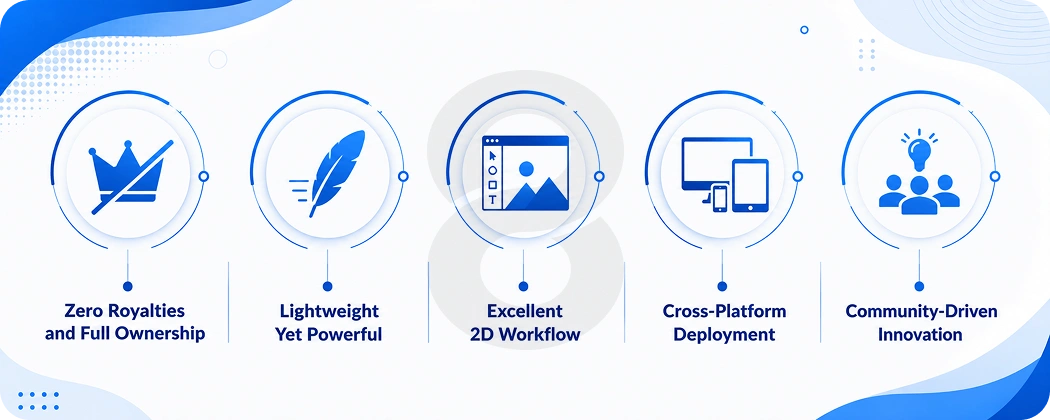
Zero Royalties and Full Ownership
Godot is licensed under MIT. This means that you are the owner of your game. No cuts in revenue, no percentage after you hit some arbitrary threshold, no unexpected fee changes that jeopardize your shipping plans. What you create is your own.
Lightweight Yet Powerful
The editor is very small, under 100mb for a full installation. It works well with older equipment, useful if your team uses different equipment. Even as big as it is, it contains all of the elements that are necessary to create a commercial game.
Excellent 2D Workflow
Godot’s 2D engine is not an adaptation of 3D ideas and concepts to a 2D platform. It is designed especially for 2D. This is reflected in the rendering, physics and the working of the coordinate system. Many Unity game developers remark that Godot’s 2D workflow seems much cleaner.
Cross-Platform Deployment
Write your game once, export to Windows, macOS, Linux, Android, iOS, and HTML5. Most of the work is done by the export templates and you don’t need to maintain separate codebases for different platforms.
Community-Driven Innovation
Godot is open source, so features are added in line with actual developer needs. When something is broken or missing within the community, someone remedies it. That feedback loop is rapid and the engine is truly improving with each release cycle.
| Feature | Godot | Unity | Unreal |
|---|---|---|---|
| License | MIT (Open Source) | Proprietary | Proprietary |
| Royalties | None | None* | 5% after threshold |
| 2D Performance | Excellent | Good | Fair |
| 3D Performance | Good (improving fast) | Very Good | Excellent |
| Editor Size | Small (~100MB) | Large (~1GB+) | Very Large (~60GB+) |
| Learning Curve | Low to Medium | Medium | High |
| Scripting | GDScript, C#, C++ | C#, visual | C++, Blueprints |
*Unity has had fee changes historically; verify current terms before committing.
Read More: How to Make a Video Game: Launch Your First Game
Core Features of the Godot Game Engine
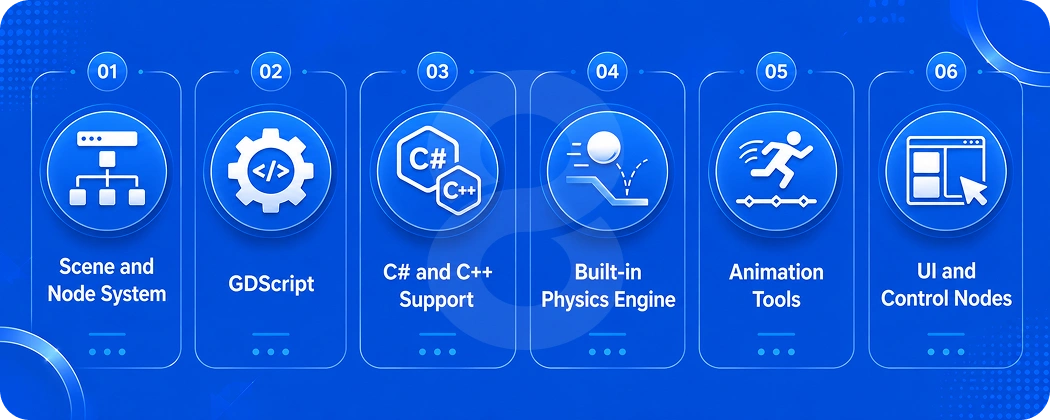
Scene and Node System
All things in Godot are nodes. All characters, cameras, collision shapes, audio players, UI elements, and all nodes. You organize them into scenes and scenes can be contained within other scenes.
It is easy to reason about this architecture in terms of components, as opposed to large, singular ‘game objects’. This is a breath of fresh air for those who have ever struggled to use Unity’s prefab system on a large project.
GDScript
Godot’s native scripting language is GDScript. It is similar in appearance and syntax to Python, so if you have ever used Python you will be creating a functional application within hours. It’s interpreted at runtime; it’s fast to iterate. Save, run and view changes instantly. No step is used for compilation to slow down your loop.
C# and C++ Support
If your team already knows C#, Godot 4 supports it through .NET. For performance-critical systems, you can write GDExtension modules in C++. It’s really helpful when you can decide on the language to use, depending on the skills of the group and what the project requires.
Built-in Physics Engine
Godot comes with 2D and 3D physics engines. In most cases of indie games, you will not need a third party solution. The physics nodes (RigidBody, CharacterBody, Area) are good for most common cases and the collision system fits in well with the scene structure.
Animation Tools
The AnimationPlayer node can animate any aspect in the engine, including properties, node position, shader parameters and even function calls. On top of that, AnimationTree provides a state machine layer to make handling complex character animation graphs without external tools easy.
UI and Control Nodes
Godot’s UI system, Control, does a good job of managing UI layout based on different screen sizes and aspect ratios. With anchors, size flags, and container nodes you can create UI that remains viable for all resolutions without having to adjust things manually every time.
Read More: What Are the Main Stages of Video Game Development
Godot for 2D Game Development
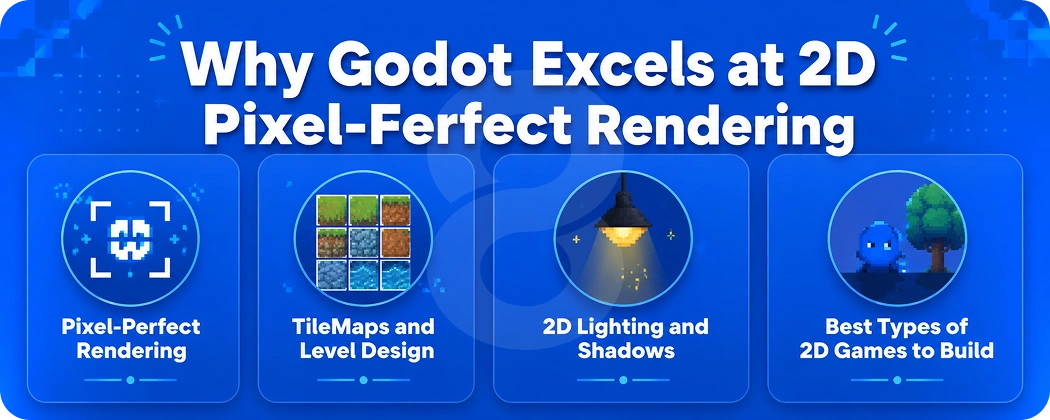
For a cost to capability comparison, there’s no area where Godot doesn’t have a shot at being without serious competition, and that’s in 2D.
Why Godot Excels at 2D
The 2D engine is implemented in a separate coordinate system and separate renderer, designed for 2D games. No Z-axis confusion, no hacks to make everything pixel perfect. This is an engine that has been designed that way from the outset and it certainly reflects this beautifully.
Pixel-Perfect Rendering
Godot supports pixel art games quite well. The snap settings, integer scaling and viewport configuration options allow you to get the crisp look that pixel art games demand without a battle with the engine.
TileMaps and Level Design
The TileMap node is well developed and capable. Define tile physics, manage multiple layers, even apply autotiling rules for terrain, and include your level designs in the level tree. This can save a lot of time in platformers and RPGs, particularly. With careful mobile game development, you can make your 2D levels look and feel just as good on your Android and iOS devices as on your desktops.
2D Lighting and Shadows
Godot 4 introduced a much-improved 2D lighting system. You can also add point lights, directional lights, and even normal maps to sprites and get the lighting effects you would find in a top-notch indie game, without needing a shader background.
Best Types of 2D Games to Build
From platformers to RPGs, puzzle games to metroidvanias, mobile casual games to them, Godot’s 2D toolset has a natural fit for all of them. There are games available on Steam that are built in Godot, such as Brotato and Dome Keeper, that you can use as reference points as far as what is possible.
Read More: 9 Best Game Engines for Mobile Development: Comprehensive Guide
Godot for 3D Game Development
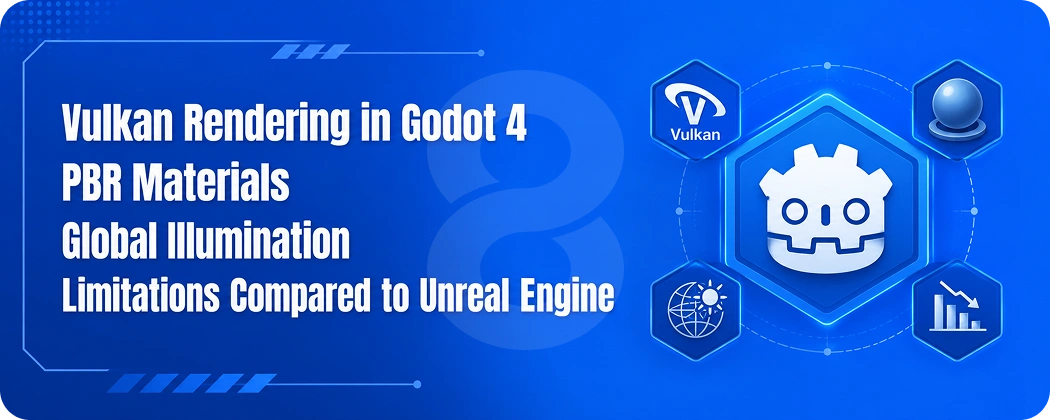
Godot 4 has been a game-changer when it comes to 3D in Godot, as it was the weakest feature of the previous version.
Vulkan Rendering in Godot 4
Godot 4 no longer renders using the OpenGL library, but instead switched to Vulkan. This leads to state-of-the-art rendering features and improved use of the graphics processing unit (GPU) and even hardware-assisted ray tracing on supported hardware. There’s also a compatibility renderer for older devices.
PBR Materials
Physically Based Rendering materials are similar in use to those found in other contemporary 3D engines. StandardMaterial3D covers most of the basic materials (albedo, metallic, roughness, normal maps, and emission), while custom shaders allow you complete control when you need it.
Global Illumination
Godot 4 has baked GI (LightmapGI) and real-time GI (VoxelGI and SDFGI). It’s not quite as high quality as Unreal, but for indie scale 3D games it’s more than enough to get a visual effect.
Limitations Compared to Unreal Engine
Be honest with yourself here. But if you’re creating a photorealistic AAA game with a big budget and a complete art team, Unreal game development would still be more sensible. Unreal’s Nanite system, Lumen system and Metahuman systems are ahead of what Godot offers in terms of 3D fidelity. Godot 3D really excels for more stylized games, smaller scope projects, and teams where the programmer’s productivity is just as important as their visuals.
How to Build a Scalable Game in Godot
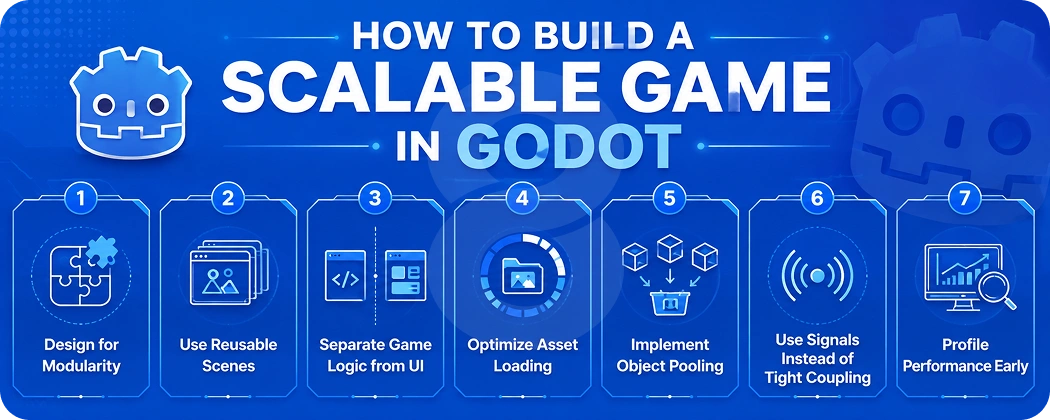
Scalability isn’t really an engine question. It’s an architectural issue. If two developers build the game using the same engine, they may end up with very different games.
Design for Modularity
Divide your game into stand-alone systems. Player and enemies, inventory and UI, audio. Each has its own scene in which inputs and outputs are clearly defined. Systems that are unaware of one another are systems that are systems that you can modify without breaking anything else.
Use Reusable Scenes
Godot’s newest similarities to Unity are scenes, which are similar to prefabs. If it’s something that you keep copying out multiple times, it’s a good indicator that it’s a scene unto itself. A bullet scene. An enemy base scene. A health bar scene. This is beneficial as your content expands.
Separate Game Logic from UI
One of the dirtiest aspects of a progressing game is UI. Don’t put your game logic (what happens) in your UI (how it’s displayed). Send signals to trigger changes to the state, and have UI nodes respond. This allows you to change your UI without affecting any of your game systems.
Optimize Asset Loading
Avoid starting up with everything. Godot’s ResourceLoader has background loading support. Use it. Gradually increase load levels as players progress and not all at once. Memory usage remains under control and so too do start-up times remain fast.
Implement Object Pooling
It is costly to create and destroy objects frequently. If you create a lot of bullets, particles, enemies, anything that spawns and dies regularly, create a pool of pre-made instances to recycle. This will become clear when dozens of enemies are firing at the same time.
Use Signals Instead of Tight Coupling
The super power for maintainable code in Godot is its signal system. An enemy will send a signal when it dies. Anything that needs to know anything about that (the score system, the wave manager, the achievement tracker) connects to that signal. No references, no fragilities.
Profile Performance Early
Do not use the profiler until you have 50,000 lines of code. Godot comes with a built-in CPU and GPU profiler. Run it regularly, even during early development. Problems that are simple to solve today can become architectural problems in six months if they aren’t addressed.
Godot Scalability Checklist:
- Modular scene architecture
- Reusable scenes for repeated elements
- Asynchronous asset loading
- Object pooling for bullets, enemies, and effects
- Signal-based communication between systems
- Performance profiling from early development
- LOD and occlusion culling for 3D games
- Dedicated server architecture for multiplayer
Multiplayer Game Development in Godot
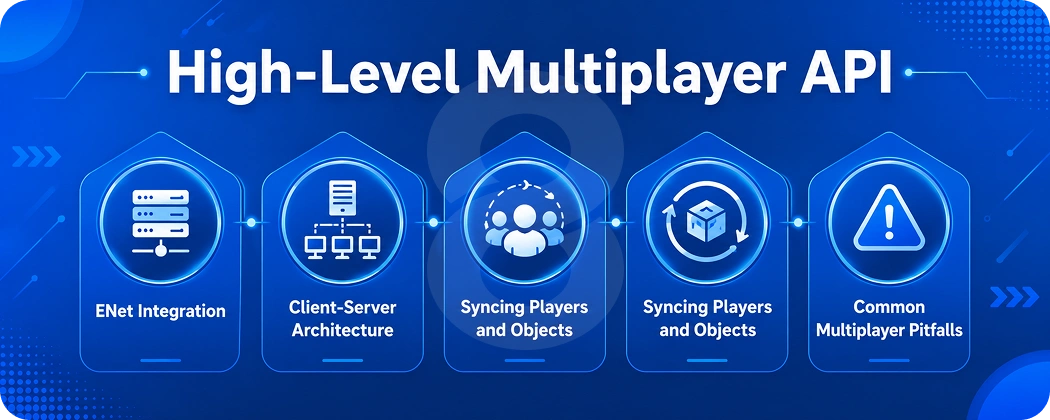
Godot provides a high-level multiplayer API that takes out a lot of the headache that would be associated with building a networked game.
High-Level Multiplayer API
The Godot 4 Multiplayer API enables you to make Remote Procedure Calls (RPCs) across the network using just an annotation. Use of @rpc marks a function for it to be called from the server or clients, and Godot takes care of serialization and routing. A working prototype for many types of games can be constructed in hours.
ENet Integration
Godot’s core networking library is the default UDP-based ENet. ENet offers a more reliable, ordered packet delivery service over UDP with lower latency than pure TCP and graceful handling of packet loss. It is also possible to replace it with WebRTC or WebSocket if you need to deploy it in such an environment.
Client-Server Architecture
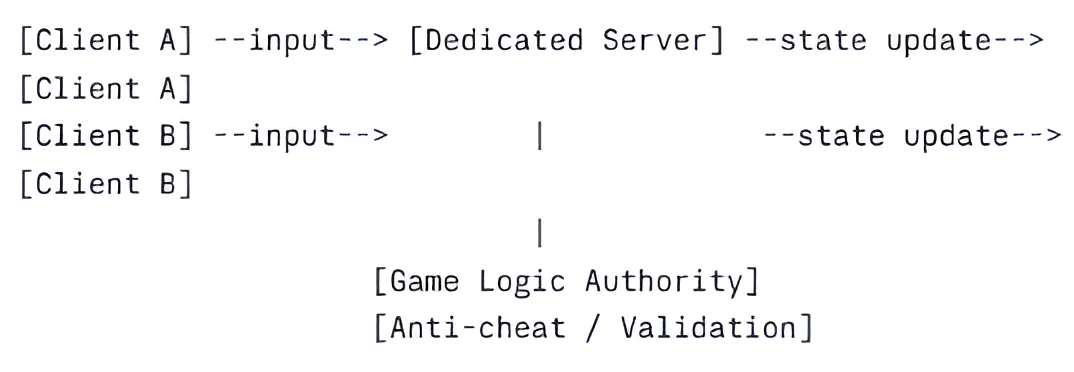
For any multiplayer game with more than casual stakes (competitive games, persistent worlds, anything with real money), use a dedicated server model. The server is the authority. Clients send inputs, the server computes the result, and clients render the outcome. This is the only architecture that properly prevents cheating.
Simple Multiplayer Architecture (text diagram):
Syncing Players and Objects
Use MultiplayerSynchronizer to sync node properties across the network automatically. Pair it with MultiplayerSpawner to handle object creation and destruction in sync. For most game objects (player positions, health, animations), these two nodes cover the basics without writing manual sync code.
Common Multiplayer Pitfalls
Lag compensation is harder than it looks. Bandwidth optimization requires careful thought about what actually needs syncing at what frequency. Authority management (who owns which object) needs to be decided early. These aren’t Godot-specific problems. They’re multiplayer problems. But they’re worth planning for before you’re deep in development.
Read More: Unity Game Engine: A Game Development Guide for Businesses
Performance Optimization Techniques
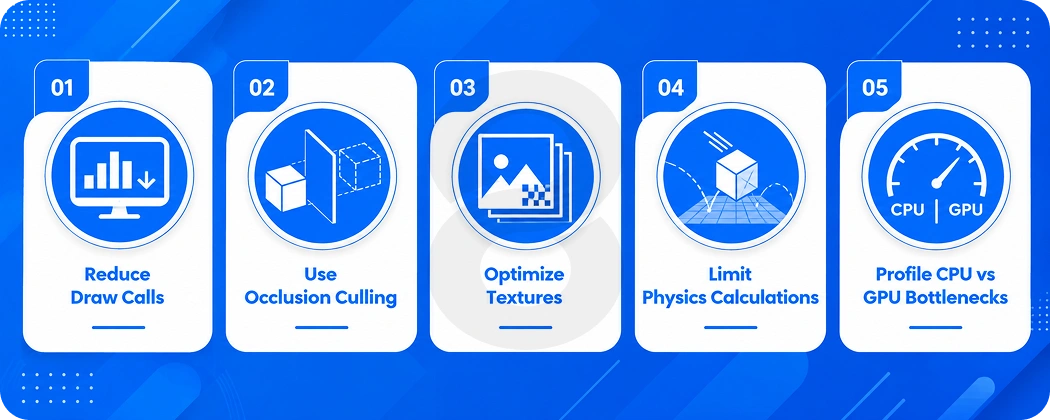
Performance problems usually have a small number of root causes. Finding them early is far easier than untangling them after your codebase grows.
Reduce Draw Calls
Every object your GPU needs to render separately has a cost. Use atlases to batch sprites. Use MultiMeshInstance3D for repeated geometry. Merge static meshes where possible. The fewer draw calls per frame, the more headroom you have for gameplay complexity.
Use Occlusion Culling
Don’t render what the camera can’t see. Godot 4 has built-in occlusion culling for 3D. Set it up early in your 3D projects and you’ll recover significant GPU budget in scenes with complex geometry.
Optimize Textures
Textures eat memory. Compress them using the appropriate format for each platform (BC7 for desktop, ASTC for mobile, ETC2 for cross-platform). Set appropriate mipmap settings. Use texture atlases to reduce draw calls. A thoughtfully optimized texture pipeline can cut memory usage by 30-50% compared to uncompressed assets.
Limit Physics Calculations
Physics are expensive at scale. Use collision layers and masks to limit which objects actually check against each other. Simplify collision shapes (a capsule instead of a detailed mesh). Disable physics processing on off-screen objects. For anything that doesn’t need physics simulation, don’t add it.
Profile CPU vs GPU Bottlenecks
These require completely different solutions. Godot’s profiler shows you both. A GPU bottleneck means you’re sending too much to render. A CPU bottleneck means your game logic, physics, or scripting is taking too long per frame. Don’t optimize the wrong layer.
| Problem | Optimization Approach |
|---|---|
| Low FPS | Reduce draw calls, check polygon count |
| Stuttering | Use async asset loading, avoid GC pressure |
| High memory usage | Compress textures, load assets on demand |
| Physics lag | Simplify colliders, use collision masks |
| GPU bottleneck | Lower shadow quality, reduce post-processing |
| CPU bottleneck | Optimize scripts, use C# or C++ for hot paths |
Godot vs Unity: Which Is Better for Your Project?
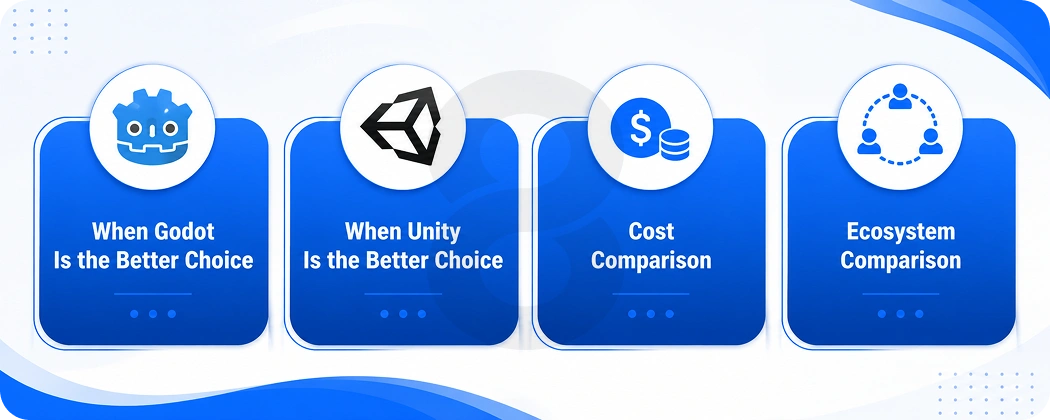
This is the question most developers actually want answered. And the real answer is: it depends on what you’re building and who’s building it.
When Godot Is the Better Choice
Godot wins for 2D games, solo developers and small teams, projects with tight budgets, developers who want full control without licensing concerns, and anyone who values a lightweight, fast editor over a feature-heavy one. If you’re building a platformer, an RPG, a roguelike, or a puzzle game, Godot probably makes more sense today than Unity.
When Unity Is the Better Choice
Unity still has advantages in 3D performance for mid-tier projects, a significantly larger asset store, better mobile game tooling (especially for live ops and analytics), and a much larger pool of developers if you’re hiring. If you need deep integration with third-party SDKs (ads, IAP, analytics), Unity’s ecosystem is more mature. Teams already invested in Unity game development workflows may find the switch more disruptive than it’s worth for ongoing projects.
Cost Comparison
Godot is completely free. Unity’s free tier has restrictions, and their paid tiers add up. Unreal takes 5% of revenue after you cross $1 million in gross revenue per product. For an indie studio, the financial math strongly favors Godot.
Ecosystem Comparison
Unity’s asset store has years of content. Godot’s asset library is smaller but growing fast. For common needs (character controllers, dialogue systems, save systems), the Godot community has solid solutions. For more specialized needs, you may need to build it yourself or find Unity alternatives and port the concepts.
| Factor | Godot | Unity |
|---|---|---|
| Cost | Free (MIT) | Free tier + paid plans |
| 2D Development | Excellent | Good |
| 3D Development | Good | Very Good |
| Asset Ecosystem | Growing | Mature |
| Mobile SDK Support | Basic | Comprehensive |
| Editor Speed | Fast | Slower on large projects |
| Scripting Options | GDScript, C#, C++ | C#, Visual Scripting |
| Community Size | Growing rapidly | Large and established |
Read More: How Much Does It Cost to Make a Mobile Game?
Godot vs Unreal Engine
Shorter version: Godot and Unreal are rarely competing for the same projects.
Visual Quality
Unreal is in its own category for photorealistic rendering. Nanite and Lumen are technically impressive in ways Godot doesn’t match. If your game’s selling point is visual fidelity that rivals film, Unreal is the right choice.
Performance and Hardware Requirements
Unreal projects require significant hardware to develop on. 32GB RAM is practically a minimum for comfortable development. Godot runs on modest machines. For teams in regions where high-end hardware is expensive, this matters quite a bit.
Best Use Cases
Godot: indie games, 2D games, stylized 3D, mobile games, educational games, prototyping. Unreal: AAA titles, architectural visualization, cinematic experiences, games where visual fidelity is the core product.
Read More: What Are AAA Games? Breaking Down the Biggest Titles in Gaming
Best Game Genres for the Godot Game Engine
Some genres are a better fit than others, and knowing this upfront saves a lot of pain.
- 2D platformers: Godot’s CharacterBody2D and its movement handling make platformer physics clean to implement.
- RPGs: The scene/node system maps naturally onto inventory, dialogue, and quest management.
- Strategy games: Turn-based and real-time strategy games benefit from Godot’s clean signal architecture.
- Roguelikes: Procedural generation and pooled enemies are well-supported patterns in Godot. Halls of Torment, a Godot-built roguelike, was the biggest Godot release of 2024 by Steam peak players.
- Visual novels: Lightweight performance requirements and good UI tools make visual novels a natural fit.
- Mobile casual games: Godot exports to Android and iOS with good performance on mid-range devices. Teams that need consistent cross-device performance often pair this with cross-platform app development practices to cover edge cases across Android versions.
- Multiplayer indie games: The high-level network API lowers the barrier to building networked experiences. If you’re exploring this space, looking at blockchain game development alongside Godot’s multiplayer tools opens up interesting possibilities for ownership-based mechanics and in-game economies.
- Educational games: Free licensing means educational institutions can use and distribute Godot games without cost concerns.
Read More: Ideas for Game Development: How Businesses Can Enter the Gaming Market
A Step-by-Step Godot Development Workflow
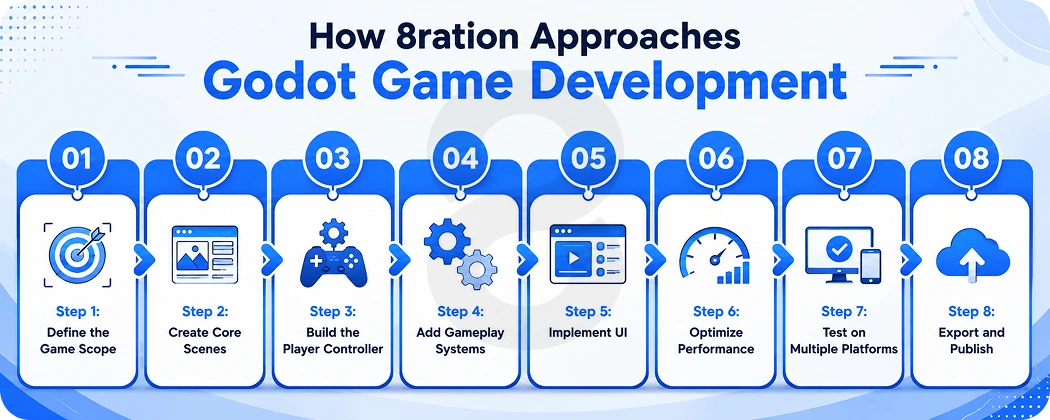
Step 1: Define the Game Scope
Before touching the editor, write down what your game actually is. Core mechanic, target platform, art style, team size, and timeline. Scope decisions made here save weeks of rework later.
Step 2: Create Core Scenes
Build the structural backbone: Main scene, Level scene, Player scene, UI scene. Don’t add features yet. Just establish the hierarchy you’ll work within.
Step 3: Build the Player Controller
Get your player moving and feeling right. Everything else builds on top of this. Bad player feel that gets ignored early becomes very expensive to fix later when systems depend on it.
Step 4: Add Gameplay Systems
Layer in mechanics one at a time. Health system, enemy AI, collectibles, progression. Test each independently before combining them. Signals make this clean.
Step 5: Implement UI
With game logic already separated from presentation, UI implementation is mostly about connecting signals to display elements. Build your HUD, menus, and feedback systems here.
Step 6: Optimize Performance
Open the profiler. Find actual bottlenecks rather than optimizing based on intuition. Fix the real problems first.
Step 7: Test on Multiple Platforms
Export early and test often. Platform-specific bugs found late are the most expensive kind. Screen size differences, input handling, and performance gaps between platforms are all easier to address progressively.
Step 8: Export and Publish
Godot’s export system handles most platform-specific packaging. For mobile, you’ll need the appropriate SDK (Android SDK or Xcode for iOS). For games targeting AI-driven mechanics and procedural systems, pairing Godot with AI game development expertise can significantly speed up that final layer of polish before launch.
Common Mistakes That Prevent Godot Games from Scaling
Overusing Singletons (Autoloads)
Godot’s Autoload system is convenient for global state. Too many developers use it as a dumping ground for everything, creating invisible dependencies across the entire codebase. Limit Autoloads to things that genuinely need global scope (settings, save data, audio). Use signals for everything else.
Better approach: Keep Autoloads to 3-5 at most. Prefer injecting dependencies through function parameters or exported node references.
Loading Everything at Startup
Loading all scenes, textures, and audio at game launch feels safe but destroys performance and memory usage at scale.
Better approach: Use ResourceLoader.load_threaded_request() to load assets in the background as players progress through the game.
Ignoring Profiling Tools
Guessing at performance problems is expensive. Godot’s built-in profiler shows you exactly where time is being spent.
Better approach: Open the profiler during development, not only when the game starts stuttering.
Creating Massive Scenes
A single scene with hundreds of nodes becomes impossible to navigate and causes loading delays.
Better approach: Break large scenes into subscenes. Load them independently. A level should be composed of smaller scenes, not one giant node tree.
Poor Network Architecture
Building multiplayer on top of a single-player architecture almost always means rewriting core systems.
Better approach: If multiplayer is on your roadmap, design the authority model (server-side vs client-side) before writing gameplay code.
Not Planning for Content Growth
A system that handles 20 enemy types cleanly might fall apart at 200.
Better approach: Use data-driven design. Define enemy properties in resources or JSON rather than hard-coding them in scripts.
Read More: How Long Does it Take to Make a Video Game
How 8ration Approaches Godot Game Development
8ration is a digital product studio that builds games, mobile apps, and software for clients ranging from indie creators to enterprise teams. On the game development side, the team works across mobile game development, Unity game development, Unreal game development, blockchain game development, and AI game development.
When clients come to 8ration with a Godot project, the work typically starts with architecture. A lot of early-stage projects have the right idea for a game but no framework for how it’s going to scale. The team focuses on scene structure, signal design, and performance profiling from the start, because retrofitting good architecture is always more expensive than building it right initially.
For multiplayer projects specifically, 8ration designs the authority model before touching gameplay code. That single decision prevents the most common and most expensive rebuild scenarios that multiplayer games face.
The team has delivered games for mobile platforms targeting Android and iOS, with cross-platform experience that informs how they think about export targets and device compatibility across game projects.
The Future of the Godot Game Engine
Godot 4 Roadmap
Godot’s adoption has been surging across industries, reaching 15% in education, 19% in architecture and construction, and 21% in automotive and manufacturing sectors in 2025. The engine’s roadmap reflects this broader ambition, with each release expanding capabilities in rendering, scripting performance, and platform support.
Console Support Improvements
Console support has historically been Godot’s gap. Third-party console ports exist, but official first-party support for PlayStation and Xbox remains a work in progress. This is the clearest remaining limitation for studios targeting console markets.
Better 3D Tooling
Each major release has narrowed the gap with Unity’s 3D capabilities. Terrain tools, better shader workflows, and improved animation rigging are all active areas of development. The trajectory is clearly upward.
Enterprise Adoption
Perforce’s industry report notes that Godot’s free license, ease of use, and active community make it an increasingly attractive alternative for enterprise applications beyond gaming. Simulation, training, and visualization use cases are growing areas.
AI-Assisted Development Possibilities
The open-source nature of Godot makes it uniquely positioned to integrate AI tooling. Community-developed plugins already exist for procedural generation, NPC behavior, and code completion. As AI game development tools mature, Godot’s open architecture means new integrations can be built without waiting for corporate approval.
Read More: How to Make a Multiplayer Game: A Complete Guide
Final Thoughts!
The Godot Game Engine has moved well past “promising alternative” status. Games shipped on Steam with Godot roughly doubled year over year, reaching 2,864 releases in the 2025-26 cycle. For developers who want full ownership, low overhead, and a 2D workflow that’s genuinely world-class, it’s hard to argue against Godot as the starting point.
3D is improving with every release. The community is large and active. The architecture tools (the scene system, signals, GDScript) reward developers who think carefully about structure from the start.
Scalability doesn’t come from picking the right engine. It comes from making architecture decisions early and sticking to them. Godot gives you the tools. What you build with them is entirely up to you.