Ionic vs React Native comes up early in almost every mobile project and the choice follows you for a long time. It affects your budget and what users feel the first time they open the app. Both let you build for iOS and Android from one codebase. How they do it is where things diverge. Ionic builds your interface with web technologies sitting inside a native shell.
React Native renders actual native components. That difference might sound technical but it shows up in performance, design, maintenance and what you end up spending. This guide works through both so you can make the call with something more than a gut feeling.
| Quick answer: React Native is the stronger pick when performance, native feel and device integration are things your app actually depends on. Ionic fits better when your team already thinks in web technologies and wants one codebase covering iOS, Android and the browser without a lot of context switching. |
Ionic vs React Native: A Quick Comparison
At a high level, the Ionic vs React Native split is web-first versus native-first. Ionic wraps a web app in a native container and shares code widely; React Native compiles to native UI and prioritizes a native feel. The table below summarizes where each framework stands before we get into the detail.
| Factor | Ionic | React Native |
|---|---|---|
| Rendering | Web UI inside a native WebView | Real native UI components |
| Core technologies | HTML, CSS, JavaScript/TypeScript | React, JavaScript/TypeScript |
| Native runtime | Capacitor | React Native runtime (New Architecture) |
| Recommended tooling | Ionic CLI + Capacitor | Expo or Community CLI |
| Platform reach | iOS, Android, web, PWA, desktop | iOS and Android (web via extra libraries) |
| Performance | Strong for standard apps | Higher ceiling for demanding apps |
| UI approach | Shared adaptive components | Platform-native components |
| Code reuse | Highest across web and mobile | High across mobile platforms |
| Native access | Capacitor plugins | Native modules and libraries |
| Learning curve | Easier for web developers | Easier for React developers |
| Best suited for | Web-led products | Mobile-led products |
A useful rule of thumb: choose based on the hardest part of your app, not the login screen both frameworks handle easily.
What is Ionic
You write interfaces in HTML, CSS, and JavaScript or TypeScript and can pair it with React or Angular. Those interfaces render through a WebView and Capacitor, Ionic’s native runtime that replaced the older Cordova approach, handles packaging for the app stores and wires the app up to native device features.
One project can realistically ship to iOS, Android, the web, a PWA, and desktop. If the product you’re building is web-led, Ionic app development can get you onto all of those surfaces from a single codebase without starting over for each.
One thing that’s worth keeping straight early on: Ionic and Capacitor are not the same thing. Ionic gives you the component library and design system. Capacitor gives you the native container and the plugin bridge. You can even run Capacitor with a non-Ionic web app entirely.
That distinction becomes important later when native access comes up so it’s worth keeping in mind. It also points to what is probably Ionic’s most practical advantage. Because everything is web-based at its core… the same codebase that ships as your mobile app can become a PWA or a desktop app without starting over. With a mobile-only framework you pay for that reach separately every time.
Read More: Ionic App Development: Cost, Features & Use Cases
What is React Native
React Native came out of Meta and lets you build native apps using React. Your components don’t render to a browser DOM. They map to actual native platform views. That’s why a well built React Native app feels like it belongs on the phone rather than a bad website.
The New Architecture that modern React Native runs on brings in the Fabric renderer and TurboModules. It cuts down the back and forth between JavaScript and native code considerably. The project ships a new version roughly every two months and Expo is now the recommended starting point for most new projects.
What you trade for that native feel is some of Ionic’s reach. React Native is built for iOS and Android first. Getting to the browser means pulling in React Native Web and accepting extra work. There’s no clean single-codebase path to a progressive web app the way Ionic gives you. What you get in return is tighter control over how each platform looks and behaves. For mobile-first products that’s usually exactly what matters most.
Read More: React Native App Development Cost: Features, Timeline & Pricing Explained
Ionic React vs React Native
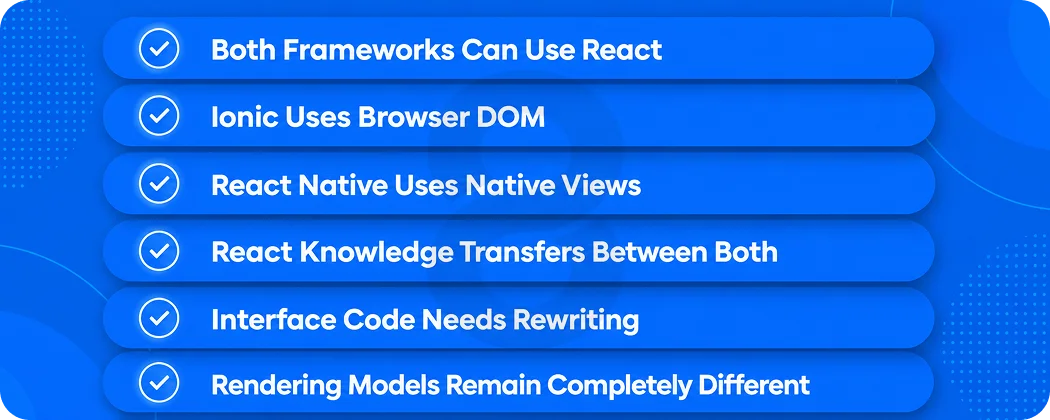
This trips a lot of people up because both can use React. Ionic runs React through a browser DOM inside a WebView. You’re making a web app that behaves like a native. React Native skips the browser entirely and renders your components as actual native platform views.
Your React knowledge carries over between the two but the UI code doesn’t. An Ionic screen and a React Native screen are written against completely different component sets so you can’t just copy one across to the other.
Read More: Flutter vs React Native: Which Is Better for Business Apps in 2026?
How the Architecture Differs
The way each framework renders your UI is what separates them at the foundation. Everything else in this comparison follows from that one technical choice.
How Ionic Renders the Interface
A lot of people get confused here because both frameworks can use React. But what React is actually rendering is completely different. With Ionic, React runs through a browser DOM inside a WebView. It’s a web app underneath, built to feel native on the surface. React Native has no browser involved at all.
Your components become real native platform views. The React skills transfer between the two but the UI code doesn’t. An Ionic screen and a React Native screen are built against different component sets. You can’t move one across to the other without rewriting it.
Read More: Web App vs Native App: A Complete Comparison for Business Owners
How React Native Renders the Interface
React Native takes a different path. Your JavaScript drives native UI primitives directly, and under the New Architecture the Fabric renderer, TurboModules, and the JavaScript Interface (JSI) let JavaScript and native code talk with far less overhead than the old bridge. If you still read that React Native is slow because of a serialized bridge, that description is now out of date. The JSI-based model changed how the two worlds communicate.
Why This One Difference Shapes Everything Else
The rendering choice is the root cause of most trade-offs in the Ionic vs React Native debate. Native rendering gives React Native more animation headroom and a more platform-authentic feel.
The web foundation gives Ionic broader reuse, access to the entire browser library ecosystem, and a single interface across surfaces. It also decides how you debug, how much platform-specific work you take on, and how upgrades feel over the life of the product. Neither is universally better… they optimize for different things.
It also changes the day-to-day developer experience in ways that add up. Ionic teams can inspect and debug much of the app in a browser using familiar web tooling, then move to native tooling only when they touch device features. React Native puts you closer to the platform from day one. That means more capability but also more to manage.
When Apple or Google ships a new OS version a native-rendering app sometimes needs specific adjustments to stay right. A WebView-based app often just picks up the browser engine improvements without you doing anything. Neither is the wrong way to build. It does explain though why two teams working on what looks like the same feature can have completely different experiences shipping it.
Ionic vs React Native: Performance Compared
Performance is where this debate gets the loudest and the least useful. Generic benchmarks depend heavily on how an app is actually built. The honest answer is more complicated than “React Native is faster.”
What Actually Affects Performance
Your data layer, image handling, list virtualization and build settings have just as much say over boot time, scroll smoothness, memory use and app size as the framework does. A poorly built React Native app can feel worse than a carefully built Ionic one. The framework isn’t the whole story.
The reverse is just as true. Rather than trusting someone else’s numbers, the more reliable approach is to build the same demanding screen in both frameworks and measure it on a real mid-range Android device and a current iPhone. An image-heavy infinitely scrolling feed is a good test case.
Where React Native Pulls Ahead
The more complex the app gets the more native rendering starts to pull ahead. Heavy animation, real-time interaction, large dynamic lists, maps, video, constant sensor input… React Native handles these better because the UI isn’t going through a WebView. If how the app moves and responds is part of what makes your product good, React Native gives you more to work with.
Where Ionic Holds Its Own
For content apps, dashboards, forms, catalogs and most standard business apps, users rarely notice they’re inside a WebView. Modern WebViews and hardware acceleration have closed the gap more than most people realize.
Ionic’s lighter footprint can even show better CPU usage during idle or logic-light interactions. The performance difference only becomes a real commercial concern on your most demanding screens. Which is exactly why you should test those screens first.
How to Benchmark the Right Way
If performance is actually a deciding factor, don’t settle it with a blog post. Settle it with a prototype. Build the same reference feature in both frameworks using the same API, the same data set, an infinite-scrolling list, an image-heavy detail page, a page transition and one native task like camera or local storage.
Run identical production builds on the same mid-range Android device and a current iPhone. Then measure cold and warm launch, scroll smoothness, memory use and installed app size. Two or three days of prototyping on your hardest screen will tell you more than any generic benchmark. It also turns an abstract Ionic vs React Native argument into something you can actually make a decision from.
Development Speed, Learning Curve, and Code Reuse
Framework choice does not happen in a vacuum. What your team already knows shapes how fast you build and how much the early sprints actually cost.
For Existing Web Teams
If your team already works in React, Angular or Vue and knows standard CSS, Ionic doesn’t ask them to learn a new rendering model. Browser libraries they already use can often come along for the ride and existing responsive web code sometimes transfers directly. That’s why web-heavy teams often ship their first Ionic build faster than they were expecting.
Read More: React vs Angular: Which Framework Should You Choose for Your Next Web App?
For React Developers
React experience transfers to React Native, but there is still a mobile learning curve. Developers pick up native navigation patterns, mobile layout behavior, iOS and Android build systems, permissions, and occasionally native modules. That investment pays off in a more native product, but it is real work, especially for teams new to mobile.
How Much Code You Can Actually Share
Be skeptical of precise reuse percentages because they depend entirely on the app. What holds up is the pattern: business logic, API clients, and state management are highly shareable in both frameworks.
Ionic extends that sharing to the web and PWA layer, while React Native shares strongly across iOS and Android. Native integrations and pixel-level platform tweaks are where platform-specific work reappears in either case. Whatever you choose, budgeting for solid quality assurance and testing protects that shared code as it grows.
Read More: Native App vs Progressive Web App (PWA): A Complete Technical & Strategic Comparison
UI, Native Features, and Ecosystem
How an app looks and what it can access on the device matter as much as how it performs. Both frameworks cover the basics and each has a different ceiling.
Native Feel and Design Control
It’s a myth that an Ionic app automatically looks like a website. A well-built Ionic interface can follow mobile conventions closely and its adaptive components style themselves toward iOS or Android patterns.
That said, React Native’s native components give designers tighter control over platform-specific gestures, keyboard behavior and fine motion. For heavily branded or motion-led products that control genuinely matters. Thoughtful UI/UX design is often what separates a good cross-platform app from a great one.
Device Feature Access
Both frameworks can reach native capabilities. Ionic goes through Capacitor plugins. React Native uses native modules and libraries.
The real question isn’t whether a feature is reachable. It’s whether a well-maintained plugin or module already exists for it. Before you commit to a plugin, do a quick check. When was it last updated? Does it support current OS versions? How many open issues are sitting there unresolved and are the maintainers still active? For platform specific capabilities, React Native tends to get there first.
Your team can also write custom native modules in Swift or Kotlin when nothing off the shelf fits. Ionic can reach the same places but you might be waiting on a Capacitor plugin or building one from scratch. For the features most apps actually use both frameworks are well covered. The gap only shows up at the edges, so map your must-have device features early and confirm solid support before you commit.
Ecosystem, Libraries, and Community
React Native has the bigger community and the adoption numbers back that up. Developer survey data puts it at around 35 percent among mobile developers. Ionic is closer to 9 percent, which is a long way from the 28 percent it held six years ago. Moreover, only about a third of mobile developers use cross platform tools at all.
Popularity doesn’t decide whether something is right for your project. A larger community does mean more libraries to pull from, faster answers when something breaks and generally an easier time finding good people to hire.
For US teams the hiring angle is worth thinking through. React and JavaScript talent is widely available which benefits both frameworks since both are JavaScript-based. React Native’s larger mobile-specific community makes it easier to find engineers who have actually shipped native-feeling apps.
Ionic’s web-first model lets you pull from the much bigger pool of general web developers. The framework your team already knows will beat the one that looks better on a comparison chart almost every time. Familiarity ships faster and costs less.
Ionic vs React Native: Cost and Total Ownership
There is no universal price tag on Ionic vs React Native. The smarter way to think about cost is initial build plus ongoing ownership, weighed against your specific situation.
What Drives Initial Cost
Upfront cost really comes down to your starting point. What skills does the team already have? How many platforms are you targeting? How custom does the UI need to be and how deep does the native integration go? Those four questions will tell you more than any benchmark comparison.
A team that already has a React web app and a product that’s mostly forms and content will almost always ship faster and spend less doing it in Ionic. Meanwhile, the one that knows React Native well and is building something animation-heavy will move quicker there. The framework isn’t the cost driver as much as the fit between the framework and the team.
What Drives Maintenance Cost
Ownership cost shows up later: framework upgrades, iOS and Android platform changes, plugin and dependency maintenance, WebView behavior, native project files, store submissions, and security patches. Both frameworks release regularly, so budget for keeping current rather than assuming a build-and-forget lifecycle.
Cost by Project Scenario
The table below shows relative cost advantage by scenario, not a dollar range.
| Project Scenario | Likely Cost Advantage |
|---|---|
| Existing React web portal going mobile | Ionic |
| Internal business or dashboard tool | Ionic |
| One product across web, PWA, iOS, and Android | Ionic |
| Mobile-only social or consumer product | React Native |
| Animation-heavy consumer app | React Native |
| Hardware-dependent app | React Native |
| Basic content app | Depends on existing team |
One thing worth watching on cost: the cheapest framework to start with isn’t always the cheapest to own. Picking a framework that works against your product tends to create expensive rework down the line. Ionic for a motion-heavy game. React Native for a content portal that also needs a public website.
That kind of mismatch shows up later as performance tuning, native workarounds or rebuilding a web presence you could have shared from day one. The scenario that saves the most money is usually the simplest one. The framework, the team’s skills and what the product actually needs all pointing in the same direction.
When to Choose Ionic vs React Native
There is no clean winner here. The right call depends on what your product needs to do and what your team can actually execute well.
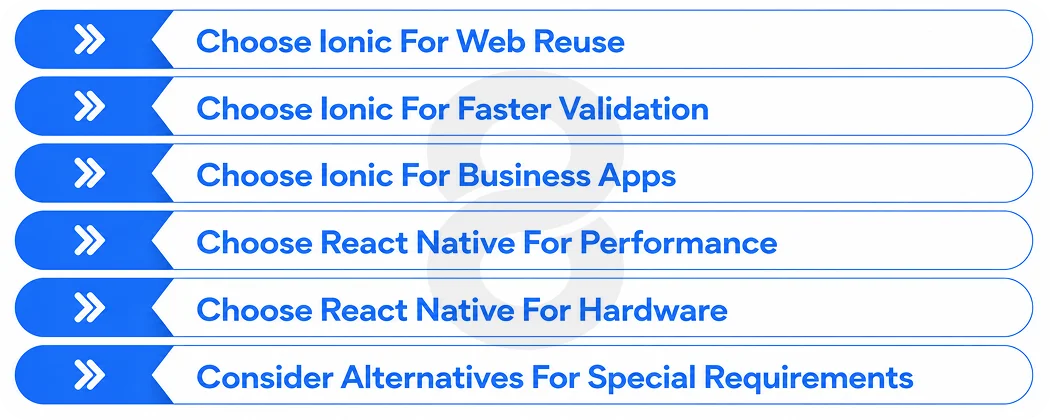
Choose Ionic When
- An existing web app needs to become a mobile app quickly.
- The same product must run across web, PWA, iOS, and Android.
- Your team already knows React, Angular, or Vue.
- The app is built around forms, content, catalogs, or dashboards.
- Rapid market validation and speed to launch matter most.
- Platform-specific design differences are limited.
Choose React Native When
- The product is mobile-first and mobile is where its value lives.
- Smooth gestures, animation, and a native feel are central.
- The app leans heavily on maps, video, Bluetooth, or background processing.
- The experience must follow each platform’s conventions closely.
- Your team already has React Native or native mobile experience.
- Native modules will form a meaningful part of the product.
When to Consider Another Approach
Ionic or React Native aren’t the only options worth considering. Fully native development still works best where performance is the whole point. Flutter is worth looking at when a team wants one rendering engine across every platform.
A hybrid app or PWA can do the job when getting into the app store isn’t actually a requirement. In any of these cases the question is the same. What does the product need? Start there rather than defaulting to the familiar option.
Read More: Native App vs Hybrid App Development: A Business Owner’s Decision Guide
Verified Apps Built With Each
React Native has been adopted by major consumer apps from companies including Shopify and Meta, documented on the framework’s official showcase. Ionic has long been a go-to for enterprise dashboards, healthcare and fintech portals and progressive web apps where broad reach and fast delivery matter more than pixel-level motion.
Its component library and documentation live in the official Ionic docs. Any unsourced list of famous apps built with either framework is worth treating with some skepticism. Check the primary sources.
Scalability, Security, and Migration
Picking a framework is a long-term decision. How the app grows and how secure it stays will matter a lot more than it seems on day one.
Scaling the Codebase
Framework choice alone does not determine whether an app scales. Clear architecture standards, automated testing, disciplined dependency control, well-defined module boundaries, and a reliable release process matter far more.
Both Ionic and React Native power large production apps; the teams that scale well are the ones with strong conventions, not necessarily the ones on a particular framework.
Security Considerations
Security depends on implementation more than on the framework label. Ionic teams should mind WebView configuration, cross-origin rules, web storage, a solid Content Security Policy, and plugin auditing. React Native teams should focus on native module dependencies, secure storage, JavaScript bundle exposure, and platform permission handling.
In both, third-party package auditing is non-negotiable, because most real-world vulnerabilities enter through dependencies.
Migration and Coexistence
Can you move from Ionic to React Native, or reuse an existing React web app? Business logic, API clients, and state management usually survive a migration; the UI layer generally has to be rebuilt because the rendering models differ. The two can also coexist in transitional architectures through embedded web modules, though that adds complexity you should only take on with a clear reason.
The practical takeaway is to make the framework decision carefully up front, because switching later is rarely a lift-and-shift. If you expect the product to grow toward heavier native features over time, factor that trajectory into today’s choice rather than planning to migrate once you hit a wall. A short architecture review before the first line of code is far cheaper than a mid-project rewrite.
Decision Scorecard: Ionic or React Native?
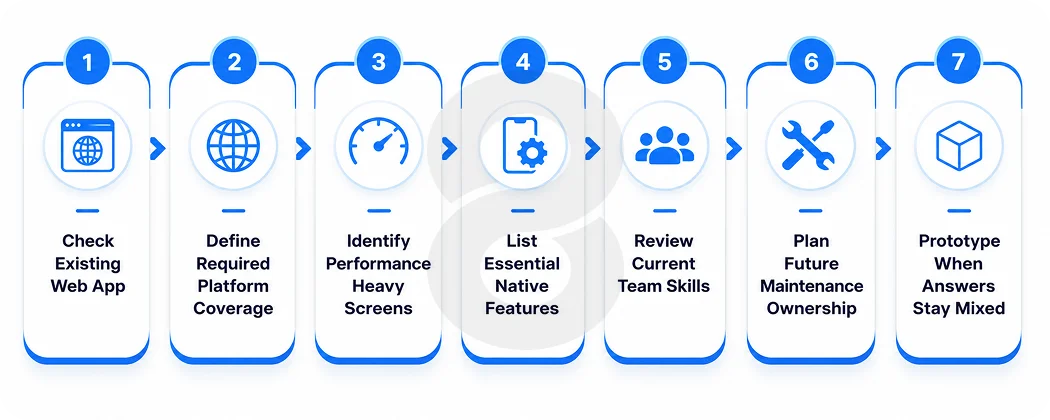
Answer these seven questions honestly and then read the pattern of your answers.
- Do you already have a working web app?
- Must the same interface also run on the web?
- Are complex animations central to the product?
- Does the app depend heavily on native hardware?
- What technologies does your current team know best?
- Which platform specific features are on your two-year roadmap?
- Who will maintain the app after launch?
Reading it: if your answers cluster around web reuse and multi-platform reach, Ionic is the safer bet. If they cluster around mobile performance and native integration, choose React Native. Mixed answers are your signal to prototype the two hardest screens before committing.
How 8ration Builds Cross-Platform Apps That Last
8ration builds production mobile apps across the full Ionic vs React Native spectrum, so the framework recommendation follows the product rather than a house preference. The team ships Ionic and hybrid apps when web reuse and multi-platform reach lead, and cross-platform, iOS, and Android builds when a native feel is the priority. It also weighs alternatives like Flutter honestly when they fit better.
That range shows up in shipped work: apps like RC Event Hub, Dots Travel, and Be Line are live on the App Store and Google Play, spanning sports, travel, and on-demand transport. Each pairs deliberate framework selection with strong UI/UX design and disciplined quality assurance. The same factors that decide whether a cross-platform app feels native to its users.
If you’re still weighing Ionic vs React Native for your project, the mobile team at 8ration can work through the decision with you against your actual roadmap rather than a generic checklist. Start with the app development cost calculator for a quick estimate or talk directly to the team to figure out which framework actually fits what you’re building.
Final Verdict
Ionic is the practical choice when web reuse, broad platform coverage, and delivery speed matter most. React Native is the stronger fit when the app is mobile-first and its value depends on native interactions or demanding interfaces.
Before committing either way, prototype your hardest screen and your most important native integration. Run those two tests and you’ll know more about the right choice for your project than any benchmark article could tell you.