So you need a mobile app. You’re looking for something to run on iOS and Android. You don’t want to pay for two different development teams. And someone on your team just said “What about Ionic?”
Good question. Since it was first established back in 2013, Ionic has remained one of the useful options for creating cross-platform mobile apps, primarily whenever cost and velocity are essential. It’s not as trendy as Flutter and it’s not as well-known as React Native, but it quietly powers thousands of real business apps that work in healthcare, fintech, logistics and more.
This guide explains all the aspects of Ionic app development; from the cost, how it works, where it fits and where you should look elsewhere. You’ll be better equipped, whether you’re a startup considering your first app or an enterprise team assessing a framework for your business.
What Is Ionic App Development?
Ionic is an open-source framework for building hybrid and cross-platform mobile applications using web technologies. You write your app once using HTML, CSS, and JavaScript (or TypeScript), and Ionic helps you deploy it as an iOS app, an Android app, and a Progressive Web App from the same codebase.
The key idea is that instead of learning Swift for iOS or Kotlin for Android, your team can build with web skills they likely already have. Ionic wraps that web code inside a native shell (called a WebView) and provides a library of pre-built UI components that look and feel right on each platform.
Ionic vs Traditional Mobile Development
With traditional native development, you’d build two separate apps: one Swift/Objective-C codebase for iOS and one Java/Kotlin codebase for Android. That means two teams, two timelines, and two maintenance burdens.
Ionic collapses that into one. The tradeoff is that you won’t squeeze every drop of performance out of the device hardware, and some deeply native interactions can feel slightly off. But for the majority of business apps, that gap is barely noticeable, and the cost savings are very real.
Read More: Hybrid App Development: Costs, Benefits & Best Practices
Why Ionic Remains Relevant in 2026
Honestly, there were a few years where it felt like Ionic might get buried under Flutter’s rise. But it’s held its ground well, and for good reason.
Ionic’s compatibility with Angular, React, Vue, and vanilla JavaScript allows development teams to align Ionic projects with their existing technology stacks, reducing onboarding time and development risks. That’s a big deal. You don’t have to retrain your web team or hire Dart specialists. If someone on your team knows React, they can build an Ionic app.
According to Statista, the mobile app market is projected to generate over $407 billion in revenue by 2026. In a market that large, businesses need practical tools that get products out fast without burning through runway. Ionic fills that role consistently.
And then there’s PWA support. As progressive web apps become more mainstream, Ionic’s ability to output a PWA from the same codebase as your mobile app is genuinely useful, cutting reach costs without adding a second project.
Read More: Native App vs Hybrid App Development: Business Guide
How Ionic App Development Works
Frontend Technologies Used
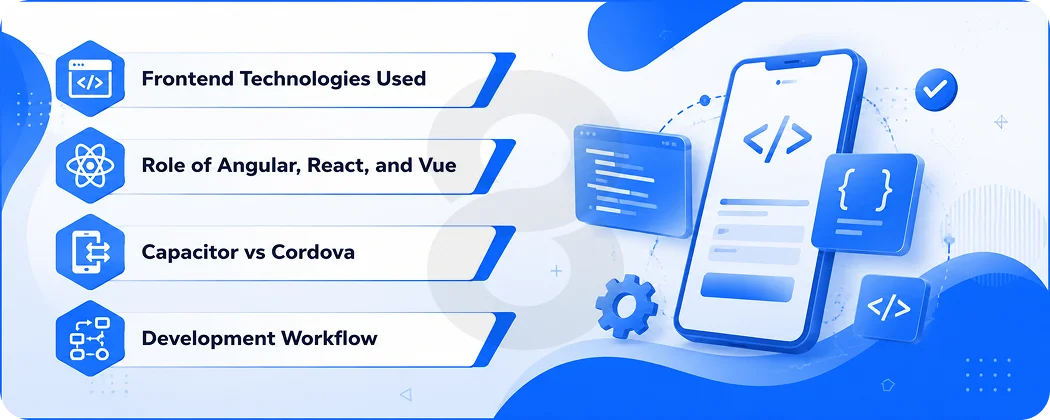
Ionic is based on standard web tech. HTML is used to organize your content. CSS handles styling. The logic is implemented in JavaScript (or TypeScript). That’s the stack of most modern web apps, and that’s what is important.
Role of Angular, React, and Vue
Ionic doesn’t force you into a specific framework. You can use Angular, the original Ionic duo or React or Vue, depending on what your team is comfortable with. This is one of the reasons why it still has a big developer base.
Capacitor vs Cordova
The current native runtime for Ionic is called Capacitor, which is much better than the previous Cordova bridge. Capacitor allows your app to access the native device features without any hassle, such as the camera, GPS, push notifications, etc. Its mobile app development capabilities include authentication, biometrics and storage, and live updates for remote app updates and native builds for native binaries, as well as continuous integration and delivery.
Development Workflow
A typical Ionic project follows this sequence:
Planning → UI Design → Development → Testing → Deployment → Maintenance
Designing can occur concurrently with architectural decisions. Testing includes web based testing and device specific QA using actual iOS and Android devices. Like a native app, deployment is through the Apple App Store and Google Play.
Read More: Angular Current Version vs. Legacy Builds: A Guide for CTOs Planning Their Next Hire
Key Features of Ionic App Development
Cross-Platform by Default
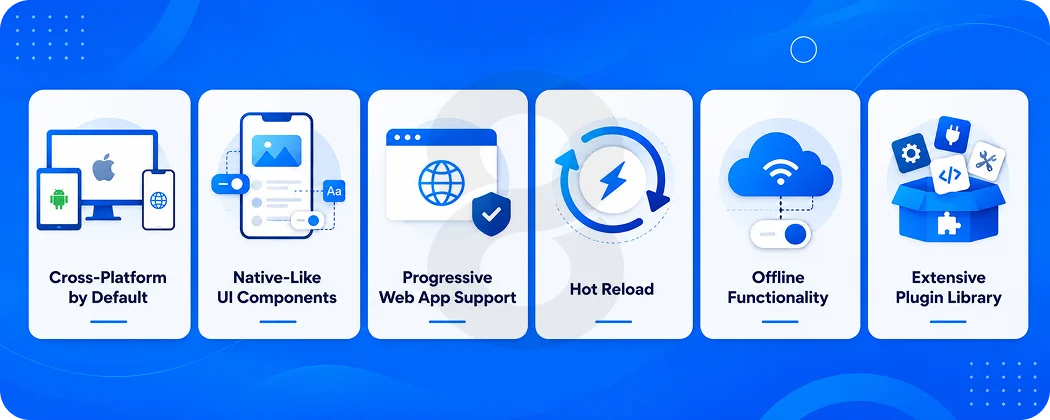
A single code base for iOS, Android and the Internet. Write it once and change as necessary. This removes the need for teams, build pipelines, and maintenance cycles, thus cutting cost and time to market. Businesses that used to require two local teams can now send with one.
Native-Like UI Components
Rich library of pre-built UI components and automatic styling for iOS and Android conventions, with Ionic. Buttons, modals, tabs, and navigation patterns are all rendered natively, depending on the platform, making the app feel like it’s a natural part of that particular platform.
Progressive Web App Support
With Ionic, you can push a full-featured PWA from your existing mobile app codebase, so your app can be installed from a web browser without any app store involvement. This provides you with another distribution channel for which you don’t have to make any extra effort during the build, and that’s really helpful for those users who don’t install apps from the app store.
Hot Reload
When the code changes, the change is immediately reflected on the simulator without the need to restart the build. This is a non-trivial improvement to the iteration loop each day. UI developers can make a quick edit to a UI component and immediately see the effect without having to wait for a complete rebuild, every time.
Offline Functionality
Ionic apps can work offline, caching data where needed; it’s important for logistics workers, field teams and healthcare workers in areas with limited connectivity. The data layer is handled by service workers and local storage, preventing users from being blocked from using the app or from being presented with an error screen the first time a signal drops.
Extensive Plugin Library
You can use device hardware, payment processors, analytics tools, and services from other providers without having to develop them from the ground up, thanks to Capacitor and community-built plugins. There is a plugin for most common device capabilities that saves days of low level engineering on each project.
Read More: Progressive Web App vs Mobile App: Complete Comparison Guide
Benefits of Ionic App Development for Businesses
Cost, speed and flexibility make the business sense of Ionic evident.
One code base equals no duplicated effort. One UI from your designers, one set of logic from your developers and one product from your QA team, and they’re only named to run on multiple platforms.
For many businesses, MVPs and PWAs, Ionic provides speed and cost-effectiveness using web technologies.
| Business Goal | How Ionic Helps |
|---|---|
| Reduce Cost | Single Codebase Eliminates Duplicate Development |
| Faster Launch | Reusable Components and Hot Reload Speed Up Builds |
| Scalability | Cross-Platform Architecture Supports Growth Across Platforms |
| Easier Maintenance | One Shared Project Reduces Ongoing Update Overhead |
| Wider Reach | Simultaneous iOS, Android, and PWA Deployment |
Ionic App Development Cost in 2026
This is probably why you’re here. Let’s talk numbers.
Average Ionic App Development Cost
The average cost of Ionic app development is $8,000 to $50,000+ depending on the complexity of the app. That is only a conservative estimate for enterprise projects with more complicated integrations, custom backends, and advanced security needs.
Cost Based on App Complexity
| App Type | Estimated Cost | Timeline |
|---|---|---|
| Simple App | $8,000 to $15,000 | 4 to 8 Weeks |
| Medium Complexity | $15,000 to $35,000 | 2 to 4 Months |
| Complex / Feature-Rich | $35,000 to $70,000 | 4 to 6 Months |
| Enterprise App | $70,000+ | 6 Months and Beyond |
Cost Based on Development Team
- Freelancer: Reduced hourly pay, with increased management costs. Suitable for small-scale and well-defined projects. Upwork’s average rate is $27 per hour for freelancers, but for more senior mobile developers in the United States, it is $145/hour.
- Agency: Structured process, full team (design, development, QA), and accountability. Faster whole day deliveries (often) but higher day rates and less risk.
- In-house: Salaries, benefits and equipment are the most costly of long-term expenses. Only makes sense if Ionic development is a fundamental part of business as usual.
Regional Cost Breakdown
Typically, North American Ionic developers charge $50 to $150 per hour, European developers charge $40 to $100 per hour, and Asian developers (especially from India and Philippines) charge $25 to $60 per hour.
| Region | Hourly Rate (Approx.) |
|---|---|
| USA | $75 to $150 |
| Canada | $60 to $120 |
| UK | $50 to $110 |
| Western Europe | $45 to $100 |
| Eastern Europe | $30 to $65 |
| India | $15 to $40 |
| UAE | $40 to $90 |
| Australia | $70 to $140 |
Factors Affecting Ionic Development Cost
A few things move the needle most on final project cost.
Features and App Complexity
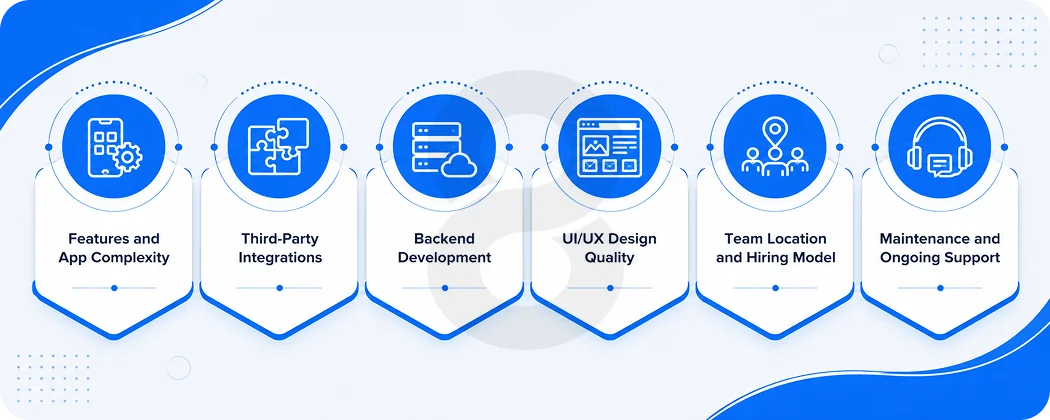
Every screen, interaction, and business logic that you need will take up development hours. There is a lot of build time with real time data syncing, offline first architecture, and custom animations. It’s always cheaper to prioritize features during the scoping phase than to do so mid-build when all changes are more costly.
Third-Party Integrations
Additional development, testing, and environment-specific debugging is required to connect to payment gateways, CRMs, ERPs, or external APIs. There are various rate limits, edge cases, and authentication details with each integration. The more the spec sheet, the more contingency budget you should start building up from the beginning.
Backend Development
Your application requires a place to store, process and retrieve data. To create its own backend from the ground up is an additional valuable expense. You can still have a production-ready data layer with a lot less backend engineering time, thanks to other managed cloud services such as Firebase or AWS Amplify.
UI/UX Design Quality
A user-tested, polished design saves hours of support costs and churn after launching, but takes many hours to get right before it goes live. Any custom design work increases the initial cost. The use of Ionic’s library of built-in components helps keep design costs down while maintaining a professional look and feel across the iOS and Android platforms.
Team Location and Hiring Model
Your developer’s location can make a huge difference regarding the overall cost of your project. Trained offshore crews consistently produce 50 to 70% faster than crews in Western markets and at a lower cost. Also, the hiring model is relevant: agencies have more overhead than freelancers and more accountability and process.
Maintenance and Ongoing Support
Allow 15-20% of your initial dev cost a year. Allow 15-20% of initial dev cost per year for incremental feature additions, OS compatibility, security patches, etc. If Apple or Google releases a significant OS update, you have to test and tweak your app. This line item is very often under budgeted and very often a problem down the road.
Read More: Mobile App Development Cost Guide
Top Use Cases of Ionic App Development
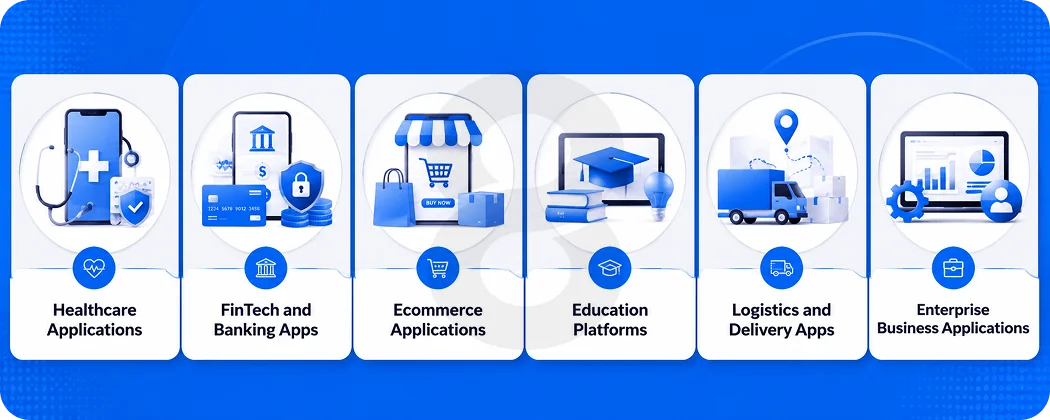
Healthcare Applications
Patient portals, appointment booking tools, symptom trackers, and internal clinical tools all work well in Ionic. Offline capability matters here, since not every clinic or home visit has reliable connectivity.
FinTech and Banking Apps
For internal tools, customer dashboards, and transactional apps where security requirements are high but raw GPU performance isn’t needed, Ionic’s architecture handles the load well. 8ration’s mobile banking app development team has built secure, regulation-compliant fintech products using hybrid frameworks.
Ecommerce Applications
Product catalogs, shopping flows, and order management apps are a natural fit. Ionic’s PWA output is particularly useful here, letting customers shop from a browser on mobile without installing anything.
Education Platforms
E-learning apps, quiz tools, and corporate training platforms often need to work offline. Ionic handles this well and the cross-platform reach means students on any device can access content.
Logistics and Delivery Apps
Route planning, delivery confirmation, and inventory tools need to work in warehouses and trucks where connectivity is patchy. Ionic’s offline support and GPS integration through Capacitor make it a practical choice.
Enterprise Business Applications
Internal tools, workflows, approval systems, and employee portals are where Ionic genuinely shines. Performance demands are moderate, the user base is controlled, and the need for rapid iteration is high. 8ration’s enterprise app development work regularly involves cross-platform tools that need to integrate with existing IT infrastructure.
Ionic vs Other App Development Frameworks
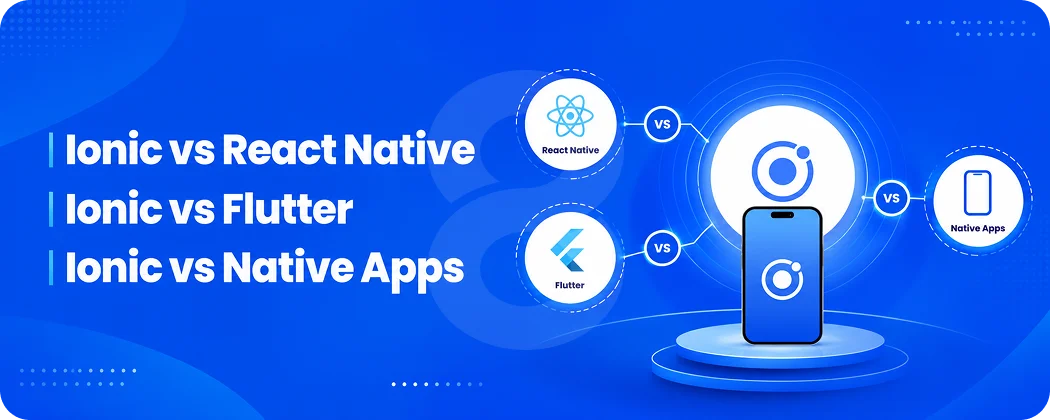
This is where honest comparison matters. Ionic isn’t the best choice for every project.
Ionic vs React Native
Stack Overflow Developer Survey states that approximately 8.4 percent of developers use React Native compared to Ionic’s 2.9 percent which means there are three times as many developers with experience using React Native. React Native uses real native UI elements, offering an advantage over performance for complex consumer apps. Ionic has a WebView, which is slightly less performant, but far more familiar to web developers.
If you already know React and building a consumer application and the level of UI optimization is a critical factor, then consider using React Native. If your team is web savvy and you’re working on a B2B tool or app for your internal use, Ionic will help you get there quicker.
Ionic vs Flutter
Flutter is the most popular and fastest-growing framework, with 46% of mobile developers using it for their apps. It uses Dart (a language most web developers don’t know) and compiles to native ARM code, giving it genuine performance advantages for graphics-heavy apps.
Flutter is better for animation-rich apps, games, and experiences where every frame matters. Ionic is better when your team knows JavaScript and you need PWA support alongside mobile.
Ionic vs Native Apps
Native gives you maximum performance and the deepest device access. It’s also the most expensive and time-consuming path. If you’re building something like Instagram, Snapchat, or a performance-critical game, go native. For most business applications, Ionic delivers 90% of the experience at 50% of the cost.
| Feature | Ionic | Flutter | React Native | Native |
|---|---|---|---|---|
| Language | JS/TS/HTML/CSS | Dart | JavaScript | Swift/Kotlin |
| Performance | Good | Excellent | Very Good | Best |
| PWA Support | Yes | Limited | No | No |
| Learning Curve | Low (Web Skills) | High | Medium | High |
| Dev Cost | Low | Medium | Medium | High |
| Community Size | Large | Very Large | Very Large | Largest |
| Best For | B2B, MVPs, PWAs | Visual Apps, Games | Consumer Apps | Complex Native Features |
Ionic Architecture Explained
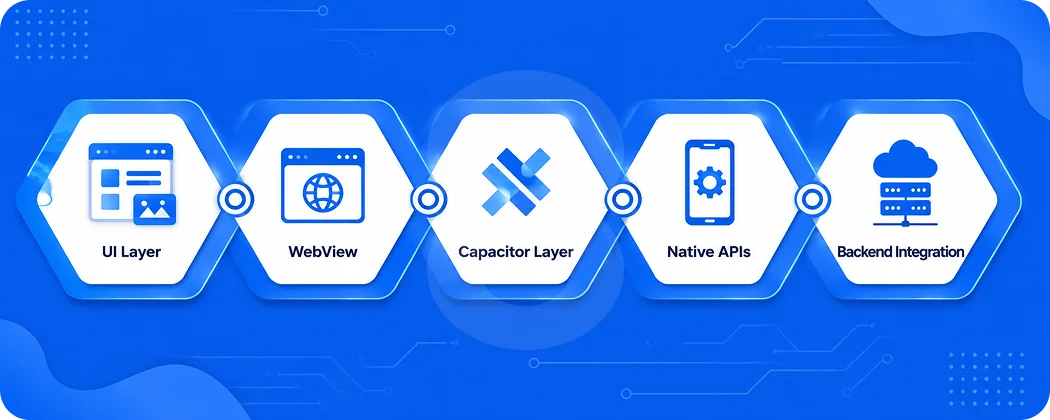
Understanding Ionic’s structure helps you make better decisions about what you can and can’t build with it.
UI Layer
This is what your users actually see and interact with. Built using standard HTML, CSS, and Ionic’s component library, the UI layer handles all visual elements, navigation, and user interactions. It behaves like a well-structured web interface but is packaged and delivered inside a native app container on the device.
WebView
The WebView is the native shell that renders your web-based UI directly on the user’s device. Think of it as a full-screen, chromeless browser that your app lives inside. iOS uses WKWebView and Android uses Chrome’s WebView engine, which means rendering behavior is consistent and predictable across both platforms.
Capacitor Layer
Capacitor sits between your JavaScript code and the device’s operating system. When your app needs to access hardware or OS-level features like the camera, file system, or push notifications, Capacitor handles that translation. It’s the bridge that makes a web-based app feel native without requiring you to write a single line of Swift or Kotlin.
Native APIs
These are the actual device capabilities exposed through Capacitor plugins. Camera access, GPS coordinates, biometric authentication, accelerometer data: all of these are available through well-maintained plugins that map your JavaScript calls to the correct underlying iOS or Android system calls, cleanly and securely.
Backend Integration
Your Ionic app connects to databases, external APIs, and cloud services the same way any web application does: through standard HTTP requests, GraphQL queries, or WebSocket connections. This means your existing backend engineers can work on the API layer without learning anything new about mobile development specifically.
Read More: Android vs iOS Development: Which Platform Should You Actually Build For?
Ionic Tech Stack
- Frontend: HTML5, CSS3, JavaScript, TypeScript, Angular / React / Vue, Ionic UI Components
- Backend: Node.js, Python (Django/FastAPI), PHP (Laravel), Ruby on Rails
- Databases: PostgreSQL, MySQL, MongoDB, Firebase Firestore
- APIs: REST, GraphQL, WebSockets
- DevOps: Docker, GitHub Actions, Bitbucket Pipelines, AWS, Google Cloud
- Testing: Jasmine, Jest, Cypress, Appium, Detox
- CI/CD: Ionic Appflow, Fastlane, Jenkins
Read More: 40 Best Technology Stacks for Mobile App Development
Step-by-Step Ionic App Development Process
- Requirement Analysis: Define what the app needs to do, who uses it, and what success looks like. This shapes every decision after.
- Wireframing: Low-fidelity sketches of every screen and user flow before any design or code work begins.
- UI/UX Design: High-fidelity designs that establish visual identity, typography, and interaction patterns. 8ration’s UI/UX design services focus on usability from the first screen to the last.
- App Architecture: Deciding how data flows through the app, which backend services get used, and how Capacitor plugins are structured.
- Frontend Development: Building the screens, components, and interactions in Ionic.
- Backend Development: APIs, databases, authentication, and business logic.
- API Integration: Connecting your app to payment gateways, third-party services, or your existing business systems.
- Testing: Device testing on real iOS and Android hardware, performance checks, and security review.
- Deployment: Submission to the Apple App Store and Google Play, plus any PWA deployment.
- Ongoing Maintenance: Bug fixes, OS updates, feature additions, and performance monitoring.
Read More: Mobile App Development Process: From Idea to Launch
Best Practices for Ionic App Development
Optimize Performance with Lazy Loading
Load only what your app needs at any given moment. Lazy loading modules keeps the initial bundle size small, reducing startup time noticeably on lower-end devices. Combine this with compressed images and minified assets and your app feels faster without changing a single line of business logic.
Secure Your APIs from the Start
Use HTTPS across every connection, implement token-based authentication through JWT or OAuth 2.0, and never expose sensitive keys in frontend code. Security retrofitted after launch is always more expensive than security built into the architecture from day one. Treat your API surface as a vulnerability you’re actively defending.
Minimize Plugin Dependencies
Every Capacitor plugin you add increases your app’s weight and introduces another potential breakage point during OS updates. Where possible, use Capacitor’s built-in APIs directly rather than stacking community plugins on top of each other. Fewer dependencies mean fewer things that can break when iOS 19 or Android 17 ships.
Build Offline Support Intentionally
Use service workers and local storage strategically so users aren’t blocked by a blank error screen when connectivity drops. Offline support isn’t just a convenience feature for field tools or logistics apps; it’s a retention factor that shows users the app respects their real-world conditions and doesn’t assume perfect network coverage.
Keep the Framework Version Current
Ionic releases regular updates that patch security vulnerabilities and maintain compatibility with the latest iOS and Android releases. Falling multiple versions behind makes future updates significantly harder and can leave your app exposed. Schedule framework updates as part of regular maintenance cycles rather than treating them as optional.
Read More: Mobile App Development Timeline: 2026 Guide
Common Challenges in Ionic App Development
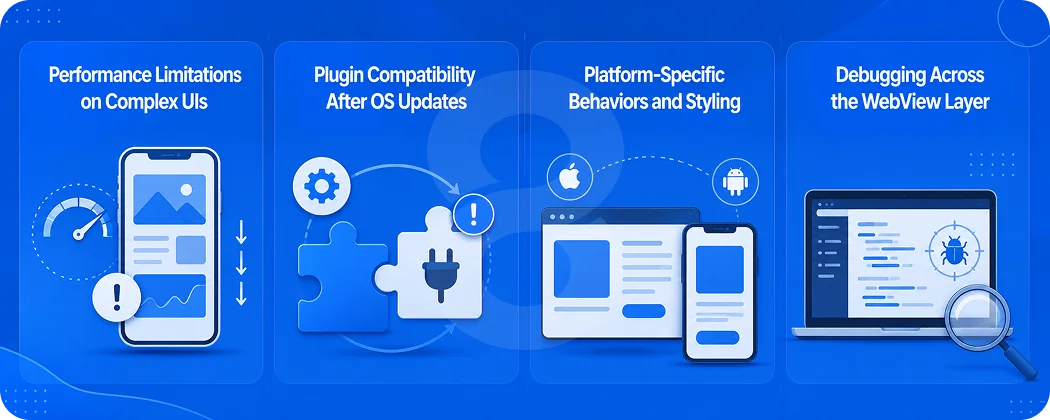
Performance Limitations on Complex UIs
Complex animations, GPU-heavy graphics, and frame-sensitive interactions don’t perform as well inside a WebView as they do in fully native or compiled frameworks like Flutter. This is the most common reason teams switch frameworks mid-project. If your app is primarily data-driven with moderate UI complexity, you won’t notice. If it’s animation-heavy, you likely will.
Plugin Compatibility After OS Updates
Capacitor plugins occasionally lag a few weeks or months behind major iOS or Android releases. When Apple or Google ships a significant OS update, some plugins may break until their maintainers catch up. Keeping a short list of well-maintained plugins, and monitoring their repositories, reduces how often this catches your team off guard.
Platform-Specific Behaviors and Styling
Some device interactions and gestures behave slightly differently between iOS and Android even when using the same Ionic components. Swipe navigation, keyboard handling, and status bar behavior are common culprits. Teams usually address this with platform-specific CSS classes and conditional logic, but it adds testing overhead that a pure native build wouldn’t require.
Debugging Across the WebView Layer
Debugging issues that cross the boundary between JavaScript and native code can be trickier than debugging either side in isolation. Errors don’t always surface clearly when they originate in a Capacitor plugin call or a WebView rendering quirk. Chrome DevTools, the Capacitor inspector, and device-level logging together make this manageable, but it requires familiarity with the toolchain.
Read More: 11 Biggest Mobile App Development Challenges and Solutions
Popular Apps Built with Ionic
MarketWatch
MarketWatch uses Ionic for its financial news and market tracking features. The app handles real-time data updates across rapidly changing stock prices and market feeds, and Ionic’s ability to manage live data streams within a WebView made it a practical fit for a product where information freshness is central to the user experience.
Sworkit
Sworkit is a fitness and workout planning app that needed to run on iOS, Android, and the web from a single team without tripling development cost. Ionic’s cross-platform output made that feasible. The app delivers structured workout programs and progress tracking, exactly the kind of data-driven, moderate-UI product where Ionic performs at its best.
Sanvello
Formerly called Pacifica, Sanvello is a mental health and wellness app that chose Ionic to reach users on both mobile platforms without splitting the team. For a startup operating in a sensitive product category where maintaining a consistent, trustworthy experience matters enormously, a single-codebase approach kept both development and QA manageable.
JustWatch
JustWatch is a streaming content guide that aggregates availability data across dozens of providers in real time. Ionic’s ability to handle large, frequently updated data sets in well-structured list views made it a natural fit. Users get fast, clean results across platforms without the app needing native-level rendering performance.
Diesel
Diesel used Ionic to build a mobile shopping experience that directly matched their existing web store in both look and functionality. The brand consistency across web and mobile was important, and Ionic’s shared component approach meant design decisions made once carried through to every platform without needing to be rebuilt separately.
Read More: Java App Development: The Complete Guide from Basics to Deployment
When Should You Choose Ionic App Development?
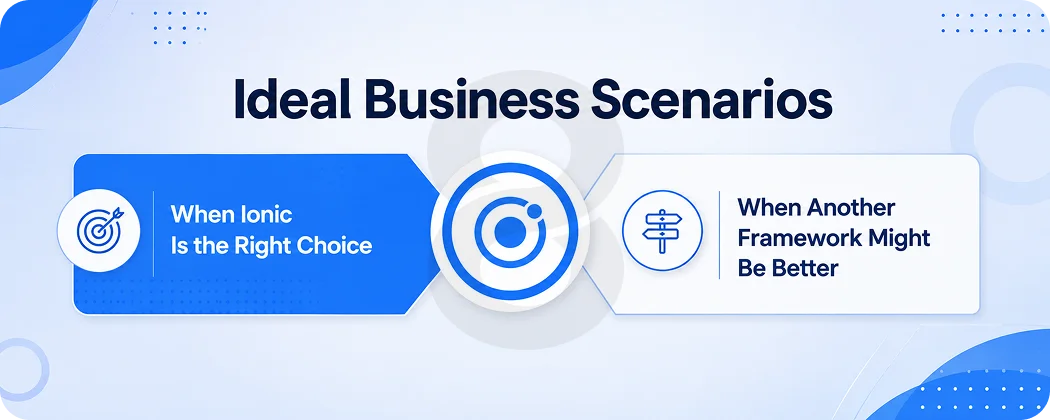
Ideal Business Scenarios
Ionic makes most sense when your team has web development skills, you’re building a B2B or internal tool, you need a PWA alongside your mobile app, or you’re working with a limited budget and need to reach both iOS and Android users.
When Ionic Is the Right Choice
You need a fast MVP. Your app is data-driven rather than animation-heavy. You want to maintain a single codebase going forward. Your business logic is complex but your visual requirements are moderate.
When Another Framework Might Be Better
You need frame-perfect animations, high-end graphics, AR/VR features, or deep hardware integration. Consumer apps competing at the top of the App Store charts often benefit from native or Flutter’s performance ceiling.
Future Trends in Ionic App Development
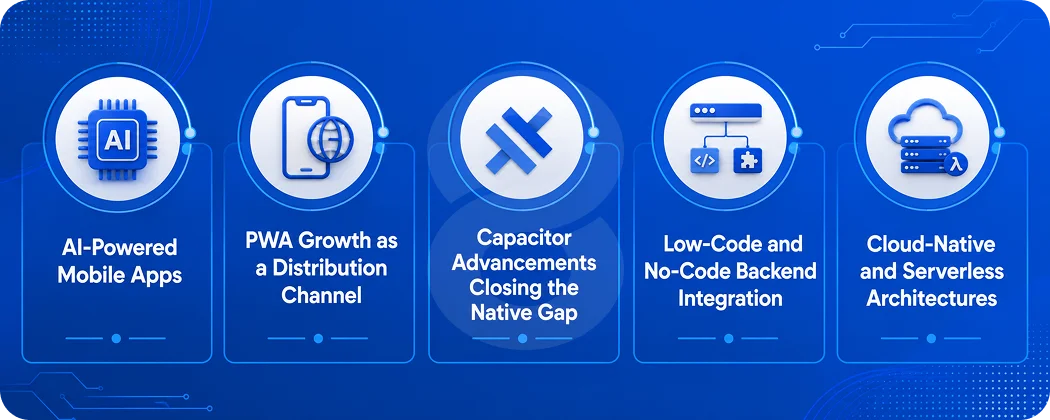
AI-Powered Mobile Apps
On-device AI features, smart search, and personalized recommendations are becoming standard user expectations rather than premium additions. Ionic’s JavaScript ecosystem connects naturally to AI APIs, meaning teams can add intelligent features to existing Ionic apps without switching frameworks or rebuilding the core product from the ground up.
PWA Growth as a Distribution Channel
As App Store discovery becomes harder and more expensive, PWAs are gaining real traction as an alternative way to reach users. Ionic’s built-in PWA output means businesses can deploy to a web URL and still deliver an app-like experience without needing a separate build or a second team managing a standalone web product.
Capacitor Advancements Closing the Native Gap
The Capacitor team continues releasing updates that close the performance and capability gap between hybrid and native apps. Each major version brings better hardware access, more reliable background processing, and improved native bridge performance. The ceiling of what you can build with Ionic keeps rising with every Capacitor release.
Low-Code and No-Code Backend Integration
Ionic is increasingly being paired with low-code backend platforms and automation tools like Supabase, Xano, and n8n. This lets smaller teams ship considerably more functionality with less custom engineering. The frontend stays in Ionic; the backend complexity is absorbed by managed services that handle data, auth, and workflows.
Cloud-Native and Serverless Architectures
Serverless functions, edge computing, and real-time managed databases are becoming the default backend infrastructure for Ionic apps. This reduces the backend engineering burden significantly and makes it easier for smaller teams to ship scalable, production-ready applications without maintaining traditional server infrastructure themselves.
Read More: Trends Every App Development Agency Should Be Following
Why Businesses Choose 8ration for Ionic App Development
8ration has been building mobile products since 2014, working across iOS, Android, and cross-platform frameworks with startups and enterprises alike. Ionic projects go through a structured process: discovery, architecture planning, parallel design and development, device QA, and post-launch monitoring.
The cross-platform mobile development team works across Ionic, React Native, and Flutter, so framework recommendations come from what fits your project rather than team preference. Whether you need a mobile app, a PWA, or both from one codebase, the approach stays the same: ship something solid, on time, that your users actually want to use. 8ration’s mobile app development services cover the full lifecycle from idea to launch and beyond.
Read More: How to Choose the Right Mobile App Development Company
Final Thoughts
Ionic isn’t the flashiest framework in the room. It doesn’t win benchmark competitions, and it’s not going to be the right choice for the next Instagram or mobile game. But for the vast majority of business applications, internal tools, MVPs, and products where shipping fast matters more than frame-perfect animations, it’s a genuinely strong choice.
The economics are hard to argue with. One team, one codebase, three deployment targets. If your team knows web development and you’re building something practical rather than something performative, Ionic deserves a serious look.
And if you want a team that can evaluate whether Ionic actually fits your project rather than just recommending the framework they know best, that’s exactly the conversation 8ration’s team is set up to have.