Somewhere between the first development quote and the second meeting, most app projects hit the same wall. The native build costs six figures, the timeline says next year, and somebody in the room asks whether the website could just do the app things. Fair question. Half the time the answer is yes.
That is the entire progressive web app vs mobile app debate in miniature, and the annoying part is that both sides have a point. A PWA is cheaper and works for anyone holding a browser. A mobile app runs faster and hangs onto users once it earns a spot on their home screen. What follows is the full comparison and the specific scenarios where each one clearly wins.
What is a Progressive Web App
Call it a website with ambition. A progressive web app starts life as ordinary HTML or JavaScript and then picks up the habits people expect from real apps. It sits on the home screen, survives a dead connection, and runs full screen without a browser bar reminding anyone where it came from. Installing one is a single tap, and it asks nothing of the user… no store visit, progress bar, or deleting 200 MB of photos to clear space.
Mozilla’s developer documentation defines a PWA as an app built on web technology that runs across platforms from one codebase while still installing on the device, working offline, and plugging into device features.
How a PWA actually works
A PWA is built from three parts and none of them are exotic. The first is the service worker. It’s a script that runs behind the app and watches every network request. It saves the content that matters so the app keeps working after the signal drops.
The second part is the manifest. This small file tells the phone how the installed app should look from the icon to the splash screen. The last part is HTTPS. Browsers simply refuse to hand over service worker powers to any site without it.
There’s no Swift or Kotlin in the picture. Also, there’s no pair of platform teams that barely talk to each other. One group of web developers ships one product, and it runs anywhere a modern browser does.
What PWAs can do in 2026
Ask what a PWA can’t do and half the answers you’ll hear stopped being true years ago. The stale info survives because the big roundup posts were written years ago and nobody ever went back to fix them.
In 2026, the honest list looks like this. Offline mode works. Push notifications reach Android and iPhone alike. The camera is available and so is GPS. Background sync runs on Android. The installed app even claims its own home screen spot with an icon and a badge count.
The iPhone part is no rumor, either. Apple laid it out on the WebKit blog when iOS 16.4 shipped, covering Web Push for home screen web apps, badging, and home screen installs from third party browsers.
Gaps remain. Bluetooth, NFC, and advanced background processing are still off limits on iPhone, and we’ll get into those limits honestly below. But the capability list in 2026 looks nothing like it did five years ago.
Read More: Web App Design Pricing in 2026: Packages, Hourly Rates & What You Get
What is a Mobile App
When someone says app this is what they mean. Software that came from the Apple App Store or Google Play and now lives on the phone itself. It was written for iOS or Android and it talks to the operating system directly with no browser translating in the middle. That closeness to the hardware is the whole sales pitch.
The phone unlocks with your face because the app can reach Face ID. A tap pays for coffee because the app can reach the NFC chip. A run gets tracked after the screen goes dark because the app is allowed to keep working in the background.
Building one means picking a route first. Some teams write pure native code in Swift for iPhone and Kotlin for Android. Others keep one shared codebase and use cross platform app frameworks like Flutter and React Native to cover both stores at once. The destination is identical either way.
The finished app clears review at Apple and Google, lands in the stores, and every future update travels that same road. That store distributed model is the part this comparison hangs on, since it’s what drives cost, reach, and user behavior.
Progressive Web App vs Mobile App: Quick Comparison
Here’s the progressive web app vs mobile app comparison at a glance. The rest of the article unpacks each row.
| Factor | Progressive Web App | Mobile App |
|---|---|---|
| Installation | Opens from a URL, optional home screen install | Downloaded from App Store or Google Play |
| Codebase | One codebase for every platform | Separate builds per platform, or one shared cross-platform codebase |
| Development cost | Lower, often half of a dual native build | Higher, especially for two native apps |
| Time to launch | Weeks in many cases | Months, plus store review |
| Performance | Good for most business apps, limited for heavy graphics | Best available, full hardware speed |
| Offline support | Yes, through service worker caching | Yes, full offline capability |
| Push notifications | Yes on Android and iOS (16.4 and later) | Yes, with the deepest OS integration |
| Device features | Camera, GPS, some sensors | Everything, including Bluetooth, NFC, biometrics |
| Discoverability | Indexed by Google, found through search | Found through app store search and rankings |
| Updates | Instant, users always see the latest version | Pushed through store review, users must update |
| Storage footprint | Tiny, usually under a few MB | Large, often 100 MB or more |
| App store fees | None | 15 to 30 percent commission on digital sales |
Read the table with your own product in mind. If your app is a content or commerce experience, most rows tilt toward the PWA. If your app depends on hardware, graphics, or daily engagement, the mobile app rows are the ones that matter. The cost row deserves its own section, and it gets one below.
Read More: Native App vs Hybrid App Development: A Business Owner’s Decision Guide
Key Differences Between PWAs and Mobile Apps
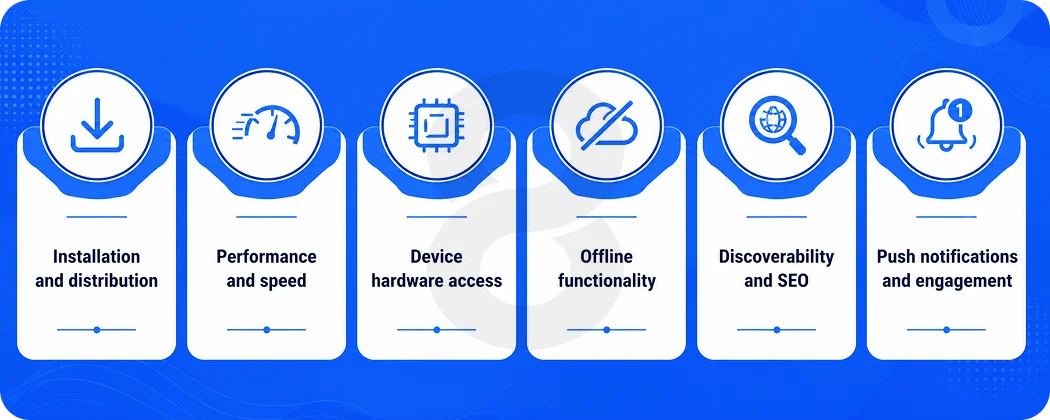
Six differences drive almost every real decision. Here’s each one in plain terms.
Installation and distribution
A PWA removes every step between a user and your product. Someone clicks a link and they’re in. A mobile app asks users to visit a store, download, wait, and grant permissions. Each step loses people. That friction is why so many businesses with occasional use products lean toward the web.
On the other hand, an app store listing carries trust. Users know Apple reviewed the app, and for some audiences that badge of legitimacy matters.
Performance and speed
Native code talks straight to the hardware, so mobile apps win every benchmark. The honest question is whether your users will ever notice. For a booking flow, store, or dashboard, well built PWA feels instant.
Push into 3D, AR, or animation heavy territory and the browser tax becomes visible, at which point native stops being a preference and becomes the requirement. Paying for native performance on a booking form is like buying a truck to carry groceries. Pick for the workload you have.
Device hardware access
Mobile apps get everything. Bluetooth for wearables, NFC for tap payments, full biometric authentication, background location for delivery tracking. PWAs get a useful subset that includes camera, GPS, and device orientation, with the tightest restrictions on iOS.
If your core feature depends on hardware from the deep end of that pool, this single difference decides the whole progressive web app vs mobile app question for you.
Offline functionality
Both can work offline, and that surprises people. A PWA caches pages and data through its service worker, so a spotty connection doesn’t break the experience. Mobile apps go further with full local databases and unrestricted background sync. Field service tools, note apps, and anything used in low connectivity areas benefit from the deeper native model.
Discoverability and SEO
A PWA is a website, so Google indexes every page of it. Content inside a mobile app is invisible to search engines. If organic search drives your customer acquisition, that’s an enormous point for the web. Mobile apps get discovered through app store optimization instead, which is its own competitive game with millions of apps fighting for the same shelf space.
Push notifications and engagement
Notifications were the whole argument for going native for about a decade. That monopoly is over. Android PWAs have sent them for years, and iPhones joined with iOS 16.4, as long as the user adds the app to their home screen first. Native still does the job better, since delivery is more dependable and the OS integration runs deeper.
And there’s a quieter advantage nobody prices in, which is the icon itself. An app sitting on the home screen gets seen every day whether it gets opened or not, and for products built on habit, that daily glance adds up.
Read More: Android vs iOS Development in 2026: Which Platform Should You Actually Build For?
Advantages and Disadvantages of Progressive Web Apps
Every PWA pitch leans hard on the savings and goes quiet about the limits. Here are both halves, including the parts that might talk you out of building one.
Benefits of PWAs
The economics come first. One codebase means one team, one QA cycle, and one deployment, which is why PWA budgets run so far below native ones. Launch speed follows the same logic, since there’s no store review and updates go live the moment you deploy.
Reach is the third pillar. Every phone, tablet, and laptop with a browser is your addressable market, and Google sends you traffic your competitors’ apps will never see. Users skip the download entirely, and the app takes almost no storage.
For eCommerce software projects in particular, that low friction path from ad click to checkout is worth real money. Research from Clutch found that 73 percent of eCommerce revenue now comes from mobile users, and a slow clunky mobile experience bleeds sales.
Limitations of PWAs
The honest list is shorter than it used to be, but it exists. No Bluetooth or NFC access, which rules out wearable integrations and tap to pay. Weaker background processing, especially on iPhone, where background sync isn’t available. Payment and biometric APIs still lag native.
Battery efficiency trails native code on demanding tasks. And there’s no app store presence unless you package the PWA for submission, which means brands that count on store discovery start from zero. If any of these limits touch your core feature set, stop here and build the mobile app.
Read More: How to Create an App: 8 Steps to Build an App
Advantages and Disadvantages of Mobile Apps
Mobile apps get sold on polish and prestige, and the drawbacks rarely make it into the pitch deck. The honest picture looks like this, uninstall rates and store fees included.
Benefits of mobile apps
Mobile apps deliver the best experience a phone can produce. Smooth animation, instant response, full hardware access, and deep OS integration from widgets to Siri shortcuts. They own the engagement game, with reliable notifications and a permanent home screen presence.
Store distribution brings trust and a built in payments system. And for products handling sensitive data, native platforms offer mature security tooling, hardware backed encryption, and biometric login, which is why serious fintech software almost always goes native.
Drawbacks of mobile apps
Cost leads the list, and it doubles if you build iOS and Android separately. Timelines stretch across months, and every update waits on store review. The stores also take their cut, up to 30 percent of digital revenue. Then there’s churn, which almost nobody budgets for.
AppsFlyer’s app uninstall benchmarks report found that more than one in every two installed apps gets uninstalled within 30 days of download. You pay to acquire an install, and half the time it’s gone within a month. An app has to earn its place on someone’s phone every single day.
Progressive Web App vs Mobile App Cost Comparison
Nobody writes it in the RFP, but budget settles most of these debates before the technical arguments even get a hearing. So here are the numbers the way agencies quote them.
A working PWA tends to land somewhere between $15K and $60K, and the range mostly tracks feature depth, since one web team is building one product either way. Go native on a single platform and quotes usually start around $40,000 and climb toward $150K.
Want iOS and Android as separate builds? Past $200K stops being unusual once the feature list gets serious. The middle path is a shared codebase, Flutter app or something similar, which shaves 30 to 40 percent off the dual native bill and still performs close enough that users won’t tell the difference.
| Approach | Typical Range | Ongoing Maintenance |
|---|---|---|
| Progressive Web App | $15,000 to $60,000 | Lowest, one codebase, instant updates |
| Cross-Platform Mobile App | $60,000 to $150,000 | Moderate, one codebase plus store releases |
| Dual Native Mobile Apps | $100,000 to $250,000 and up | Highest, two codebases, two release pipelines |
Maintenance is where the gap keeps growing after launch. Two native codebases mean every feature ships twice, every bug gets fixed twice, and every OS update gets tested twice. A PWA updates once, instantly, for everyone.
Over a three year horizon, maintenance often costs more than the original build, so run the comparison on total cost rather than the initial quote.
When to Choose a Progressive Web App
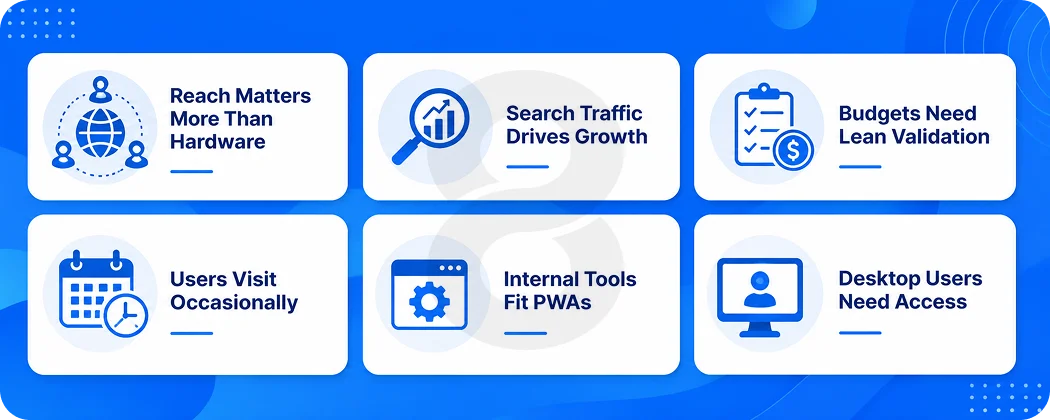
A PWA earns its keep wherever reach beats hardware. Selling things, publishing things, booking things, any product where customers arrive from Google or an ad and need to convert before they get bored, that’s PWA territory, because nothing kills a paid click quite like a download screen.
It also makes sense when the money is real but finite, when you’d rather test the idea this quarter than launch it next year, or when people will use the product once a month instead of once a day. Internal business tools are a sweet spot too.
A time tracker or field reporting tool for employees doesn’t need an App Store listing, and companies save serious money building those as web apps. B2B products whose users live on desktop during work hours also get more from a PWA than from an icon buried on a phone’s third screen.
Read More: Time Tracking Software Development Services: Features, Tech Stack & Timeline
When to Choose a Mobile App
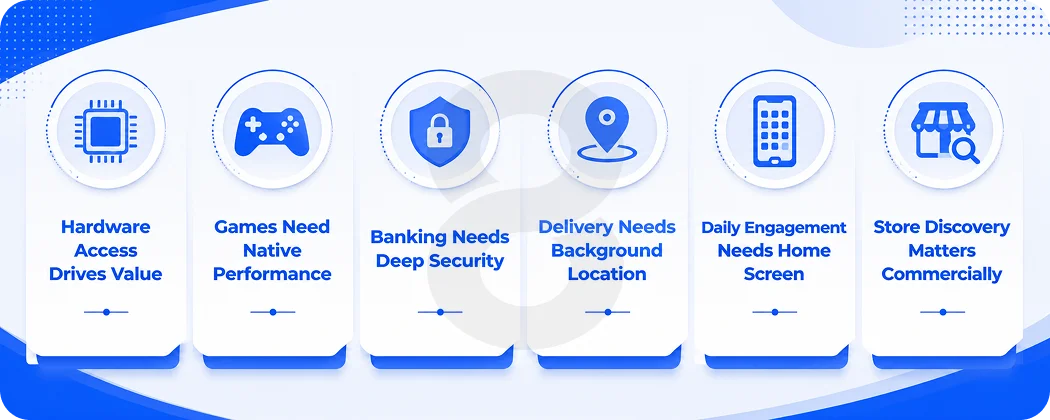
Go native when the app’s core value depends on the device itself. Games and AR experiences need the graphics pipeline. Fitness products need sensor and wearable access. Payment and banking apps need hardware backed security and biometrics.
Delivery and rideshare products need reliable background location. Anything built on daily engagement, streaks, and notifications benefits from the home screen presence and OS level integration only a store installed app provides.
And if your growth model depends on app store discovery or in app purchases, you need to be in the store to play. Teams weighing iOS against Android for these products should let their user data pick the first platform rather than launching both at once.
Real Examples of PWAs and Mobile Apps
Starbucks is the cleanest example because it runs both. The native app powers the loyalty program and mobile ordering for regulars, while the PWA at app.starbucks.com serves nearly the same ordering experience to anyone with a browser, no download required. Twitter took the PWA route for reach with Twitter Lite, a fraction of the native app’s size, built for users on slow networks and cheap storage.
On the other side, look at any successful mobile game, banking app, or rideshare product. Those categories stay native because their core features, from GPU rendering to biometric login to background location, live beyond what browsers offer. The pattern across all of these is consistent. Companies match the technology to the job instead of picking a side in the debate.
Read More: Native App vs Progressive Web App (PWA): A Complete Technical & Strategic Comparison
Can You Have Both a PWA and a Mobile App
Yes, and for established brands this is increasingly the honest answer to the whole progressive web app vs mobile app question. The two serve different users.
The PWA captures search traffic, first time visitors, and casual customers who will never download anything. The mobile app serves your loyal core, the people who want notifications, offline access, and one tap entry from their home screen. Starbucks runs this exact play.
The sequencing matters more than the destination. Most companies that end up with both started with the PWA, proved demand, and then built native for their best customers with real usage data in hand.
Starting with the expensive option and hoping demand shows up is how app budgets get burned. There’s also a middle path worth knowing about. A PWA can be packaged and submitted to Google Play, and hybrid app approaches can wrap your existing web code into a store distributed app without a full rebuild.
Get an Honest Answer From 8ration on Which to Build
8ration builds on both sides of this decision, which keeps our advice neutral. Our team delivers mobile app development across native iOS, native Android, and shared codebase frameworks, alongside full web application builds for clients who belong on the browser side of the line.
The portfolio shows the range. We built Be Line, a ride sharing app for underserved rural communities, as a native mobile product because background location and reliability demanded it. RC Event Hub ships on both the App Store and Google Play so RC racing enthusiasts can discover and register for events anywhere.
And when the browser was the right home, we built it there, including Done Right Away, a web app connecting homeowners with verified repair professionals, and Trailer4Rent, Canada’s peer to peer trailer rental platform.