You’ve got a product idea. Maybe it’s a dashboard for your operations team, a customer-facing booking tool, or a full-blown marketplace. And then the question hits: should you build a web app or go native?
It sounds like a technical decision. Really, it’s a business one. The choice you make here shapes your budget, your launch date, your SEO reach, and how your users actually feel about the product on day one. This guide breaks it all down, without the jargon.
What Is a Web App?
A Web application is a program that runs on the Web server and is accessed via the Web browser. Not installed. It’s as simple as opening up a tab.
The technologies behind Web applications are identical to technologies used in all Web pages: HTML for structure, CSS for appearance, and JavaScript for interactivity. But a web app would be responding to user input, not like a static website would. It can retrieve data, it can update in real time, it can process the data, etc., and it has more characteristics of software than pages.
Imagine your documents saving on the spot as you type, or how you can use Canva to drag and drop objects over a canvas, or how you can drag and drop cards to different columns on Trello without refreshing. Everything is done within a browser.
Common web app examples:
- Google Docs (document editing in the browser)
- Canva (design tool)
- Trello (project management)
- Shopify Admin (eCommerce backend)
- Airbnb (browser-based booking platform)
Modern web apps can also be created as progressive web apps (PWAs) that add on the top: offline support through service workers, push notifications, and the ability to install the app on the home screen. 8ration’s PWA development services enable businesses to roll out such an experience without the weight of a native build.
Read More: How to Build a Web App From Scratch: A Step-by-Step Guide for 2026
What Is a Native App?
A native app is built for one operating system and nothing else. On iOS, that means Swift and Apple’s design conventions. On Android, it is Kotlin or Java, tuned for Google’s ecosystem. Each ships through its own app store, and once installed, the app talks to the device’s hardware directly rather than through a translation layer.
That direct line to the hardware is the whole argument for going native. Camera, GPS, accelerometer, Face ID, Bluetooth, NFC, all of it sits within reach, no workarounds needed. Native code also gets the operating system’s own animation engine and full use of the GPU, which is why a good native app has that immediate, glued-to-your-finger feel that cross-platform frameworks spend so much effort chasing.
Common native app examples:
- WhatsApp (messaging, relies on contacts and notifications)
- Instagram (camera-heavy, GPU-intensive filters)
- Uber (GPS, real-time mapping)
- Spotify (background audio, offline playback)
- Google Maps (device sensors, offline maps)
None of this comes cheap, and it is rarely quick, since iOS and Android mean two separate builds. The cost makes sense when performance genuinely matters to your product, or when you need hardware access deep enough that a shared codebase would fight you the whole way.
Read More: 15 Top Web App Examples for Startups in 2026 (With Business Models Explained)
Web App vs Native App: Side-by-Side Comparison
| Factor | Web App | Native App |
|---|---|---|
| Performance | Moderate | High |
| Speed | Depends on Browser and Network | Direct Hardware Access, Faster |
| Installation | None Required | App Store Download |
| User Experience | Good | Excellent |
| Offline Access | Limited (PWA Improves This) | Full Support |
| Push Notifications | Limited | Full Support |
| Security | Good | Excellent |
| Development Cost | $8K–$70K (MVP Range) | $70K–$180K+ |
| Maintenance | Single Codebase | Per-Platform Updates |
| Time to Market | 6–16 Weeks | 16–40 Weeks |
| Device Features | Limited | Camera, GPS, NFC, Biometrics, AR |
| SEO | Strong | None |
| Discoverability | Search Engines | App Store Search |
| Updates | Instant | Requires App Store Review |
| Scalability | Cloud-Friendly | Platform-Specific |
| Monetization | Subscriptions, Ads | In-App Purchases, Subscriptions |
| Battery Usage | Higher | Lower |
| Multi-Platform Support | Yes | Requires Separate Builds |
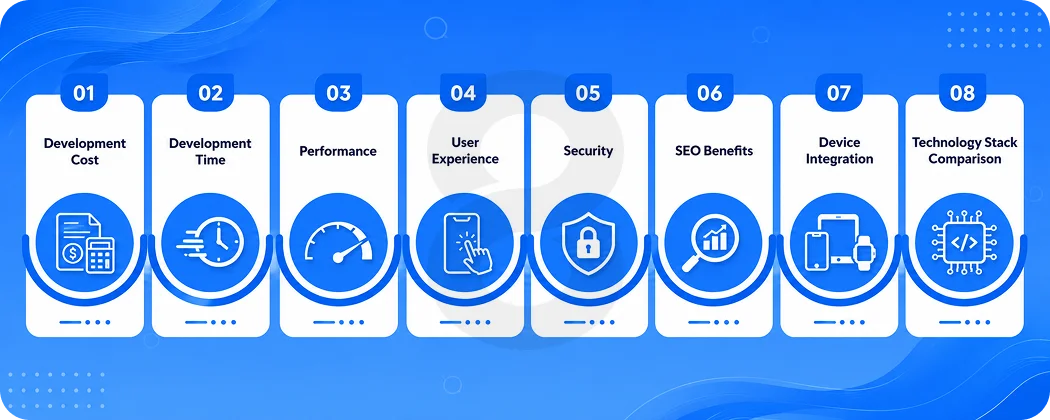
Web App vs Native App: Detailed Comparison
Development Cost
Business owners are typically interested in cost first, and there is a considerable difference.
Web app MVPs generally begin at $8,000 to $50,000 and go live in two to four months, while the average native mobile app comes to $90,780 and launches in 11 months. A medium-scope PWA typically costs between $25,000 and $70,000, and the price of native projects tends to start at $70,000 and exceed $180,000 for more complex projects.
Then there’s the cost of it that continues. With 15-20% annual maintenance, third-party services, security, and marketing expenses, the total cost of an $80,000 native app is approximately $96,000 to $112,000 for the first year.
| Project Size | Web App | Native App |
|---|---|---|
| MVP | $8K–$25K | $50K–$90K |
| Small Business | $20K–$50K | $70K–$120K |
| Startup Product | $30K–$70K | $90K–$180K |
| Enterprise Platform | $80K+ | $150K–$500K+ |
Development Time
An industry best practice is that the industry estimates it takes 8 to 16 weeks to deliver a focused MVP and up to 16 to 40 weeks to deliver a dual-platform native build.
| Phase | Web App | Native App |
|---|---|---|
| Planning | 1–2 Weeks | 2–4 Weeks |
| Development | 4–10 Weeks | 10–28 Weeks |
| Testing | 1–2 Weeks | 2–4 Weeks |
| Deployment | Days | Days + App Store Review |
| Maintenance | Rolling Updates | Per-Platform Releases |
That time difference is crucial for startups testing their idea. Feedback, revenue and iteration can occur 3 months before a competitor launches, with a faster time to market.
Performance
The native apps are faster, more responsive, more interactive and perform better than the web apps, which can only be interacted with within the browser.
However, this is not that big a difference anymore. With modern 4G networks, the impact on users is minimal, and even less so on Wi-Fi. For average business use cases, the gap in the user experience of a PWA is under 10% when it is well optimized. Native apps still have a lot of advantages for graphics-heavy tasks or computation-intensive ones.
| Metric | Web App | Native App |
|---|---|---|
| Loading Speed | Depends on Network | Direct from Device Storage |
| Animation FPS | 30–60 FPS (Browser-Limited) | Consistent 60 FPS+ |
| Memory Usage | Higher (Browser Overhead) | Optimized |
| Battery Drain | Higher | Lower |
| CPU Load | Browser-Dependent | Direct OS Calls |
| Offline | Limited (Service Workers) | Full |
If you’re building a web app for SaaS dashboards or internal tools, it will be sufficient. Go native for gaming, AR and real-time video.
User Experience
Native apps make their premium in UX. Navigation is intuitive because it follows platform conventions. Gestures work the way users expect. Smooth transitions are achieved, as the OS does the job.
Web apps have come a long way, particularly recently with popular frameworks such as React and Vue. However, there is a limit! The browser is a sandbox. It adds delay in some interactions and is not a complete replacement for the real world. Native apps are capable of accessing features. That includes location, camera, microphone, contact lists, touch gestures and biometric security such as fingerprint or face recognition. That technical superiority directly equates with the trust and user friendliness of the product.
Read More: 10 Web Application Frameworks: Selecting the Best Tech for Your ROI
Security
Either way you can build a secure app, though native apps offer structural benefits.
Native applications are hosted in hardware-backed keystores on iOS Secure Enclave, on Android Keystore. They are natively capable of supporting biometric authentication. The review process of the App Store eliminates the obviously malicious software from reaching users.
Web apps are more susceptible to browser-related threats, such as cross-site scripting and cross-site request forgery. However, a good web application that adheres to OWASP recommendations, with encryption across the board, and with encrypted APIs is very secure. Native apps have a more robust default security posture for regulated industries such as healthcare and financial services.
SEO Benefits
Here, web apps win by a country mile and are underutilized.
Native apps don’t exist to search engines. There is no hope a user searching “Task management tool for small teams” in Google will ever get your iOS app in the results. They find web apps. Everything from your landing pages to your in-app content to your user-generated content can be crawled, indexed, and ranked if it’s on the web.
Technical SEO is fully supported by web apps: canonical tags, structured data, meta descriptions, Open Graph, sitemaps. You can send organic traffic to particular features or uses. Content marketing can co-exist with the product. The value of being found organically is much more valuable in the long-term than the advantages of going native, particularly for SaaS businesses.
Device Integration
This is native’s strongest card.
| Device Feature | Web App | Native App |
|---|---|---|
| Camera | Basic (via Browser API) | Full Control |
| GPS | Yes | Yes (Better Accuracy) |
| Bluetooth | Limited | Full |
| Face ID / Fingerprint | Limited | Full |
| AR | Limited | Full (ARKit / ARCore) |
| NFC | No | Yes |
| Background Processing | No | Yes |
| Push Notifications | Partial (PWA) | Full |
In health, logistics and IoT applications, there are features that are simply not supported by the browser. In those are the instances, it is not optional to develop a native application. It’s the only way to develop the product you really require.
Read More: Healthcare Web App Development Guide
Technology Stack Comparison
| Web App Stack | Native App Stack |
|---|---|
| React | Swift (iOS) |
| Angular | Kotlin (Android) |
| Vue.js | Java (Android) |
| Node.js | Objective-C (iOS Legacy) |
| Laravel | Flutter (Cross-Platform) |
| Next.js | React Native (Cross-Platform) |
For cross-platform applications such as Flutter and React Native, it is possible to ship apps across iOS and Android from a single source of origin. These frameworks can save 30-40% time when compared with creating separate native apps, with access to device functionality. If you’re looking for near-native performance without the codebase burden, then 8ration’s Flutter and React Native services are worth checking out.
Pros and Cons
Web Apps
Advantages:
- Lower upfront cost
- Faster launch (weeks, not months)
- SEO-friendly, drives organic traffic
- Single codebase = easier maintenance
- Instant updates, no review cycles
- Works across all devices and operating systems
Disadvantages:
- Limited hardware access
- Performance ceiling vs native
- Browser dependency
- Weaker offline experience (unless PWA)
- Push notifications require extra setup
Native Apps
Advantages:
- Best performance and responsiveness
- Full offline capability
- Rich, platform-native UX
- Stronger security posture
- Full device integration (camera, GPS, NFC, biometrics)
- App Store discoverability
Disadvantages:
- Higher cost
- Longer development timeline
- Separate codebases for iOS and Android
- App Store approval delays
- Updates require user action
Read More: Native App vs Hybrid App Development: A Business Owner’s Decision Guide
When Should You Choose a Web App?
Using a web app where speed to market and SEO reach are more important than the depth of hardware.
Good fit for web apps:
- SaaS platforms (project management, CRM, HR tools)
- Internal business software and dashboards
- Customer portals and self-service tools
- Booking and scheduling systems
- Educational platforms with content-driven SEO
- Marketplaces where organic search is a key growth channel
- MVPs where you need to validate before scaling
A custom web app is almost always a better point of departure for a B2B company whose users are first and foremost desk-bound, or a start-up deciding whether users want what you’re developing.
Read More: What to Ask Before You Sign a Web App Design Contract (Most Clients Skip These)
When Should You Choose a Native App?
Use native where the interaction and experience of the product relies heavily on the device’s capabilities and not simply on the capabilities of the browser.
Good fit for native apps:
- Food delivery apps (GPS, push notifications, real-time tracking)
- Ride-sharing (constant location access, background processing)
- Healthcare (HIPAA compliance, secure local storage, biometrics)
- Gaming (GPU, smooth animations, AR/VR features)
- Fitness tracking (accelerometer, health APIs, background sync)
- Banking and fintech (biometric auth, hardware-backed encryption)
- Social media (camera, photo processing, notifications)
- IoT control apps (Bluetooth, NFC, background services)
- Streaming (offline downloads, background audio)
Industry use case table:
| Industry | Recommended Solution | Why |
|---|---|---|
| Healthcare | Native | HIPAA Compliance, Biometrics, Secure Storage |
| Education | Web App | SEO, Cross-Platform, Content-Driven |
| Retail / eCommerce | Both | Web for SEO, Native for Mobile Commerce UX |
| Banking / FinTech | Native | Security, Biometrics, Offline Access |
| Logistics | Native | GPS, Offline, Real-Time Tracking |
| Manufacturing | Web App | Internal Dashboards, Browser-Based Access |
| Travel | Web App + PWA | SEO, Booking Flows, Cross-Platform |
| Real Estate | Web App | SEO, Listings, Lead Capture |
| Media / Streaming | Native | Background Audio, Offline, Content DRM |
| SaaS | Web App | SEO, Subscriptions, Cross-Platform Access |
Read More: Web App Redesign Checklist: 10 Things to Demand from Your Design Agency
Common Mistakes Businesses Make
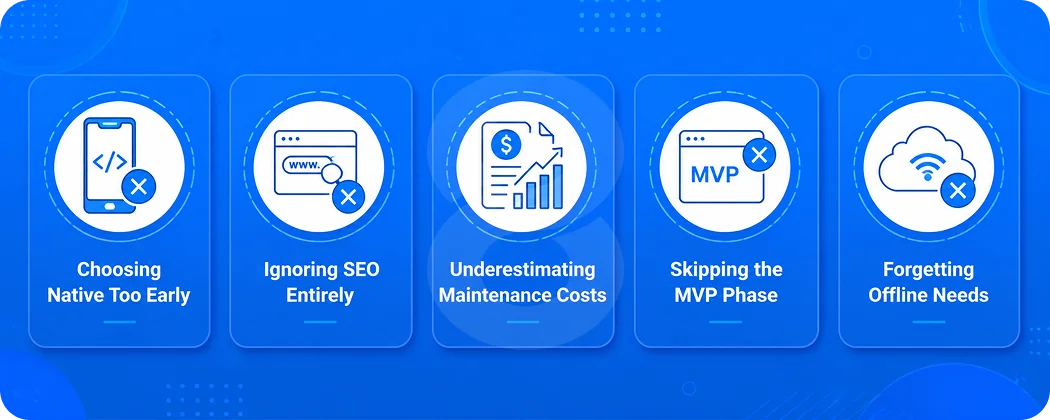
Choosing Native Too Early
Many startups end up having to build an app to use native when they haven’t proven the product idea with actual users. Testing the demand, collecting feedback and proving the concept is almost always sufficient with a web app or a PWA. One of the most costly errors in early stage development is going native before product-market fit.
Ignoring SEO Entirely
Building a native-only product means your app is invisible to search engines. If organic discovery is part of your growth strategy, and for most businesses it should be, you need at least a web presence alongside your native app. Native apps don’t rank in Google. Web apps do.
Underestimating Maintenance Costs
Two native apps, one for iOS and one for Android, means two codebases to maintain, test, debug, and update. Every OS release from Apple or Google can break functionality. Factor ongoing maintenance into your budget from day one. It typically runs 15–20% of the original build cost per year.
Skipping the MVP Phase
Committing to every feature on day one is how projects go over budget and miss their market window. The most successful apps launch lean, learn from real user behavior, and iterate. Building everything before anyone has used your product is a planning failure, not a development one.
Forgetting Offline Needs
If your users are in the field, on construction sites, in warehouses, on planes, and you built a web app without offline fallback, you have a product that stops working exactly when it needs to perform. Think through where your users actually are before picking a technology, not after.
Read More: Examples of Web-Based Applications: Real Business Use Cases and How to Build Your Own
What’s Shaping the Future of App Development (2026 and Beyond)
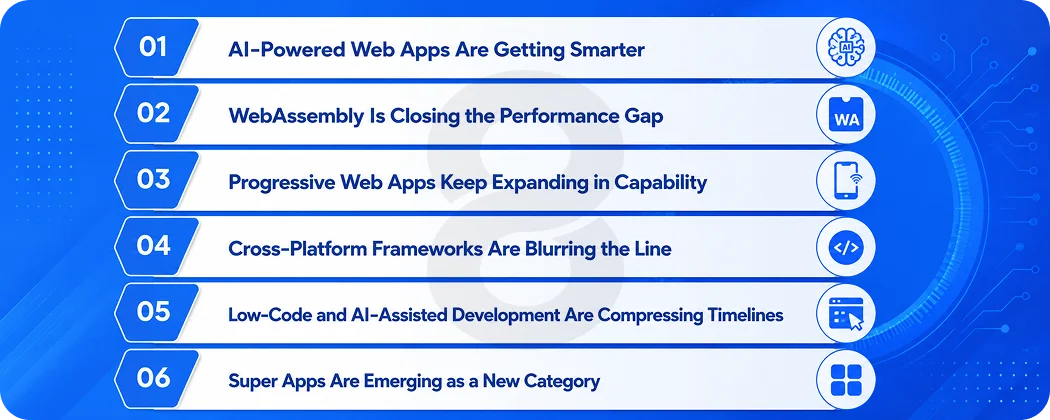
The web app vs native app conversation is actively shifting. A few forces are worth paying attention to.
AI-Powered Web Apps Are Getting Smarter
On-device AI and edge computing are letting browser-based tools do things that once required native code. Real-time translation, smart search, personalized content recommendations: all of it is moving to the web. The capability gap is narrowing faster than most developers expected just two years ago.
WebAssembly Is Closing the Performance Gap
WebAssembly (WASM) lets near-native code run directly in the browser, removing one of the biggest performance arguments for going native. Compute-heavy tasks like video editing, 3D rendering, and CAD modeling are now viable web experiences. Expect more desktop-class applications to move browser-side over the next few years.
Progressive Web Apps Keep Expanding in Capability
iOS added push notification support for PWAs starting in version 16.4, removing one of the biggest feature gaps that once pushed developers toward native builds. PWAs now support installation across iOS, Android, macOS, Windows, and Chrome OS through a single codebase, making them a genuinely competitive option for most non-gaming use cases.
Cross-Platform Frameworks Are Blurring the Line
Flutter and React Native are making the native vs web binary less relevant for many teams. You can get 80–90% of native performance and full device access from one codebase. Cross-platform development saves 30–40% versus building separate native apps, which changes the economics significantly for teams that need to ship on both iOS and Android.
Low-Code and AI-Assisted Development Are Compressing Timelines
Gartner predicts that by 2026, low-code development tools will account for 75% of new application development, up from 40% in 2021. AI coding assistants are already in use by more than 77% of developers. That means faster builds, lower costs, and shorter gaps between idea and launch regardless of which platform you choose.
Super Apps Are Emerging as a New Category
Markets outside the US are producing super apps: single applications that host multiple services inside one shell, blurring the line between native and web experiences. Think WeChat hosting payment, chat, maps, and shopping in one interface. As this model spreads, the question of native vs web becomes less about the container and more about what lives inside it.
How 8ration Builds Web and Native Apps
8ration works with startups, SMBs, and enterprises across both sides of this decision. Rather than defaulting to one approach, the team starts with the business problem: what does the product need to do, who’s using it, and what’s the runway? From there, the right platform follows naturally.
The team has delivered mobile app development projects spanning marketplace apps, healthcare platforms, logistics tools, on-demand services, and SaaS dashboards. Whether you need a fast web app to validate an idea or a performance-heavy native product for a demanding user base, 8ration’s custom software development services cover the full range with transparency on cost, timeline, and trade-offs.
Read More: Web App Design Pricing in 2026: Packages, Hourly Rates & What You Get
Final Verdict
There’s no universal right answer in the web app vs native app decision. There’s only the right answer for your specific product, your specific users, and your specific moment.
Build a web app if you’re validating an idea, serving users through SEO, running a SaaS or internal tool, or trying to stretch a budget further. Build a native app when your product’s value depends on what the device can do, not just what the browser allows. And seriously consider a Progressive Web App or cross-platform build if you want the best of both without doubling your development cost.
The technology choice is less important than the execution. A well-built web app beats a half-finished native app every time.